
TinyBoard NYC
NYC Subway, Bus & Train Times
Diseñada para iPhone, iPad
Compras en la aplicación
- Clasificación por edad4+
- CategoríaViajes
- DesarrolladorDaniel Hertz
- IdiomasInglés
- Tamaño79,1 MB
Es posible que TinyBoard NYC no esté disponible en App Store en este momento
No se pudo acceder a la ficha de la tienda en nuestra última comprobación. El enlace sigue llevando a la página oficial de App Store.
Capturas de pantalla

Acerca de
El desarrollador no ha proporcionado este texto en tu idioma.
Every NYC transit system on one board. Subway, bus, LIRR, Metro-North, NJ Transit, PATH, NYC Ferry, Citi Bike, AirTrain JFK, airport TSA — real-time arrivals, widgets, Live Activities, Siri.
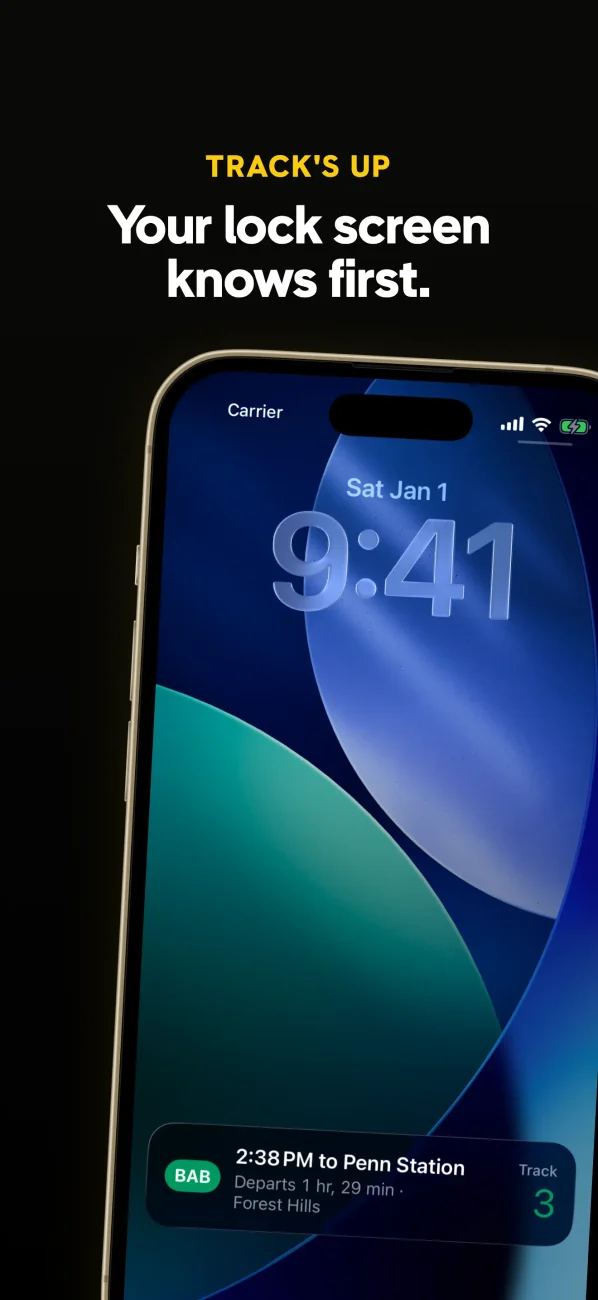
LIVE ACTIVITIES THAT DON'T GO STALE
Track your train from the Lock Screen and Dynamic Island. The countdown updates in real time — not "whenever iOS feels like refreshing." See your track number the moment it posts, without unlocking your phone.
THE WHOLE TRIP, ONE APP
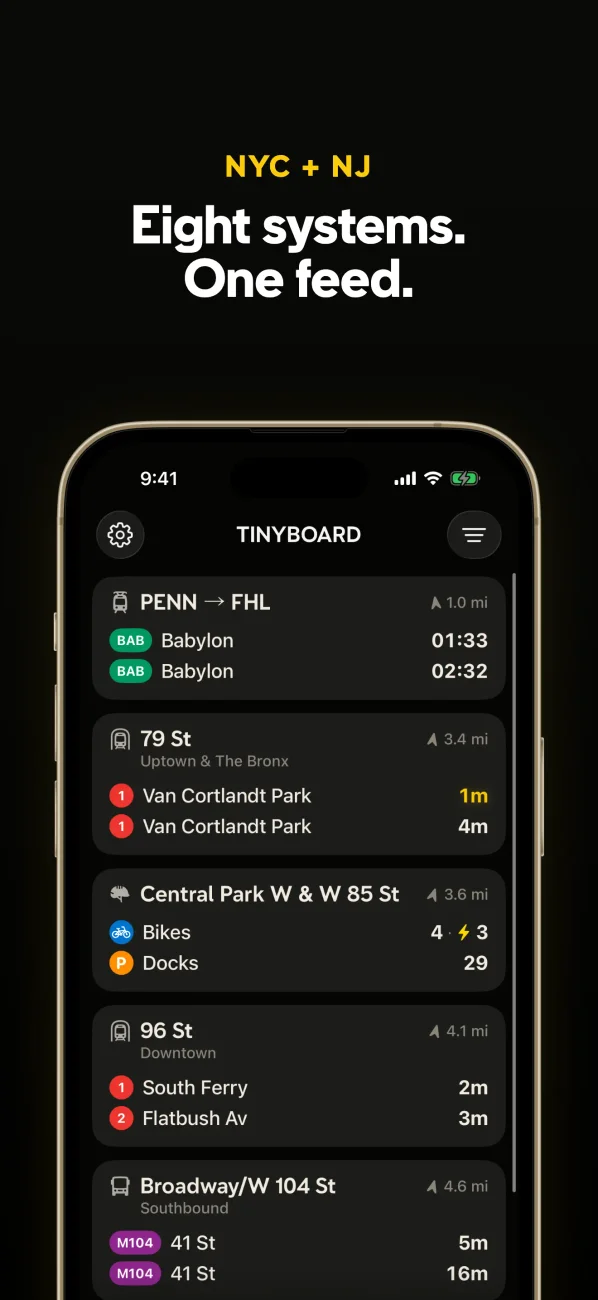
Subway. Bus. LIRR. Metro-North. NJ Transit rail, bus, and light rail. PATH. NYC Ferry. Citi Bike. AirTrain JFK. TSA wait times at JFK, LaGuardia, and Newark. If it moves people around New York, TinyBoard tracks it.
AIRPORT WAIT TIMES
See Standard and PreCheck security lines at every terminal before you leave the house. Search by airline, favorite your terminal, check TSA from your home screen widget.
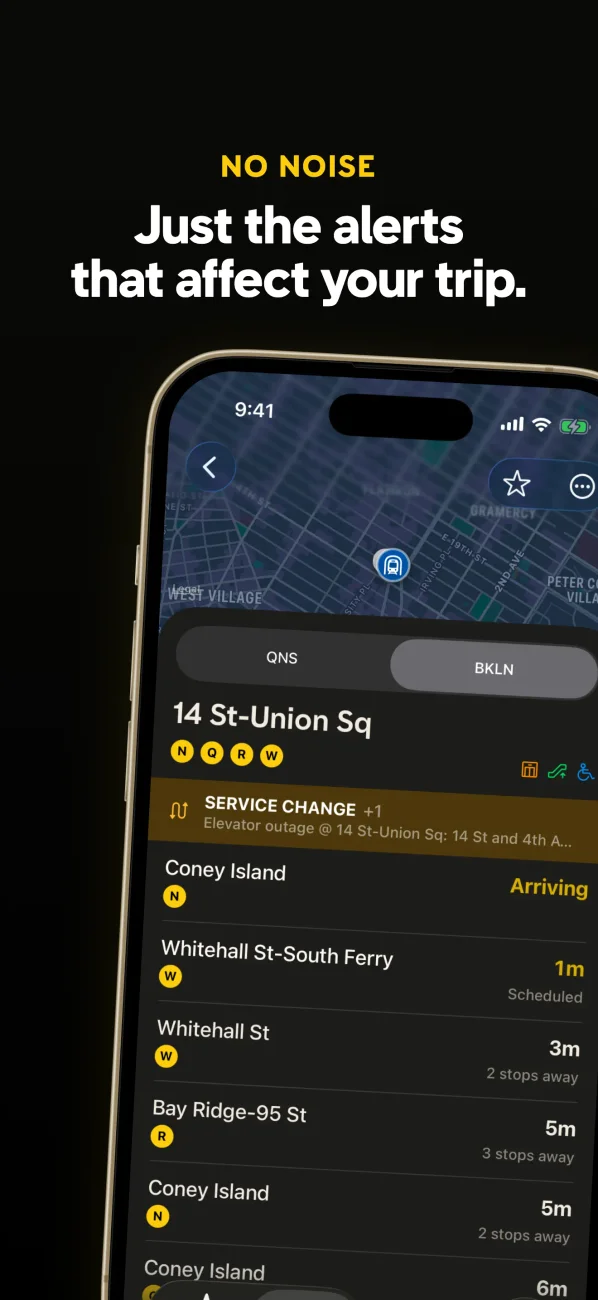
SERVICE ALERTS, ATTACHED TO YOUR TRAIN
A small badge right on the arrival bullet shows when your specific line has issues. If a direction has zero trains because of a service change, the card tells you why — not just "no arrivals."
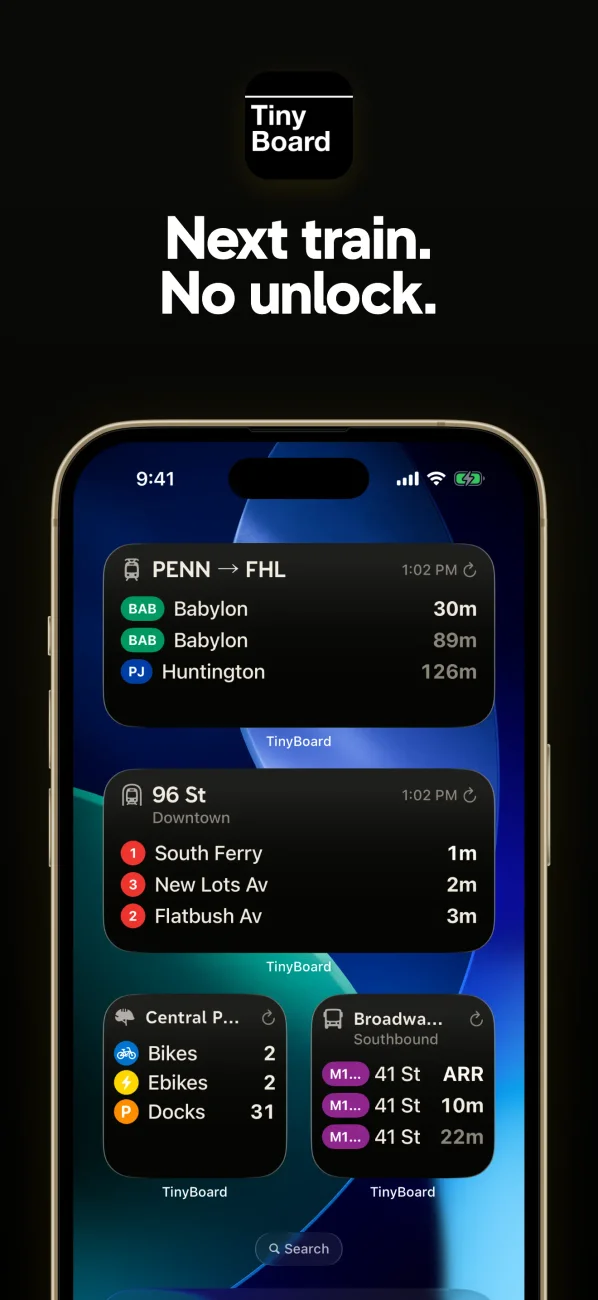
HOME SCREEN WIDGETS
Pin your daily stops to your home screen. Glance and go.
ASK SIRI
"When's the next train at 86th Street?" Works with Shortcuts, voice, and Spotlight.
FIND ANY STOP
Search by station name, route, or just tap Nearby to see everything around you — buses, trains, ferries, bikes, all on one list with compass arrows pointing the way.
CITI BIKE, PROPERLY
See ebikes, classic bikes, and open docks at a glance. When a dock is low on what you need, TinyBoard shows nearby docks that have it.
DESIGNED FOR NEW YORK
Clean, information-dense, no ads. Just your arrivals.
TINYBOARD PRO
All transit modes and home screen widgets are free. Upgrade to Pro for unlimited saved stops, Live Activities on the Lock Screen, morning alert briefings, offline transit maps, and iCloud sync.
TinyBoard Pro is available as a monthly subscription ($1.99/month), annual subscription ($14.99/year), or a one-time lifetime purchase ($49.99). Payment will be charged to your Apple ID account at confirmation of purchase. Subscriptions automatically renew unless canceled at least 24 hours before the end of the current period. Your account will be charged for renewal within 24 hours prior to the end of the current period. You can manage and cancel your subscriptions by going to your App Store account settings after purchase.
Terms of Use: https://tinyboard.nyc/terms
Privacy Policy: https://tinyboard.nyc/privacy
Novedades
Versión 1.2.5 · 15/4/2026
Accumulate 1.2.5 release notes here as features land.
- Widgets, as many as you want — the upgrade prompt is gone.
- Widget picker shows direction (Eastbound / Westbound) so two saves of the same stop are easy to tell apart.
- Widgets keep showing arrivals through a network blip instead of going blank, and fit as many rows as the size allows.
- Taller map on every detail screen — more street context at a glance.
- Fresh installs land in your system light/dark mode, no permission prompts before you've seen anything.
- New "Rate TinyBoard" link in Settings.
- A pile of tiny fixes: detail screens bounce back from errors, deeplinks land where they should, the freshness pill stops fibbing.
### Mala's Data Quality Corner
- Route badges no longer truncate to "…" on small widgets — the headsign gives, the badge doesn't.
Privacidad de la aplicación
Lo que Daniel Hertz declara en App Store sobre cómo esta aplicación gestiona los datos.
-
Datos no vinculados a ti
Pueden recopilarse, pero no se vinculan a tu identidad.
- Compras
- Ubicación
- Datos de uso
- Diagnóstico
Las prácticas de privacidad pueden variar, por ejemplo, según las funciones que uses o tu edad.
Información
- Vendedor
- Daniel Hertz
- Categoría
- Viajes
- Versión
- 1.2.5
- Actualizado
- 15/4/2026
- Publicado
- 26/2/2026
- Tamaño
- 79,1 MB
- Requiere
- iOS 18.0 o posterior
- Clasificación por edad
- 4+
- Compras en la aplicación
- Sí
- Idiomas
- Inglés
- Copyright
- © 2026 Danny Hertz
Quizá también te guste
-
 Commute NYCNavegación
-
 MTA Commuter WidgetsNavegación
-
 Commutely: NYC Subway TimesNavegación
-
 NextTrain NYC SubwayNavegación
-
 TrackRatNavegación
-
 Now Departing: NYC SubwayNavegación
-
 Tunnl: Subway Map & TimesViajes
-
 New York MTA Made EasyEl metro de NYC, paso a paso
-
 Fine Lines NYCViajes
-
 Subway LeapfrogViajes