- Clasificación por edad4+
- CategoríaProductividad
- DesarrolladorOENG Mengthong
- IdiomasInglés
- Tamaño19,0 MB
Enlaza a la página oficial de App Store
Download.org no aloja ningún archivo de Meow Todo - Todo List. El botón abre la página de la aplicación en App Store, donde la publica OENG Mengthong. Ficha comprobada por última vez el 25/11/2026.
Capturas de pantalla



Acerca de
El desarrollador no ha proporcionado este texto en tu idioma.
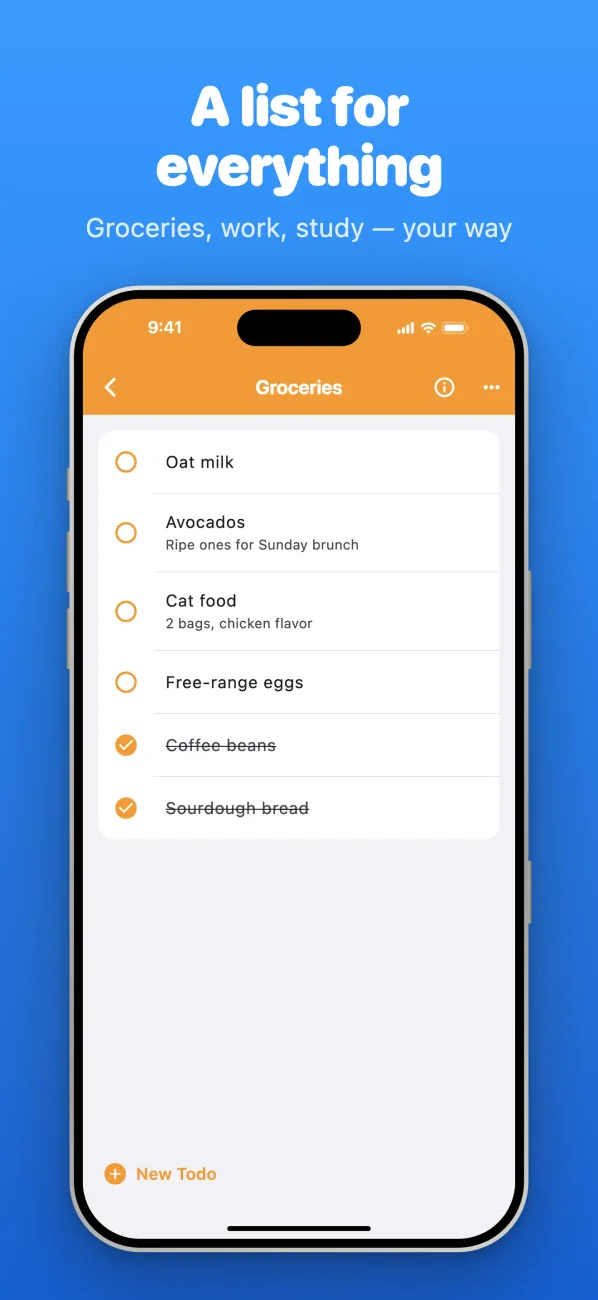
Meow ToDo is the simple, friendly way to organize your day. Make a list for anything, add your tasks, and check them off. No accounts, no clutter, just your to-dos.
SMART LISTS
See what matters at a glance. Today shows everything due today, plus anything overdue so nothing slips through. Scheduled gathers every task with a date, All shows everything still open, and Completed keeps a record of what you have finished.
COLORFUL LISTS FOR EVERYTHING
Create lists for home, work, groceries, study, hobbies, or anything else. Give each one its own color and icon so you can spot it instantly. Every list shows how many tasks are still open.
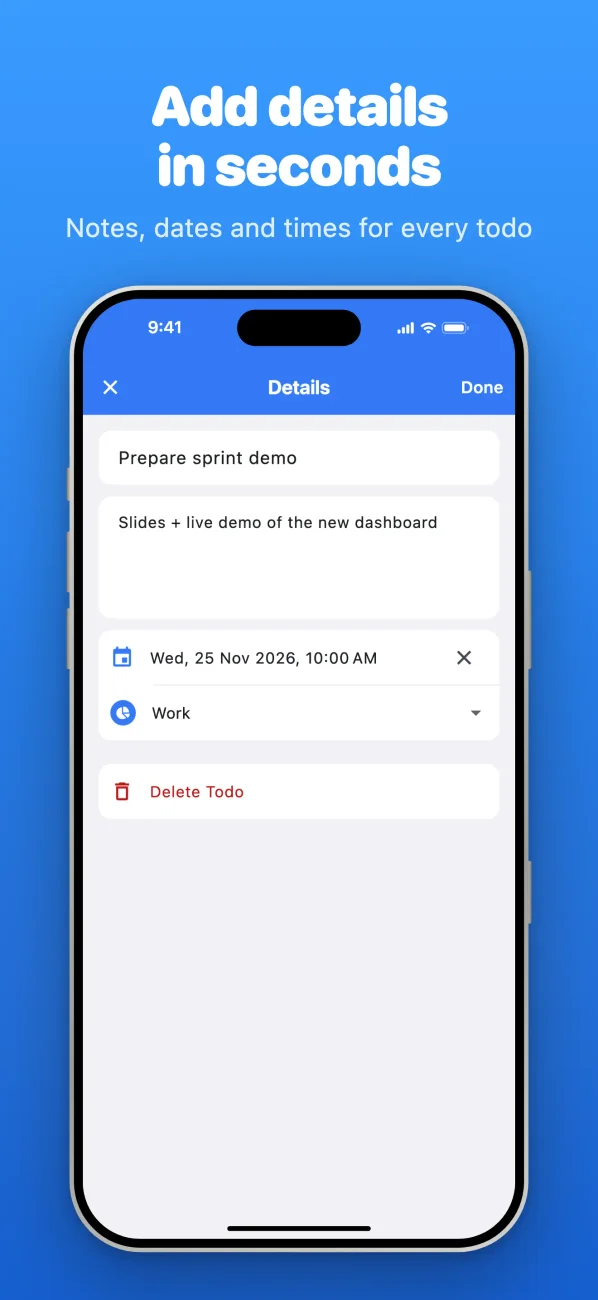
ADD DETAILS IN SECONDS
Give a task a title, add notes, and set a date and time. Overdue tasks stand out in red, and due dates read naturally, like "Today 6:30 PM" or "Tomorrow 10:00 AM".
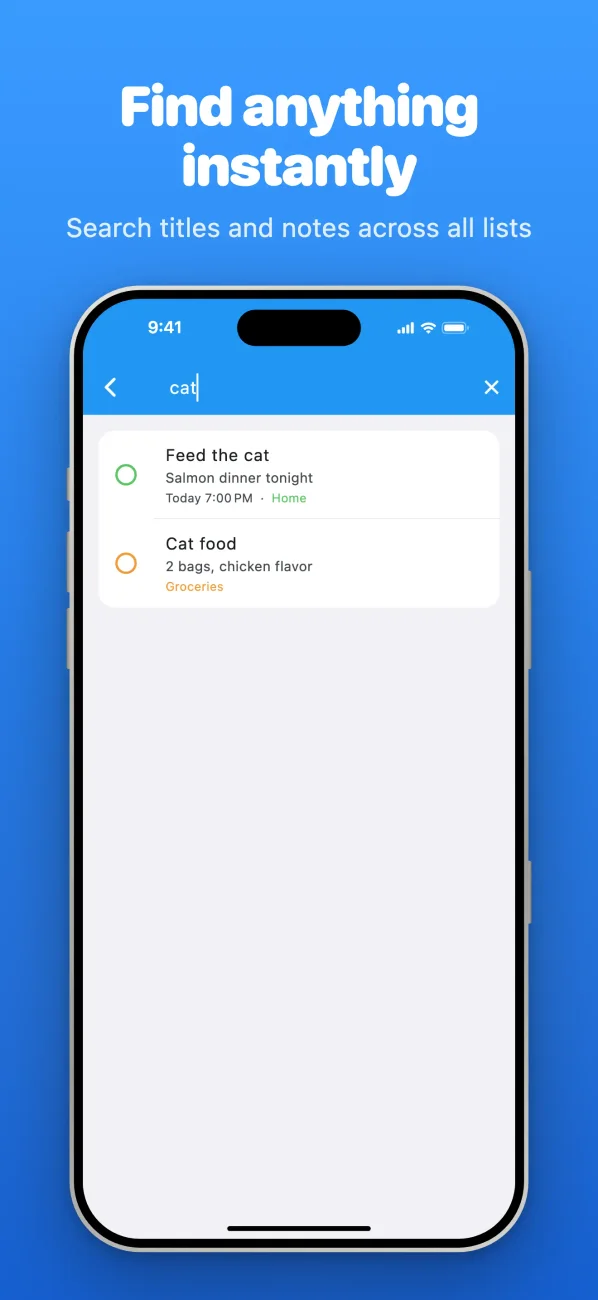
FIND ANYTHING INSTANTLY
Search titles and notes across all of your lists at once.
QUICK AND FORGIVING
Tap the circle to check off a task. Swipe to edit or delete. Deleted something by mistake? Tap Undo. Clear out finished tasks with one tap, or hide them while you focus.
MADE FOR IPHONE, IPAD, AND MAC
On iPhone, everything is one tap away. On iPad and Mac, your lists and tasks sit side by side, and forms open right where you are working. On Mac, use keyboard shortcuts: Command-N for a new task, Shift-Command-N for a new list, Command-F to search, and right-click any task or list for more options. The Mac window resizes to fit the way you work.
BEAUTIFUL IN DARK MODE
Meow ToDo follows your device's appearance, and it supports larger text sizes for comfortable reading.
PRIVATE BY DESIGN
Your tasks stay on your device. No sign-up, no ads, no tracking.
Download Meow ToDo and start checking things off today.
Novedades
Versión 1.1.0 · 25/11/2026
Meow ToDo 1.1 is our biggest update yet.
- New side-by-side layout for iPad and Mac, with lists on the left and tasks on the right
- Mac: resizable window, keyboard shortcuts (Command-N, Shift-Command-N, Command-F), and right-click menus
- Today now includes overdue tasks, and overdue items are highlighted in red
- New Completed list
- Search across all your lists
- Undo after deleting a task
- Hide or clear completed tasks
- Remove a date from a task with one tap
- Full Dark Mode support and better support for larger text
- Deleting a list now asks first and removes its tasks too
- Faster, smaller, and more reliable, with safer saving of your data
- Ads removed
Privacidad de la aplicación
Lo que OENG Mengthong declara en App Store sobre cómo esta aplicación gestiona los datos.
-
No se recopilan datos
El desarrollador no recopila ningún dato de esta aplicación.
Las prácticas de privacidad pueden variar, por ejemplo, según las funciones que uses o tu edad.
Información
- Vendedor
- OENG Mengthong
- Categoría
- Productividad
- Versión
- 1.1.0
- Actualizado
- 25/11/2026
- Publicado
- 14/8/2021
- Tamaño
- 19,0 MB
- Requiere
- iOS 15.6 o posterior
- Clasificación por edad
- 4+
- Precio
- Gratis
- Idiomas
- Inglés
- Copyright
- © DataCode Studio