
- Clasificación por edad9+
- CategoríaUtilidades
- DesarrolladorJames Frink
- IdiomasInglés
- Tamaño7,1 MB
Es posible que Torchlight Mapper no esté disponible en App Store en este momento
No se pudo acceder a la ficha de la tienda en nuestra última comprobación. El enlace sigue llevando a la página oficial de App Store.
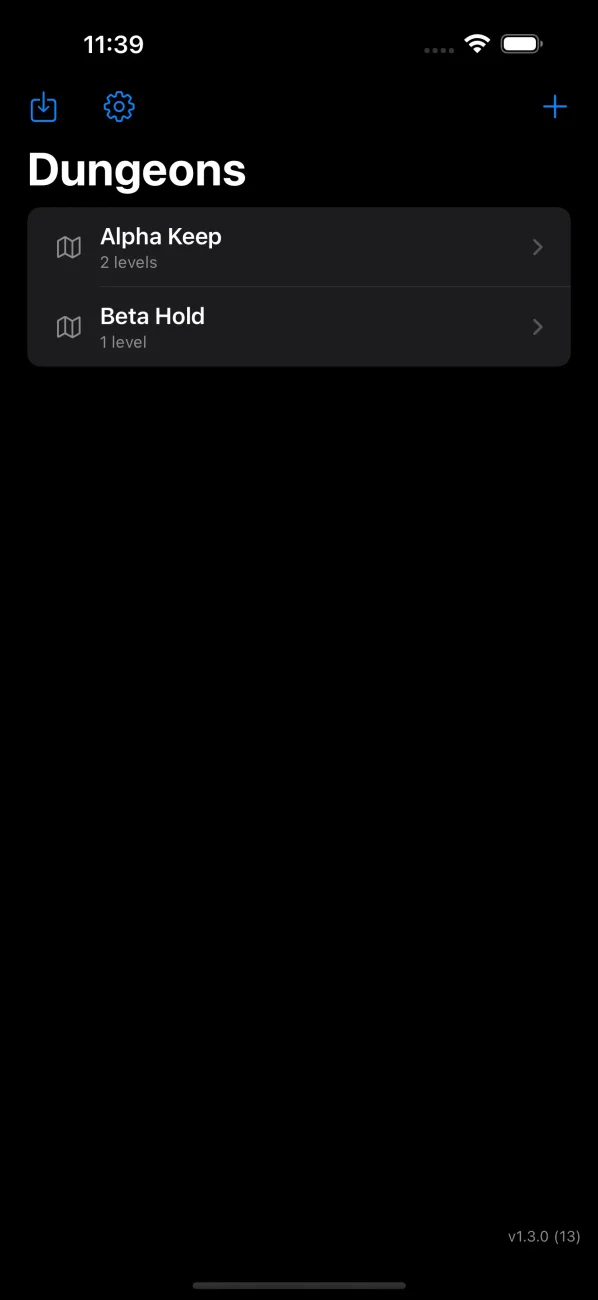
Capturas de pantalla



Acerca de
El desarrollador no ha proporcionado este texto en tu idioma.
Torchlight Mapper is a dungeon mapping app for tabletop roleplaying players. You are the one at the
table drawing the map — this is the graph paper, redrawn for your iPhone and iPad.
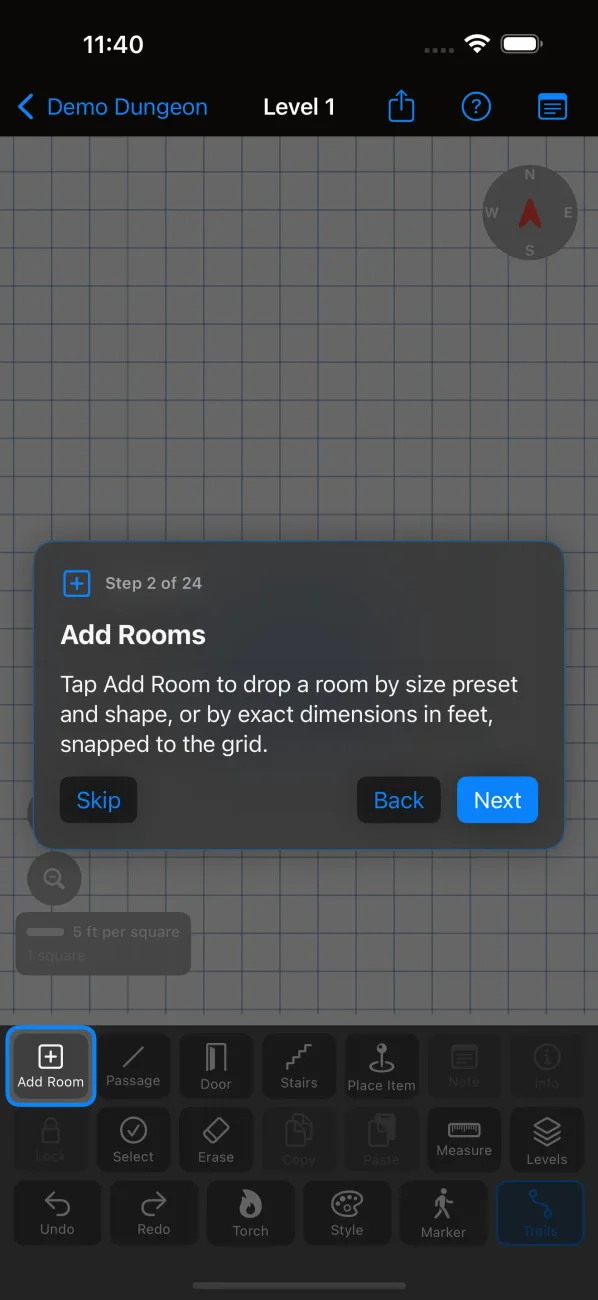
Sketch rooms as they are described. Paint passages cell by cell. Drop doors, stairs, and item
markers where they belong. When the party doubles back through a corridor you already drew,
everything is still there, to scale, on the grid.
MAP AS YOU GO
- Add square, rectangular, round, oval, and hexagonal rooms, then reshape any of them into an
irregular outline by painting cells
- Paint passages of any shape and set how wide each one is
- Place doors, secret doors, and up or down stairways
- Drop item markers with icons for treasure, statues, water, rubble, and more
- See every unexplored exit at a glance: doors that open onto nothing, dead-end passages,
and stairways you have not mapped yet are marked with a question mark
- Attach notes to any room or passage
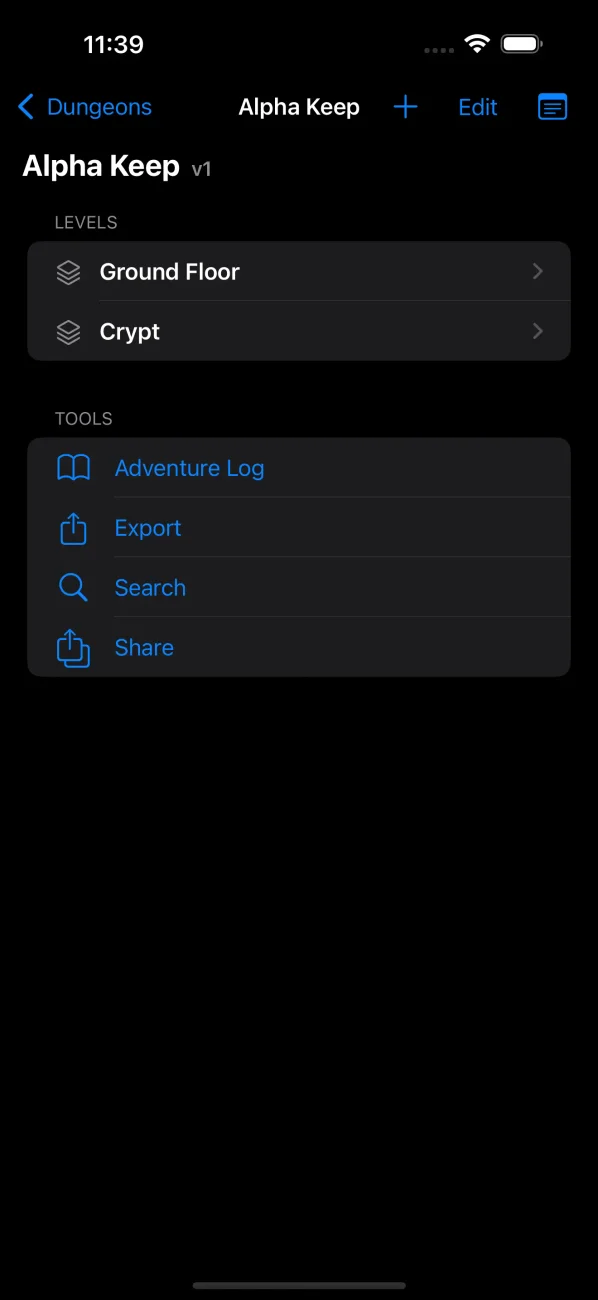
- Multiple levels per dungeon, with stairways linking them
BUILT FOR A LIVE SESSION
- Undo and redo everything, so a misheard description costs one tap
- Lock rooms and corridors so a stray finger cannot drag your map
- A torch timer, with an optional notification when it burns out
- Measure distances in grid squares or feet
MAKE IT YOURS
- Five map styles: classic, classic blue, parchment, cross hatch, and ink sketch
- Optional hand-drawn roughness, so straight walls look sketched
- Light and dark themes, including a warm torchlight palette
KEEP AND SHARE YOUR MAPS
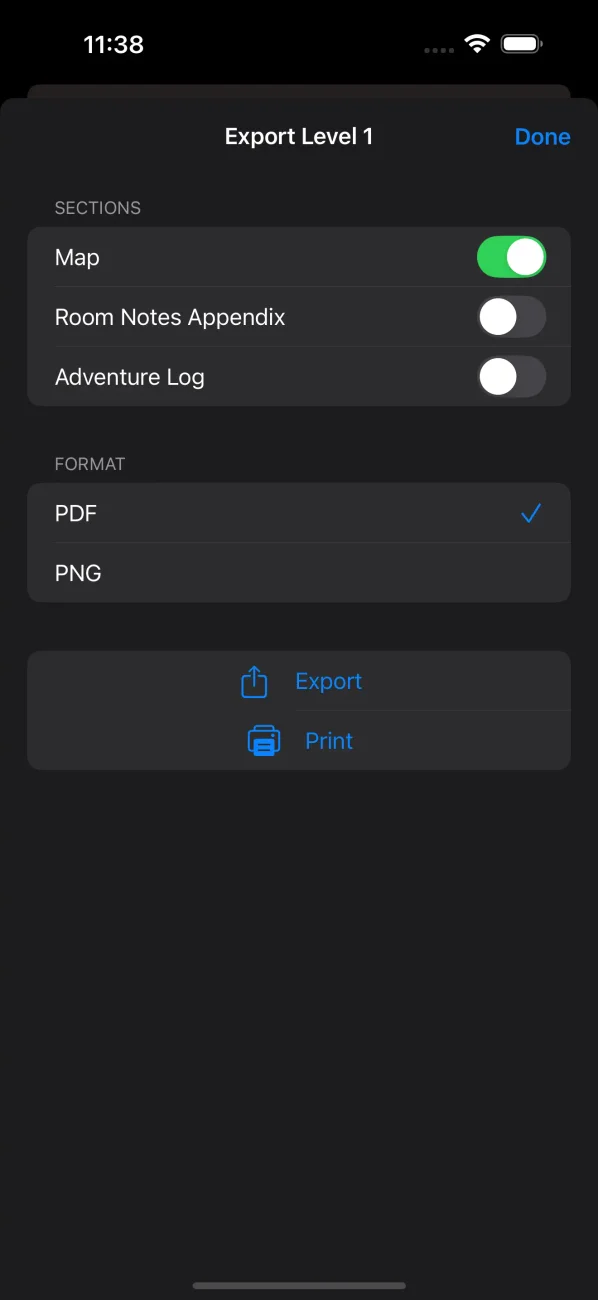
- Export any level to PDF or PNG
- Print directly
- Share a whole dungeon as a .torchlight file another mapper can open
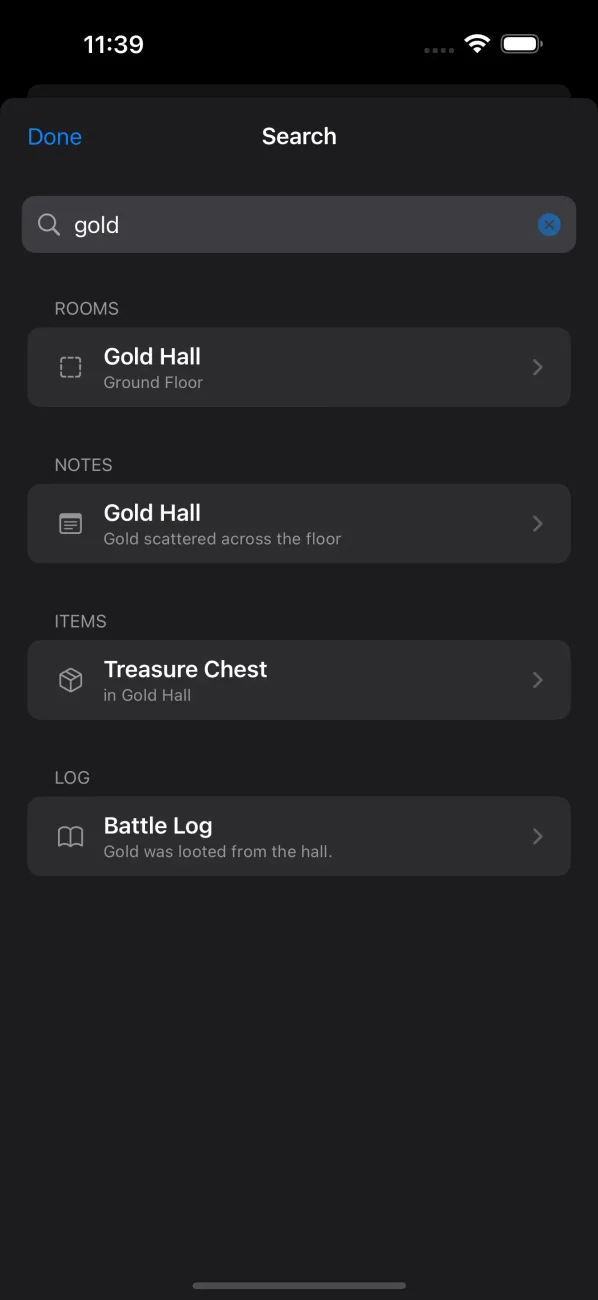
- Search every room, note, item, passage, stairway, and log entry
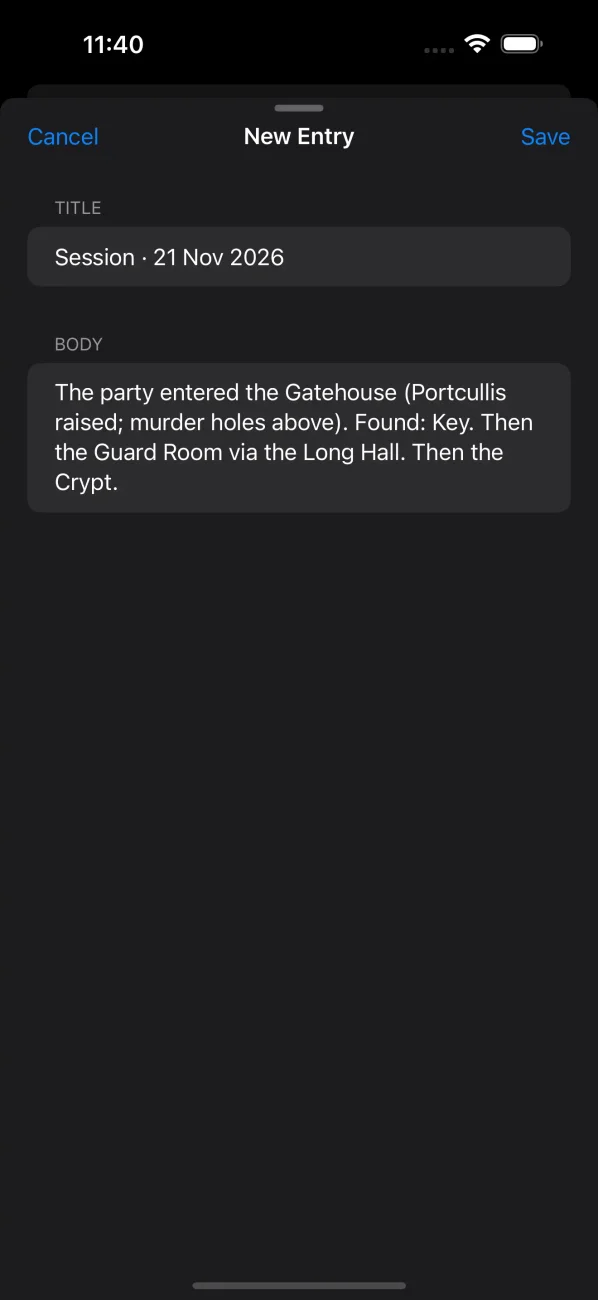
- Keep an adventure log alongside the map, and draft a session recap that follows your party
marker from room to room
PRIVATE BY DEFAULT
Torchlight Mapper collects nothing. There is no account, no analytics, no tracking, and no network
connection. Your maps stay on your device unless you explicitly export or share them.
Torchlight Mapper is an independent app and is not affiliated with, endorsed by, or licensed by any
tabletop game publisher.
Novedades
Versión 1.3.0 · 22/11/2026
Find what you haven't explored, and turn a session into a story.
NEW
- Doors that open onto nothing, passages that end in the dark, and stairways you have not mapped are marked with a question mark. Tap the unexplored count to see them all and jump to one. If a door or passage really goes nowhere, tap its question mark and mark it as a dead end. A new Unexplored item marks any other opening.
- In the adventure log, tap Recap to write up a session. It follows your party marker from room to room, with room notes and what you found, and lists what is still unexplored. Edit it before you save.
- Open a .torchlight file from the Files app: tap Share, choose Torchlight Mapper, and the dungeon is imported.
ROOMS AND PASSAGES
- Passages join round and oval rooms cleanly: the doorway opens in the curved wall, with no gap and no wall line across it. A painted passage's name shows on the passage instead of at the corner of the map, and exported maps include passage names.
- When you move a room, its passage's doorways move to the walls where the two rooms face each other, so the passage takes the short way and never runs along a wall or through a room. Tap Keep doors on the banner to put them back and pin them; a pinned doorway shows a pin, and Move doors on a later move unpins it. You can also pin a doorway in the passage's Info.
- Select a passage and tap Add Room, and the new room is placed against the passage and connected to it, round and oval rooms included. If there is no space for it at the passage's end, a note says so.
- Resizing a room now takes along a passage that is joined to it at one end only, the same way moving the room does.
FIXES
- A fast paint or Edit Cells stroke now includes the square it started in.
- On iPad, a passage that is a single painted square can be selected and erased.
- A new room no longer lines up against a room you have deleted.
- The tutorial now shows how to make an irregular room: select it, tap Info, then tap Edit Cells.
- Settings → Map Style now names the right default style, Classic Blue.
Privacidad de la aplicación
Lo que James Frink declara en App Store sobre cómo esta aplicación gestiona los datos.
-
No se recopilan datos
El desarrollador no recopila ningún dato de esta aplicación.
Las prácticas de privacidad pueden variar, por ejemplo, según las funciones que uses o tu edad.
Información
- Vendedor
- James Frink
- Categoría
- Utilidades
- Versión
- 1.3.0
- Actualizado
- 22/11/2026
- Publicado
- 21/9/2026
- Tamaño
- 7,1 MB
- Requiere
- iOS 18.0 o posterior
- Clasificación por edad
- 9+
- Idiomas
- Inglés
- Copyright
- © 2026 James Frink
Quizá también te guste
-
 DreamyOmni VideoUtilidades
-
 Input CalculatorUtilidades
-
 Nova Calc: History CalculatorUtilidades
-
 StatAnvilUtilidades
-
 Map MirrorUtilidades
-
 Mumu Calculadora - EditarHistorial, notas y archivo
-
 Calculator - Budget & FinanceTrack Income & Expense Easily
-
 Aritio — Beautiful CalculatorUtilidades
-
 Ad Free Calculator AppUtilidades
-
 MyCalc: Flexible CalculatorUtilidades