
Trackly - Spending Tracker
Receipts & payment screenshots
Diseñada para iPhone, iPad
Gratis · Compras en la aplicación
- Clasificación por edad4+
- CategoríaFinanzas
- Desarrollador伟才 黄
- IdiomasInglés+ 2 más
- Tamaño55,3 MB
Enlaza a la página oficial de App Store
Download.org no aloja ningún archivo de Trackly - Spending Tracker. El botón abre la página de la aplicación en App Store, donde la publica 伟才 黄. Ficha comprobada por última vez el 23/11/2026.
Capturas de pantalla
Acerca de
El desarrollador no ha proporcionado este texto en tu idioma.
Your payment screen stays open. Your expense is already recorded.
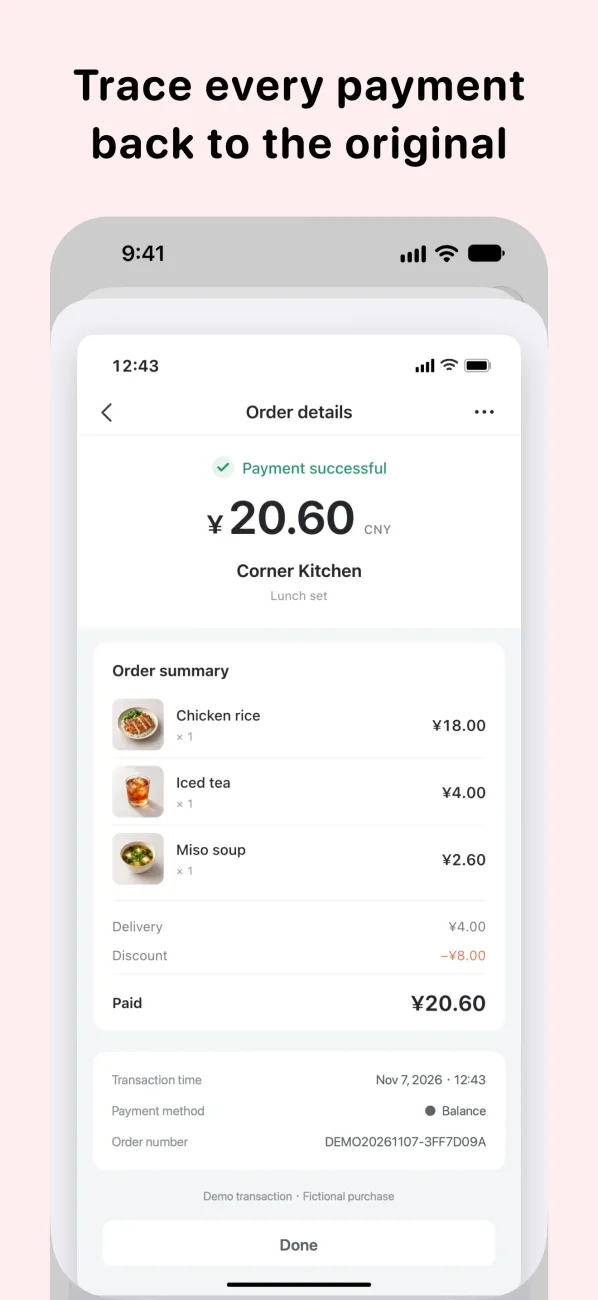
Run the Trackly shortcut from an order or payment screen. Your chosen AI service organizes the purchase time, amount paid, and details. Return to Trackly to find your spending arranged by date, with the original screenshots available to check.
Record it while you pay
Use an order detail or payment confirmation screen that shows both the purchase time and the final amount paid. Start with the Action button on supported iPhones, Apple Shortcuts, or photo recording on the home screen.
On iOS 27, recognition and recording can run in the background, with progress shown in a Live Activity while your original screen stays open. The shortcut prioritizes up to five screenshots taken in the past minute.
On iOS 17.4 through iOS 26, take the screenshots first and run the Trackly Classic shortcut. Recognition and saving complete in Shortcuts or Trackly, depending on your AI service.
Keep every expense within reach
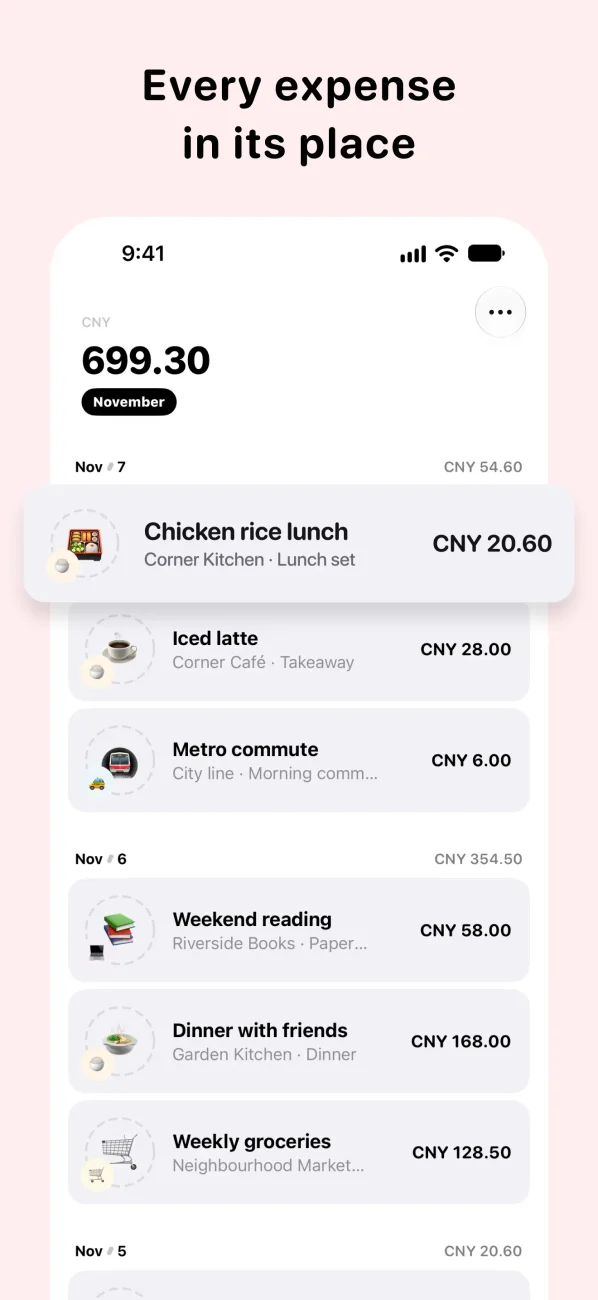
Browse expenses by date, check daily subtotals and the monthly total, and keep original screenshots, categories, and notes. After recording, check the time, amount, and category.
More room for your ledger on iPhone Duo
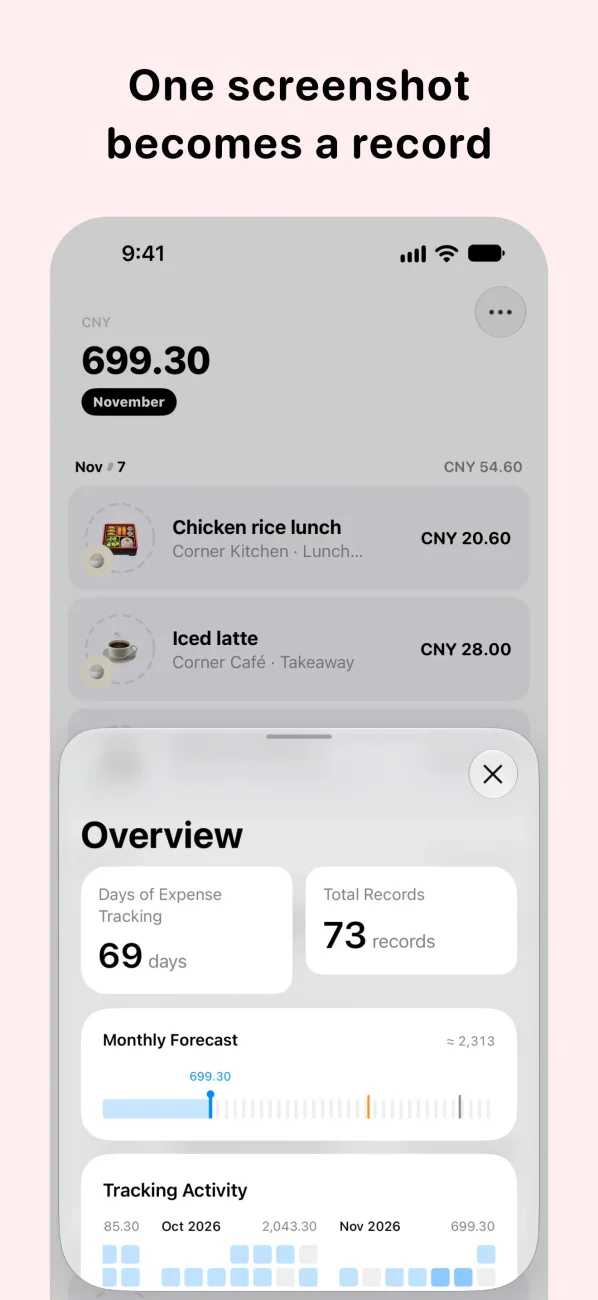
Unfold iPhone Duo to see the record list beside your overview or an expense’s details. Check your monthly spending as you browse, or select an expense to check the amount and original screenshot. Fold your iPhone to keep viewing the same record.
Two things to set up
Connect your own AI service, then install the Trackly shortcut for your iOS version. Use a supported AI account, API key, or Coding Plan. Usage allowances, service charges, and data handling depend on the provider and your settings. Recognition sends text and, when required by your model, images to your configured service.
Start free, upgrade when needed
The free version keeps up to 100 records. Trackly Pro is a one-time in-app purchase that removes the record limit and supports Family Sharing. Pro does not include an AI service or AI credits.
Records and images are stored in the app database, with Apple CloudKit sync support. You manage photo, location, and notification permissions.
Available in English, Simplified Chinese, and Traditional Chinese. Requires iOS 17.4 or later.
Novedades
Versión 1.6 · 13/11/2026
- Drag the edge of the records list to reveal the month ruler and jump to a month; VoiceOver can also adjust the month.
- Month jumps load only the records around the target month, so they stay fast even in long ledgers; scrolling back up loads newer records.
- On iPhone Duo, the records list and Overview appear side by side when unfolded; select a record to see its details in the side column, and folding or unfolding keeps the record and details you are viewing.
- The Settings screen now includes an Interface Font option with Chiron GoRound; the system font remains the default.
- Language and interface font choices sync through iCloud and update when you return to the app; existing local choices are preserved, and choices already set on another device take priority.
- The shortcut setup guide now explains how to open the downloaded shortcut in the Shortcuts app directly from the share sheet, without saving it to Files first, and adds a share sheet illustration; shortcuts you have run show Update Available when a newer version is bundled.
- Updating the Trackly Action shortcut keeps the permission you granted to run it, so you do not need to authorize it again.
- AI-generated record titles now describe the actual items, services, or purpose, and use a generic title only when there is not enough specific information.
Privacidad de la aplicación
Lo que 伟才 黄 declara en App Store sobre cómo esta aplicación gestiona los datos.
-
Datos vinculados a ti
Pueden recopilarse y vincularse a tu identidad.
- Compras
- Información financiera
- Contenido del usuario
- Identificadores
Las prácticas de privacidad pueden variar, por ejemplo, según las funciones que uses o tu edad.
Información
- Vendedor
- 伟才 黄
- Categoría
- Finanzas
- Versión
- 1.6
- Actualizado
- 13/11/2026
- Publicado
- 26/10/2026
- Tamaño
- 55,3 MB
- Requiere
- iOS 17.4 o posterior
- Clasificación por edad
- 4+
- Precio
- Gratis
- Compras en la aplicación
- Sí
- Idiomas
- Inglés, Chino simplificado, Chino tradicional
- Copyright
- © 2025 Ronnie Wong