
- Clasificación por edad4+
- CategoríaUtilidades
- DesarrolladorHome Office
- IdiomasInglés
- Tamaño240,1 MB
Enlaza a la página oficial de App Store
Download.org no aloja ningún archivo de UK ETA. El botón abre la página de la aplicación en App Store, donde la publica Home Office. Ficha comprobada por última vez el 29/11/2026.
Capturas de pantalla



Acerca de
El desarrollador no ha proporcionado este texto en tu idioma.
Use the UK ETA app to apply for an electronic travel authorisation (ETA) to come to the UK.
Who can apply
Find out if you need an ETA to travel to the UK at: https://www.gov.uk/electronic-travel-authorisation.
How to apply on the UK ETA app
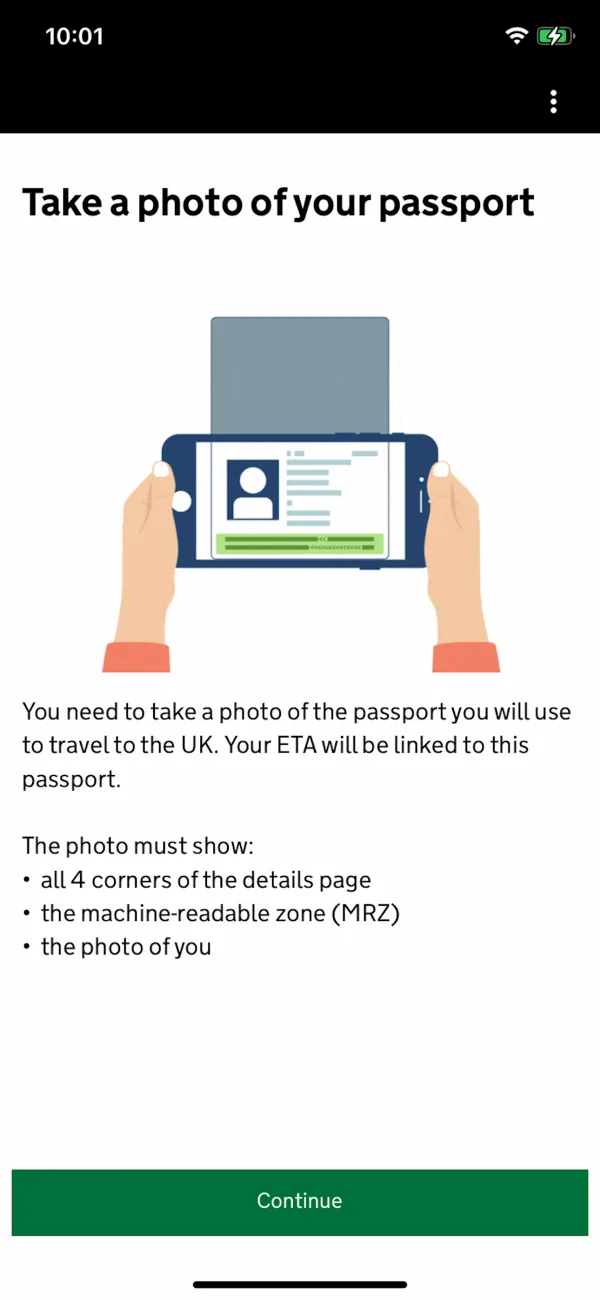
1. Take a photo of your passport.
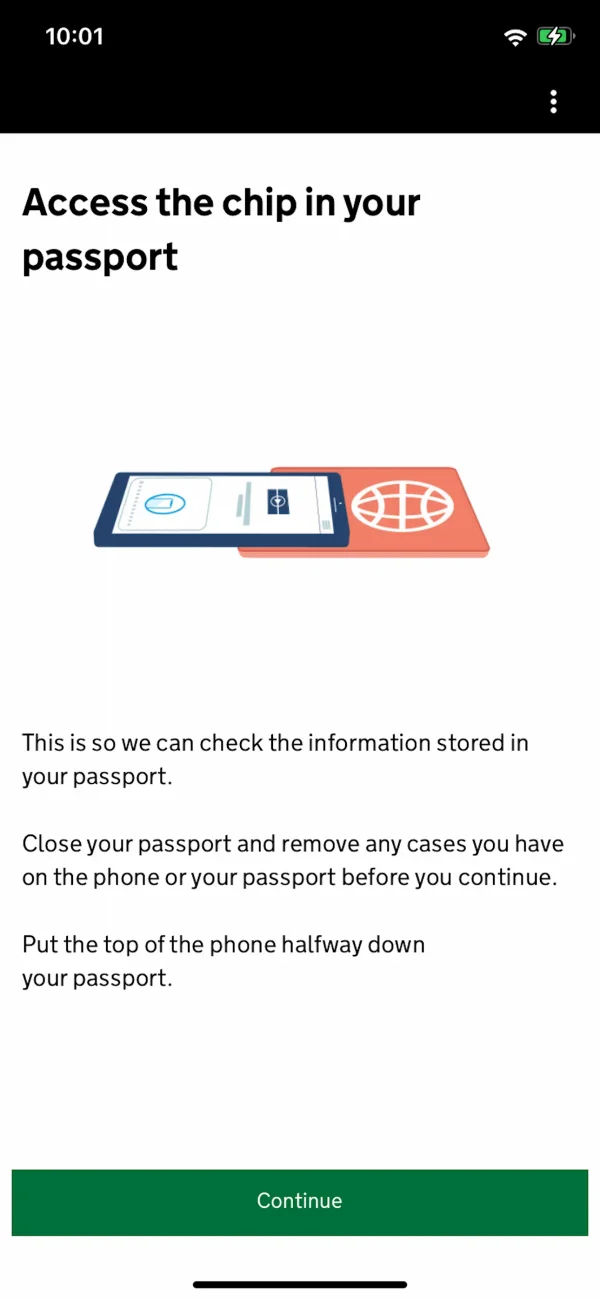
2. Scan the chip in your passport.
3. Scan your face.
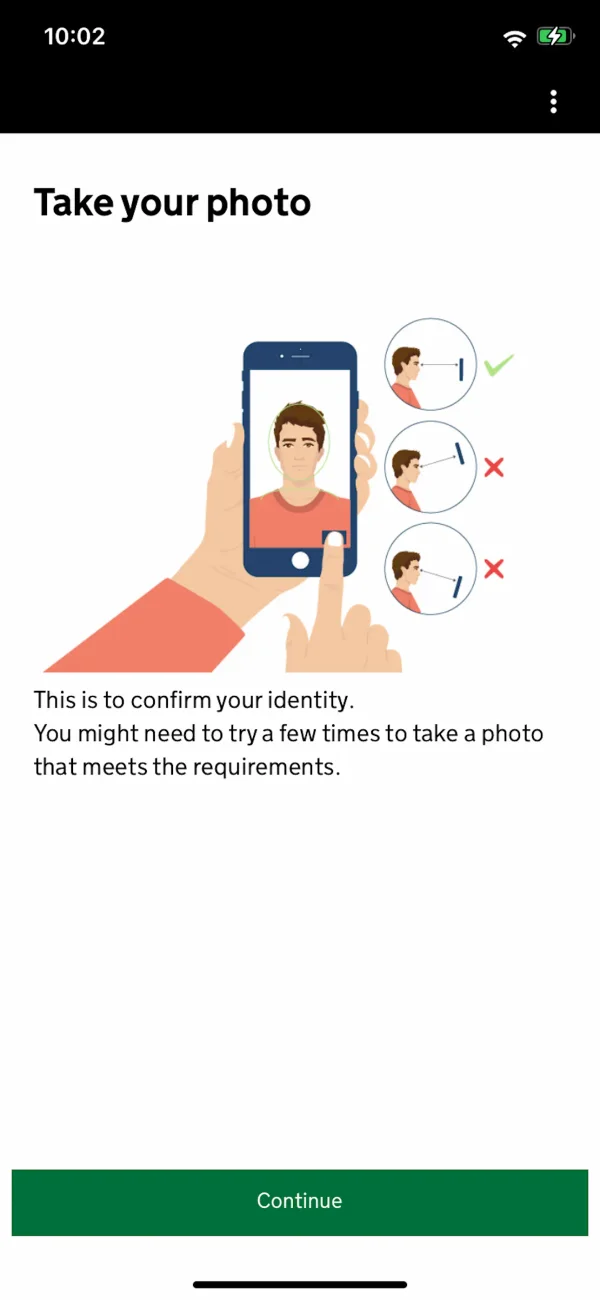
4. Take a photo of yourself.
5. Answer some questions about yourself.
6. Pay for your application.
It should only take 10 minutes to apply.
You do not need to enter your travel details.
Before you start
To apply you will need:
• an iPhone SE (2nd generation or later) with IOS 18 or later
• the passport you will use to travel to the UK
• a credit card, debit card or Apple Pay
• access to your emails
If you're applying for someone else they must be with you. If they are not, you should apply online at: https://www.gov.uk/electronic-travel-authorisation.
After you apply
You’ll get a decision by email from UK Visas and Immigration (UKVI), usually within a day. Allow up to 3 working days (Monday to Friday) to get a decision, but it may arrive much sooner.
The email will contain your 16 digit ETA reference number.
You must wait until you get an email confirming you have an ETA before you travel to the UK.
If you have not received a decision after 3 working days, check your spam or junk email folder before contacting UKVI.
You may get decisions at different times to other people you applied for.
Your ETA will be linked to the passport you applied with. You only need to show your passport when you travel to the UK.
Privacy and security
The app is safe and secure. No information is stored on the app or your phone after you close it. You can delete the app after you have completed your application.
For information on staying safe online visit the UK Cyber Aware website: https://www.ncsc.gov.uk/cyberaware/home
Accessibility
You can read our accessibility statement at: https://confirm-your-identity.homeoffice.gov.uk/register/eta-app-accessibility
Novedades
Versión 2.44.1015 · 27/11/2026
Performance improvements
Privacidad de la aplicación
Lo que Home Office declara en App Store sobre cómo esta aplicación gestiona los datos.
-
Datos vinculados a ti
Pueden recopilarse y vincularse a tu identidad.
- Información de contacto
- Contenido del usuario
- Información confidencial
-
Datos no vinculados a ti
Pueden recopilarse, pero no se vinculan a tu identidad.
- Identificadores
- Datos de uso
- Diagnóstico
Las prácticas de privacidad pueden variar, por ejemplo, según las funciones que uses o tu edad.
Información
- Vendedor
- Home Office
- Categoría
- Utilidades
- Versión
- 2.44.1015
- Actualizado
- 27/11/2026
- Publicado
- 23/10/2023
- Tamaño
- 240,1 MB
- Requiere
- iOS 18.0 o posterior
- Clasificación por edad
- 4+
- Precio
- Gratis
- Idiomas
- Inglés
- Copyright
- © 2024 Crown Copyright
Quizá también te guste
-
 GOV.UK ID CheckUtilidades
-
 Volvo CarsUtilidades
-
 GOV.UK One LoginUtilidades
-
 Land Rover RemoteConéctese con tu coche
-
 Indian Visa Su-SwagatamUtilidades
-
 Tab - The simple bill splitterThe simple bill splitter
-
 Anker PowerAnteriormente Anker
-
 MyLebaraUtilidades
-
 giffgaffUtilidades
-
 Norton Password ManagerSecure Password Manager