
Ultimate Piper
Pipes: Tuner, Metronome, Music
Diseñada para iPhone, iPad, Mac
Gratis · Compras en la aplicación
- Clasificación por edad4+
- CategoríaMúsica
- DesarrolladorMixolydian Limited
- IdiomasInglés
- Tamaño216,7 MB
Enlaza a la página oficial de App Store
Download.org no aloja ningún archivo de Ultimate Piper. El botón abre la página de la aplicación en App Store, donde la publica Mixolydian Limited. Ficha comprobada por última vez el 21/11/2026.
Capturas de pantalla



Acerca de
El desarrollador no ha proporcionado este texto en tu idioma.
Ultimate Piper is the complete music app for bagpipers – whether you're learning on a practice chanter or performing with a full pipe band.
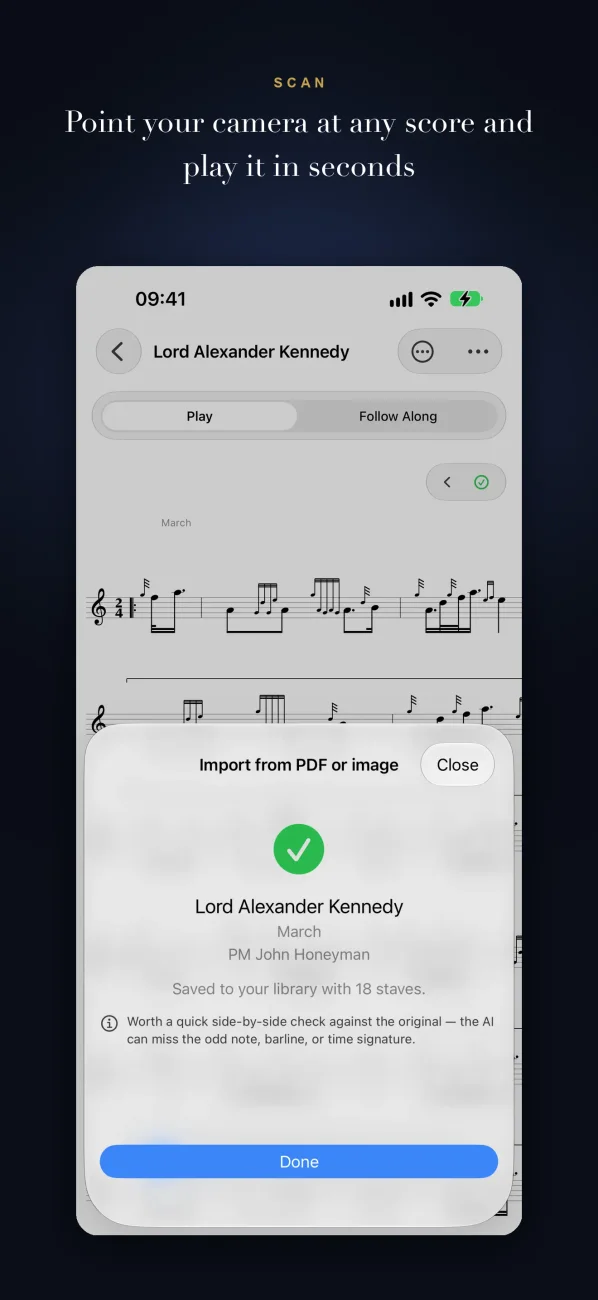
SCAN ANY SCORE
Point your camera at a printed bagpipe score – or import a PDF or photo – and Ultimate Piper reads it into a playable tune, all on-device: in seconds for a typical tune, a little longer for a long or busy one. Several pages scan in one go, and braced harmony comes in as harmony parts.
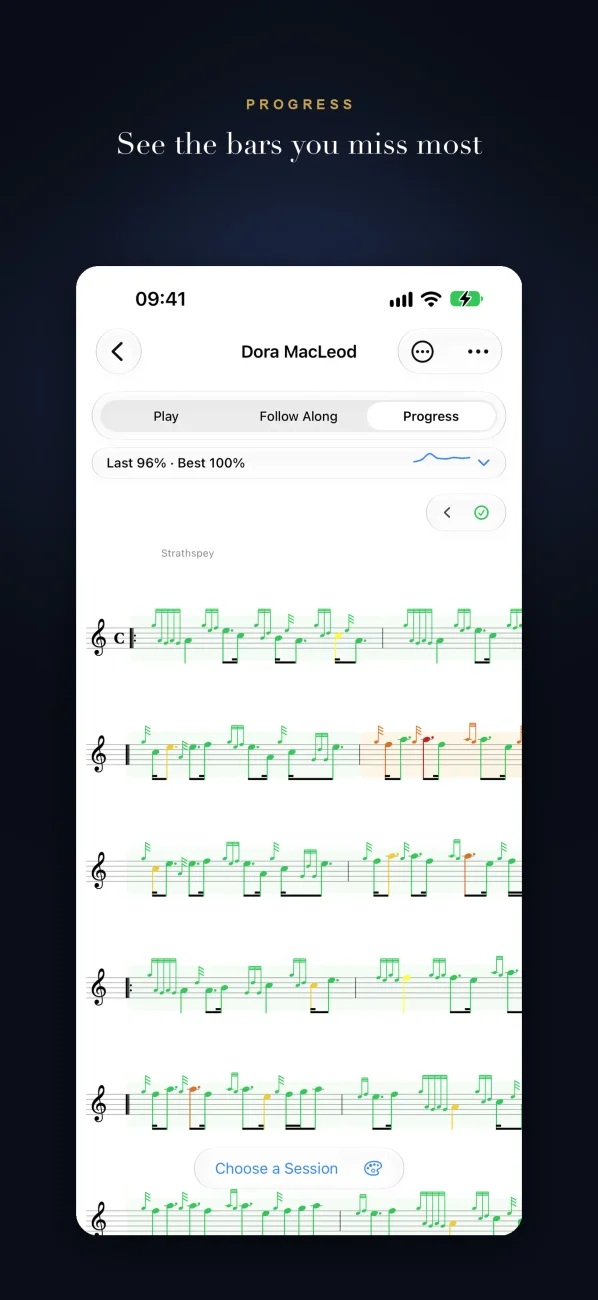
SEE THE BARS YOU MISS MOST
Progress shades every bar of a tune by how your last five runs went, from green for the bars you play solidly to red for the ones you miss. Most Missed Bars lists them; tap one to select it for the Practice Loop. Say yes to recording your runs and you can listen back to any of them.
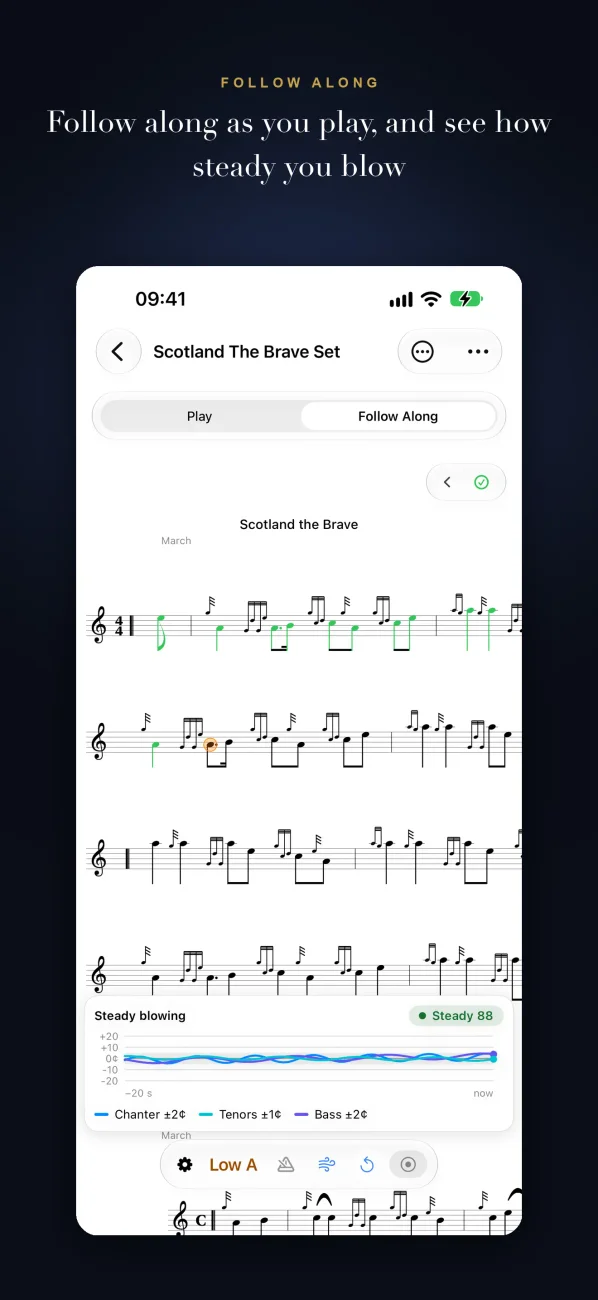
PLAY ALONG
Follow Along hears your playing through the microphone or a MIDI chanter and scrolls the score, lighting each note as you play it. Runs on the pipes are scored like runs on the chanter, gracenotes included, against your chanter's tuning on the day. Connect a Blair Digital Chanter or Fagerström Technopipes for precise detection. Turn your iPhone sideways and the score fills the screen.
PRACTICE
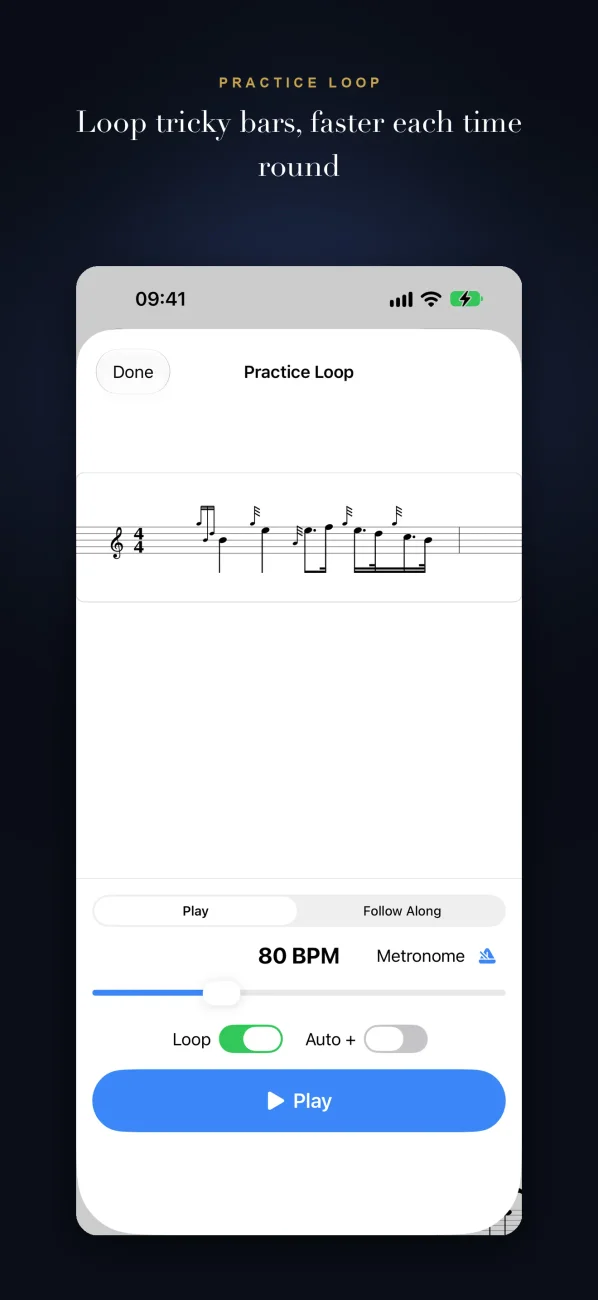
Mark the tunes you're working on as Focus and they join every session, longest-neglected first, with a Tune of the Week and warm-ups from tunes you know. A calendar and streak show your practice; log band practice too. Rate every tune from Want to Learn to Mastered. Loop any bars and let Auto + raise the tempo each time round.
COMPOSE & EDIT
Complete scores for light music and piobaireachd, with reactive grace notes and an embellishment wheel – doublings, grips, taorluaths and more. Mixed-value triplets play as written. Select notes to raise, lower, lengthen or copy them into another tune. Add rests, 1st/2nd time bars, harmonies, notes on the score, and tempo changes that speed up or slow down across a run of bars.
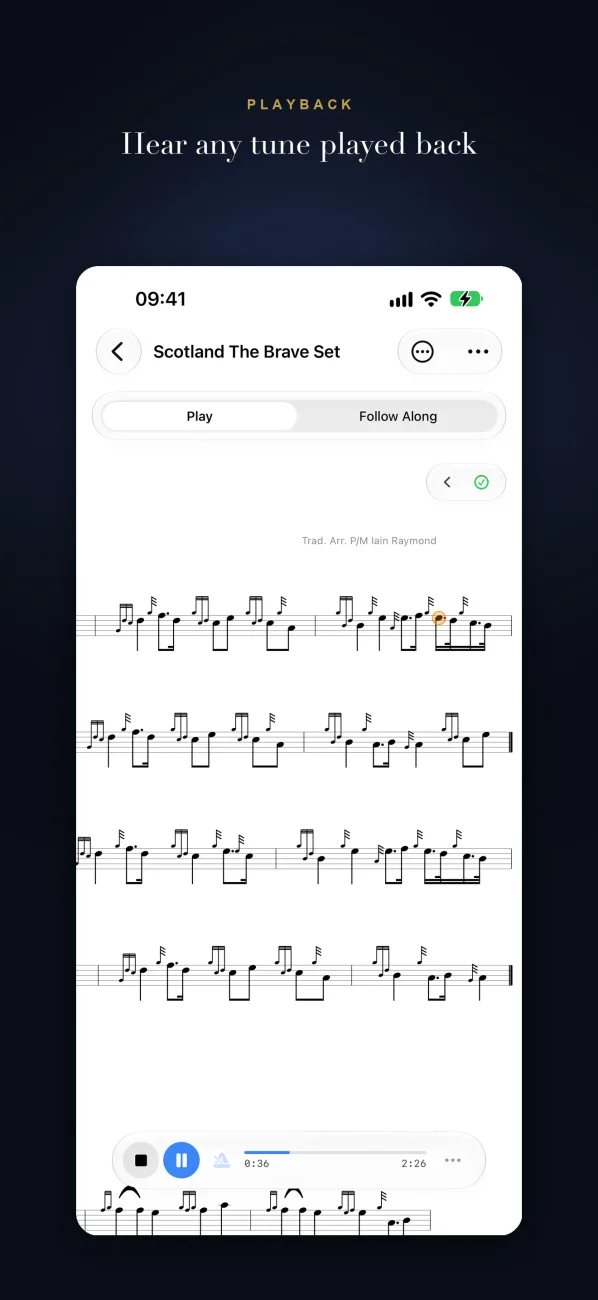
LISTEN & SHARE AUDIO
Hear any tune on realistic chanter or pipes – or record your own instrument and hear every tune on it – with each idiom's own timing, from strathspey snap to piobaireachd's held close. Render a tune or set, with harmonies and drones, to an audio file to send to a pupil or bandmate.
TUNE UP
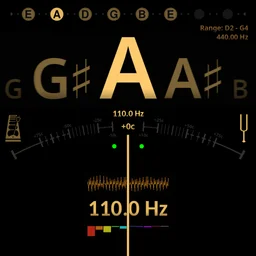
The tuner hears bass, tenors and chanter at once, with a beat meter for the tenors and drones tuned to your chanter, not a number, on Apple Watch too. A guided tune-up takes the tenors one at a time. Four tuning schemes. Blowing mode scores your bag's steadiness out of 100.
METRONOME
Pipe band side, bass and tenor drums, tuned to your Low A, with accents, subdivisions and tap tempo. Also on Apple Watch, with haptic taps.
JUST ASK SIRI
"Tune my pipes in Ultimate Piper." "Start the metronome at 84 in Ultimate Piper." "Play Scotland the Brave in Ultimate Piper." Your library is in Spotlight, and every command is a Shortcut.
HISTORY, SHARING & LIBRARY
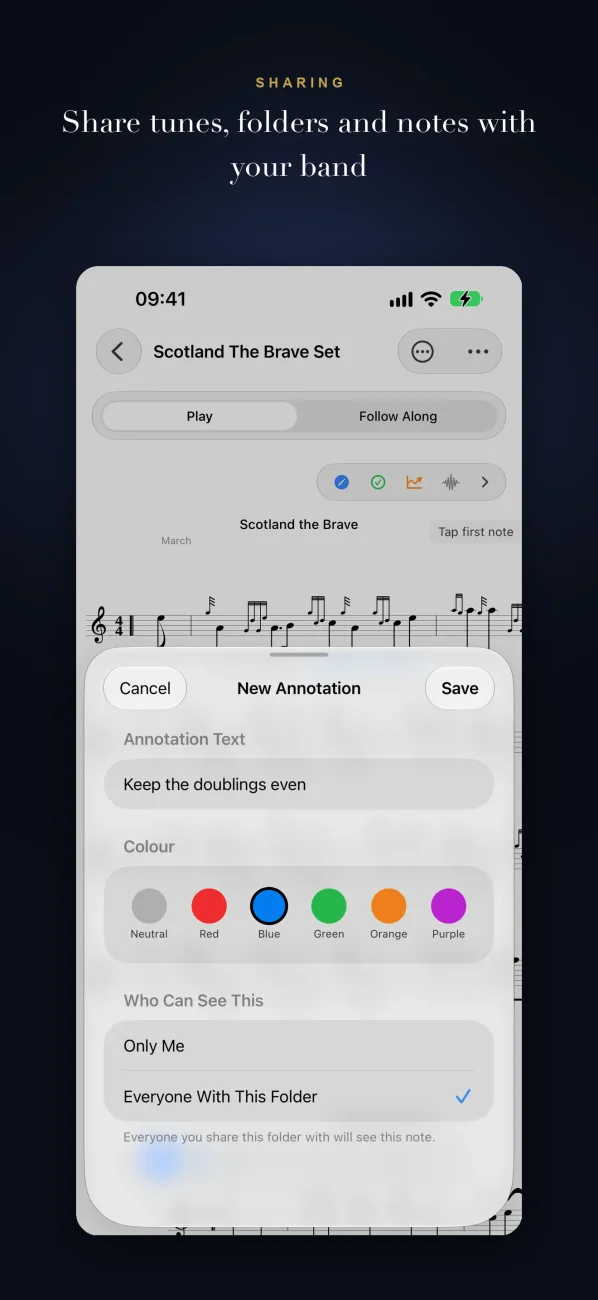
Every save is kept as a version, with colour-coded diffs; compare two tunes note by note and merge them. Export to PDF, send .pipescore to the PipeScore web editor, or share folders that keep your band on the latest music, choosing who can edit. Import BWW and PipeScore files into nested folders, and search by title, composer, genre or time signature.
FOR EVERY PIPER
VoiceOver reaches every note in the editor and tells you where playback is. Resize the score without a pinch.
Works on iPhone, iPad, Mac and Apple Watch. Ready for iPhone Duo.
SUBSCRIPTION INFORMATION
Ultimate Piper Premium is a monthly or yearly auto-renewable subscription with a 7-day free trial, and Family Sharing lets up to five family members use it. After the trial, payment is charged to your Apple ID account and recurs each billing period; it renews automatically unless cancelled at least 24 hours before the period ends. Manage or cancel subscriptions in your Account Settings.
Privacy Policy: https://ultimatepiper.com/privacy.html
Terms of Use (EULA): https://www.apple.com/legal/internet-services/itunes/dev/stdeula/
Novedades
Versión 4.1.0 · 5/11/2026
Ultimate Piper 4.1.0 — see every note, and what to do about it
PROGRESS
Every note on the heat map is coloured by how often you missed it across your last five runs: green when never, through yellow and orange to red. A wrong gracenote counts as missed. A legend button in the bottom bar says what the colours mean, in Progress and in Follow Along. A long accuracy chart scrolls sideways, twenty runs at a time; tap a run for its label.
PRACTICE INSIGHTS
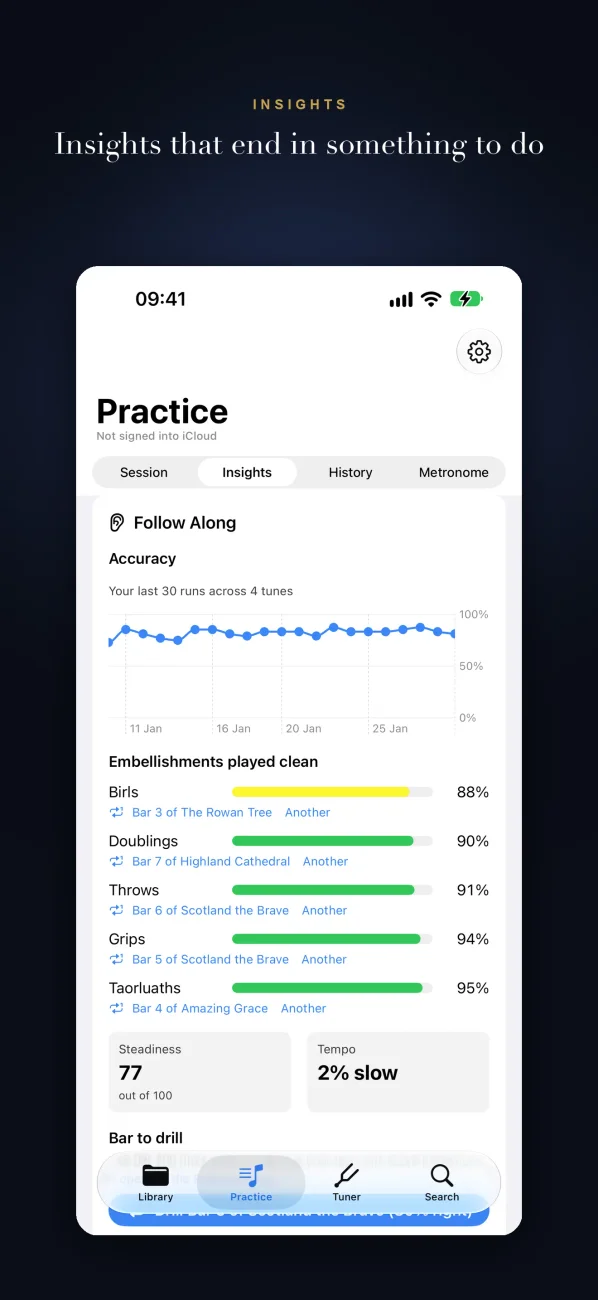
Insights is the second segment of the Practice tab on iPhone, and it opens at once. Four new cards, each ending in something to do. Practice Time adds up every session and run: all time, this year, this month, your best month, per practising day and per week, pipes against chanter, solo against band. Consistency charts the days practised in each of the last six months, your streak, and the day and time you usually practise. Follow Along plots your accuracy across your last thirty runs, names the tune when you tap one, rates your embellishments by family and deals a bar to drill for each, straight into the Practice Loop. Tune Journey reads the levels you give your tunes, how long they stay at each, and offers to promote a tune that has sat a fortnight with its last runs at 90% or better. Time per Tune shows where the last thirty days went and the tune you are learning that had the least. Not now puts a suggestion away.
PRACTICE SESSIONS
Drag the tunes in a running session into the order you want: Edit on iPhone and iPad, drag on the Mac. A tune dragged among the warm-ups becomes a warm-up. Tick the tune on screen and the next one opens. The summary shows what each tune scored across the session's runs. The perfect-month fireworks wait until the session has ended.
FOLLOW ALONG
The cursor waits for your first note, so tuning and drones before you start no longer move it. Cut notes heard in passing count. A run of the same note no longer stalls the cursor, and a High A blown sharp is still High A. A run you stop by hand is kept. In the analysis, a gracenote belonging to the note before or after is no longer called wrong on its neighbour, a shake's closing tap is scored where it is played, and a strike that slides through Low A counts. Every past run is judged again, so some scores will change.
SHARED TUNES
A tune somebody shared with you now works like your own: add it to Focus, to a practice session or to a set, see its folder when you search, and Practice History and Progress keep its name and its runs.
FILE EXPORT
Exporting a tune as a PipeScore or Piper file, and Export All Tunes, now need Premium, alongside PDF Export. Opening files, backups and audio export stay free.
MAC
Opening a tune or drill from Insights puts an Insights button in the toolbar that goes back to where you left it. History has the same button.
ALSO
A dotted note's dot clears the next note's gracenote in a tight bar. A triplet from an older file whose three notes were each written as long as the whole triplet now reads and plays correctly.
Privacidad de la aplicación
Lo que Mixolydian Limited declara en App Store sobre cómo esta aplicación gestiona los datos.
-
No se recopilan datos
El desarrollador no recopila ningún dato de esta aplicación.
Las prácticas de privacidad pueden variar, por ejemplo, según las funciones que uses o tu edad.
Información
- Vendedor
- MIXOLYDIAN LIMITED
- Categoría
- Música
- Versión
- 4.1.0
- Actualizado
- 5/11/2026
- Publicado
- 21/3/2026
- Tamaño
- 216,7 MB
- Requiere
- iOS 26.0 o posterior
- Clasificación por edad
- 4+
- Precio
- Gratis
- Compras en la aplicación
- Sí
- Idiomas
- Inglés
- Copyright
- © 2026 Mixolydian Limited
Quizá también te guste
-
 Bagpipe Tutorial - BagpipesMúsica
-
 Air PipesMúsica
-
 pipeband.netMúsica
-
 Maestro Metrónomo: DirecciónBatuta de director y compases
-
 TunebookMúsica
-
 Cresc Flow: Práctica MusicalMetrónomo, Afinador, Lúdico
-
 PolyNome Pro: Drum SequencerMúsica
-
 NotationPlayerEscucha tus partituras
-
 Lyric Generator: Song MakerMúsica
-
 Ultimate Tuner ProEl más Preciso & Universal