
- Clasificación por edad4+
- CategoríaEstilo de vida
- DesarrolladorRyosuke Seki
- IdiomasJaponés+ 1 más
- Tamaño1.005,0 KB
Es posible que UsedWell - Keep or Replace? no esté disponible en App Store en este momento
No se pudo acceder a la ficha de la tienda en nuestra última comprobación. El enlace sigue llevando a la página oficial de App Store.
Capturas de pantalla

Acerca de
El desarrollador no ha proporcionado este texto en tu idioma.
“Is it time to replace this Mac?”
UsedWell helps you look back on the things you use and decide for yourself whether to keep using them or move on.
Add the purchase date, price, and your own usage goal to see how long you've had an item, how far you've progressed toward your goal, and what it costs per day.
You can also keep notes on what you've actually noticed while using it.
“Maybe I've used it long enough.”
“The battery is getting worse, but everything else still works.”
“Maybe I can keep it for another year.”
UsedWell brings those pieces together so you can make the decision with your own context in front of you.
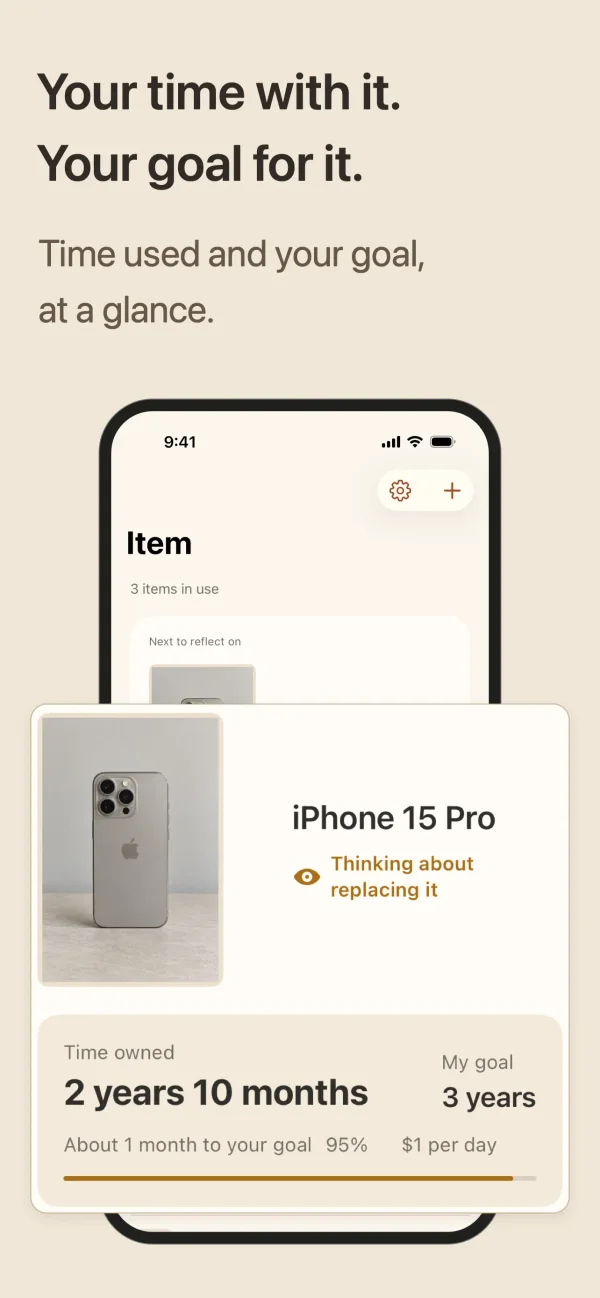
Your time with it. Your goal for it.
Set your own usage goal and see where you are today.
UsedWell shows three simple states: Still want to use it, Start considering replacement, and Goal reached.
At 90%, it's simply a point to start reflecting.
100% is not a replacement deadline.
It means you've reached the usage goal you set for yourself.
If you're still happy with the item, you can keep using it well beyond your goal.
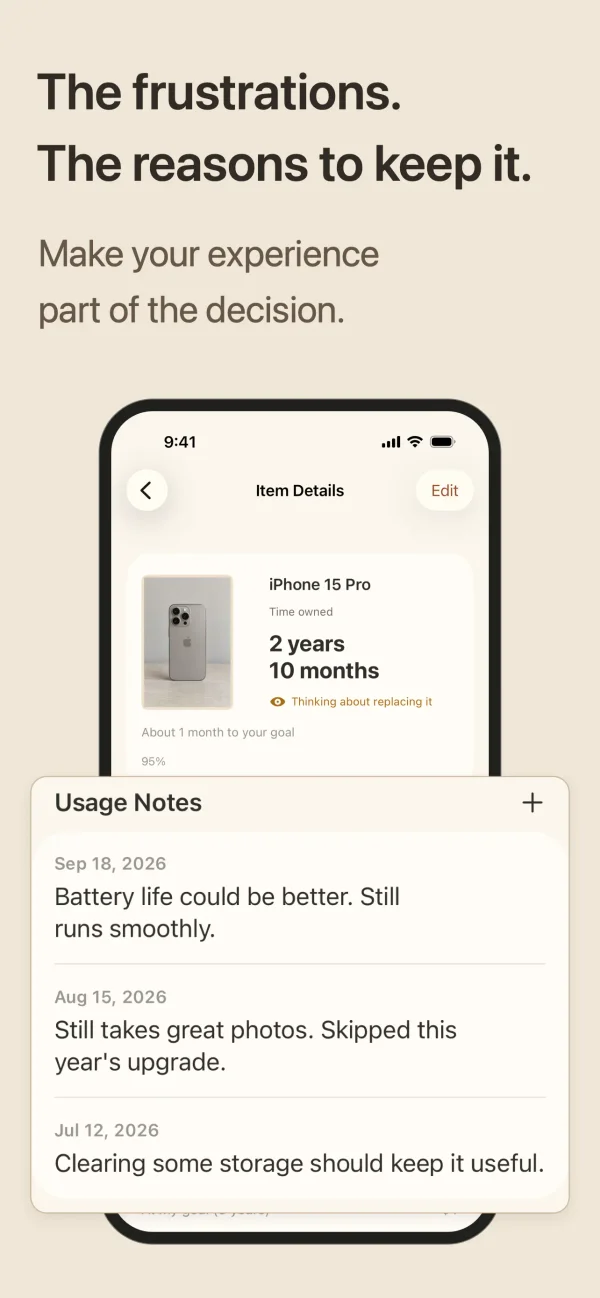
The frustrations. The reasons to keep it.
Add dated Usage Notes whenever something stands out.
For example:
“Battery life has been getting worse.”
“Still runs smoothly.”
“Clearing some storage should keep it useful.”
“Skipped this year's upgrade.”
When you're considering a replacement, you can look back on more than numbers—you can also review how your experience with the item has changed.
There's no need to log something every day.
Add a note only when there's something worth remembering.
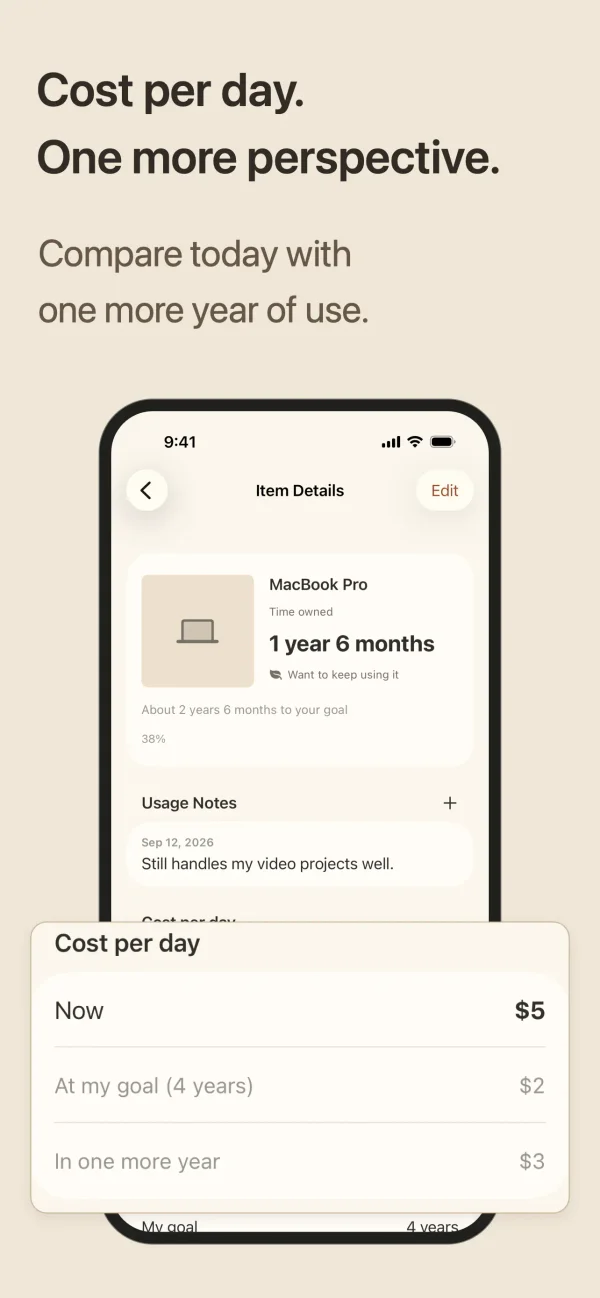
Cost per day. One more perspective.
UsedWell calculates your current cost per day from the purchase price and time used.
You can also compare what the cost per day would look like at your usage goal and after one more year of use.
The point isn't to “get your money's worth.”
Cost per day is simply one more perspective when you're deciding whether to replace something or keep using it.
Add a photo to make each item easier to recognize.
You can add one optional photo to each item.
Photos appear on Home, item details, and History.
If you don't add a photo, UsedWell shows a category icon instead.
Photos stay on your device.
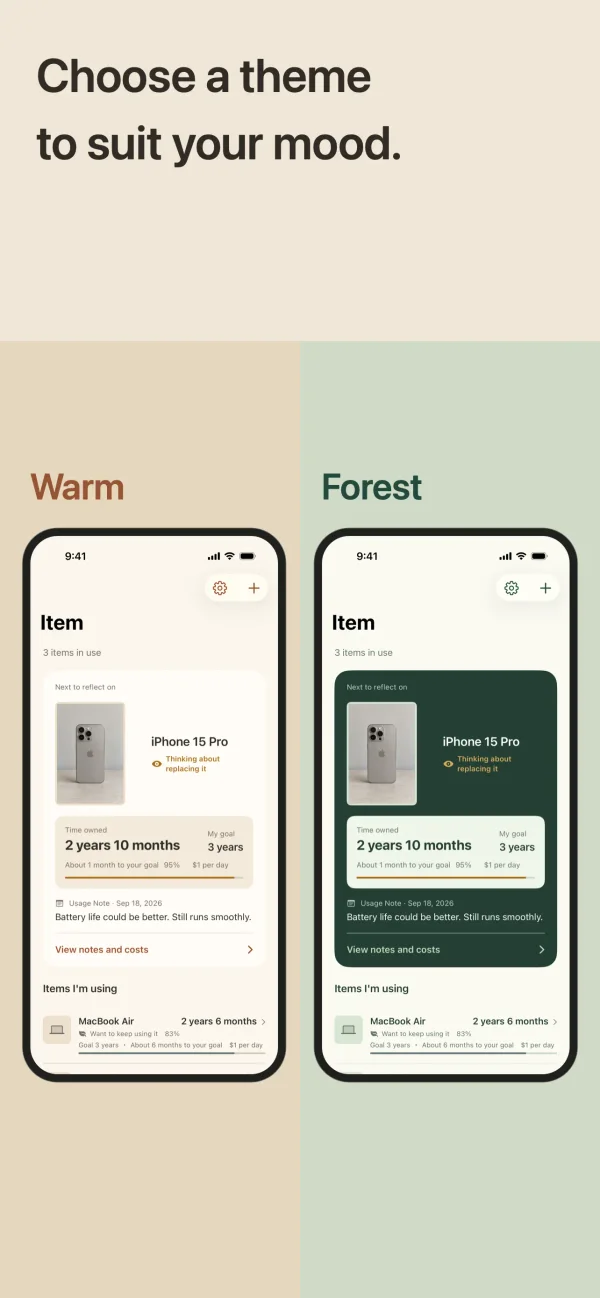
Choose between Warm and Forest.
UsedWell includes two visual themes.
Warm uses a soft Sand / Ivory palette.
Forest uses a calm Cream / Deep Forest palette.
Light and Dark appearance continue to follow your iPhone settings.
Keep the record after you're done.
When you actually stop using an item, mark it as replaced.
The record stays in History so you can look back on your final time used, Usage Notes, final cost per day, and the period from purchase to completion.
Key features
• Add, edit, and delete items
• Add one optional photo per item
• Track time owned and your own usage goal
• See progress toward your goal
• Add dated Usage Notes
• See current cost per day
• Compare cost per day at your goal and after another year
• Optional notifications at 90% and 100% of your goal
• Mark items as replaced and keep a usage history
• Choose between Warm and Forest themes
• Light and Dark appearance
Don't replace it on a whim.
UsedWell helps you review time owned, your goal, notes, and cost so you can decide for yourself whether to replace something or keep using it.
Your data stays on your device.
No account is required.
Novedades
Versión 2.0.0 · 26/9/2026
UsedWell 2.0 introduces a redesigned experience for reviewing the things you use.
• A redesigned Home that makes time owned, goals, progress, and notes easier to review
• Add an optional photo to each item
• Choose between Warm and Forest themes
• A new app icon
• Visual and interaction improvements throughout the app
We've also made smaller usability and presentation improvements across the app.
Privacidad de la aplicación
Lo que Ryosuke Seki declara en App Store sobre cómo esta aplicación gestiona los datos.
-
No se recopilan datos
El desarrollador no recopila ningún dato de esta aplicación.
Las prácticas de privacidad pueden variar, por ejemplo, según las funciones que uses o tu edad.
Información
- Vendedor
- Ryosuke Seki
- Categoría
- Estilo de vida
- Versión
- 2.0.0
- Actualizado
- 26/9/2026
- Publicado
- 28/8/2026
- Tamaño
- 1.005,0 KB
- Requiere
- iOS 26.0 o posterior
- Clasificación por edad
- 4+
- Idiomas
- Japonés, Inglés
- Copyright
- © 2026 Ryosuke Seki
Quizá también te guste
-
 あけたよ コスメ管理・化粧品の使用期限Estilo de vida
-
 Since: Days Since Last TimeEstilo de vida
-
 Itemee - Items & Cost TrackerEstilo de vida
-
 Lumo: Diario de humor y tareasEmociones y notas, muy simple
-
 Someday: 100 sueños por vivirBucket list y metas en pareja
-
 CreaNote - Coste ArtesanalInventario, Precios y Ventas
-
 TOFROM App for workersEstilo de vida
-
 Control de Gastos: ConscienteMentor IA para Ahorro y Hogar
-
 AIと対話でつづる日記 Yell-U エール・ユーEstilo de vida
-
 Dawn AlarmEstilo de vida