Video Editor Tools
Pro Video Editor Tools
Diseñada para iPhone
Gratis · Compras en la aplicación
- Clasificación por edad4+
- CategoríaFoto y vídeo
- DesarrolladorRAYO INNOVATIONS PRIVATE LIMITED
- IdiomasInglés
- Tamaño70,4 MB
Enlaza a la página oficial de App Store
Download.org no aloja ningún archivo de Video Editor Tools. El botón abre la página de la aplicación en App Store, donde la publica RAYO INNOVATIONS PRIVATE LIMITED. Ficha comprobada por última vez el 12/11/2026.
Capturas de pantalla


Acerca de
El desarrollador no ha proporcionado este texto en tu idioma.
Video Editor Pro Free is an easy-to-use and free app that offers multiple features, including:
1. Trim Video
2. Split Video
3. Remove Part of Video
4. Merge Videos
5. Crop Video
6. Flip Video
7. Extract Audio
8. Add Audio
9. Adjust Volume
10. Adjust Video Speed
11. Compress Video
12. Convert Video to GIF
13. Mute Video
Features
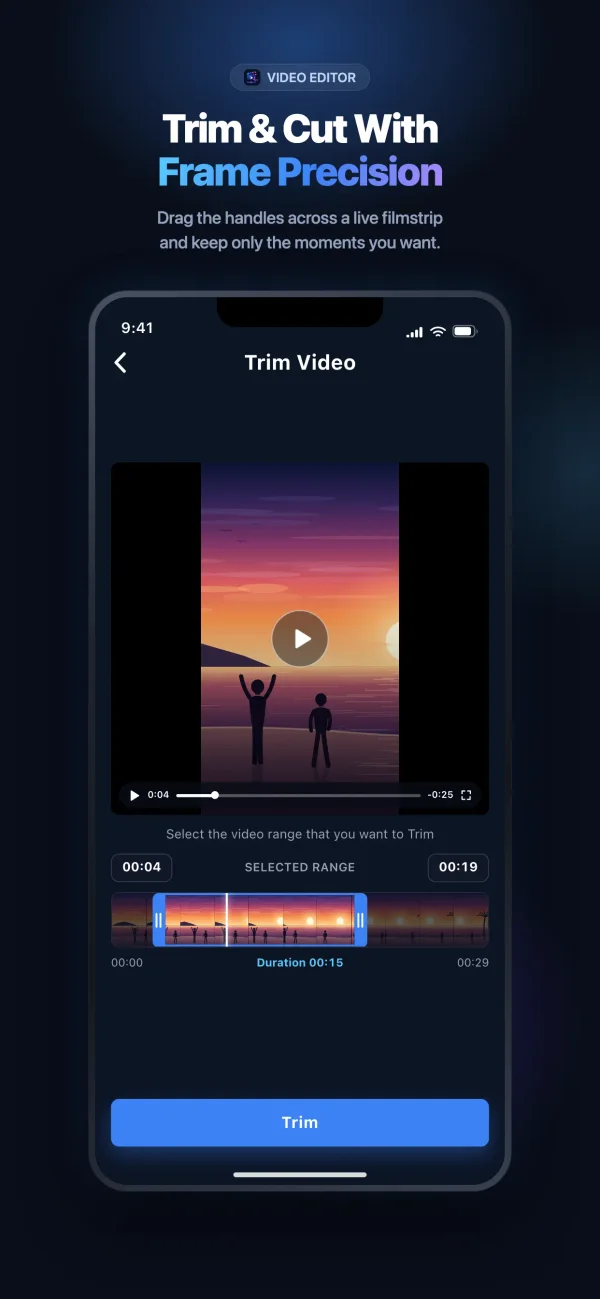
Trim Video:
- Drag the handles across a live filmstrip to select exactly the range you want to keep.
- Frame-accurate start and end times so you never lose the moment that matters.
Split Video:
Two ways to break a long video into shareable pieces:
i) WhatsApp Split: automatically divides lengthy videos into 30-second clips, ideal for sharing on WhatsApp Status.
ii) Duration Split: splits long videos into segments of any duration you choose, giving you full flexibility.
- Save every resulting clip at once with Download All.
Remove Part of Video:
- Select any unwanted section in the middle of a video and cut it out.
- The remaining parts are joined back together automatically.
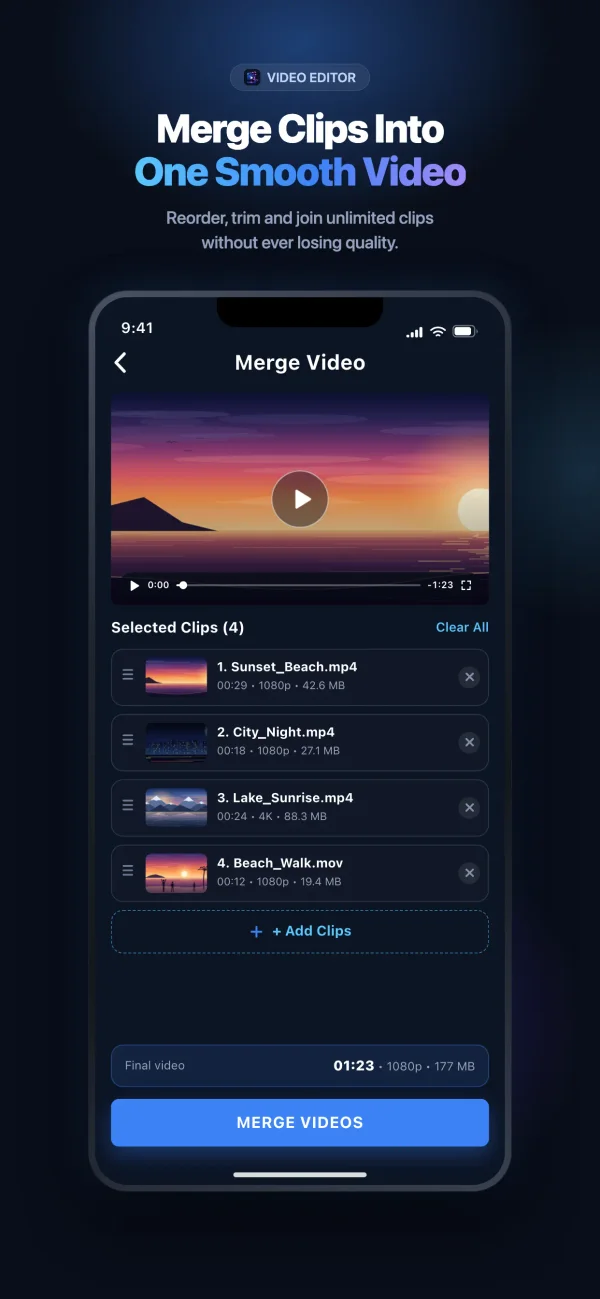
Merge Videos:
- Combine multiple clips into a single video.
- Reorder clips by dragging, remove any clip, or clear the whole list and start over.
- For best results use videos with the same format, resolution and aspect ratio.
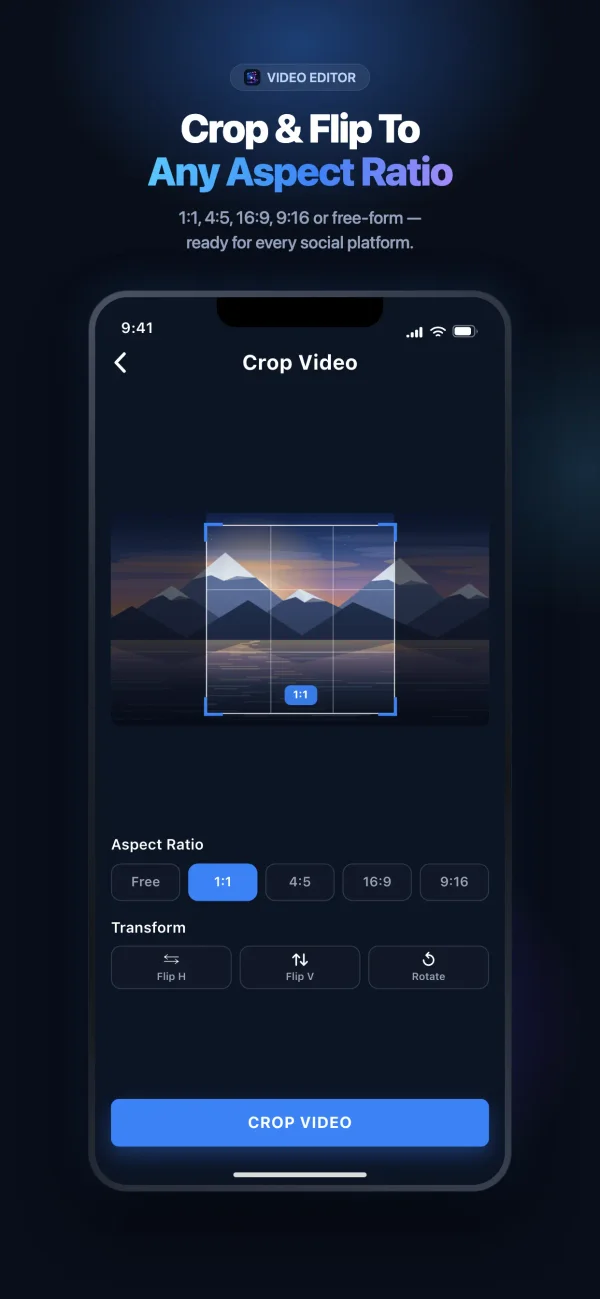
Crop Video:
- Crop to Free, 1:1, 4:5, 16:9 or 9:16 with a rule-of-thirds guide.
- Get the exact frame for Instagram, TikTok, YouTube Shorts or Facebook in one tap.
Flip Video:
- Mirror your video horizontally - perfect for un-mirroring selfie and front-camera recordings.
Extract Audio:
- Effortlessly separate the audio track from any video.
- Saves as a high-quality AAC (.m4a) file you can keep or share.
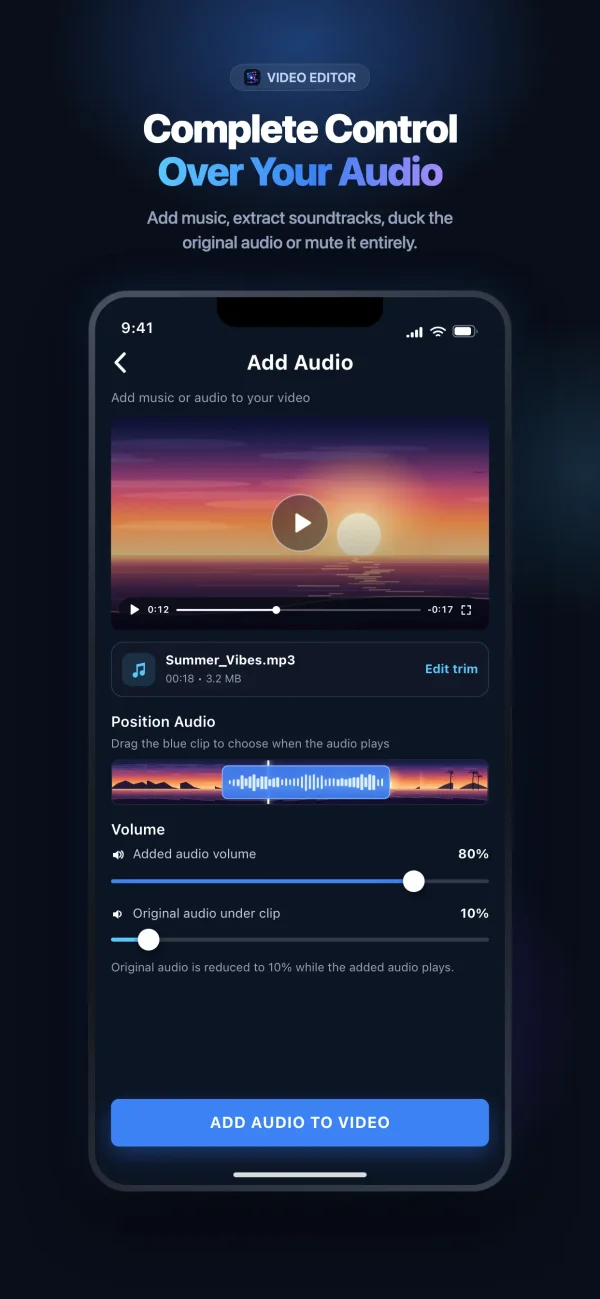
Add Audio:
- Add music, voice-overs or any soundtrack to your video.
- Supports MP3, M4A, WAV, AAC and more.
- Trim the audio clip and drag it along the timeline to set exactly when it plays.
- Loop the clip a set number of times or repeat it for the entire video.
- Mix levels independently: set the added audio volume and automatically duck the original audio underneath it.
Adjust Volume:
- Raise or lower the volume of your video from 0% to 200%.
- Mute it completely, restore it to the original level, or boost quiet recordings.
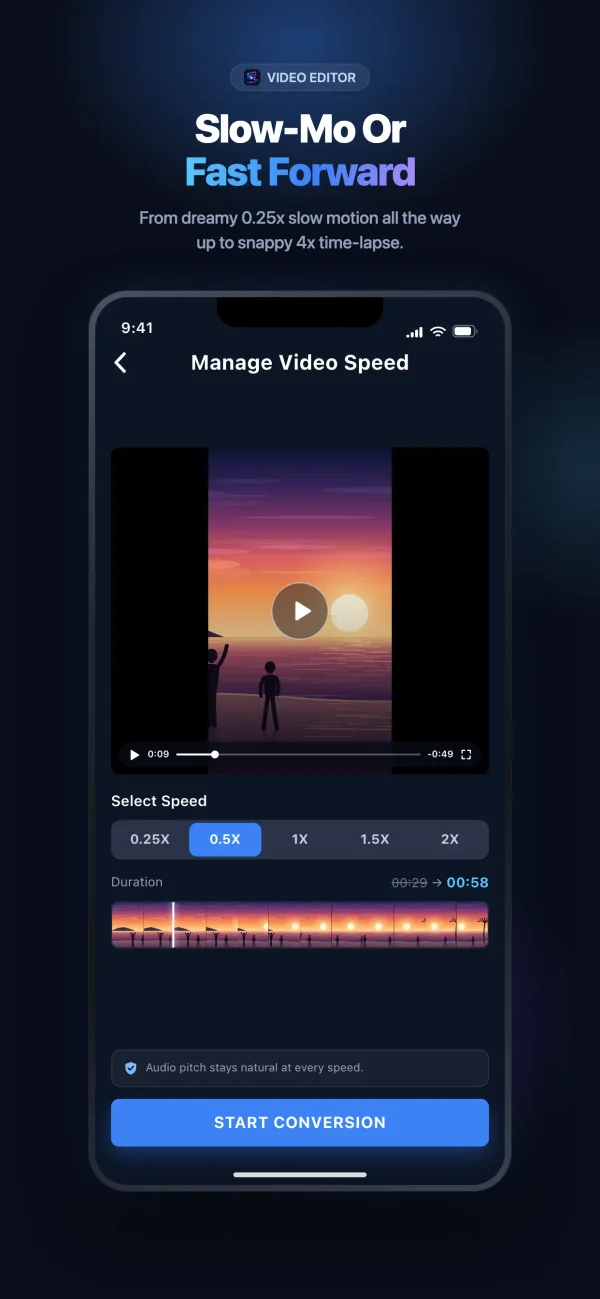
Adjust Video Speed:
- Speed up or slow down any video, from 0.25x slow motion to 2x fast forward.
- Audio is adjusted along with the video so it still sounds natural.
Compress Video:
- Shrink large videos so they are easy to send and store.
- Choose High, Medium or Low quality and see the estimated output size before you start.
Convert Video to GIF:
- Turn any video or selected range into a shareable GIF.
- Speed the GIF up to 1x, 1.5x, 2x, 2.5x or 4x.
- Optimised palette and frame rate keep the file small without a blocky look.
Mute Video:
- Remove the audio from an entire video, or mute only a selected part.
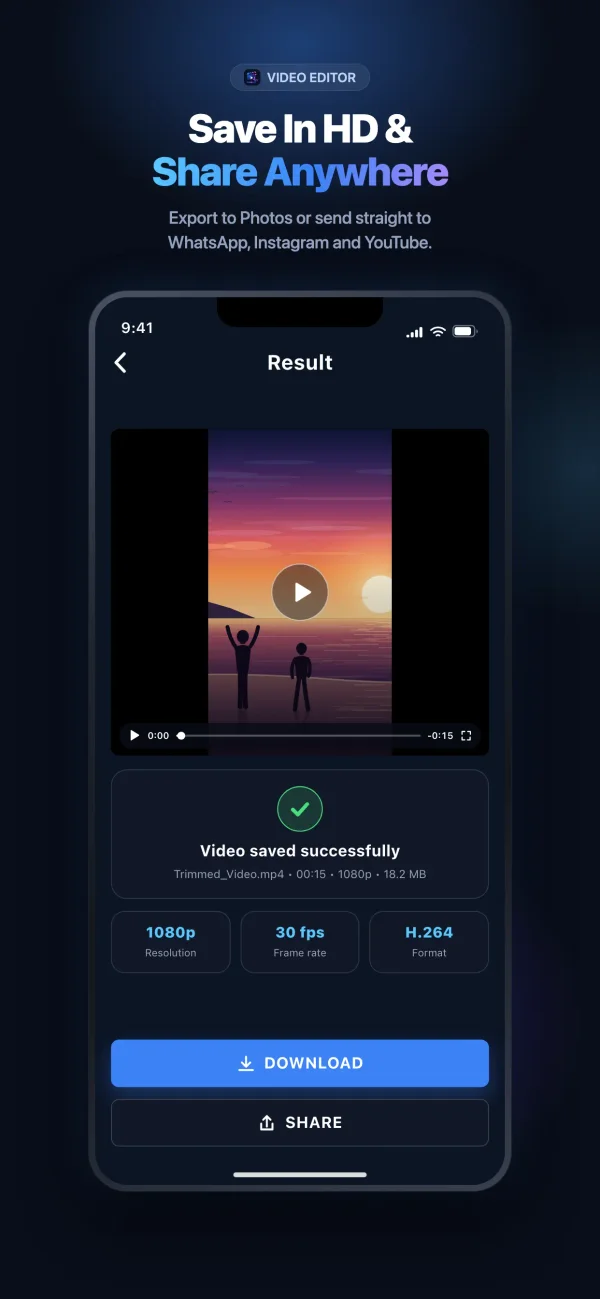
SAVE AND SHARE:
- Save any result straight to your Photos library.
- Share to WhatsApp, Instagram, Facebook, YouTube, Messages, Mail and more without leaving the app.
FREE TO USE
Video Editor Pro Free is free and supported by ads. Prefer an ad-free experience? A single one-time in-app purchase removes ads permanently, and Restore Purchase brings it back on your other devices.
Questions or feedback? Get in touch from the Settings screen. we read every message.
Novedades
Versión 1.4 · 21/10/2026
Performance improvements and bug fixes for a smoother app experience.
Privacidad de la aplicación
Lo que RAYO INNOVATIONS PRIVATE LIMITED declara en App Store sobre cómo esta aplicación gestiona los datos.
-
Datos usados para rastrearte
Pueden usarse para rastrearte en aplicaciones y sitios web propiedad de otras empresas.
- Identificadores
-
Datos vinculados a ti
Pueden recopilarse y vincularse a tu identidad.
- Identificadores
-
Datos no vinculados a ti
Pueden recopilarse, pero no se vinculan a tu identidad.
- Datos de uso
- Diagnóstico
Las prácticas de privacidad pueden variar, por ejemplo, según las funciones que uses o tu edad.
Información
- Vendedor
- RAYO INNOVATIONS PRIVATE LIMITED
- Categoría
- Foto y vídeo
- Versión
- 1.4
- Actualizado
- 21/10/2026
- Publicado
- 21/3/2024
- Tamaño
- 70,4 MB
- Requiere
- iOS 16.0 o posterior
- Clasificación por edad
- 4+
- Precio
- Gratis
- Compras en la aplicación
- Sí
- Idiomas
- Inglés
- Copyright
- © 2021 All rights reserved by Rayo Innovations Pvt Ltd.
Quizá también te guste
-
 MovieFrame - Video EditorFoto y vídeo
-
 Watermarker - Watermark VideosFoto y vídeo
-
 Matte ViewerFoto y vídeo
-
 Cleanify: Duplicate PhotoFoto y vídeo
-
 Change Video Background EditorVideo background editor
-
 Pix - Photos for WatchFoto y vídeo
-
 YT Collection for YoutubeFoto y vídeo
-
 Spatial ConverterFoto y vídeo
-
 AI Photo Generator ProFoto y vídeo
-
 Video Editor: Smart AI ToolsFoto y vídeo