
Video With Maps
Record Videos with a Live Map
Diseñada para iPhone
Gratis · Compras en la aplicación
- Clasificación por edad4+
- CategoríaFoto y vídeo
- DesarrolladorOguzhan Gunes
- IdiomasAlemán+ 4 más
- Tamaño4,6 MB
Enlaza a la página oficial de App Store
Download.org no aloja ningún archivo de Video With Maps. El botón abre la página de la aplicación en App Store, donde la publica Oguzhan Gunes. Ficha comprobada por última vez el 14/11/2026.
Capturas de pantalla




Acerca de
El desarrollador no ha proporcionado este texto en tu idioma.
VideoWithMap combines your camera, location and route information in one simple recording experience.
Capture videos and photos while displaying a live, customizable map overlay. Your speed, coordinates and traveled route remain visible, helping you preserve not only the moment but also where it happened.
KEY FEATURES
• Record portrait or landscape videos
• Capture portrait, landscape and 16:9 photos
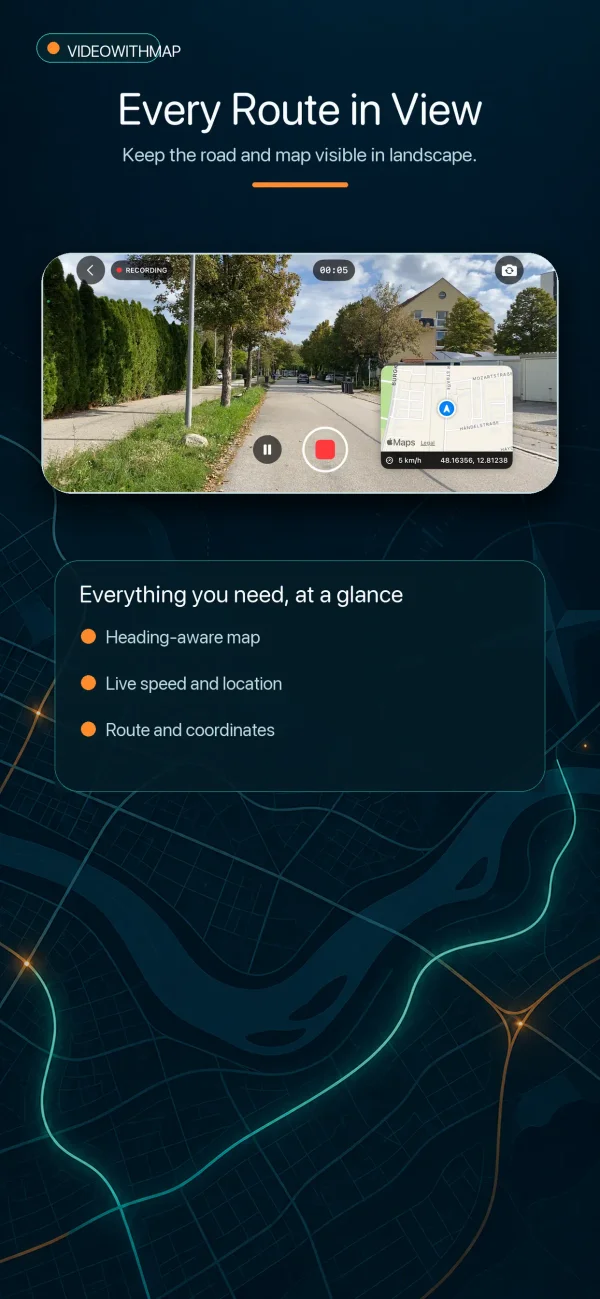
• Display a live map while recording
• Track your route, speed and coordinates
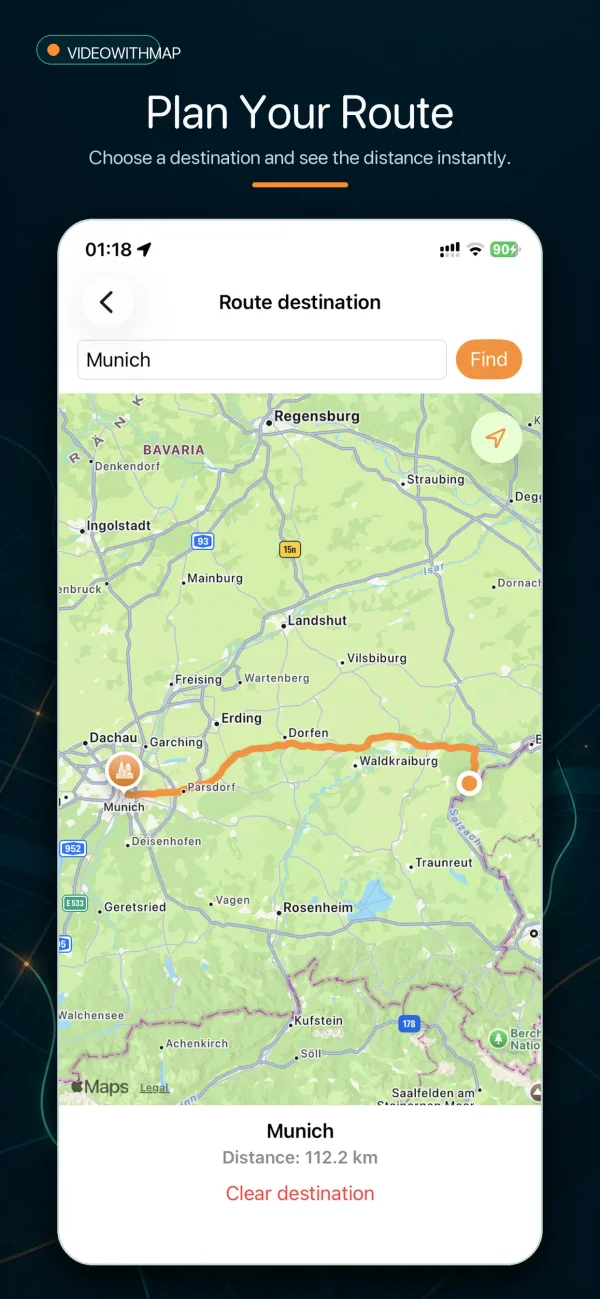
• Search for a destination and view the distance
• Pause and resume video recordings
• Switch between front and rear cameras
• Zoom using pinch gestures
• Move and resize the map overlays
• Browse videos and photos in the built-in gallery
• Preview video thumbnails
• Select and delete multiple gallery items
• Save completed media to your photo library
• Support for multiple languages
PRIVACY
Camera, microphone and location access are used only when required for capturing your content. Photo Library access is used to save and manage your completed photos and videos.
An optional Full Version in-app purchase unlocks all premium features.
Capture every journey with the map, route and details that make it memorable.
1. Purpose and target audience
Video With Maps lets users record videos and take photos with a map, route, location, speed, and accuracy overlay. It is intended for travelers, drivers, passengers, and other users who want to document journeys with location context. The app should be configured before driving and should not be operated while the user is actively driving.
2. Setup and access
No registration, login, credentials, or sample files are required.
- Allow Camera, Microphone, Location, and Photos permissions.
- Tap “Route / Add destination” to search for an optional destination.
- Tap “New recording,” choose portrait or landscape, and start recording.
- Tap “Take photo” to capture a map-enhanced photo.
- Open “My videos” or “My photos” to view saved media.
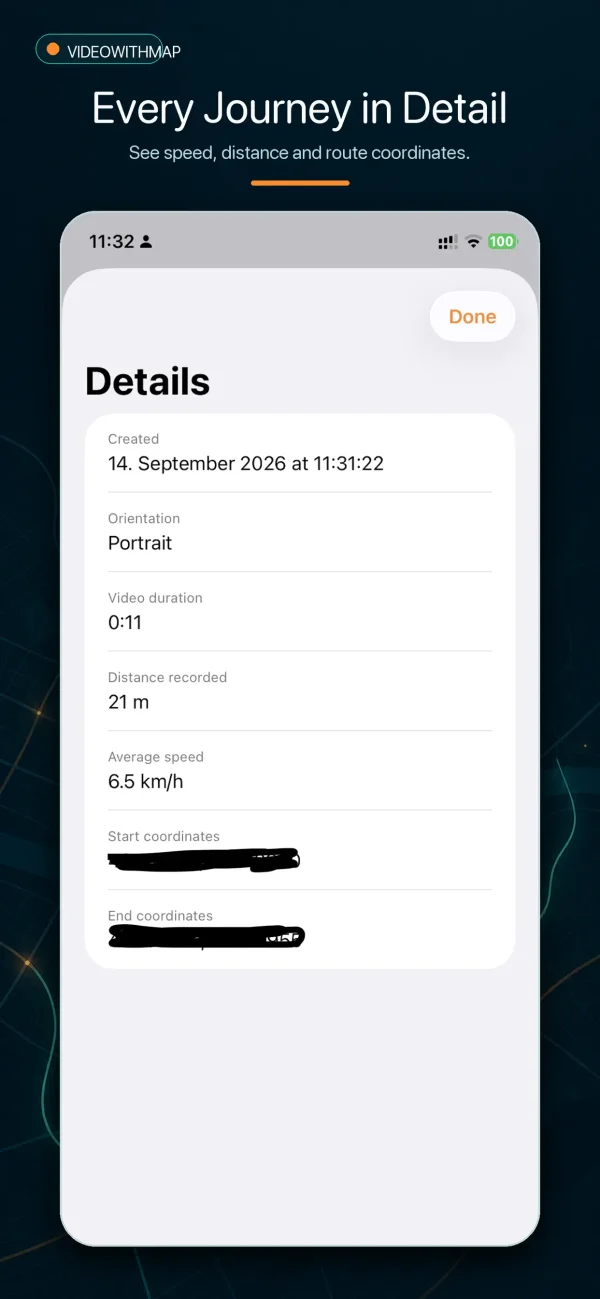
- Select a video to view duration, distance, average speed, orientation, and coordinates.
- Map overlay size can be adjusted under Settings.
The app can be tested while stationary, although speed and distance may remain at zero. Route and movement values are best tested outdoors with GPS reception.
3. In-app purchase
The free version allows two videos, limited to 120 seconds each, and five photos.
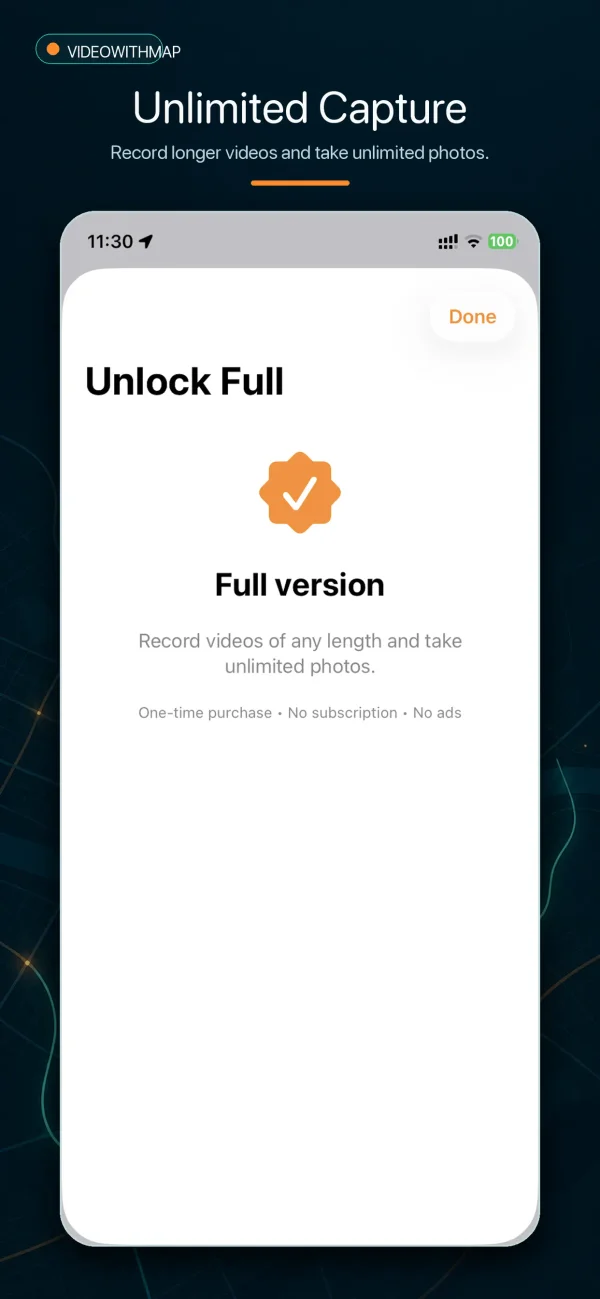
“Full Version” is a one-time, non-consumable purchase (Product ID: 02). It unlocks unlimited photos and removes the free video duration and recording-count limits. There is no subscription or advertising.
It is always accessible at:
Settings → Full Version
The same screen contains “Restore Purchase.” Payments are processed only through Apple StoreKit.
4. External services and frameworks
The app uses Apple MapKit for maps, search, and routes; Core Location for location and speed; AVFoundation for camera and recording; Photos for saving media; and StoreKit for the in-app purchase.
The app has no third-party authentication, payment processor, advertising SDK, analytics SDK, AI service, cloud storage, or developer-operated backend. Captured media and route samples are processed on the device and are not uploaded to our servers.
5. Regional differences
The app functions consistently across all supported regions. Map results, route availability, and localized purchase pricing may vary based on Apple Maps and App Store availability.
6. Regulated services and protected content
The app does not operate in a regulated industry and does not provide medical, financial, legal, gambling, transportation-booking, or emergency services.
It does not distribute protected third-party material or public user-generated content. There are no user accounts, public sharing, feeds, messaging, or user-to-user interaction. Therefore, account deletion, reporting, and blocking features are not applicable.
Novedades
Versión 1.1 · 13/10/2026
• Choose your destination by tapping directly on the map.
• Selected locations now display their place names.
• Easily identify and edit your active route from the home screen.
• Refreshed app icon and home screen logo.
Privacidad de la aplicación
Lo que Oguzhan Gunes declara en App Store sobre cómo esta aplicación gestiona los datos.
-
No se recopilan datos
El desarrollador no recopila ningún dato de esta aplicación.
Las prácticas de privacidad pueden variar, por ejemplo, según las funciones que uses o tu edad.
Información
- Vendedor
- Oguzhan Gunes
- Categoría
- Foto y vídeo
- Versión
- 1.1
- Actualizado
- 13/10/2026
- Publicado
- 21/9/2026
- Tamaño
- 4,6 MB
- Requiere
- iOS 17.0 o posterior
- Clasificación por edad
- 4+
- Precio
- Gratis
- Compras en la aplicación
- Sí
- Idiomas
- Alemán, Inglés, Francés, Español, Turco
- Copyright
- © Oguzhan Günes
Quizá también te guste
-
 Speed Overlay CameraFoto y vídeo
-
 AtlasCamFoto y vídeo
-
 OverlayNowFoto y vídeo
-
 Pholyai: Estudio de Fotos IAEstilo, Escenas y Filtros IA
-
 Filtro Barba y Bigote PruebaEstilos Vello Facial & Afeitar
-
 Coche Cámara: Grabar GPS,MapasGrabadora Velocidad,Curso,Hora
-
 TimeLapse & Reverse VideoMakerFoto y vídeo
-
 Dumpster: Photo/Video RecoveryFoto y vídeo
-
 UVC Camera to NDIFoto y vídeo
-
 Ride Lens: Velocímetro GPSGraba tu velocidad en vídeo