
- Clasificación por edad12+
- CategoríaUtilidades
- DesarrolladorLior Azulay
- IdiomasInglés+ 1 más
- Tamaño5,3 MB
Es posible que Videtor no esté disponible en App Store en este momento
No se pudo acceder a la ficha de la tienda en nuestra última comprobación. El enlace sigue llevando a la página oficial de App Store.
Capturas de pantalla

Acerca de
El desarrollador no ha proporcionado este texto en tu idioma.
Videtor brings professional-grade video editing to your iPhone. Built for
creators who demand precision without the complexity.
What makes Videtor different:
Multi-Track Timeline
Edit with unlimited video, audio, and subtitle tracks. Drag, trim, split, and
rearrange clips with frame-accurate precision. Pinch to zoom in and out of
your timeline for the perfect view.
AI-Powered Subtitles
Generate subtitles automatically in any language. Powered by advanced speech
recognition, Videtor transcribes your videos and places subtitles perfectly on
the timeline. Edit text, style, position, and timing with a tap.
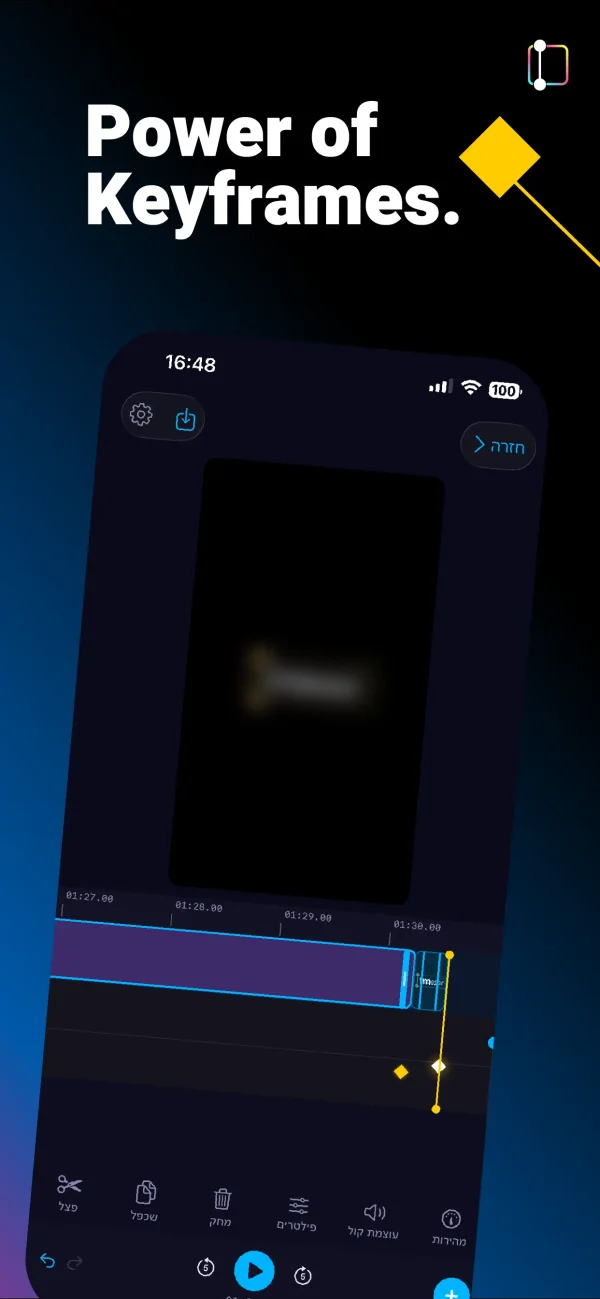
Keyframe Animation
Animate any property over time — opacity, scale, rotation, position, blur,
brightness, and volume. Add keyframes visually on the timeline and drag to
adjust values in real-time.
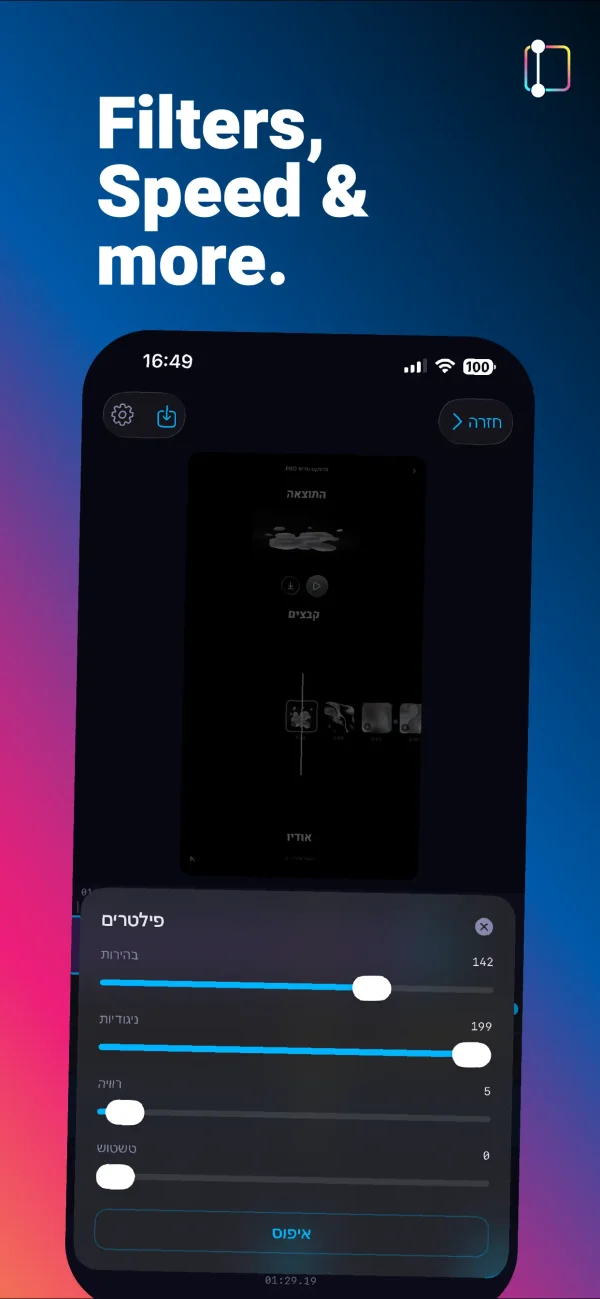
Professional Effects
Apply filters (brightness, contrast, saturation, blur) to any clip. Adjust
speed from 0.25x to 4x. Control volume per clip. All changes preview
instantly.
Export in High Quality
Export your project as MP4 in resolutions up to 4K. Frame-by-frame rendering
ensures what you see is what you get — including all effects, filters, and
subtitles.
Cloud Sync
Your projects sync across devices via the cloud. Start editing on your phone,
continue anywhere. Sign in with Google or Apple.
Novedades
Versión 2.0 · 12/11/2026
Videtor 2 is rebuilt from the ground up: all editing happens on your iPhone, starts right away and needs no account. The new timeline zooms both ways, and rows of keyframes open under each track as you pull it taller.
Privacidad de la aplicación
Lo que Lior Azulay declara en App Store sobre cómo esta aplicación gestiona los datos.
-
No se recopilan datos
El desarrollador no recopila ningún dato de esta aplicación.
Las prácticas de privacidad pueden variar, por ejemplo, según las funciones que uses o tu edad.
Información
- Vendedor
- Lior Azulay
- Categoría
- Utilidades
- Versión
- 2.0
- Actualizado
- 12/11/2026
- Publicado
- 25/3/2026
- Tamaño
- 5,3 MB
- Requiere
- iOS 26.2 o posterior
- Clasificación por edad
- 12+
- Idiomas
- Inglés, Hebreo
- Copyright
- © Videtor 2027
Quizá también te guste
-
 VidEditUtilidades
-
 DSI-X2Utilidades
-
 TunneldeckUtilidades
-
 Zonic: eSIM, Numbers & PaymentUtilidades
-
 Frequency Detector AnalyzerUtilidades
-
 Sun Position : Location SeekerUtilidades
-
 Detector micrófono oculto SMSpaimic detecta micrófonos
-
 TPN - Temporary Phone NumberUtilidades
-
 Stella Smart MaticUtilidades
-
 Cello (formerly Cellopark)Utilidades