Wake PC
Fast. Private. Simple.
Diseñada para iPhone, iPad
Gratis · Compras en la aplicación
- Clasificación por edad4+
- CategoríaUtilidades
- DesarrolladorIvan Perk
- IdiomasInglés+ 18 más
- Tamaño13,5 MB
Enlaza a la página oficial de App Store
Download.org no aloja ningún archivo de Wake PC. El botón abre la página de la aplicación en App Store, donde la publica Ivan Perk. Ficha comprobada por última vez el 21/11/2026.
Capturas de pantalla


Acerca de
El desarrollador no ha proporcionado este texto en tu idioma.
Turn on your PC from iPhone — at home or from anywhere. No accounts. It just works.
Wake PC turns your iPhone into a remote for your Windows PC or Mac: power on, shut down, sleep, volume, media, apps — in one tap.
Power, one tap away
— Wake Up your computer with Wake-on-LAN — even from the other side of the world, through a second computer at home
— Shut down, restart, sleep, hibernate or lock — with optional Face ID to prevent accidental taps
— Shutdown, restart or sleep on a timer, with a countdown on the Lock Screen
— Wake when I arrive home: your PC starts as you pull up to the house
— Notifications when your computer turns on or off, even when you're away
— Shut down when PC is done: your computer turns off or sleeps once a download or render finishes
— "PC is idle" reminder with Shut Down and Sleep buttons
Your couch remote
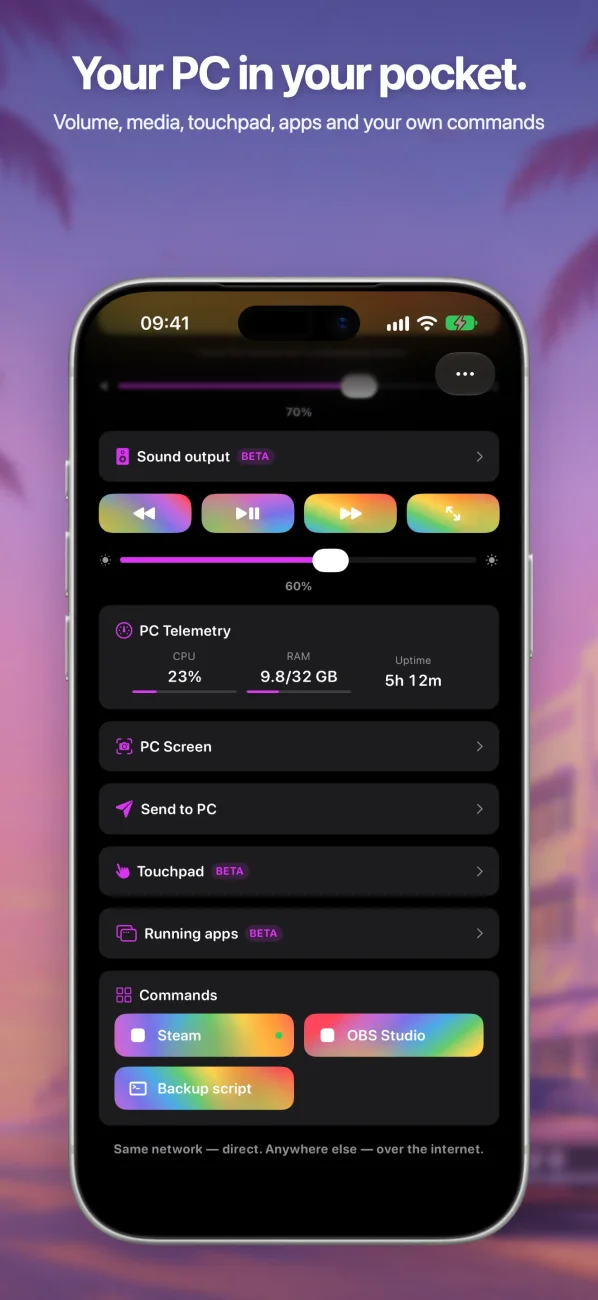
— Volume slider and mute, synced with your computer in real time
— Media keys: play/pause, next and previous track, Full Screen and video skipping on YouTube
— Touchpad and keyboard: move the cursor from your phone and use shortcuts (on your home Wi-Fi)
— Audio output: switch between speakers, headphones or TV in one tap
— Screen Off / Screen On: the monitor goes dark while the PC keeps running (Windows)
— Send to PC: a link opens in the browser on your computer, text lands in its clipboard, and photos and files go straight to Downloads (over Wi-Fi)
— Custom commands: "Launch Steam", "Open OBS" or any script, with real app icons, a "running" dot and long-press to close
See your PC live
— Online status for every computer right in the list
— CPU, memory and uptime (BETA)
— A snapshot of your PC screen with zoom (BETA)
— Running apps: see and close them (BETA)
From anywhere, securely
Control your powered-on computer over the internet — no VPN, no port forwarding, no setup. Every command is end-to-end encrypted on your iPhone and can be opened only by your computer; our relay just forwards sealed envelopes and stores nothing.
Everywhere on your iPhone
— Home Screen and Lock Screen widgets
— Control Center: Wake Up, Shut Down, Sleep and Mute
— Live Activity: "Waking up…", then "Online"
— Apple Watch app
— Siri and Shortcuts: "Hey Siri, turn on my computer", or shut down every night at 11 PM, plus the Run PC Command action
— Two-column layout on iPhone Duo and iPad
Setup in seconds
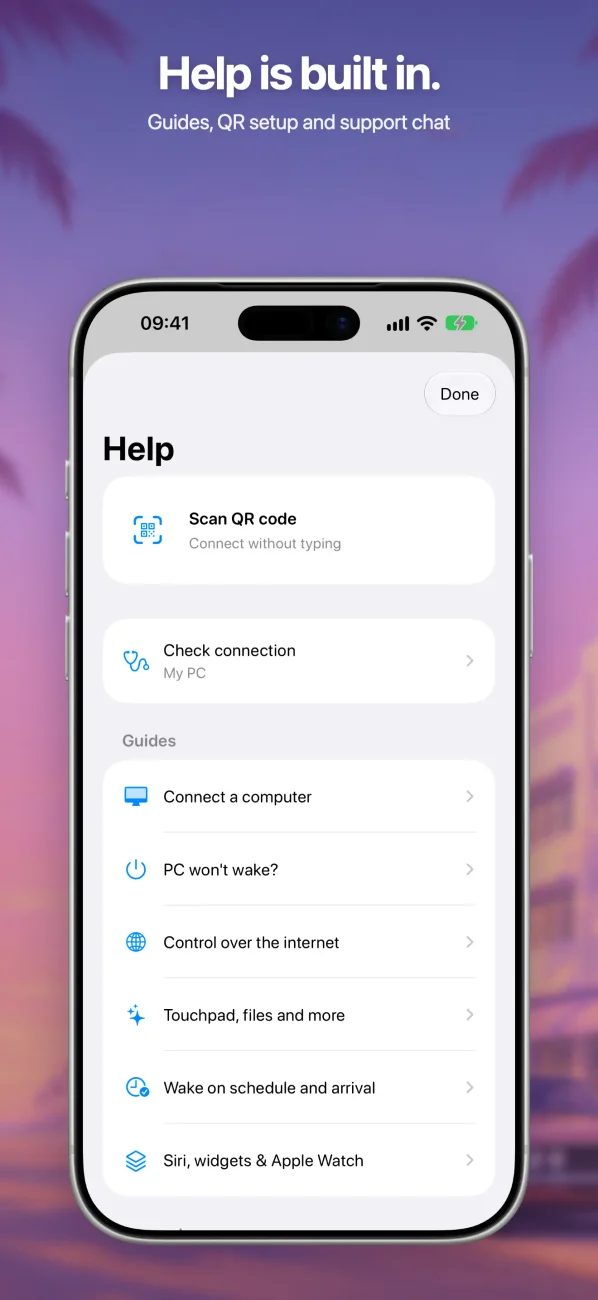
Install the free Wake PC Agent for Windows or Mac from wakepc.app, then scan its QR code or let the app find your PC on the network. Wake-on-LAN also works with no agent at all. The agent updates itself.
Make it yours
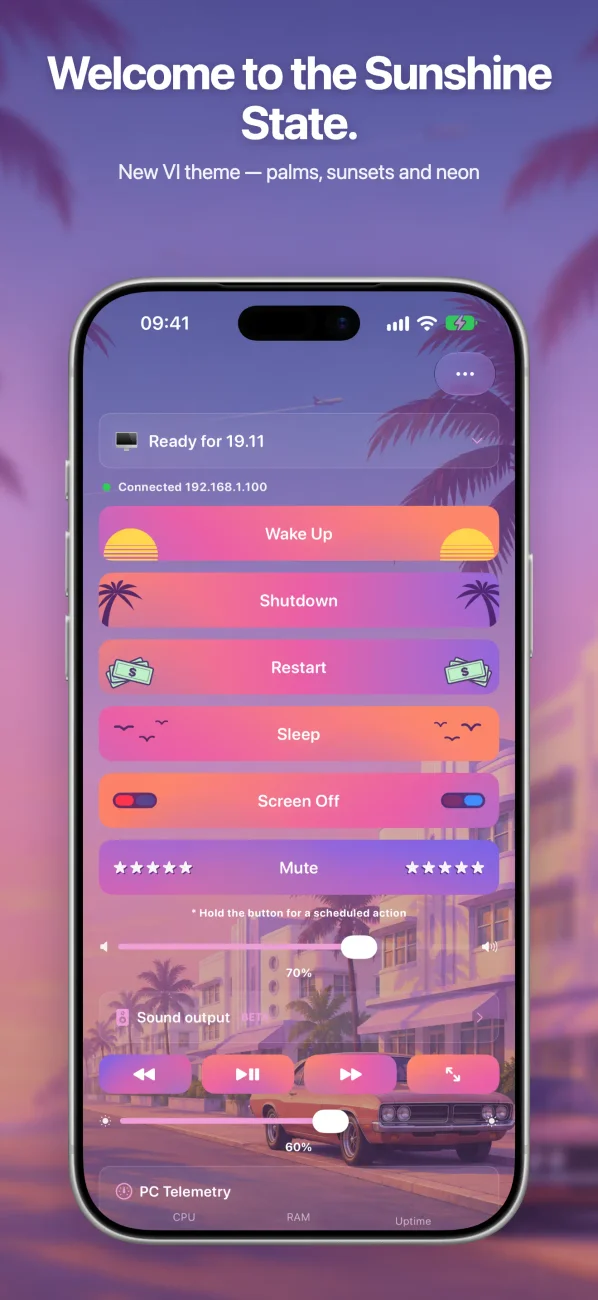
21 themes with rich gradients, including the new VI (free for everyone) and animated Rainbow, Aurora and Galaxy. Light or dark, independent of your system. Buttons with text or icons.
Free and Premium
Free forever: turning your computer on and off, plus the Ocean and VI themes.
Premium — a one-time purchase, yours forever: restart, sleep, lock, screen off, timer, volume, media keys, touchpad, files to PC, running apps, audio output, Shut down when PC is done, Send to PC, custom commands, unlimited computers and all themes.
Requirements
— iPhone with iOS 16.6 or later
— Windows PC or Mac with the free Wake PC Agent (or manual Wake-on-LAN)
— First setup on your home network; after that, control works from anywhere
Available in 19 languages. Questions? support@wakepc.app
Terms of Use: https://wakepc.app/terms.html
Privacy Policy: https://wakepc.app/privacy.html
Novedades
Versión 27 · 16/11/2026
We're almost 1 year old! Thank you for being with us. To celebrate:
• Shutting down your PC is now free for everyone
• New VI theme, also free. We're counting down to November 19 just like you. Palms, sunsets and neon.
What's new:
• Touchpad and keyboard: move the cursor from your phone (on home Wi-Fi), plus hotkeys
• Send photos and files to your PC right from iPhone (Wi-Fi)
• Running apps: see them and close them
• Pick the audio output: speakers, headphones, TV
• "Shut down when the PC finishes"
• "PC is idle" notification with Shut Down and Sleep buttons
• Fullscreen button and YouTube next/previous
• "Run PC Command" action for Shortcuts
• Choose your button style: text or icons (the "..." menu, then Buttons)
Fixes:
• Rescanning the QR code now fixes a mistyped MAC address
• Your PC's home network address is found automatically if the router changed it
• All buttons are the same size, labels perfectly centered
Some features are in beta and need the latest agent, so update Wake PC on your computer.
Thanks to eFs for reporting the MAC address bug!
Privacidad de la aplicación
Lo que Ivan Perk declara en App Store sobre cómo esta aplicación gestiona los datos.
-
No se recopilan datos
El desarrollador no recopila ningún dato de esta aplicación.
Las prácticas de privacidad pueden variar, por ejemplo, según las funciones que uses o tu edad.
Información
- Vendedor
- Ivan Perk
- Categoría
- Utilidades
- Versión
- 27
- Actualizado
- 16/11/2026
- Publicado
- 14/1/2026
- Tamaño
- 13,5 MB
- Requiere
- iOS 16.6 o posterior
- Clasificación por edad
- 4+
- Precio
- Gratis
- Compras en la aplicación
- Sí
- Idiomas
- Inglés, Árabe, Belarusian, Catalán, Neerlandés, Francés, Alemán, Indonesio, Italiano, Coreano, Malayo, Persa + 7 más
- Copyright
- © 2026 Ivan Perk
Quizá también te guste
-
 Off - Al apagar el ordenadorControla remotamente tu PC
-
 Clean Your TV (EN)Utilidades
-
 Turn Off PCControl remote for computers
-
 Yandex InternetometerUtilidades
-
 Racing WheelUtilidades
-
 Kugoo RidingUtilidades
-
 Awake — Wake On LanUtilidades
-
 NetcrazeUtilidades
-
 KeeneticUtilidades
-
 Wake Me Up - Wake-on-LANUtilidades