
- Clasificación por edad17+
- CategoríaUtilidades
- DesarrolladorAldo Gonzalez
- IdiomasInglés
- Tamaño11,9 MB
Enlaza a la página oficial de App Store
Download.org no aloja ningún archivo de Watchism. El botón abre la página de la aplicación en App Store, donde la publica Aldo Gonzalez. Ficha comprobada por última vez el 20/11/2026.
Capturas de pantalla

Acerca de
El desarrollador no ha proporcionado este texto en tu idioma.
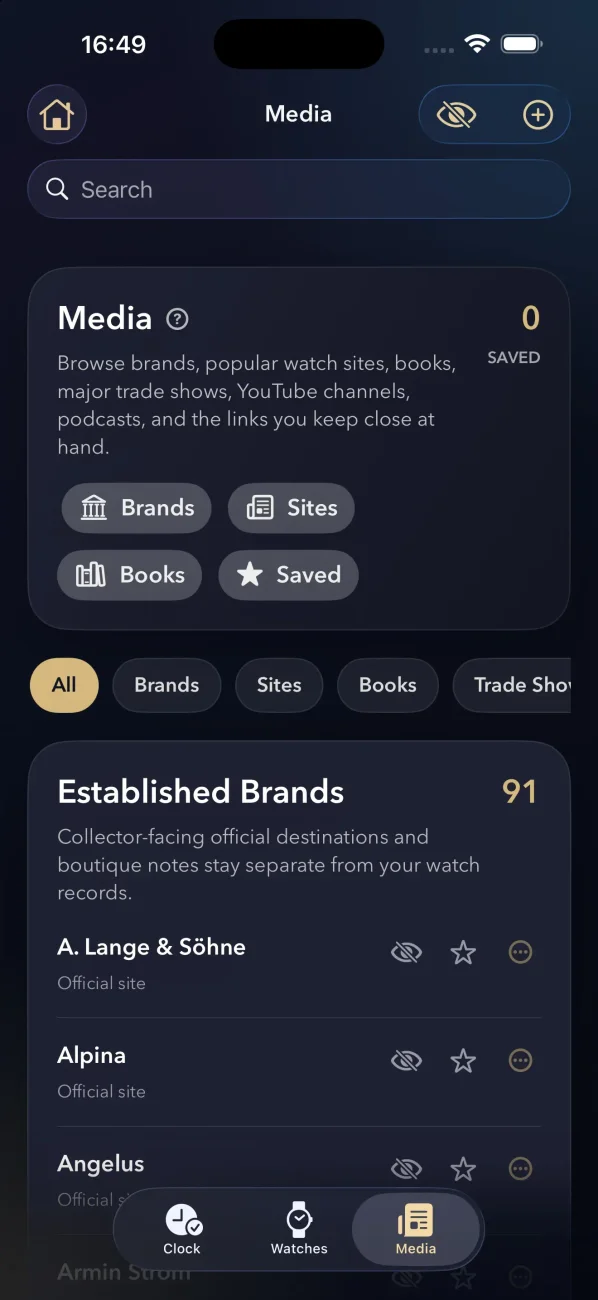
Watchism keeps your watch collection, photographs, wear history, and timing observations together on your iPhone. Your collection stays on-device, with no account, ads, or analytics.
MADE FOR YOUR IPHONE — INCLUDING IPHONE DUO
Open iPhone Duo to browse your collection beside the selected watch. Tap or drag the divider to expand the collection across the display. Clock keeps Reference Time in a dedicated pane beside your tools. Timing and photo workspaces arrange reference content and controls around the available space and active folds. Existing iPhones retain familiar compact navigation.
YOUR COLLECTION, YOUR WAY
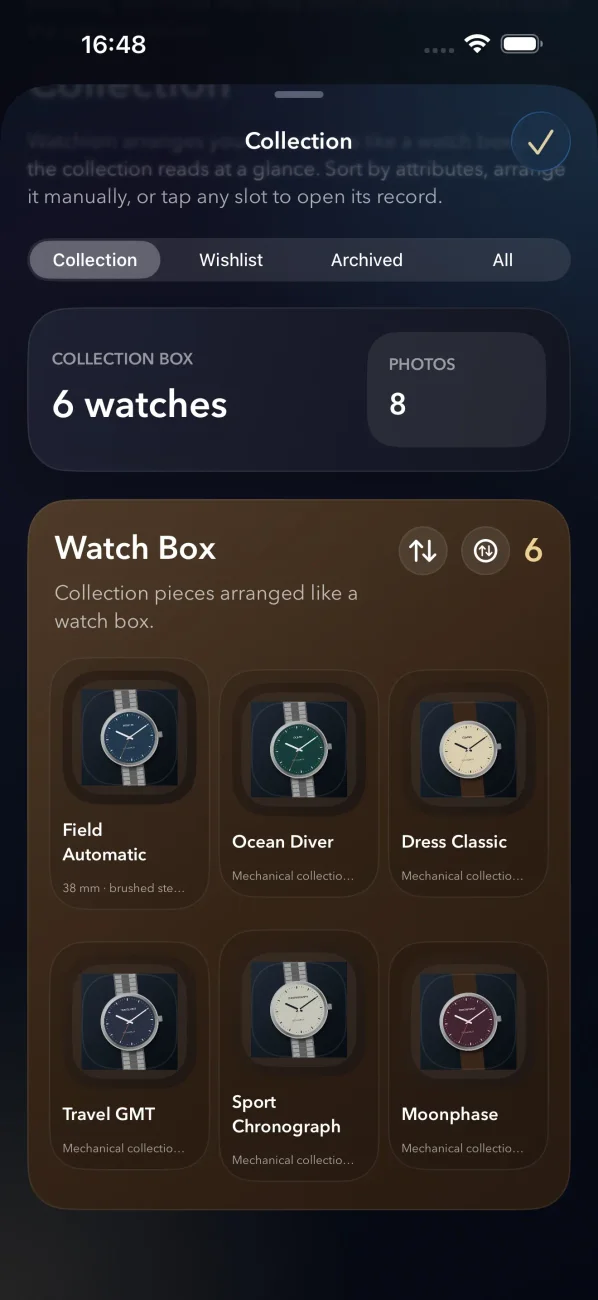
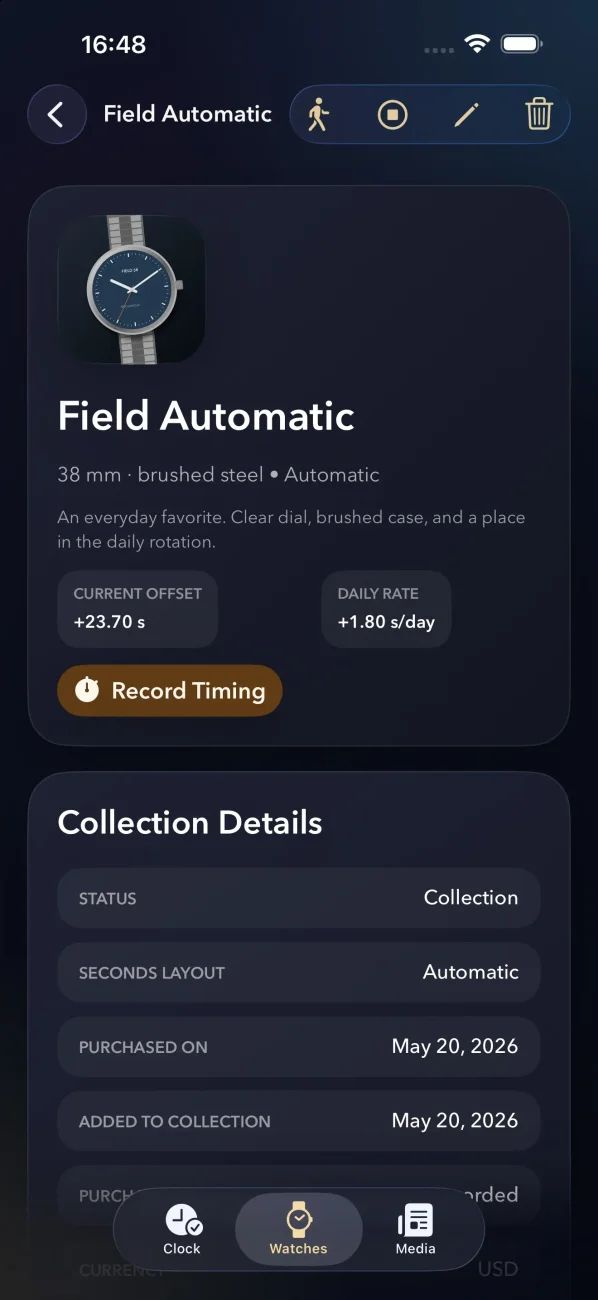
Add watches manually, organize a Watch Box, maintain a separate wishlist, and keep notes for pieces that have left your collection. Capture photos, import local copies, or link selected Photos assets. Crop without changing the original. Keep private prices and valuation history by currency, and hide amounts when you prefer.
UNDERSTAND YOUR ROTATION
Log current or past wear sessions. Explore 30-day, 180-day, and all-time insights by watch, weekday, and rotation balance. Open the source records behind an insight to review or correct a log. Export collection records as JSON or CSV; exports are not complete photo backups.
TIME YOU CAN ASSESS
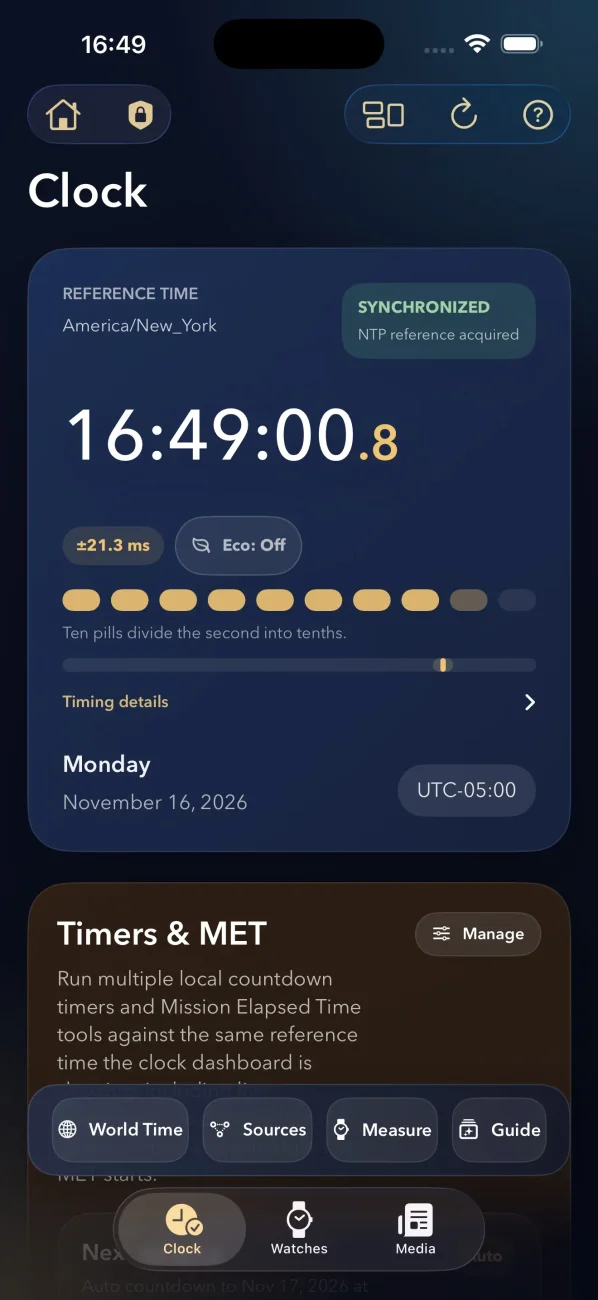
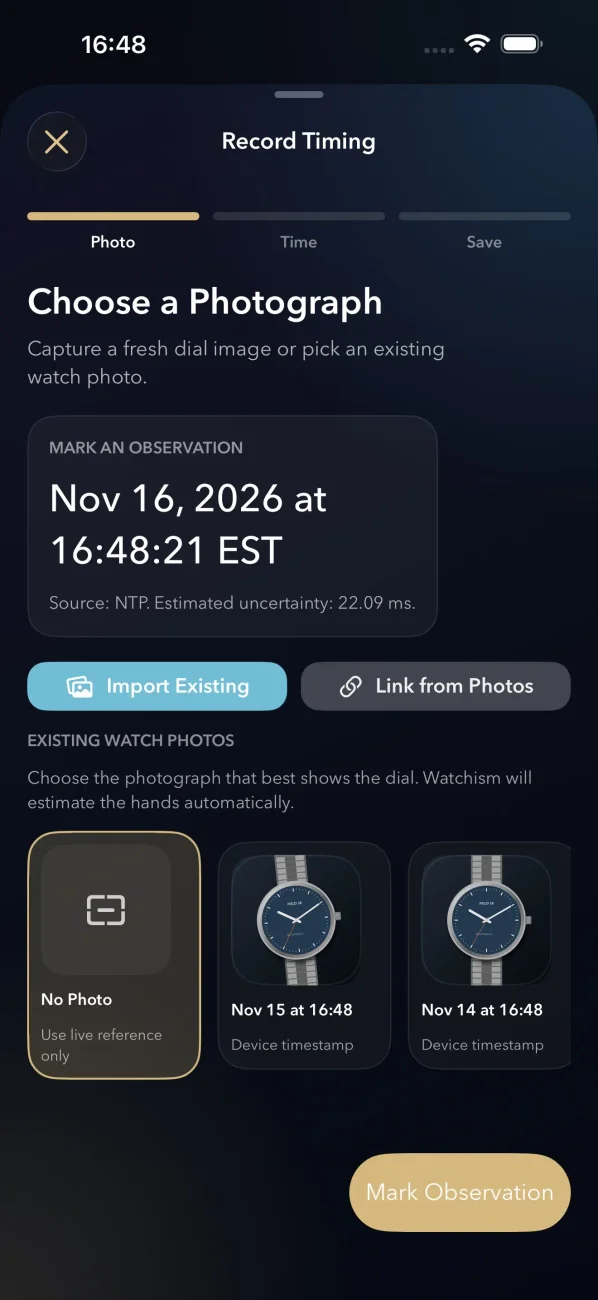
Use NTP, HTTPS Date, or Roughtime as your selected reference source, with visible fallback checks. Watchism displays estimated uncertainty and adapts fractional precision to the available confidence. Mark a frozen reference, enter your watch reading, and review offset and rate history. Optional on-device photo analysis is best-effort and always allows manual confirmation or correction.
World clocks, countdowns, Mission Elapsed Time tools, astronomy, chimes, and diagnostics complete the Clock dashboard. Arrange cards in your preferred order; Reference Time stays pinned in expanded layouts.
RESEARCH WITHOUT LOSING YOUR PLACE
Browse watch-related sites in Media. The directory and selected website share the open Duo display, and the current browser session stays available as the layout changes. Videos require a tap. Import a selected website image and review suggested details before saving.
PRIVATE BY DESIGN
Watch records, photographs, measurements, layouts, preferences, boutique notes, and authorized dealer records stay on-device. iOS backups may include app data. The embedded browser uses non-persistent website data; selected image imports do not forward its cookies. Network activity is limited to configured time-reference services and explicit actions involving websites, selected images, or approved iCloud Photos downloads. No multi-device cloud sync is provided.
Novedades
Versión 1.11 · 17/11/2026
Watchism now adapts natively to iPhone Duo while retaining support for existing iPhones.
• Open Duo to keep your collection beside the selected watch. Tap or drag the divider to expand the collection, then restore both panes without losing your selection.
• Keep Reference Time in its own expanded pane, with the other Clock cards in your saved order.
• Use paired timing and photo workspaces, with reference content and controls arranged around active folds.
• Keep your current website, browsing history, and import state when Media changes between a pane and a sheet.
• Website videos now wait for a tap, and browser resizing keeps scrolling responsive.
• Improved observation editing during rotation, clearer button labels, and a steadier timing-details delta readout.
Your collection stays on your device. No accounts, ads, analytics, or changes to the clock's uncertainty policy.
Privacidad de la aplicación
Lo que Aldo Gonzalez declara en App Store sobre cómo esta aplicación gestiona los datos.
-
No se recopilan datos
El desarrollador no recopila ningún dato de esta aplicación.
Las prácticas de privacidad pueden variar, por ejemplo, según las funciones que uses o tu edad.
Información
- Vendedor
- Aldo Gonzalez
- Categoría
- Utilidades
- Versión
- 1.11
- Actualizado
- 17/11/2026
- Publicado
- 24/3/2026
- Tamaño
- 11,9 MB
- Requiere
- iOS 26.0 o posterior
- Clasificación por edad
- 17+
- Precio
- Gratis
- Idiomas
- Inglés
- Copyright
- © 2026 Aldo Gonzalez
Quizá también te guste
-
 Tack Time: Focus & Flow TimerUtilidades
-
 CatClock-diy desktop pet clockUtilidades
-
 Identify Anything With - LensyUtilidades
-
 Important Dates - CountdownUtilidades
-
 Purrify: Limpiador de EspacioDuplicados y Live Photos
-
 Optimal°Utilidades
-
 Chronograde: PrecisiónCronocomparador y marcha
-
 Calculator Vault - PrivacyUtilidades
-
 Dr.Fix CleanUp AiUtilidades
-
 Phone Cleaner - Easy CleanUtilidades