Wedding Player
Ceremony Music, Your Whole Day
Diseñada para iPhone, iPad
Gratis · Compras en la aplicación
- Clasificación por edad4+
- CategoríaMúsica
- DesarrolladorPrelude Apps Ltd
- IdiomasInglés
- Tamaño119,3 MB
Enlaza a la página oficial de App Store
Download.org no aloja ningún archivo de Wedding Player. El botón abre la página de la aplicación en App Store, donde la publica Prelude Apps Ltd. Ficha comprobada por última vez el 23/11/2026.
Capturas de pantalla

Acerca de
El desarrollador no ha proporcionado este texto en tu idioma.
Your wedding music needs to be perfect, and Wedding Player makes sure it is. Build your wedding playlist for every moment, then play it exactly on cue: offline once downloaded, with smooth fades, and a locked playlist so the wrong song cannot play.
Built by a dad for his daughter's wedding, and now available for yours. Wedding Player is purpose-built for the ceremony and the whole day: your own running order, your own tracks, perfectly timed.
▸ READY BEFORE THE DAY
Wedding Readiness Reminders tell you before the day if something needs attention. Every couple gets a free wedding countdown. Full Access adds reminders if a track isn't ready to play offline, a moment has no music, or Wedding Player loses access to Apple Music, plus a day-before summary. Pros get one summary of every client wedding that needs attention, up to 24 months ahead.
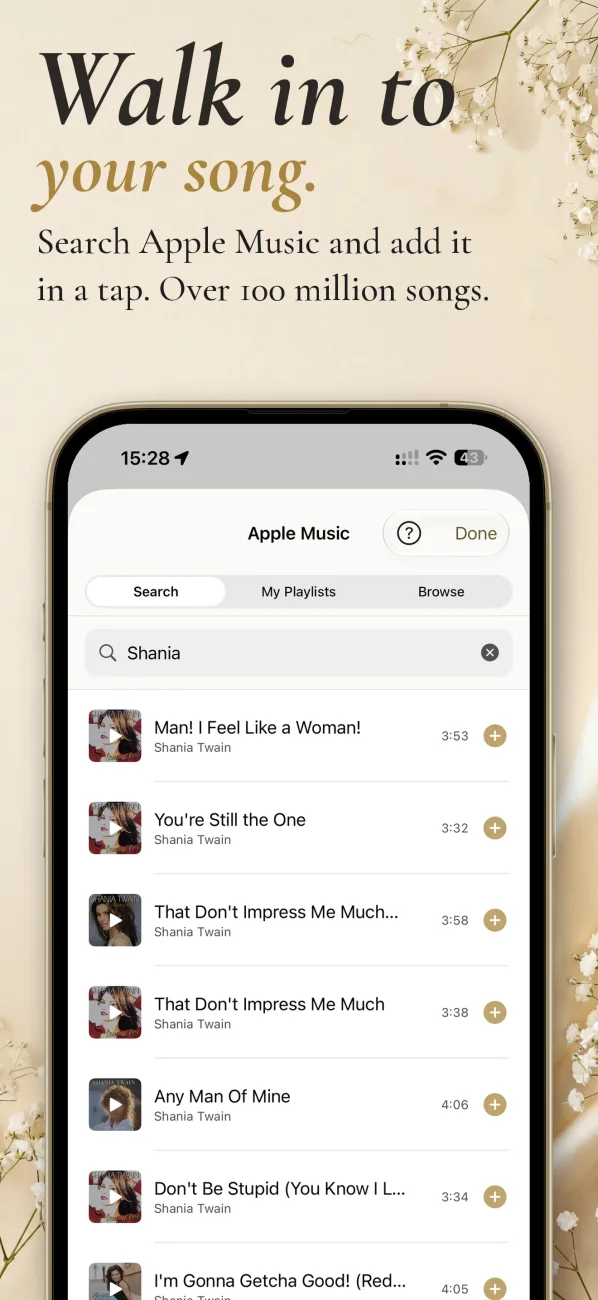
▸ APPLE MUSIC, YOUR OWN FILES, OR OUR BUILT-IN LIBRARY
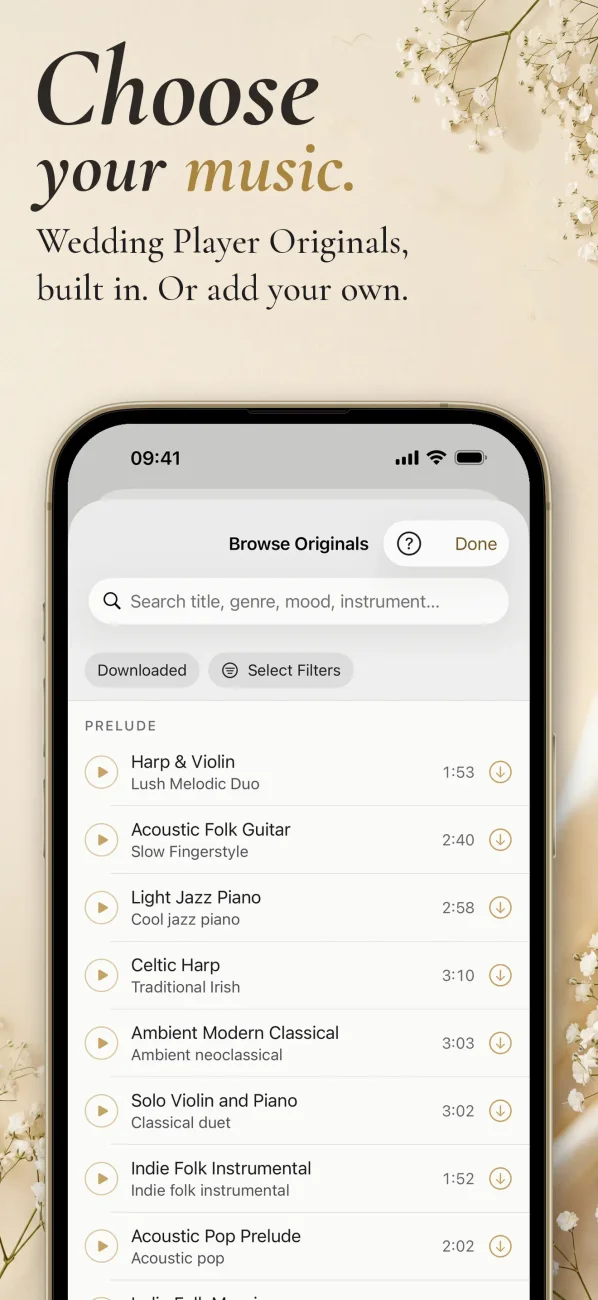
Combine tracks from your Apple Music library with custom-edited local files (MP3, M4A, WAV, AIFF) in a single ceremony playlist. Most apps make you pick one. Wedding Player lets you mix both. Or start from Wedding Player Originals, a built-in library of over 70 ceremony tracks you can download inside the app. New Originals appear as soon as they're added.
▸ MORE THAN A PLAYLIST: A CEREMONY TIMELINE
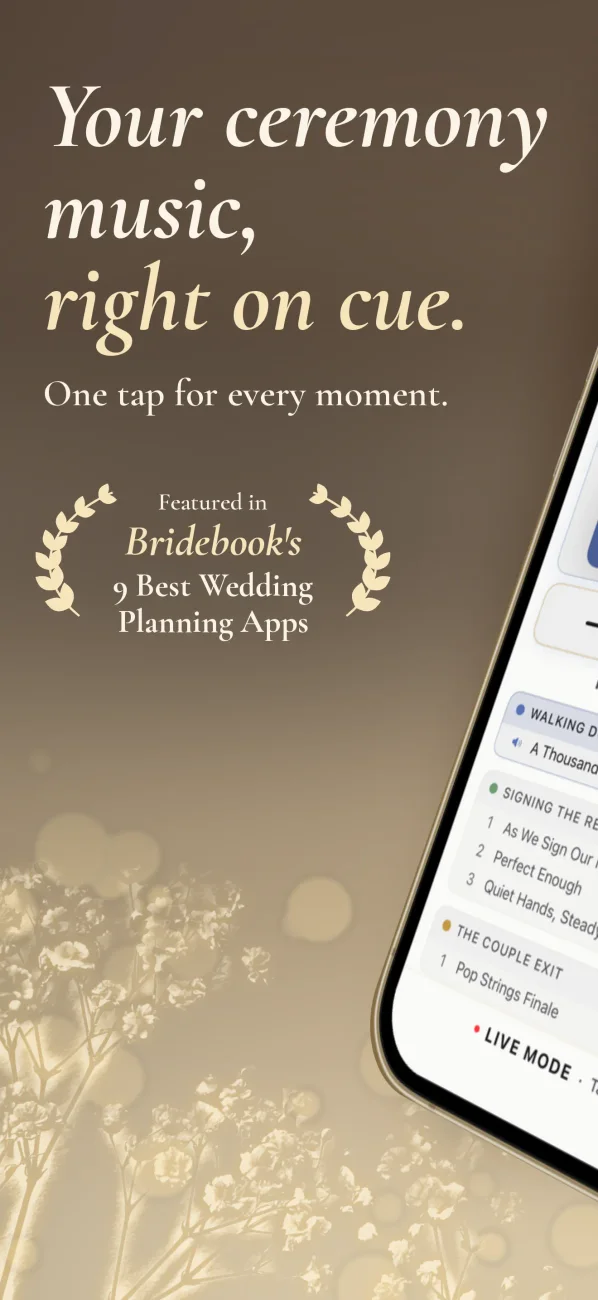
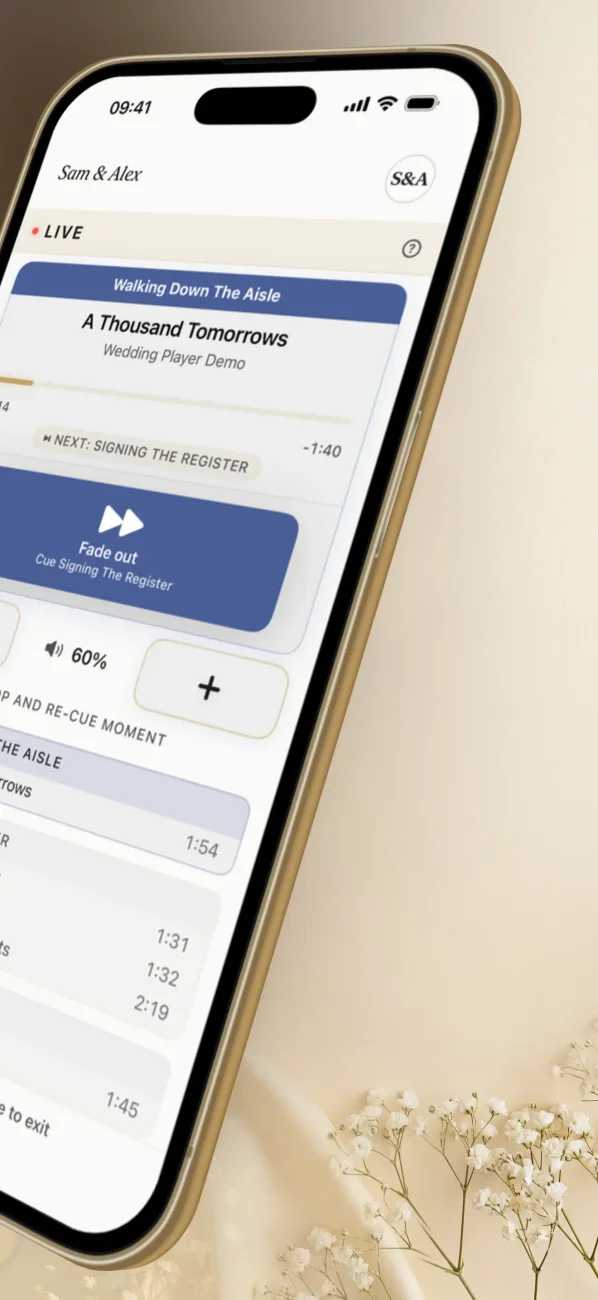
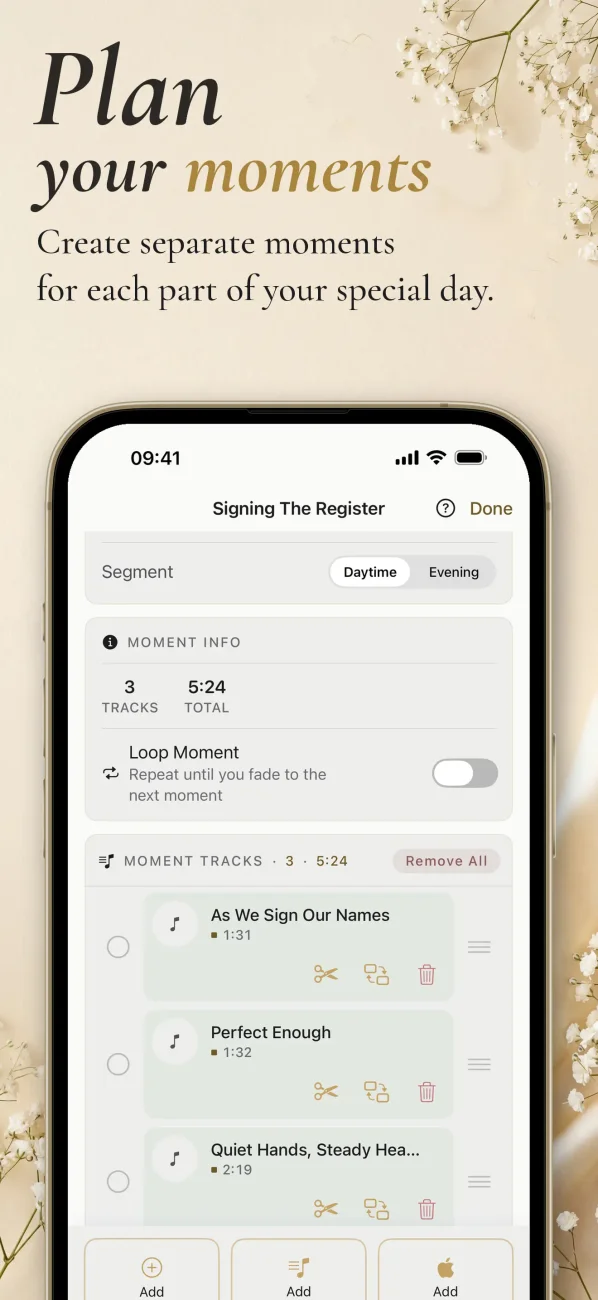
Create named moments (Walking Down The Aisle, Signing The Register, Leaving), each with its own playlist, fade settings, and transition controls. Advance between moments with a single tap and a smooth fade-out countdown.
▸ NEW: WEDDING BACKUPS, PLUS iCloud SYNC
Wedding Player now backs up every wedding on this device once a day, after you make changes, and before you delete a moment or a wedding. Restore any backup as a copy from Settings > Backups, or save one to Files. Included for everyone. With Full Access, your wedding also stays in sync across your iPhone and iPad through iCloud.
▸ GO LIVE: BIG CONTROLS, LOCKED RUNNING ORDER
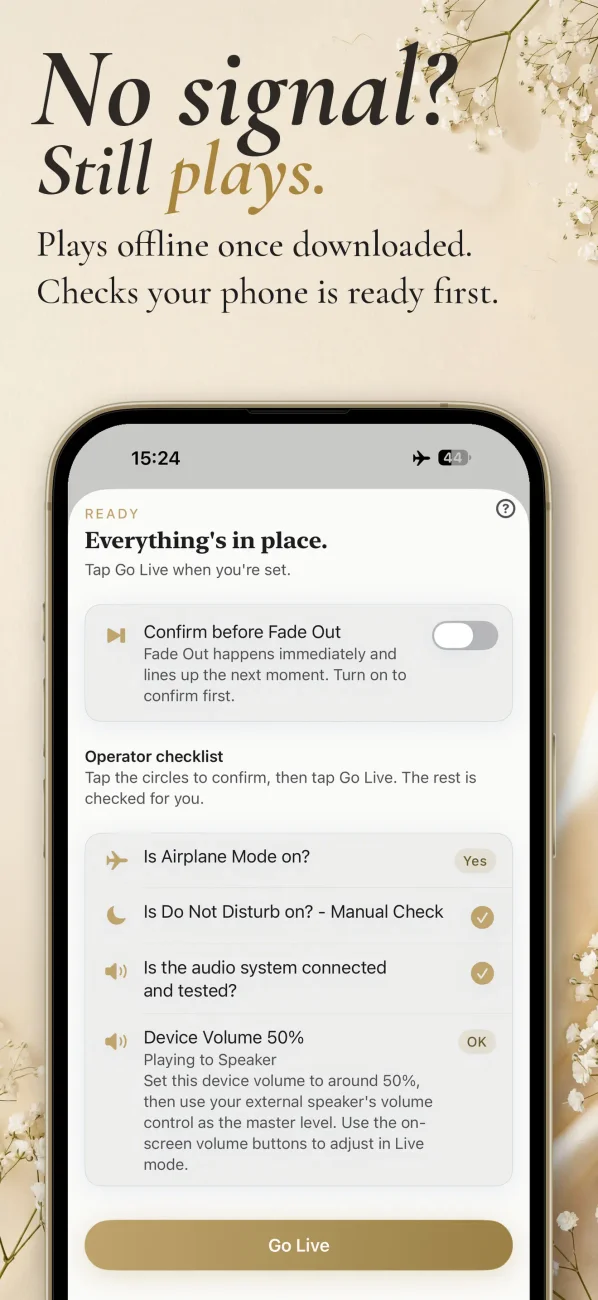
Switch to Live Mode and hand the device to whoever's pressing play. Extra-large controls. The playlist is locked, so no wrong songs and no wrong versions, and there is no skip control to hit by accident. Switching moment, restarting or leaving Live Mode all ask you to confirm first. Fade Out is one tap by default, or turn on Ask before fading so a stray tap asks first. Set it up once. Press play with confidence.
▸ PLAYS OFFLINE ONCE DOWNLOADED
Wedding Player plays offline once your tracks are downloaded, even in airplane mode. No venue WiFi, no streaming, no ads, no surprises. Your own files play directly from your device, and the Offline Readiness check shows which Apple Music tracks still need downloading.
▸ PROFESSIONAL AUDIO
• Crossfade between tracks (1 to 10 seconds)
• Gapless transitions for Apple Music tracks (native MusicKit)
• Volume normalisation across all tracks (-3 dBFS target)
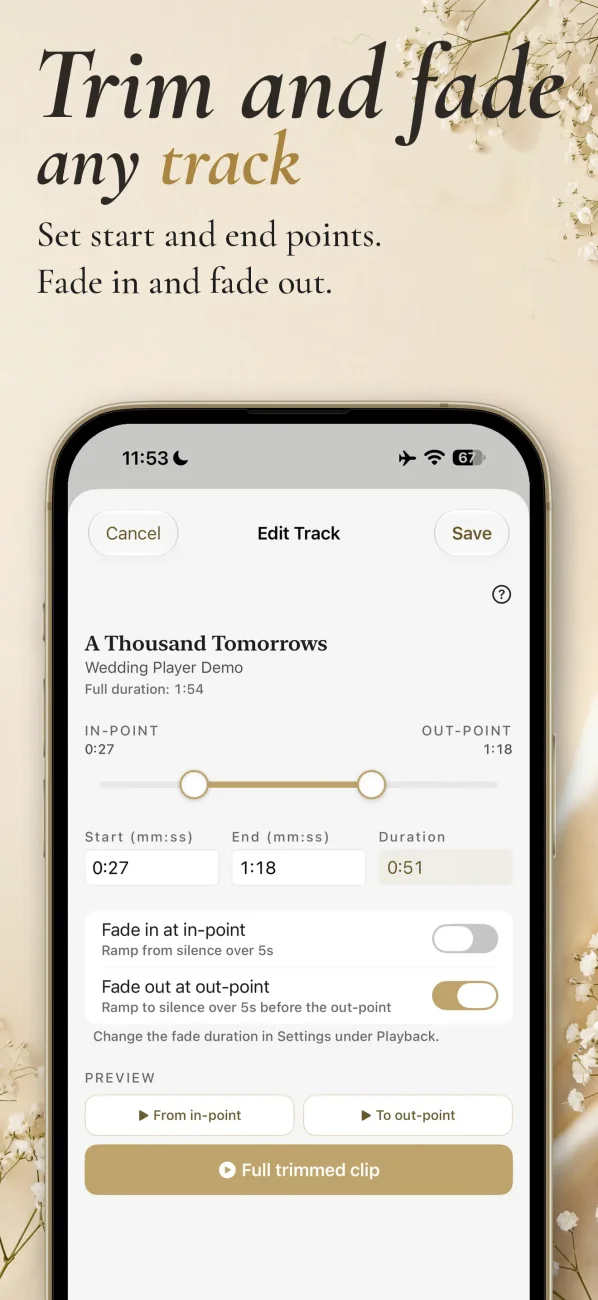
• Per-track trim points with fade-in option
• Configurable fade-out (2 to 15 seconds) with live countdown
▸ BUILT FOR THE DAY
• Per-track or per-moment looping (repeat until you're ready to advance)
• Tracks flow on automatically inside a moment; the next moment is cued and waiting for your tap
• Screen stays awake during playback
• Works on iPhone and iPad
▸ TRY BEFORE YOU BUY
The free demo includes 5 sample tracks and a guided walkthrough, and short video tutorials in Settings cover most of the main features. When you're ready, exit the demo and start building your own ceremony, then upgrade to Full Access with one payment. No subscription, no renewals. No account required.
▸ FOR WEDDING PROFESSIONALS
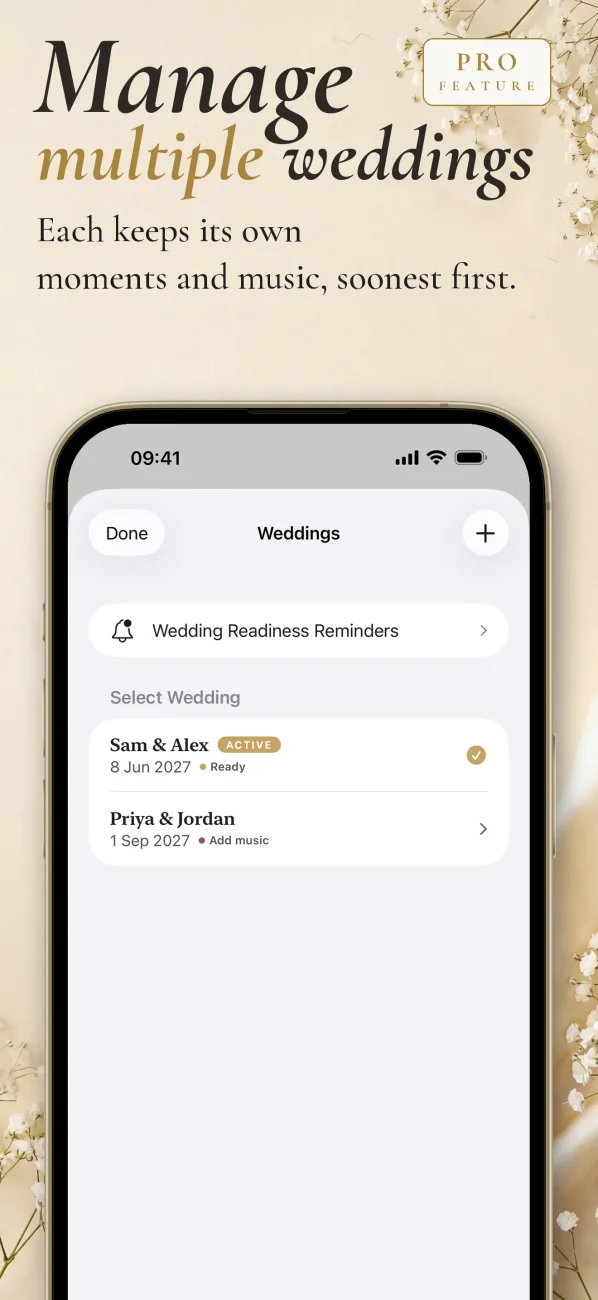
Running multiple weddings for a living? The Professional Licence (monthly or yearly, with a free month to start) lets every wedding keep its own moments, music and timings, so you can switch between them in a tap. Built for venues, celebrants and planners. Details at weddingplayer.app/professionals.
Terms of Use (EULA):
https://www.apple.com/legal/internet-services/itunes/dev/stdeula/
Novedades
Versión 3.1.3 · 17/11/2026
What's new in 3.1.3
• Fixed: on iOS 27, Wedding Player could close straight away if you opened it while Screen Recording or screen mirroring was already on. It now opens normally.
• Backups in iCloud Drive: Wedding Player now also copies a backup to iCloud Drive each day, ready to bring back on any of your devices. Open Settings > Backups > Other Devices and Files to see the copies. A copy comes back as a new wedding, so nothing you have now changes. Included with Full Access and Pro.
• New video tutorials: Wedding Player now tells you when a new tutorial is added. Tap Watch to see it, or Not Now to skip it. You can turn these messages off in Settings > Video Tutorials.
• Your own music on a second device: if a song you imported is not on this device yet, Missing Tracks > Find the File lets you pick the same file to put it back.
• Smoother Apple Music: a phone call or Siri now pauses an Apple Music track, and it stays paused until you tap. Fades keep the volume where you set it, and many Wedding Player Originals now play at a level closer to Apple Music.
• Show taps when recording: a new option in Settings > Advanced shows a gold dot wherever you tap while the screen is recorded or mirrored. Handy for demo videos. Off by default.
• What's New in Settings > Support: see the main new features in each update again any time.
Privacidad de la aplicación
Lo que Prelude Apps Ltd declara en App Store sobre cómo esta aplicación gestiona los datos.
-
Datos no vinculados a ti
Pueden recopilarse, pero no se vinculan a tu identidad.
- Compras
- Identificadores
- Datos de uso
- Diagnóstico
Las prácticas de privacidad pueden variar, por ejemplo, según las funciones que uses o tu edad.
Información
- Vendedor
- PRELUDE APPS LTD
- Categoría
- Música
- Versión
- 3.1.3
- Actualizado
- 17/11/2026
- Publicado
- 8/4/2026
- Tamaño
- 119,3 MB
- Requiere
- iOS 17.0 o posterior
- Clasificación por edad
- 4+
- Precio
- Gratis
- Compras en la aplicación
- Sí
- Idiomas
- Inglés
- Copyright
- © 2026 Prelude Apps Ltd
Quizá también te guste
-
 CQ4YouMúsica
-
 CQ MixPadMúsica
-
 djay - DJ App & AI MixerMezclar Música & Canciones
-
 Sheet Music DirectPremium scores & music notes
-
 Soundboard Studio: BotoneraEfectos de sonido en vivo
-
 Audio Editor - Música clipsProducción y edición de sonido
-
 SoundLab - Editor de audioaudacity, mixer, equalizador.
-
 rekordbox - DJ App & DJ MixerMashup, Mix & Remix Music
-
 Editor de audio - AudioLabReverberación,igualador, imbre
-
 Dynamic LyricsKaraoke dinámico para CarPlay