- Clasificación por edad4+
- CategoríaProductividad
- DesarrolladorNicolai Bargan
- IdiomasInglés+ 5 más
- Tamaño6,8 MB
Enlaza a la página oficial de App Store
Download.org no aloja ningún archivo de WhereDidIPut. El botón abre la página de la aplicación en App Store, donde la publica Nicolai Bargan. Ficha comprobada por última vez el 22/11/2026.
Capturas de pantalla
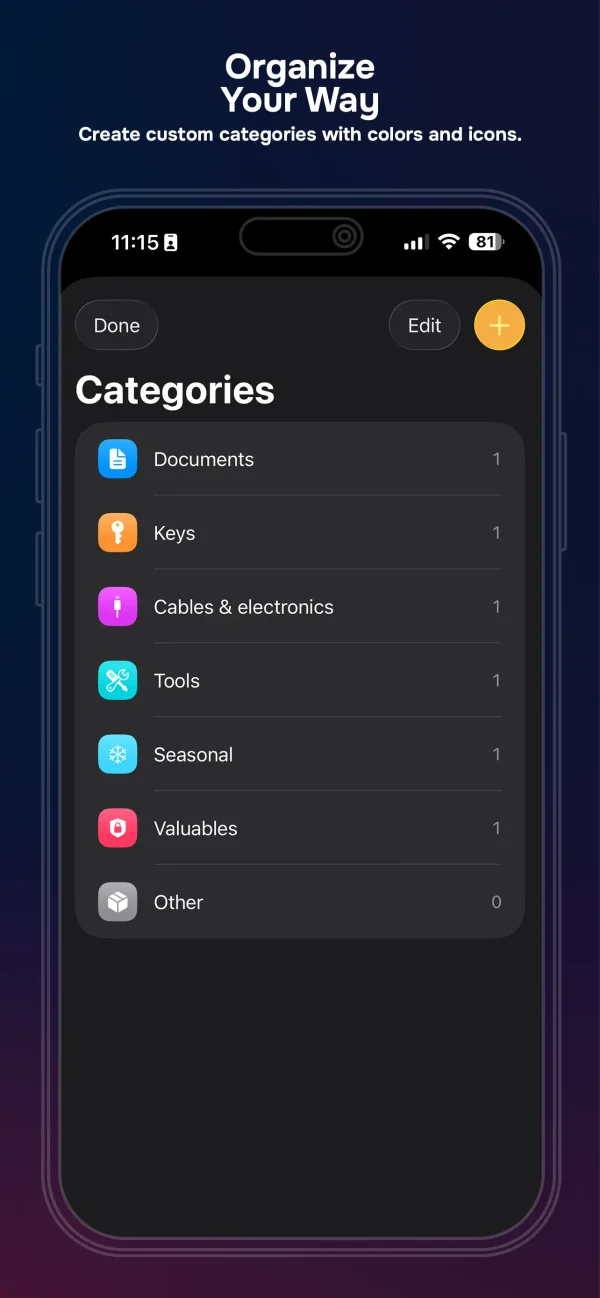
Acerca de
El desarrollador no ha proporcionado este texto en tu idioma.
WhereDidIPut helps you remember where you stored the things that matter.
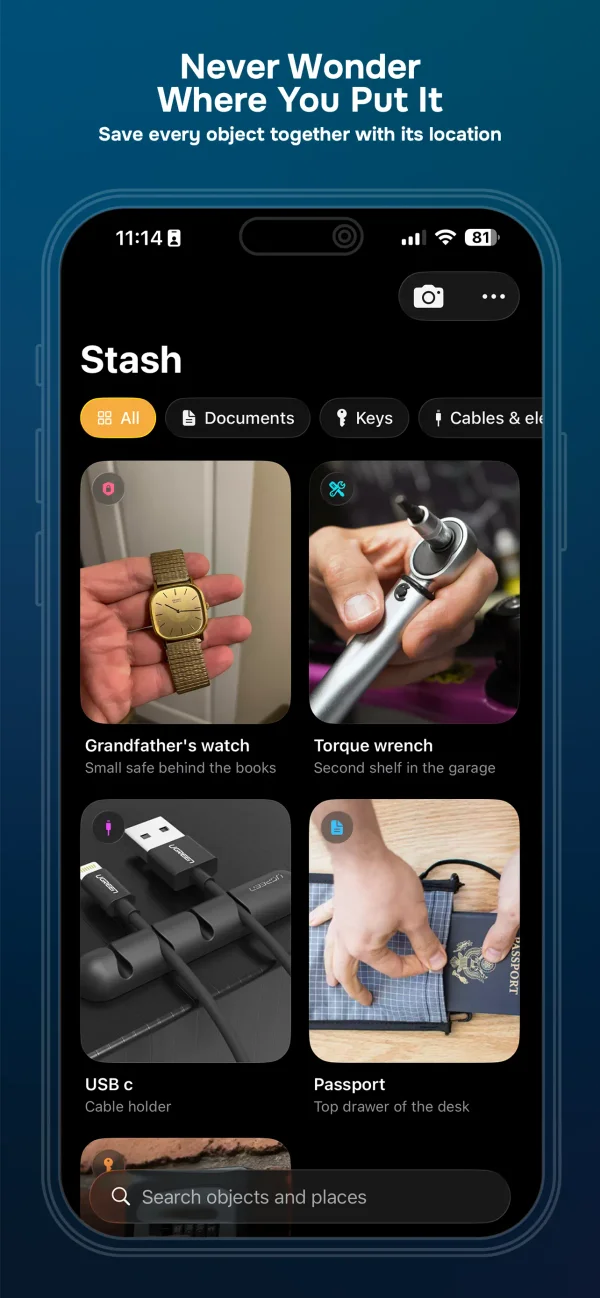
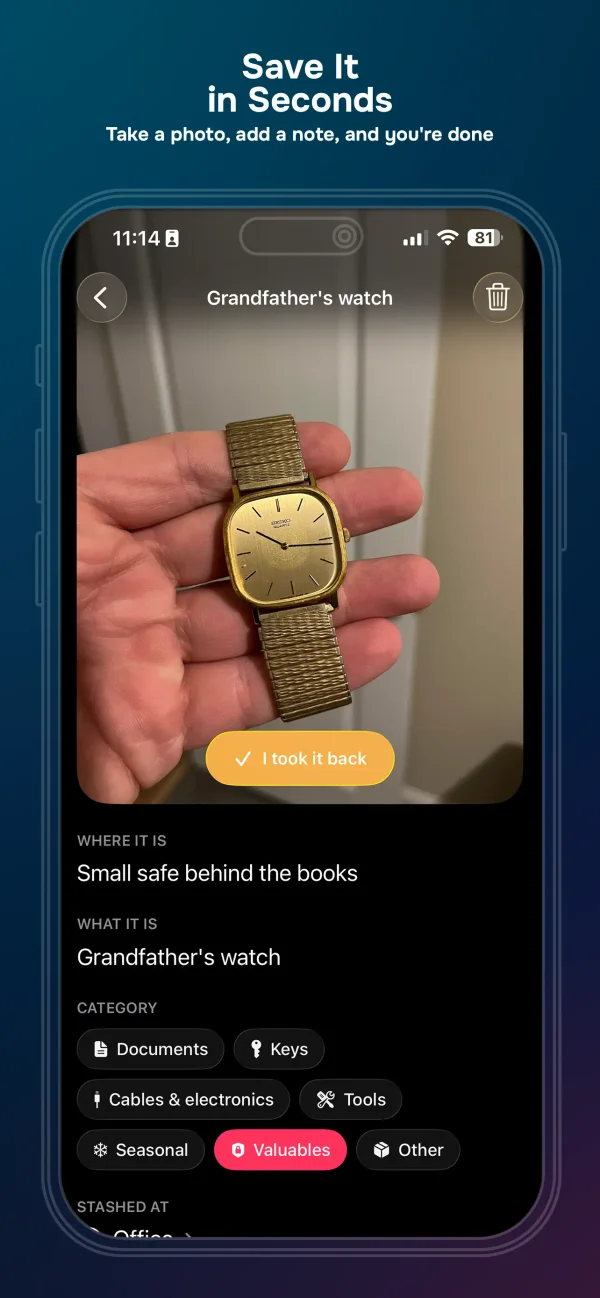
Photograph an object, write a quick note about where you put it, and find it again whenever you need it. Everything is designed around a fast capture flow, so saving an object takes only a few seconds.
FEATURES
• Photograph objects with the built-in camera or choose an existing image
• Add a free-form note describing exactly where the object is stored
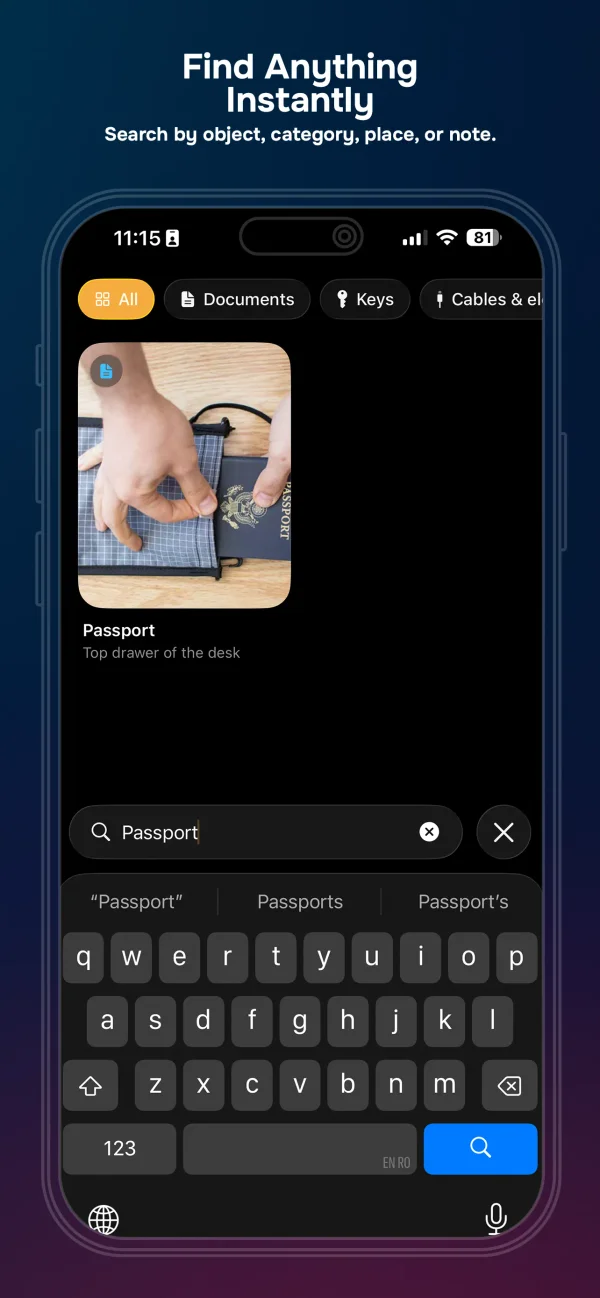
• Search instantly across object names, notes, categories, and places
• Prioritize important objects with drag and drop
• Create and customize categories with colours and SF Symbols
• Get on-device category suggestions using Apple Vision
• Mark objects as Taken Back and restore them later
• Optionally distinguish approximate places such as home and the office
• Find recently stored objects from the Home Screen widget
• Ask Siri where you put an object
• Find objects through Spotlight
• Open capture and object details through deep links
PRIVATE BY DESIGN
WhereDidIPut has no account, advertisements, analytics SDKs, or application server. Object information and photos remain on your device. Optional place recognition is off by default, stores only an approximate location, and never sends location data away from the device. Image classification is performed on-device.
WhereDidIPut is useful for documents, spare keys, cables, tools, seasonal items, valuables, moving boxes, and anything else you have put somewhere safe — perhaps a little too safe.
Novedades
Versión 1.1.0 · 20/8/2026
WhereDidIPut now speaks six languages.
The app is available in English, German, Spanish, Portuguese (Brazil),
Romanian and Russian. By default it follows your iPhone's language — and if
you'd rather it didn't, there is now a language setting of its own under the
"..." menu. Keep the phone in one language and read the app in another. The
change happens straight away, without reopening the app.
Everything follows along: the built-in category names, the Siri phrases, the
Home Screen widget, and the questions iOS asks before using your camera or
your photos.
The category suggested when you put something away now recognises words in all
six languages, so "passport", "Reisepass", "pașaport" and "паспорт" all land
under Documents.
Privacidad de la aplicación
Lo que Nicolai Bargan declara en App Store sobre cómo esta aplicación gestiona los datos.
-
No se recopilan datos
El desarrollador no recopila ningún dato de esta aplicación.
Las prácticas de privacidad pueden variar, por ejemplo, según las funciones que uses o tu edad.
Información
- Vendedor
- Nicolai Bargan
- Categoría
- Productividad
- Versión
- 1.1.0
- Actualizado
- 20/8/2026
- Publicado
- 17/8/2026
- Tamaño
- 6,8 MB
- Requiere
- iOS 26.0 o posterior
- Clasificación por edad
- 4+
- Precio
- Gratis
- Idiomas
- Inglés, Alemán, Portugués, Rumano, Ruso, Español
- Copyright
- © 2026 Nikba Creative Studio
Quizá también te guste
-
 Brain Dump TrackerProductividad
-
 Strict App Blocker:Block AppsProductividad
-
 PhoneVault - Lock & FocusProductividad
-
 WhereBox – Home InventoryProductividad
-
 Rachas de MotivaciónEnergía, no disciplina
-
 BRISEProductividad
-
 Bloqueador Apps: StrictBlockRedes Sociales y Tiempo de Uso
-
 Flip Phone FocusProductividad
-
 GNSS Log AppProductividad
-
 Pomodoro Timer: Tempo FocusTareas y bloqueo de apps