WorkList: Work Log & Reports
Track Results. Export Reports.
Diseñada para iPhone, iPad, Mac
Gratis · Compras en la aplicación
- Clasificación por edad4+
- CategoríaProductividad
- Desarrollador堃 王
- IdiomasInglés+ 1 más
- Tamaño32,8 MB
Enlaza a la página oficial de App Store
Download.org no aloja ningún archivo de WorkList: Work Log & Reports. El botón abre la página de la aplicación en App Store, donde la publica 堃 王. Ficha comprobada por última vez el 26/11/2026.
Capturas de pantalla

Acerca de
El desarrollador no ha proporcionado este texto en tu idioma.
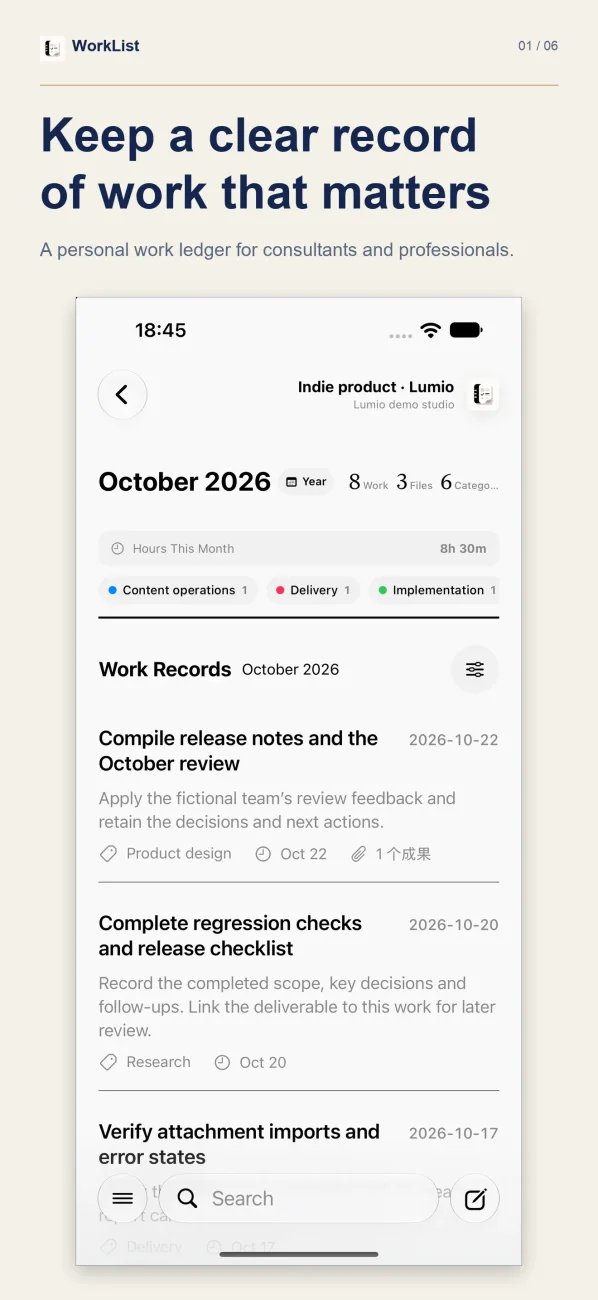
Keep a clear record of what you accomplish.
A busy month should not end with hours spent searching chats, finding files, and rebuilding details from memory. WorkList is a personal work log that connects projects, progress, time, and deliverables, so everyday records are ready when you need a report.
Made for consultants, designers, developers, operations and project staff, freelancers, and anyone who prepares daily updates, monthly reports, or project reviews.
RECORD WORK BY PROJECT
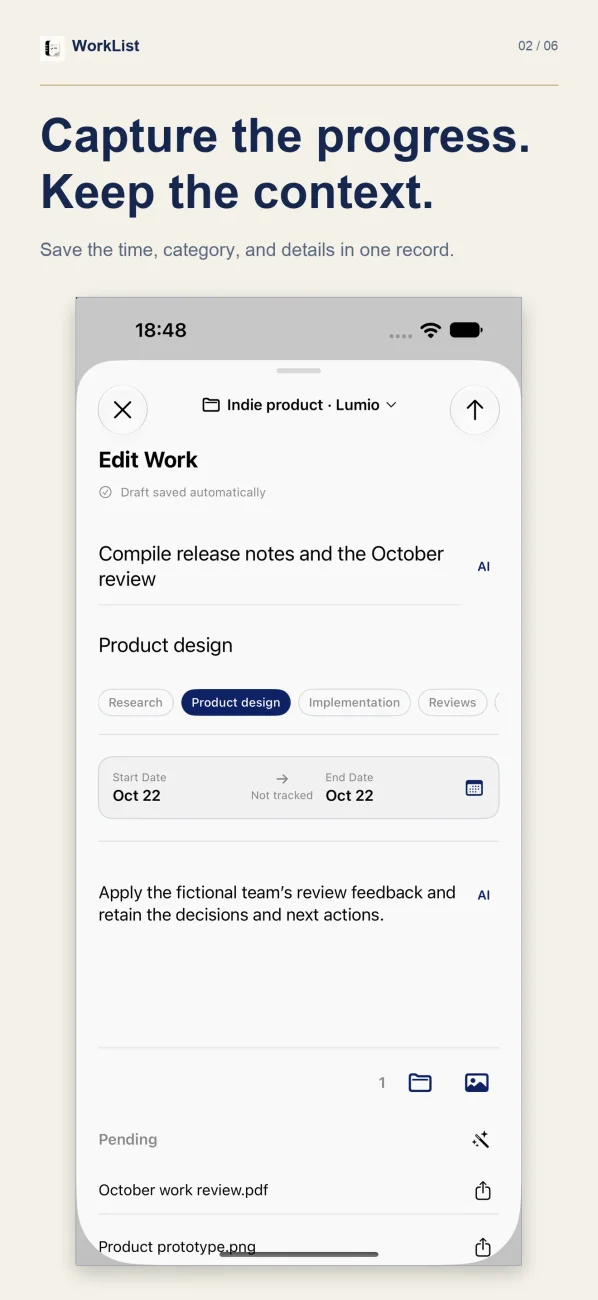
Create projects for clients, initiatives, or areas of responsibility. Add a title, category, notes, and start and end dates, with optional time tracking. Add past work, edit records, and keep unfinished entries in local drafts. Capture details on iPhone and organize them on iPad.
KEEP FILES WITH THE WORK
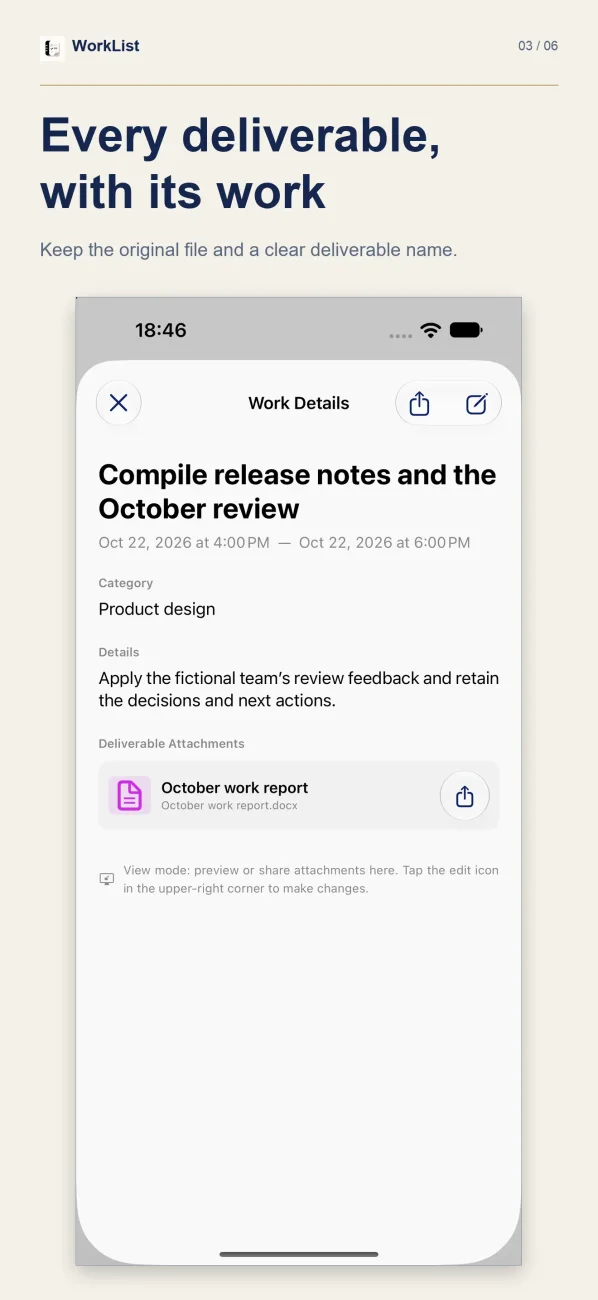
Attach files and photos, preview and share them, and edit their display names. Find records through projects, months, categories, and keyword search, with the related deliverables close at hand.
PREPARE WORK LISTS AND REPORTS
Export a day, a month, the last 3 or 6 months, a custom date range, or all records. Arrange by time or category and export to Word, Excel, PDF, PowerPoint, or PNG images. You can also package a report with its deliverable files for sharing.
OPTIONAL ON-DEVICE AI
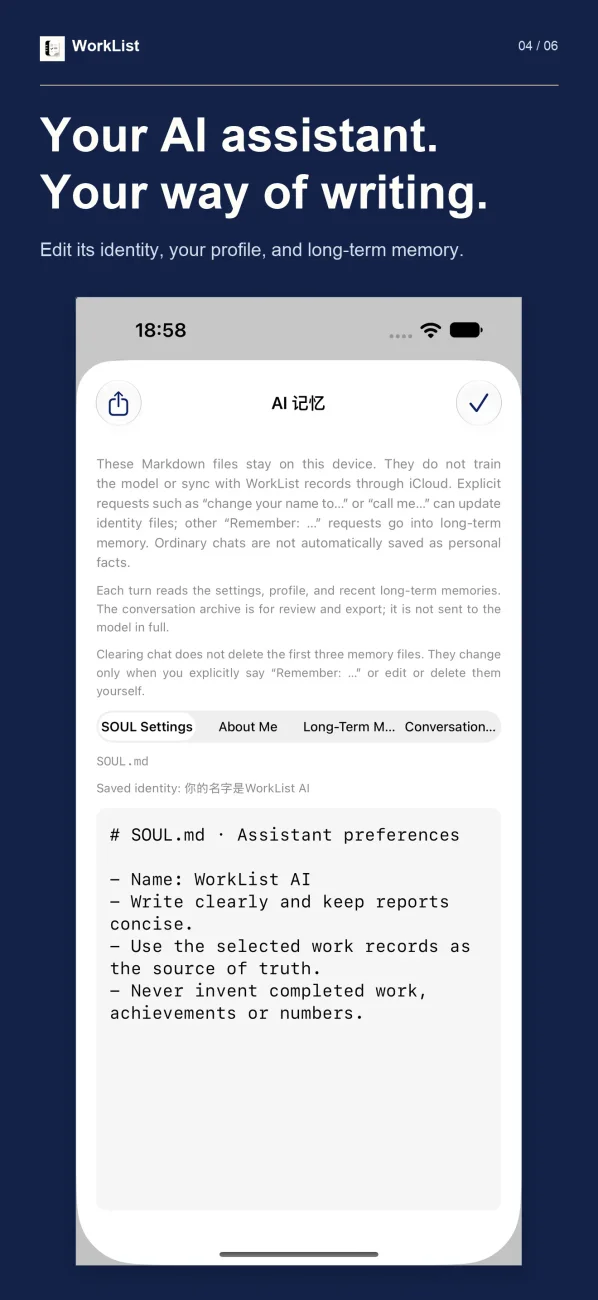
Chat with a text assistant, refine work notes, or draft summaries using the records you select. Inference runs on your device. Record context uses text and attachment names, without reading attachment contents. Edit and check generated text before using it.
AI is off by default. First use requires an approximately 1 GB model download and at least 3 GB of free storage for installation. It requires a supported physical device with sufficient memory; availability depends on the device and its available memory. Work logging, attachments, and standard exports work without AI.
LOCAL FIRST, WITH OPTIONAL SYNC
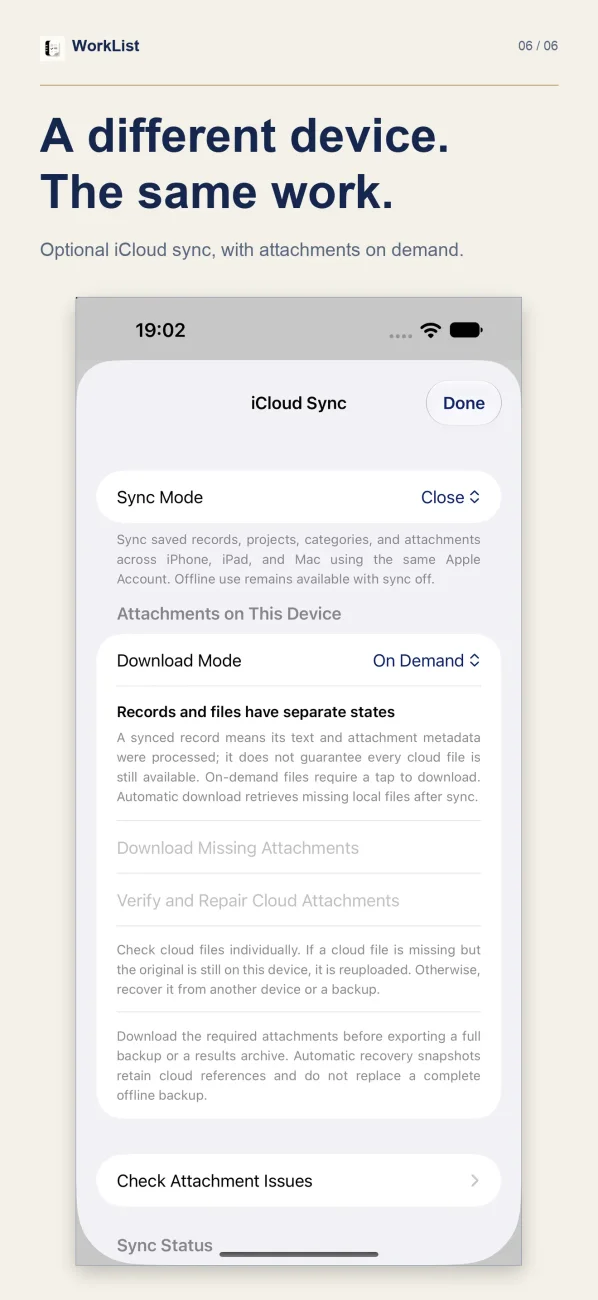
No WorkList account is required. Locally saved records and files are available offline. Enable optional iCloud sync to keep saved projects and work across iPhone, iPad, and Mac using the same Apple Account. Attachments download on demand by default. Export full backups and choose to merge or replace data when restoring.
Build your work history a little at a time, so your next report starts with records you already have.
Novedades
Versión 2.1.6 · 25/11/2026
WorkList 2.1.6 introduces two major new workspaces alongside a ground-up visual refresh and performance upgrade:
• NEW Results Workspace (Pro): Brings together multi-project Batch Export (Word, Excel, PDF, PowerPoint, PNG, or complete ZIP bundles with selectable columns) and Reports & Analysis (work distribution, trends, tracked hours, and built-in Executive, Analytical, and Briefing templates).
• NEW Portfolio Book (Pro): Curate selected works into a 16:9 PDF or PowerPoint portfolio across 4 curated layouts—Visual Portfolio, Project Case Study, Magazine Lookbook, and Gallery Timeline—complete with cover, table of contents, and direct page editing.
• Minimalist Onboarding & Refreshed UI: Redesigned first-launch guide, unified Home canvas and header, fluid Liquid Glass split-and-merge bottom dock transitions, and rock-steady project group expansion.
• Upgraded Search & WorkList AI UI: New glass search field with quick filters and keyword highlighting, plus redesigned WorkList AI assistant cards, local memory editor, and model settings.
• Clearer Settings & Smoother Performance: Organized Data Controls vs. Privacy & Info with inline language switching and complete Free vs. one-time Pro details; optimized list rendering and async thumbnail caching.
Privacidad de la aplicación
Lo que 堃 王 declara en App Store sobre cómo esta aplicación gestiona los datos.
-
No se recopilan datos
El desarrollador no recopila ningún dato de esta aplicación.
Las prácticas de privacidad pueden variar, por ejemplo, según las funciones que uses o tu edad.
Información
- Vendedor
- 堃 王
- Categoría
- Productividad
- Versión
- 2.1.6
- Actualizado
- 25/11/2026
- Publicado
- 3/8/2026
- Tamaño
- 32,8 MB
- Requiere
- iOS 17.0 o posterior
- Clasificación por edad
- 4+
- Precio
- Gratis
- Compras en la aplicación
- Sí
- Idiomas
- Inglés, Chino simplificado
- Copyright
- © 2026 Kun Wang
Quizá también te guste
-
 DocShelter — AI File OrganizerProductividad
-
 PDF Creator – Auto ScanProductividad
-
 嘟嘟日程-AI日程助手Productividad
-
 ColorTomatoProductividad
-
 Sprint AI 目标管理专家Productividad
-
 FunctionVisualizer: Graph CalcProductividad
-
 BeanDo: To Do List & TasksProductividad
-
 计时日历:专注计时,时间记录,日历同步Productividad
-
 Toolverse: Escáner y FotosOCR, PDF, Retoque y Borrado
-
 PraxProductividad