KZY015
Kzy Watchfaces- PEGI 3Classification d’âge
- PersonnalisationCatégorie
- 17/09/2025Mis à jour
- 0,89 €Prix
Renvoie vers la fiche Google Play officielle de com.watchfacestudio.kzy015. Dernière vérification le 26/11/2026.
À propos de cette application
Traduction automatique par Google. Langue d’origine : Anglais (États-Unis).
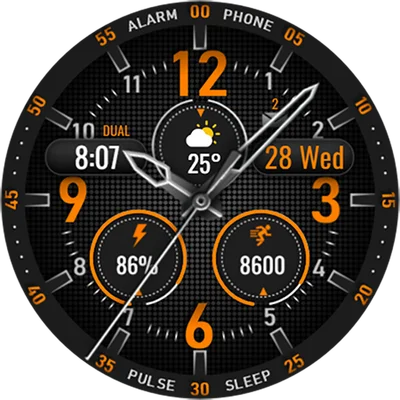
KZY015 est un excellent choix de cadran de montre conçu pour les montres intelligentes Wear OS
KZY015 est un excellent choix de cadran de montre conçu pour les montres intelligentes Wear OS
Notes de configuration du cadran sur la montre intelligente : l'application Téléphone agit simplement comme un espace réservé pour faciliter la configuration et la recherche du cadran sur votre montre Wear OS. Vous devez sélectionner votre appareil de surveillance dans le menu déroulant de configuration.
Caractéristiques du cadran: 9X couleurs différentes-alarme-téléphone-chauffage-double heure-message-alimentation-étapes-impulsion-sommeil-horloge analogique-Aod-Date-Complıcatıons
Personnalisation du cadran de la montre : 1 - Touchez et maintenez l'écran 2 - Appuyez sur Personnaliser
Certaines fonctionnalités peuvent ne pas être disponibles sur certaines montres. Ce cadran de montre convient à Samsung Galaxy Watch 4,5,6, Pixel Watch, etc. Il est compatible avec. Prend en charge tous les appareils Wear OS avec niveau API 30+
MANUEL D'INSTALLATION ↴
Vous pouvez rencontrer divers problèmes lorsque vous essayez d'installer un cadran de montre à partir de l'application Android officielle de Google Play.
Dans les cas où le cadran de la montre est installé sur votre téléphone mais pas sur votre montre, le développeur a ajouté une application d'assistance pour améliorer la visibilité dans le Play Store. Vous pouvez désinstaller l'application d'assistance de votre téléphone et rechercher une icône triangulaire à côté du bouton Installer dans l'application Play Store (https://i.imgur.com/OqWHNYf.png). Ce symbole indique un menu déroulant dans lequel vous pouvez sélectionner votre montre comme destination d'installation.
Vous pouvez également essayer d'ouvrir le Play Store dans un navigateur Web sur votre ordinateur portable, Mac ou PC. Cela vous permettra de sélectionner visuellement le bon périphérique pour l'installation (https://i.imgur.com/Rq6NGAC.png).
[Si vous avez suivi les instructions mentionnées ci-dessus et que le cadran n'apparaît toujours pas sur votre montre, ouvrez l'application Galaxy Wearable. Accédez à la section Téléchargements de l'application et vous y trouverez le cadran de la montre (https://i.imgur.com/mmNusLy.png). Cliquez simplement dessus pour lancer l'installation.
Afficher le texte d’origine
KZY015 is an excellent watch face choice designed for Wear OS Smartwatches
Watch face setup notes on smartwatch: The Phone app just acts as a placeholder to make it easier to set up and find the watch face on your Wear OS watch. You must select your monitoring device from the setup drop-down menu.
Dial Features:9X Different color-Alarm-Phone-Wheater-Dual Tıme-Message-Power-Steps-Pulse-Sleep-Analog Clock-Aod-Date-Complıcatıons
Watch face customization:1- Touch and hold the screen2- Tap Customize
Some features may not be available on some watches. This watch face is suitable for Samsung Galaxy Watch 4,5,6, Pixel Watch etc. It is compatible with . Supports all Wear OS devices with API level 30+
INSTALLATION MANUAL ↴
You may encounter various problems when trying to install a watch face from the official Google Play Android app.
In cases where the watch face is installed on your phone but not on your watch, the developer has added a helper app to improve visibility in the Play Store. You can uninstall the helper app from your phone and look for a triangular icon next to the Install button in the Play Store app (https://i.imgur.com/OqWHNYf.png). This symbol indicates a drop-down menu where you can select your watch as the installation destination.
Alternatively, you can try opening the Play Store in a web browser on your laptop, Mac or PC. This will allow you to visually select the correct device for installation (https://i.imgur.com/Rq6NGAC.png).
[If you have followed the instructions mentioned above and the watch face still does not appear on your watch, open the Galaxy Wearable app. Go to the Downloads section of the app and you will find the watch face there (https://i.imgur.com/mmNusLy.png). Simply click on it to start the installation.
Sécurité des données
Ce que Kzy Watchfaces déclare sur Google Play au sujet des données que cette application collecte et partage.
- Aucune donnée partagée avec des tiersEn savoir plus sur la manière dont les développeurs déclarent le partage
- Aucune donnée collectéeEn savoir plus sur la manière dont les développeurs déclarent la collecte
Nouveautés
17/09/2025
KZY015 is an excellent watch face choice designed for Wear OS Smartwatches
Coordonnées du développeur
- E-mailsadik_yalcinkaya@hotmail.com
- Politique de confidentialitéfreeprivacypolicy.com
- Adressebarbaros mahallesi 180 sokak no:32/3 Bağcılar/İstanbul 34203 Türkiye/İstanbul Türkiye
Informations
- Proposée par
- Kzy Watchfaces
- Catégorie
- Personnalisation
- Mis à jour
- 17/09/2025
- Publié
- 26/02/2024
- Classification d’âge
- PEGI 3
- Prix
- 0,89 €
- Nom du package
- com.watchfacestudio.kzy015
Applications similaires
-
 Ballozi SLATE Digital Hybrid
Personnalisation
-
 Chester Classic Beyond
Personnalisation
-
 Aviator - Analog Classic Watch
Personnalisation
-
 Essential Watch Face 163
Personnalisation
-
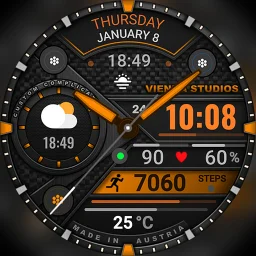 h1902 Vienna Hybrid Dashboard
Personnalisation
-
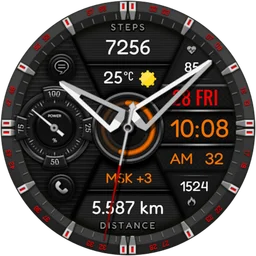 Tallkit Hybrid Watch Face
Personnalisation
-
 KZY119
Personnalisation
-
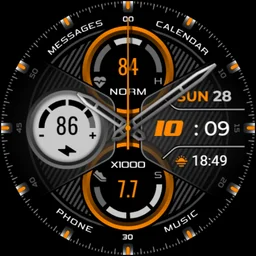 Phantom - Hybrid v2 Watch Face
Personnalisation
-
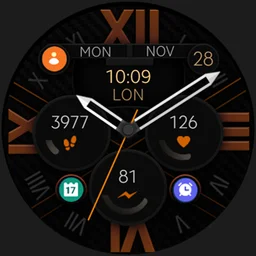 Dream 43 analog watch face
Personnalisation
-
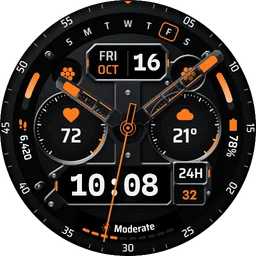 Twindeck - Hybrid Ultra Analog
Personnalisation
-
 KZY062
Personnalisation
-
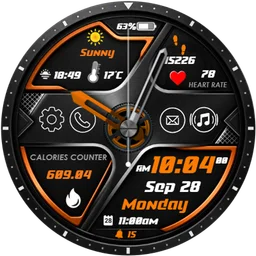 VELO Hybrid Chrono Watch Face
Personnalisation