Present Line Watch Face
RazorSharp Design Studio- PEGI 3Classification d’âge
- PersonnalisationCatégorie
- 26/10/2026Mis à jour
- 1,19 €Prix
Renvoie vers la fiche Google Play officielle de com.rzrdesign.present. Dernière vérification le 15/11/2026.

Captures d’écran
À propos de cette application
Traduction automatique par Google. Langue d’origine : Anglais (États-Unis).
Un trait d'union entre passé et futur. Conception flexible, personnalisation maximale.
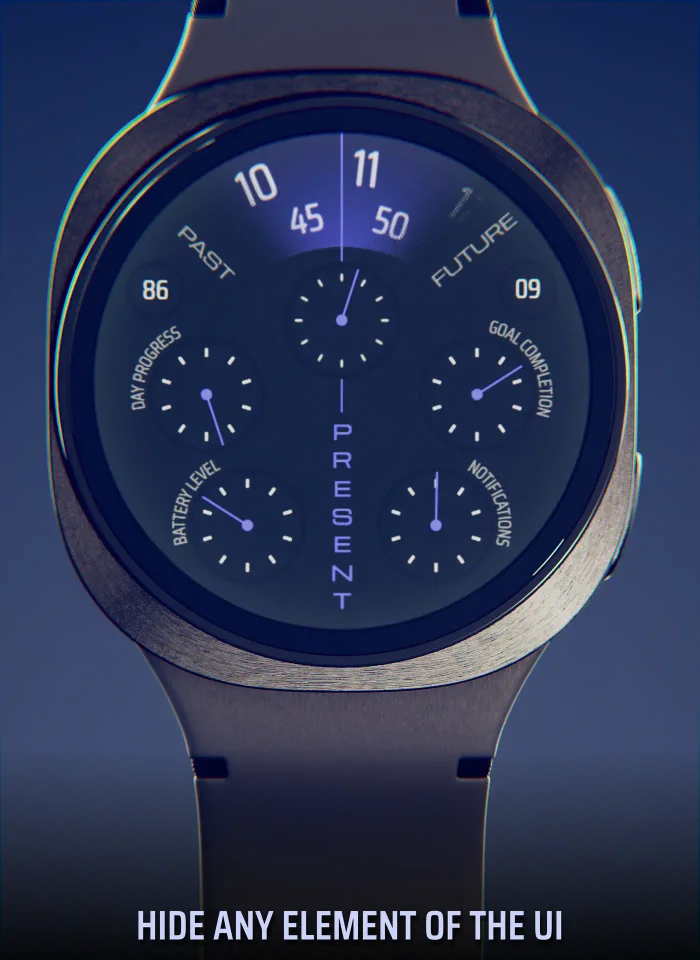
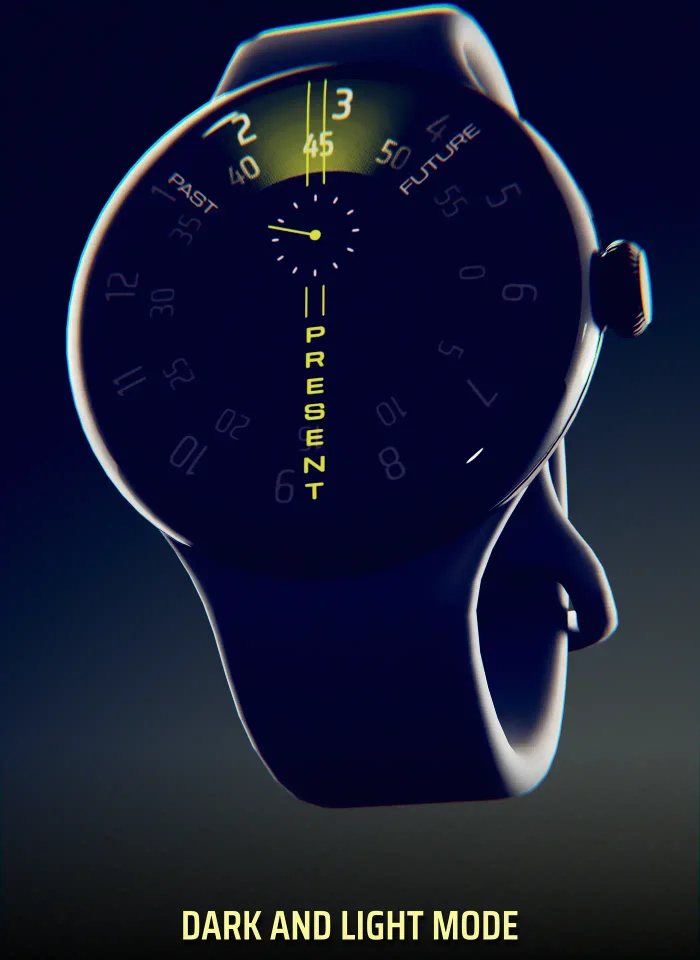
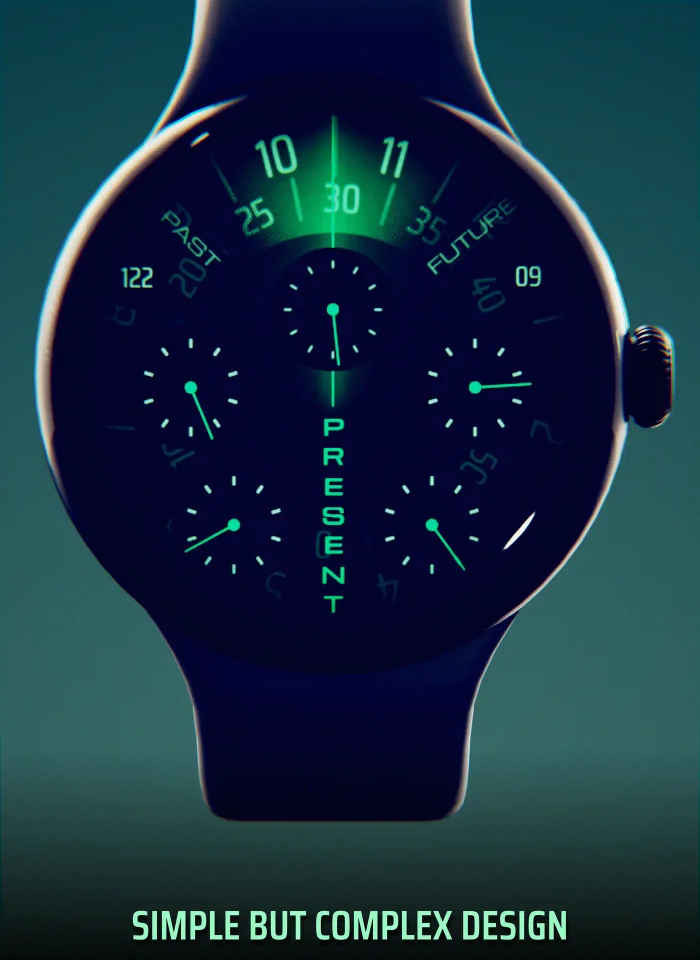
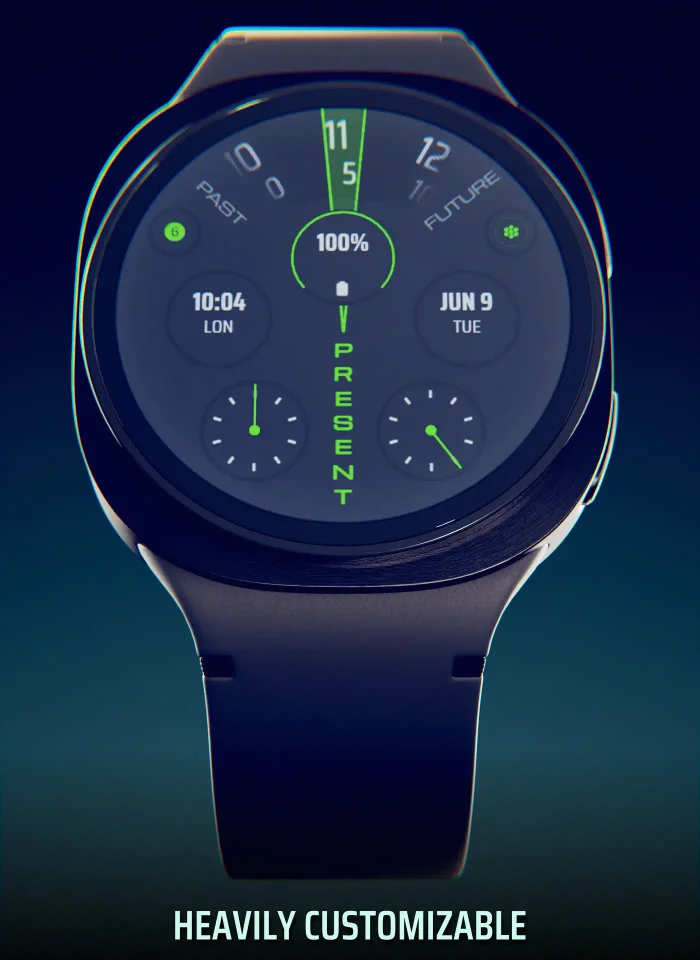
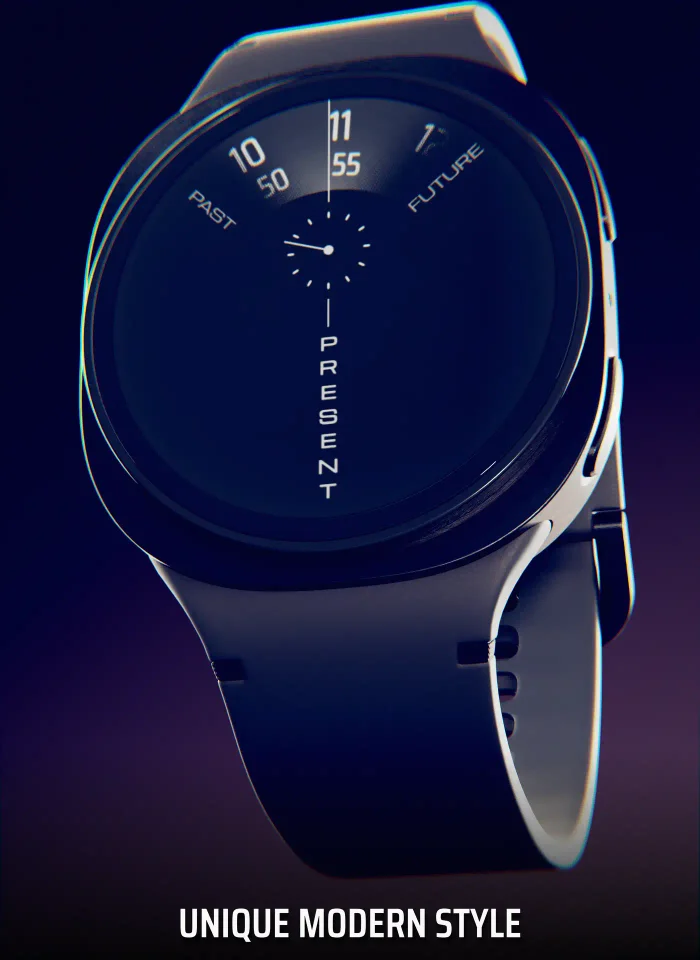
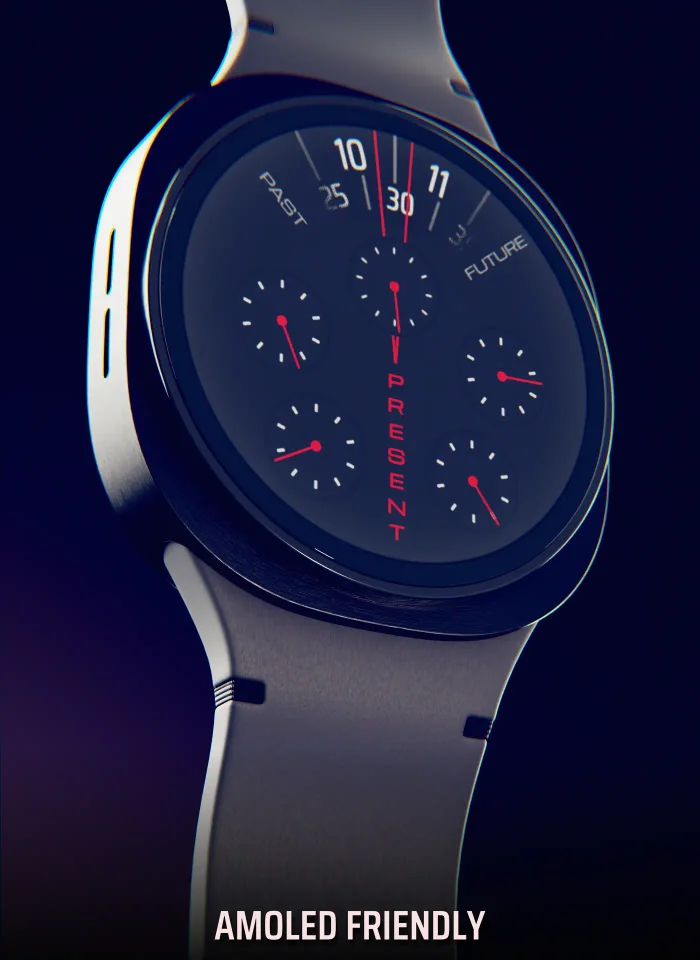
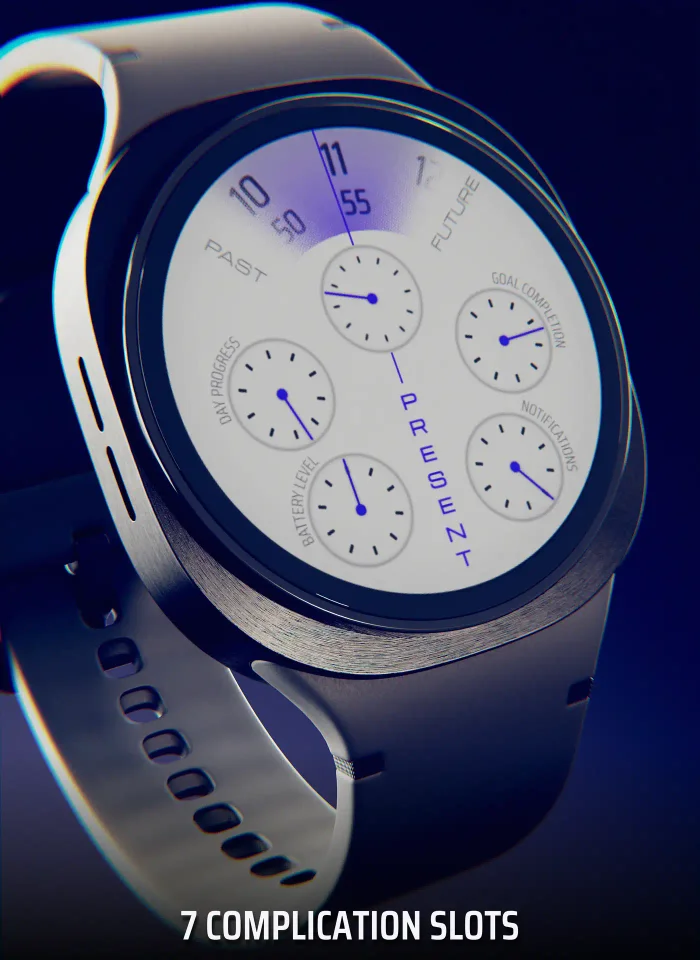
Un cadran de montre au design à la fois simple et sophistiqué, proposant un mode clair et un mode sombre, ainsi que 7 complications, riche en informations et hautement personnalisable !
Il s'agit d'un cadran Wear OS natif et autonome. Cela signifie qu'il peut être installé sur de nombreuses montres connectées fonctionnant sous ce système d'exploitation (comme Samsung, Mobvoi Ticwatch, Fossil, Oppo, les dernières Xiaomi, etc.).
Entièrement réalisé à la main, il est unique.
Ce cadran inclut :
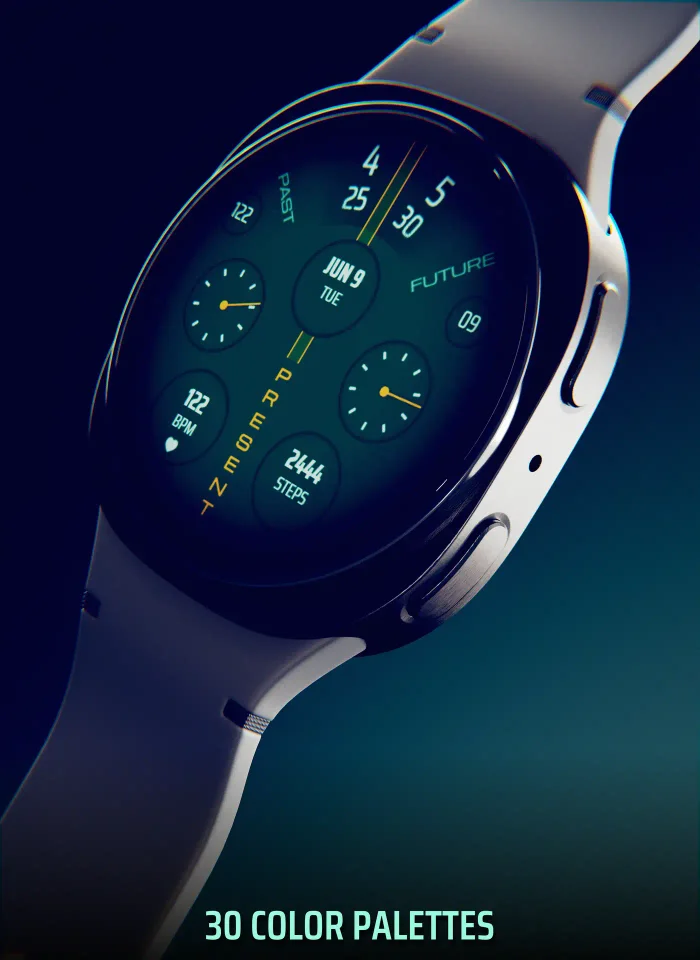
◉ 30 palettes de couleurs
◉ De nombreuses options de personnalisation
◉ Anneaux rotatifs
◉ Affichage rapide des informations essentielles
◉ Possibilité d'afficher ou de masquer n'importe quel élément de l'interface
◉ Style minimaliste et moderne
◉ 7 complications personnalisables ! Application compagnon facile à utiliser (et désinstallable)
Installation
L'installation est très simple, ne vous inquiétez pas !
Voici la procédure et une FAQ rapide :
Installez cette application sur votre smartphone.
Ouvrez-la et connectez votre montre connectée Wear OS à votre appareil.
Si la montre est connectée, vous pourrez appuyer sur le bouton « Afficher et installer sur la montre connectée ». (Sinon, consultez la FAQ ci-dessous.)
Vérifiez votre montre : vous devriez voir mon cadran et le bouton « Installer ». (Si vous voyez le prix à la place, consultez la FAQ ci-dessous.)
Installez-le sur votre montre connectée.
Appuyez longuement sur votre cadran actuel.
Faites glisser votre doigt vers la gauche jusqu'à ce que le bouton « + » apparaisse, puis appuyez dessus.
Recherchez le nouveau cadran et appuyez dessus.
Terminé ! Si vous le souhaitez, vous pouvez désinstaller l'application compagnon maintenant.
Questions et réponses
Q : Je suis facturé deux fois ! / Ma montre me demande de payer à nouveau / Vous êtes un [adjectif péjoratif]
R : Pas de panique. Cela se produit lorsque le compte utilisé sur votre smartphone est différent de celui utilisé sur votre montre connectée. Vous devez utiliser le même compte (sinon, Google ne peut pas savoir que vous avez déjà acheté le cadran).
Q : Je ne peux pas appuyer sur le bouton dans l’application associée, alors que ma montre connectée est bien connectée. Pourquoi ?
R : Il est fort probable que vous utilisiez un appareil incompatible, comme une ancienne montre connectée Samsung ou toute autre montre/bracelet connecté non Wear OS. Vous pouvez facilement vérifier sur Google si votre appareil fonctionne sous Wear OS avant d’installer un cadran. Si vous êtes certain d’avoir un appareil Wear OS et que vous ne pouvez toujours pas appuyer sur le bouton, ouvrez le Play Store sur votre montre et recherchez manuellement mon cadran ! Q - J'ai un appareil Wear OS, mais il ne fonctionne pas ! Je vais laisser un avis négatif 😏
A - Arrêtez tout de suite ! Il y a très certainement un problème de votre côté lors de la procédure. Veuillez m'envoyer un e-mail (je réponds généralement le week-end) et ne me pénalisez pas avec un avis négatif et trompeur !
Q - La [nom d'une fonctionnalité] ne fonctionne pas !
A - Essayez de configurer un autre cadran, puis le mien, ou essayez d'autoriser les permissions manuellement (sur la montre, bien sûr). Si cela ne fonctionne toujours pas, il y a un bouton « E-mail » pratique dans l'application compagnon !
Si vous avez besoin d'aide ou si vous avez une suggestion, n'hésitez pas à m'envoyer un e-mail. Je ferai de mon mieux pour vous aider.
Je réponds généralement le week-end car je suis indépendant (et non une entreprise) et j'ai un emploi. Merci de votre patience !
Cette application est maintenue et mise à jour pour corriger les bugs et ajouter de nouvelles fonctionnalités. Le design général restera le même, mais il sera certainement amélioré au fil du temps !
Je sais que le prix n'est pas le plus bas, mais j'ai passé de nombreuses heures sur chaque cadran et le prix inclut également le support et les mises à jour. Je vous assure que j'investirai tous mes gains dans des projets utiles et pour aider ma famille. Au fait, merci d'avoir lu la description complète ! C'est rare !
Introduction
Il s'agit d'un cadran Wear OS natif et autonome. Cela signifie qu'il peut être installé sur de nombreuses montres connectées fonctionnant sous ce système d'exploitation (comme Samsung, Mobvoi Ticwatch, Fossil, Oppo, les dernières Xiaomi, etc.).
Entièrement réalisé à la main, il est unique.
Fonctionnalités
Ce cadran inclut :
◉ 30 palettes de couleurs
◉ De nombreuses options de personnalisation
◉ Anneaux rotatifs
◉ Affichage rapide des informations essentielles
◉ Possibilité d'afficher ou de masquer n'importe quel élément de l'interface
◉ Style minimaliste et moderne
◉ 7 complications personnalisables ! Application compagnon facile à utiliser (et désinstallable)
Installation
L'installation est très simple, ne vous inquiétez pas !
Voici la procédure et une FAQ rapide :
Installez cette application sur votre smartphone.
Ouvrez-la et connectez votre montre connectée Wear OS à votre appareil.
Si la montre est connectée, vous pourrez appuyer sur le bouton « Afficher et installer sur la montre connectée ». (Sinon, consultez la FAQ ci-dessous.)
Vérifiez votre montre : vous devriez voir mon cadran et le bouton « Installer ». (Si vous voyez le prix à la place, consultez la FAQ ci-dessous.)
Installez-le sur votre montre connectée.
Appuyez longuement sur votre cadran actuel.
Faites glisser votre doigt vers la gauche jusqu'à ce que le bouton « + » apparaisse, puis appuyez dessus.
Recherchez le nouveau cadran et appuyez dessus.
Terminé ! Si vous le souhaitez, vous pouvez désinstaller l'application compagnon maintenant.
Questions et réponses
Q : Je suis facturé deux fois ! / Ma montre me demande de payer à nouveau / Vous êtes un [adjectif péjoratif]
R : Pas de panique. Cela se produit lorsque le compte utilisé sur votre smartphone est différent de celui utilisé sur votre montre connectée. Vous devez utiliser le même compte (sinon, Google ne peut pas savoir que vous avez déjà acheté le cadran).
Q : Je ne peux pas appuyer sur le bouton dans l’application associée, alors que ma montre connectée est bien connectée. Pourquoi ?
R : Il est fort probable que vous utilisiez un appareil incompatible, comme une ancienne montre connectée Samsung ou toute autre montre/bracelet connecté non Wear OS. Vous pouvez facilement vérifier sur Google si votre appareil fonctionne sous Wear OS avant d’installer un cadran. Si vous êtes certain d’avoir un appareil Wear OS et que vous ne pouvez toujours pas appuyer sur le bouton, ouvrez le Play Store sur votre montre et recherchez manuellement mon cadran ! Q - J'ai un appareil Wear OS, mais il ne fonctionne pas ! Je vais laisser un avis négatif 😏
A - Arrêtez tout de suite ! Il y a très certainement un problème de votre côté lors de la procédure. Veuillez m'envoyer un e-mail (je réponds généralement le week-end) et ne me pénalisez pas avec un avis négatif et trompeur !
Q - La [nom d'une fonctionnalité] ne fonctionne pas !
A - Essayez de configurer un autre cadran, puis le mien, ou essayez d'autoriser les permissions manuellement (sur la montre, bien sûr). Si cela ne fonctionne toujours pas, il y a un bouton « E-mail » pratique dans l'application compagnon !
Assistance
Si vous avez besoin d'aide ou si vous avez une suggestion, n'hésitez pas à m'envoyer un e-mail. Je ferai de mon mieux pour vous aider.
Je réponds généralement le week-end car je suis indépendant (et non une entreprise) et j'ai un emploi. Merci de votre patience !
Cette application est maintenue et mise à jour pour corriger les bugs et ajouter de nouvelles fonctionnalités. Le design général restera le même, mais il sera certainement amélioré au fil du temps !
Je sais que le prix n'est pas le plus bas, mais j'ai passé de nombreuses heures sur chaque cadran et le prix inclut également le support et les mises à jour. Je vous assure que j'investirai tous mes gains dans des projets utiles et pour aider ma famille. Au fait, merci d'avoir lu la description complète ! C'est rare !
Afficher le texte d’origine
A watch face featuring a simple yet complex design featuring both a dark and a light mode and 7 complications, full of information and highly customizable!
This is a native, standalone Wear OS watch face. This means that it can be installed on many smartwatches running this OS (like Samsung, Mobvoi Ticwatch, Fossil, Oppo, the latest Xiaomi and more).
It is completely handcrafted, to be unique.
The watch face includes:
◉ 30 color schemes
◉ Many different customizations
◉ Rotating rings
◉ A lot of information at a glance
◉ Hide or show any element of the UI
◉ Minimal and modern style
◉ 7 customizable complications!
◉ Easy to use (and uninstallable) companion app
The installation is straightforward, don't worry!
Here's the procedure and a quick Q&A:
◉ Install this app in your smartphone
◉ Open it, and connect your Wear OS smartwatch to your device
◉ If the watch is connected, you will be able to tap the "view and install on smartwatch" button. (if not, refer to the Q&A below)
◉ Check your watch, you should see my watch face and the install button (if you see the price instead, refer to the Q&A below)
◉ Install it in your smartwatch
◉ Long press on your current watch face
◉ Swipe left until you see a "+" button, tap on it
◉ Look for the new watch face, tap on it
◉ Done. If you want, you can uninstall the companion app now!
Q&A
Q - I'm being charged twice! / The watch is asking me to pay again / you're a [derogatory adjective]
A - Keep calm. This happens when the account you’re using on the smartphone is different from the account used on the smartwatch. You have to use the same account (else, Google has no way to know that you already bought the watch face).
Q - I can't press the button in the companion app but my smartwatch is connected, why?
A - Most probably, you're using an incompatible device, like an old Samsung smartwatch or any other non-Wear OS smartwatch/smartband. You can easily check on Google if your device runs Wear OS before installling any watch face. If you're sure you have a Wear OS device and still you can't press the button, open the Play Store on your watch and search for my watch face manually!
Q - I have a Wear OS device, but it's not working! I'm gonna leave a one star review 😏
A - Stop right there! Most definitely there's an issue on your side while following the procedure, so please just send me an email (i usually reply during the weekends) and don't damage me with a bad and misleading review!
Q - The [name of a feature] is not working!
A - Try setting another watch face and then set mine again, or try allowing the permissions manually (on the watch obviously). If it still doesn't work, there's an handy "email button" in the companion app!
If you need help or you have a suggestion, feel free to send me an email, I'll do my best to help.
I usually reply during the weekend because I'm just one person (not a company) and I have a job, so be patient!
This app is supported and updated to fix bugs and add new features. The overall design won't change, but it will surely be improved over time!
I know that the price isn't the lowest, but I worked a lot of hours on each watch face and the price also includes the support and the updates, if you think about it. And i assure you, I'll invest any earning on useful things and to help my family. Oh, and thanks for reading the full description! Nobody does it!
Introduction
This is a native, standalone Wear OS watch face. This means that it can be installed on many smartwatches running this OS (like Samsung, Mobvoi Ticwatch, Fossil, Oppo, the latest Xiaomi and more).
It is completely handcrafted, to be unique.
Features
The watch face includes:
◉ 30 color schemes
◉ Many different customizations
◉ Rotating rings
◉ A lot of information at a glance
◉ Hide or show any element of the UI
◉ Minimal and modern style
◉ 7 customizable complications!
◉ Easy to use (and uninstallable) companion app
Installation
The installation is straightforward, don't worry!
Here's the procedure and a quick Q&A:
◉ Install this app in your smartphone
◉ Open it, and connect your Wear OS smartwatch to your device
◉ If the watch is connected, you will be able to tap the "view and install on smartwatch" button. (if not, refer to the Q&A below)
◉ Check your watch, you should see my watch face and the install button (if you see the price instead, refer to the Q&A below)
◉ Install it in your smartwatch
◉ Long press on your current watch face
◉ Swipe left until you see a "+" button, tap on it
◉ Look for the new watch face, tap on it
◉ Done. If you want, you can uninstall the companion app now!
Q&A
Q - I'm being charged twice! / The watch is asking me to pay again / you're a [derogatory adjective]
A - Keep calm. This happens when the account you’re using on the smartphone is different from the account used on the smartwatch. You have to use the same account (else, Google has no way to know that you already bought the watch face).
Q - I can't press the button in the companion app but my smartwatch is connected, why?
A - Most probably, you're using an incompatible device, like an old Samsung smartwatch or any other non-Wear OS smartwatch/smartband. You can easily check on Google if your device runs Wear OS before installling any watch face. If you're sure you have a Wear OS device and still you can't press the button, open the Play Store on your watch and search for my watch face manually!
Q - I have a Wear OS device, but it's not working! I'm gonna leave a one star review 😏
A - Stop right there! Most definitely there's an issue on your side while following the procedure, so please just send me an email (i usually reply during the weekends) and don't damage me with a bad and misleading review!
Q - The [name of a feature] is not working!
A - Try setting another watch face and then set mine again, or try allowing the permissions manually (on the watch obviously). If it still doesn't work, there's an handy "email button" in the companion app!
Support
If you need help or you have a suggestion, feel free to send me an email, I'll do my best to help.
I usually reply during the weekend because I'm just one person (not a company) and I have a job, so be patient!
This app is supported and updated to fix bugs and add new features. The overall design won't change, but it will surely be improved over time!
I know that the price isn't the lowest, but I worked a lot of hours on each watch face and the price also includes the support and the updates, if you think about it. And i assure you, I'll invest any earning on useful things and to help my family. Oh, and thanks for reading the full description! Nobody does it!
Sécurité des données
Ce que RazorSharp Design Studio déclare sur Google Play au sujet des données que cette application collecte et partage.
- Aucune donnée partagée avec des tiersEn savoir plus sur la manière dont les développeurs déclarent le partage
- Aucune donnée collectéeEn savoir plus sur la manière dont les développeurs déclarent la collecte
- S'engage à respecter les règles pour les contenus familiaux de Play
Coordonnées du développeur
- Site webm-i-n-a-r.github.io
- E-mailrzrshrpstudio@gmail.com
- Politique de confidentialitédoc-hosting.flycricket.io
- AdresseVia Tommaso Albinoni, 114 00052 Valcanneto Italy
Informations
- Proposée par
- RazorSharp Design Studio
- Catégorie
- Personnalisation
- Mis à jour
- 26/10/2026
- Publié
- 25/06/2026
- Classification d’âge
- PEGI 3
- Prix
- 1,19 €
- Nom du package
- com.rzrdesign.present