Stellar Watch Face
RichFaceContient des annonces
- PEGI 3Classification d’âge
- PersonnalisationCatégorie
- 05/08/2024Mis à jour
- 1,29 €Prix
Renvoie vers la fiche Google Play officielle de watch.richface.androidwear.stellar. Dernière vérification le 23/11/2026.

Captures d’écran


À propos de cette application
Traduction automatique par Google. Langue d’origine : Anglais (États-Unis).
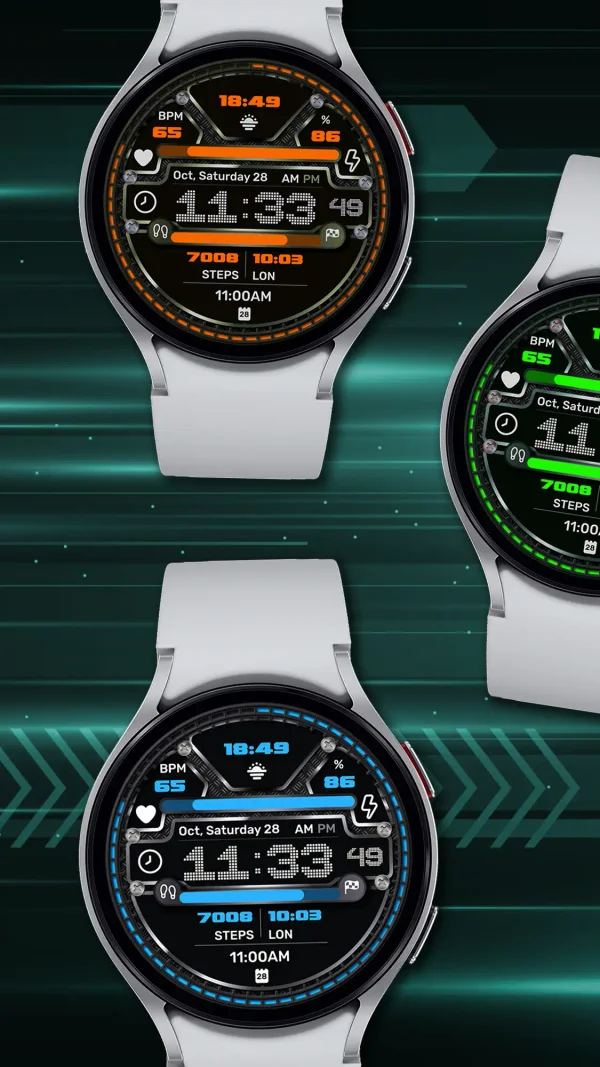
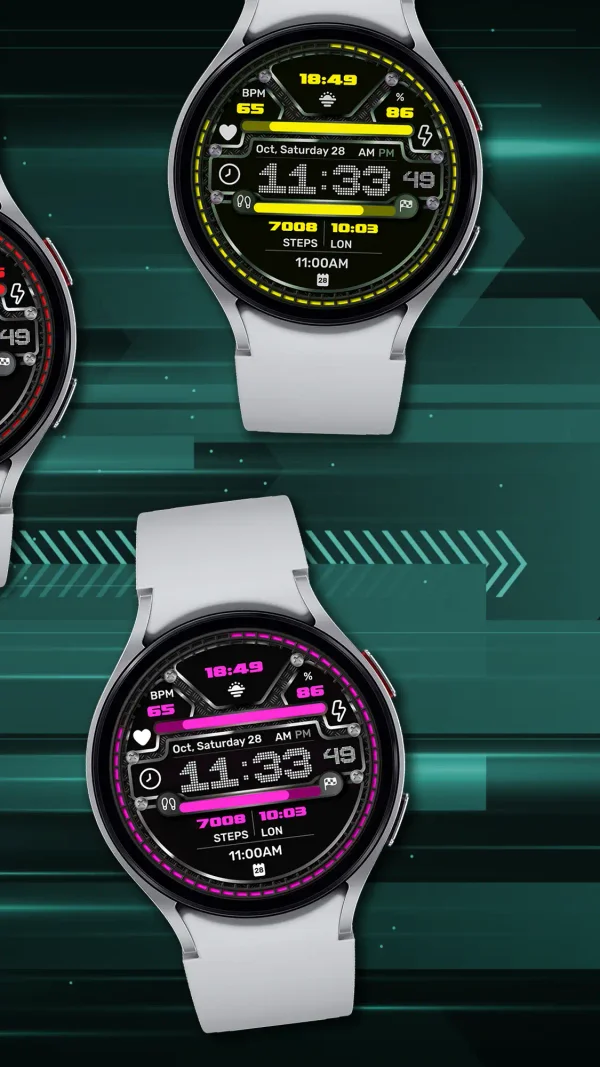
Cadran de montre Stellar pour Wear OS : charme céleste avec allure Stardust.
Le cadran Stellar Watch Face pour Wear OS, conçu avec soin, est un chef-d'œuvre cosmique qui apporte l'enchantement de l'univers à votre poignet. Cette création d'inspiration céleste est plus qu'une simple interface de chronométrage ; c'est une symphonie visuelle d'animations fascinantes et d'éléments complexes.
Ce qui distingue Stellar Watch Face, c’est sa polyvalence. Quatre complications personnalisables ornent le cadran, permettant aux utilisateurs d'adapter leur montre à leurs préférences et à leurs besoins. Ces complications, stratégiquement positionnées pour plus de commodité, offrent un accès rapide aux informations essentielles, qu'il s'agisse de la météo, des événements du calendrier, des statistiques de condition physique, etc.
★ FAQ
!! S'il vous plaît contactez-nous si vous rencontrez des problèmes avec l'application !!
richface.watch@gmail.com
Ou rendez-vous sur la page FAQ de notre site Internet :
https://www.richface.watch/faq
★ Comment installer le cadran de la montre sur WearOS ?
Suivez ces étapes:
1. Ouvrez l'application Google Play Store sur votre montre
2. Recherchez le cadran de la montre
3. Appuyez sur le bouton d'installation.
★ AUTORISATIONS expliquées
https://www.richface.watch/privacy
Afficher le texte d’origine
The Stellar Watch Face for Wear OS, crafted meticulously, is a cosmic masterpiece that brings the enchantment of the universe to your wrist. This celestial-inspired creation is more than just a timekeeping interface; it's a visual symphony of mesmerizing animations and intricately designed elements.
What sets Stellar Watch Face apart is its versatility. Four customizable complications grace the face, allowing users to tailor their watch to their preferences and needs. These complications, strategically positioned for convenience, offer quick access to essential information, whether it's the weather, calendar events, fitness stats, or more.
★ FAQ
!! Please contact us if you have any trouble with the app !!
richface.watch@gmail.com
Or go to the FAQ page on our website:
https://www.richface.watch/faq
★ How do I install the watch face on WearOS?
Follow these steps:
1. Open the Google Play Store app on your watch
2. Search for the watch face
3. Press the install button.
★ PERMISSIONS Explained
https://www.richface.watch/privacy
Sécurité des données
Ce que RichFace déclare sur Google Play au sujet des données que cette application collecte et partage.
- Aucune donnée partagée avec des tiersEn savoir plus sur la manière dont les développeurs déclarent le partage
- Cette appli peut recueillir ces types de donnéesPosition, Forme et santé et ID de l'appareil ou autres ID
- Les données sont chiffrées lors de leur transfert
- Impossible de supprimer les données
Nouveautés
05/08/2024
Initial release
Coordonnées du développeur
- Site webrichface.watch
- E-mailrichface.watch@gmail.com
- Politique de confidentialitérichface.watch
- AdresseZentagasse 6/20 1050 Wien Austria
Informations
- Proposée par
- RichFace
- Catégorie
- Personnalisation
- Mis à jour
- 05/08/2024
- Publié
- 23/11/2023
- Classification d’âge
- PEGI 3
- Prix
- 1,29 €
- Nom du package
- watch.richface.androidwear.stellar
Applications similaires
-
 Digital Sport V11
Personnalisation
-
 HKR056
Art et design
-
 DM089 Futuristic Sport Watch
Personnalisation
-
 Vert irréel
Personnalisation
-
 OT | Mecha Digital Watch Face
Personnalisation
-
 ML2U 246 Watch Face
Personnalisation
-
 Ballozi STEALTH CIFERO Digital
Personnalisation
-
 Lumière verte dégradée
Personnalisation
-
 Cyber Glow Cadran
Personnalisation
-
 A435 Cadran Santé Numérique
Personnalisation
-
 Polaris: Digital Watch Face
Personnalisation
-
 DM019 Sleek Modern Watch Face
Personnalisation