SWFsimple
StarWatchfaces- PEGI 3Classification d’âge
- PersonnalisationCatégorie
- 18/08/2026Mis à jour
- GratuitPrix
Renvoie vers la fiche Google Play officielle de com.starwatchfaces.swffree. Dernière vérification le 22/11/2026.
Captures d’écran

À propos de cette application
Traduction automatique par Google. Langue d’origine : Anglais (États-Unis).
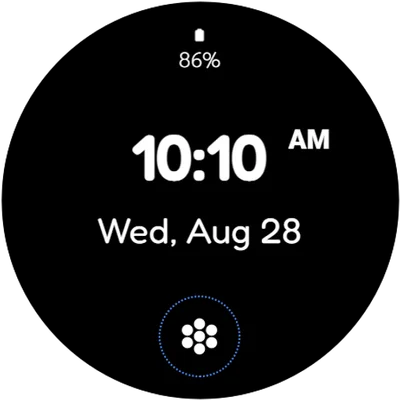
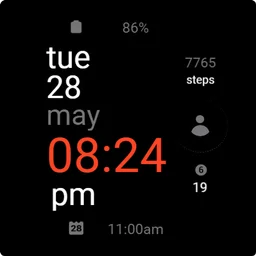
Cadran numérique simple avec 1 complication pour les montres intelligentes Wear OS
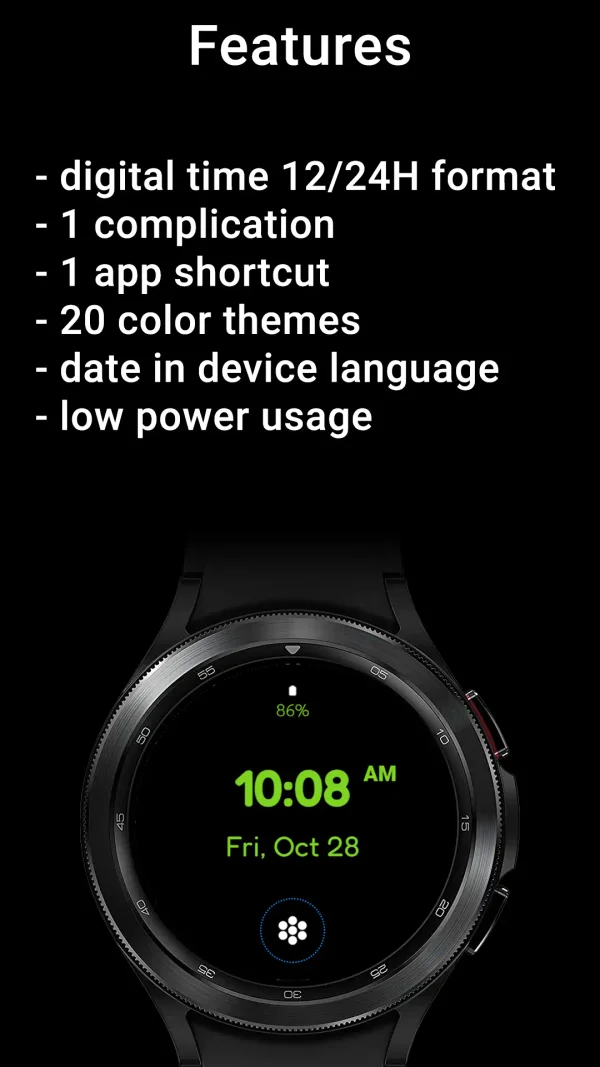
Profitez d'un cadran numérique simple avec 20 thèmes de couleurs, une complication personnalisée en haut, une horloge numérique au format 12 ou 24H, la date dans la langue de l'appareil et un raccourci personnalisable en bas.
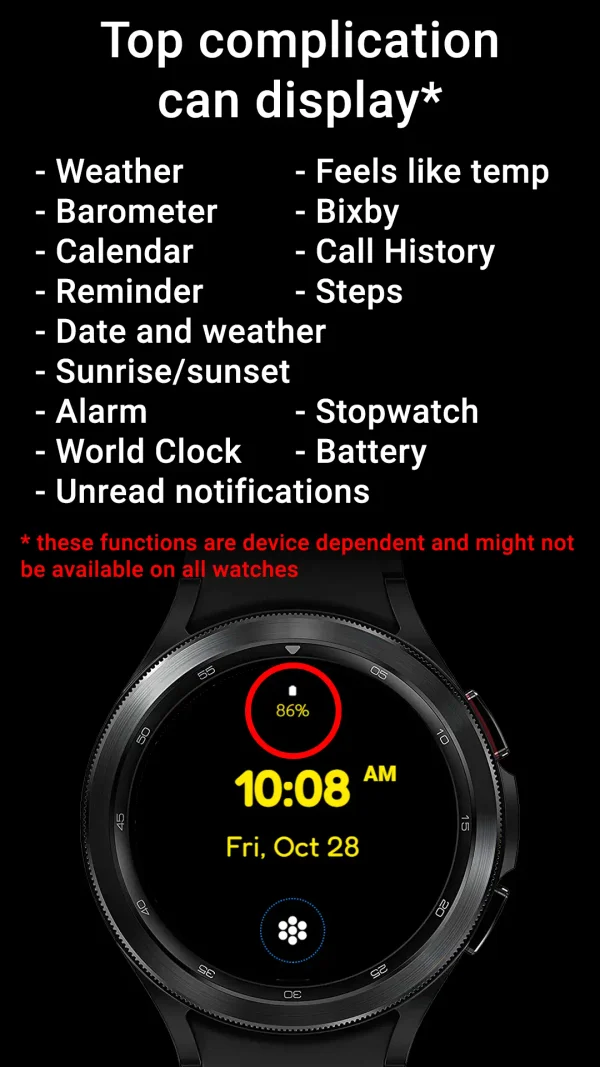
La complication supérieure peut afficher* :
- Temps
- Se sent comme la température
- Baromètre
-Bixby
- Calendrier
- Historique des appels
- Rappel
- Pas
- Date et météo
- Lever du soleil
- Alarme
- Chronomètre
- Horloge mondiale
- La batterie
- Notifications non lues
Pour afficher les données souhaitées, appuyez longuement sur l'écran, puis appuyez sur le bouton Personnaliser et choisissez les données souhaitées pour la complication supérieure.
* ces fonctions dépendent de l'appareil et peuvent ne pas être disponibles sur toutes les montres
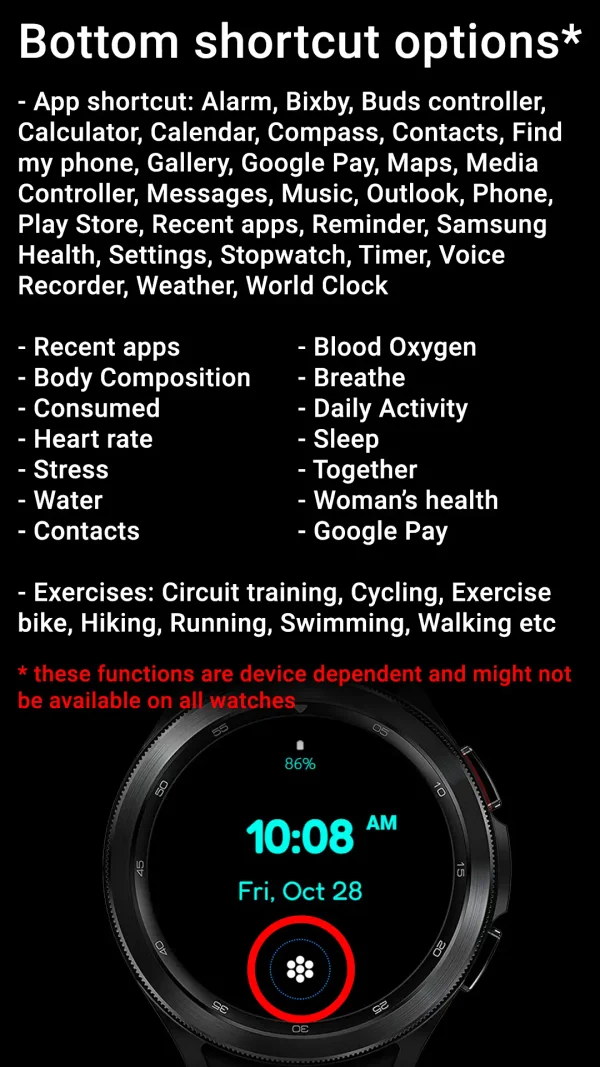
Options de raccourci en bas* :
- Raccourci d'application : alarme, Bixby, contrôleur Buds, calculatrice, calendrier, boussole, contacts, trouver mon téléphone, galerie, Google Pay, cartes, contrôleur multimédia, messages, musique, Outlook, téléphone, Play Store, applications récentes, rappel, Samsung Santé, Paramètres, Chronomètre, Minuterie, Voix
Enregistreur, Météo, Horloge Mondiale
- Applications récentes
- Oxygène sanguin
- La composition corporelle
- Respirer
- Consommé
- Les activités quotidiennes
- Rythme cardiaque
- Dormir
- Stresser
- Ensemble
- Eau
- Santé de la femme
- Contacts
-Google Pay
- Exercices : entraînement en circuit, cyclisme, vélo d'exercice, randonnée, course à pied, natation, marche, etc.
Pour afficher le raccourci souhaité, appuyez longuement sur l'écran, puis appuyez sur le bouton Personnaliser et choisissez le raccourci souhaité pour la complication inférieure.
* ces fonctions dépendent de l'appareil et peuvent ne pas être disponibles sur toutes les montres
Conçu pour les nouvelles montres connectées WearOS comme Galaxy Watch.
Pour plus de cadrans, visitez notre site Web.
Afficher le texte d’origine
Enjoy a simple digital watchface with 20 color themes, a custom complication at the top, digital clock in 12 or 24H format, date in device language and a customizable shortcut at the bottom.
Top complication can display*:
- Weather
- Feels like temp
- Barometer
- Bixby
- Calendar
- Call History
- Reminder
- Steps
- Date and weather
- Sunrise/sunset
- Alarm
- Stopwatch
- World Clock
- Battery
- Unread notifications
To display the data you want, tap and hold on the display, then press the Customize button and choose the data you want for the top complication.
* these functions are device dependent and might not be available on all watches
Bottom shortcut options*:
- App shortcut: Alarm, Bixby, Buds controller, Calculator, Calendar, Compass, Contacts, Find my phone, Gallery, Google Pay, Maps, Media Controller, Messages, Music, Outlook, Phone, Play Store, Recent apps, Reminder, Samsung Health, Settings, Stopwatch, Timer, Voice
Recorder, Weather, World Clock
- Recent apps
- Blood Oxygen
- Body Composition
- Breathe
- Consumed
- Daily Activity
- Heart rate
- Sleep
- Stress
- Together
- Water
- Woman’s health
- Contacts
- Google Pay
- Exercises: Circuit training, Cycling, Exercise bike, Hiking, Running, Swimming, Walking etc
To display the shortcut you want, tap and hold on the display, then press the Customize button and choose the shortcut you want for the bottom complication.
* these functions are device dependent and might not be available on all watches
Designed for the new WearOS smartwatches like Galaxy Watch.
For more watchfaces, visit our website.
Sécurité des données
Ce que StarWatchfaces déclare sur Google Play au sujet des données que cette application collecte et partage.
- Aucune donnée partagée avec des tiersEn savoir plus sur la manière dont les développeurs déclarent le partage
- Aucune donnée collectéeEn savoir plus sur la manière dont les développeurs déclarent la collecte
Coordonnées du développeur
- Site webstarwatchfaces.com
- E-mailwearossupport@starwatchfaces.com
- Politique de confidentialitéstarwatchfaces.com
- AdresseStrada Carol Davila 8 bloc 118A sc A et 1 ap 5 100462 Ploiești Romania
Informations
- Proposée par
- StarWatchfaces
- Catégorie
- Personnalisation
- Mis à jour
- 18/08/2026
- Publié
- 03/12/2021
- Classification d’âge
- PEGI 3
- Prix
- Gratuit
- Nom du package
- com.starwatchfaces.swffree
Applications similaires
-
 WatchGlucose Digital Face
Santé et remise en forme
-
 Essential Digital Watch Face
Personnalisation
-
 Minimal Visual: Watch face
Personnalisation
-
 Dark Black Watch Face
Personnalisation
-
 Roboto Digital
Personnalisation
-
 D0008 VNApps
Personnalisation
-
 Minimal Digital Watch Face
Personnalisation
-
 Minimal - Timepiece - RE18
Personnalisation
-
 Time Canvas Digital Watch Face
Personnalisation
-
 Something Large: Watchface
Style de vie
-
 Simple Black Watch Face
Personnalisation
-
 Single Glance Cadran
Personnalisation