Vivid Time (Analog)
ChronoHarvest- PEGI 3Classification d’âge
- PersonnalisationCatégorie
- 25/09/2025Mis à jour
- 0,50 €Prix
Renvoie vers la fiche Google Play officielle de com.watchfacestudio.vividtime. Dernière vérification le 19/11/2026.
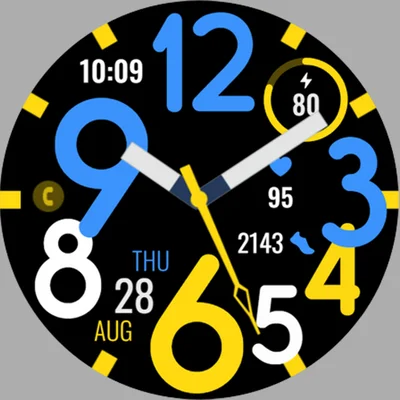
À propos de cette application
Traduction automatique par Google. Langue d’origine : Anglais (États-Unis).
Horloge analogique moderne et dynamique pour WEAR OS
📍NOTES D'INSTALLATION
⭐️Remarque pour les utilisateurs de Galaxy Watch : L'éditeur de cadrans de l'application Samsung Wearable ne parvient souvent pas à synchroniser et à charger les cadrans complexes.
Ce problème ne concerne pas le cadran. Il est recommandé de personnaliser le cadran directement sur la montre jusqu'à ce que Samsung résolve ce problème.
📍Ce cadran est compatible avec tous les appareils Wear OS avec API niveau 34 ou supérieur | Wear OS 4 et versions ultérieures
(Certaines fonctionnalités peuvent ne pas être disponibles sur certaines montres)
⭐️PRINCIPALES FONCTIONNALITÉS :
- Horloge et date hybrides modernes
- Raccourcis d'application prédéfinis - CORRIGÉ (Alarme, Calendrier, Paramètres, Batterie et Pas)
- 1 Raccourci d'application personnalisé
- 1 Complication personnalisée (vous pouvez personnaliser la complication avec les données de votre choix).
Par exemple, vous pouvez sélectionner la date, la météo, les pas, l'horloge mondiale, le coucher/lever du soleil, le prochain rendez-vous, la distance parcourue, etc.
***Vous devrez peut-être installer des complications tierces supplémentaires.
- Aiguilles et index personnalisés
- Palette de couleurs personnalisée
REMARQUE :
1️⃣ Les cadrans s'installent automatiquement sur la montre WEAR OS.
2️⃣ ASSUREZ-VOUS QUE LA MONTRE EST SYNCHRONISÉE AVEC VOTRE TÉLÉPHONE AVEC LA MÊME ADRESSE E-MAIL POUR UNE UTILISATION SANS EFFORT INSTALLATION.
3️⃣ Après le téléchargement, ATTENDEZ quelques minutes que le cadran soit transféré. (Une notification s'affichera sur votre montre si le transfert a réussi.)
4️⃣ En l'absence de notification, accédez au Play Store de votre montre et saisissez « Vivid Time (Analogique) » dans le champ de recherche.
⭐️ Les cadrans ne s'affichent pas/ne changent pas automatiquement après une installation réussie. Revenez à l'écran d'accueil. Appuyez longuement sur l'écran, faites glisser votre doigt jusqu'au bout et appuyez sur + pour ajouter le cadran. Tournez le cadran ou faites défiler pour trouver le cadran.
📍AUTORISEZ/ACTIVEZ toutes les autorisations depuis Paramètres -> Applications -> Autorisations.
⚠️⚠️⚠️ Le remboursement est possible sous 24 heures seulement.
Contactez-nous à : ajgearbusiness@gmail.com@gmail.com
Tutoriel d'installation : https://www.youtube.com/watch?v=vMM4Q2-rqoM
Afficher le texte d’origine
📍INSTALLATION NOTES
⭐️Note for Galaxy Watch Users: The watch face editor in the Samsung Wearable app often fails to sync and load complex watch faces.
This is not an issue with the watch face. It is recommended to customize the watch face directly on the watch until Samsung resolves this issue.
📍This watch face supports all Wear OS devices with API Level 34+ | Wear OS 4 and later versions
(Some features may not be available on some watches)
⭐️KEY FEATURES:
- Modern Hybrid Clock & Date
- Pre-Set App Shortcut - FIXED (Alarm, Calendar, Settings, Battery and Steps)
- 1 Custom App Shortcut
- 1 Custom Complication (you can customize the complication with the any data you want.
For example, you can select Date, weather, steps, world clock, sunset/sunrise, next appointment, distance walked and more.
***You may need to install additional third-party complications.
- Custom Watch Hands & Index
- Custom Color Palette
TAKE NOTE❗️❗️❗️
1️⃣ Watch faces automatically install on WEAR OS watch.
2️⃣ MAKE SURE THE WATCH IS SYNCED TO YOUR PHONE USING THE SAME EMAIL ADDRESS FOR SEAMLESS INSTALLATION.
3️⃣ After download, WAIT for a few minutes for the watch face to be transferred on watch. (There will be a notification on your watch if the watch face was successfully transferred.)
4️⃣ If incase there is no notification, Go to PLAYSTORE ON YOUR WATCH and type on the SEARCH BOX "Vivid Time (Analog)"
⭐️ Watch faces don't automatically display/change after successful installation. Go back to home display. Tap and hold display, swipe until the end and tap + to add the watch face. Rotate Bezel or scroll to find the watch face.
📍ALLOW / ENABLE all permissions from settings -> applications -> permissions.
⚠️⚠️⚠️ Refund is ONLY allowed within 24 hours.
Contact us at: ajgearbusiness@gmail.com@gmail.com
Installation Tutorial: https://www.youtube.com/watch?v=vMM4Q2-rqoM
Sécurité des données
Ce que ChronoHarvest déclare sur Google Play au sujet des données que cette application collecte et partage.
- Aucune donnée partagée avec des tiersEn savoir plus sur la manière dont les développeurs déclarent le partage
- Aucune donnée collectéeEn savoir plus sur la manière dont les développeurs déclarent la collecte
Coordonnées du développeur
- E-mailajgearbusiness@gmail.com
- Politique de confidentialitésites.google.com
- AdresseB 5 L 15 BEVERLY HOMES HUGO PEREZ, TRECE MARTIRES CITY 4109 Philippines
Informations
- Proposée par
- ChronoHarvest
- Catégorie
- Personnalisation
- Mis à jour
- 25/09/2025
- Publié
- 15/11/2024
- Classification d’âge
- PEGI 3
- Prix
- 0,50 €
- Nom du package
- com.watchfacestudio.vividtime
Applications similaires
-
 GDC-701 Diabetes Watch Face
Personnalisation
-
 Big Time Pro (Analog)
Personnalisation
-
 Business Blue Watch Face
Personnalisation
-
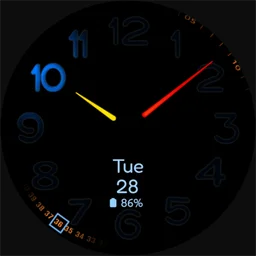 Lumen
Personnalisation
-
 HMKWatch Analog 164 Re
Personnalisation
-
 Vivid Time 2 (Analog)
Personnalisation
-
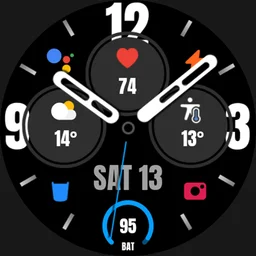 Nighty Analog 19 - watch face
Personnalisation
-
 IWF OD II | ISACWATCH
Personnalisation
-
 ARS Purpose Analog Fitness
Personnalisation
-
 Rhythm Energy Cadran
Personnalisation
-
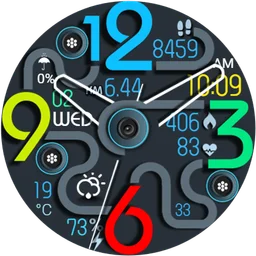 DF097
Personnalisation
-
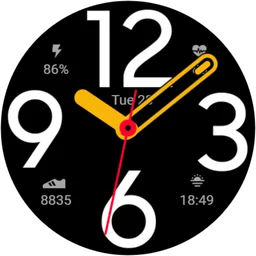 Big Number
Personnalisation