- Classification d’âge4+
- CatégorieProductivité
- DéveloppeurRobert Poetzsch
- LanguesAnglais
- Taille6,0 Mo
Renvoie vers la page App Store officielle
Download.org n’héberge aucun fichier de 4ToDo. Le bouton ouvre la page de l’application sur App Store, où Robert Poetzsch la publie. Fiche vérifiée pour la dernière fois le 17/11/2026.
Captures d’écran


À propos
Le développeur n’a pas fourni ce texte dans votre langue.
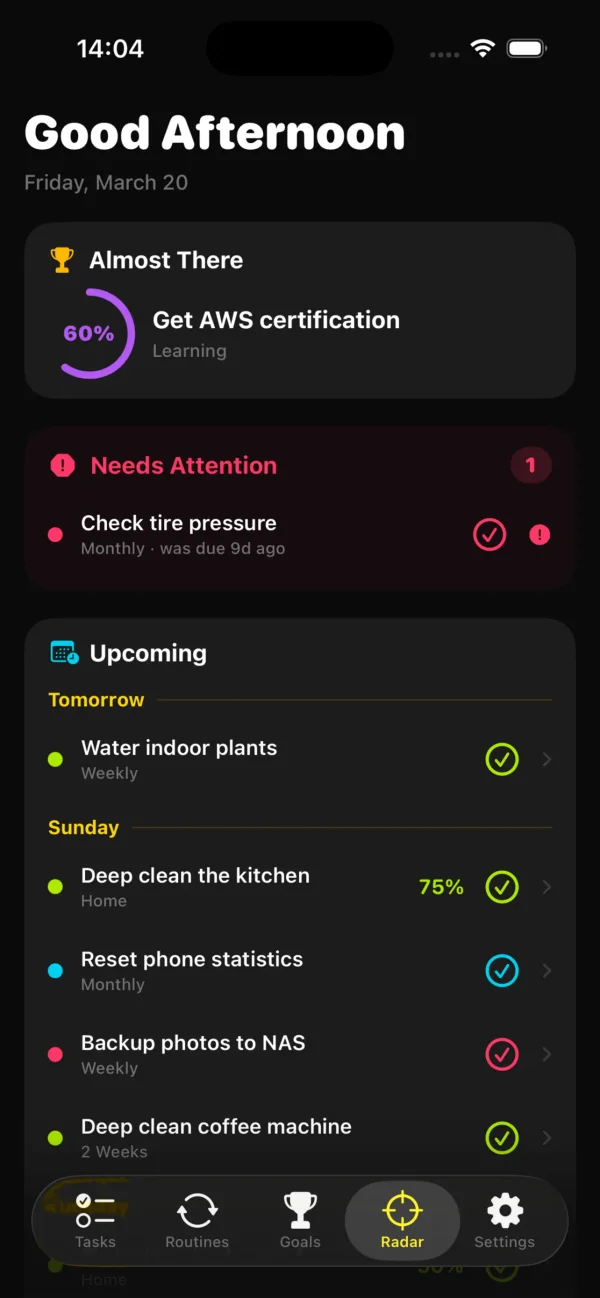
4ToDo rethinks how you manage your life. Instead of boring checklists, every task, routine, and goal is a visual progress bar — you see exactly where you stand at a glance.
TASKS — ORGANIZED BY CATEGORY
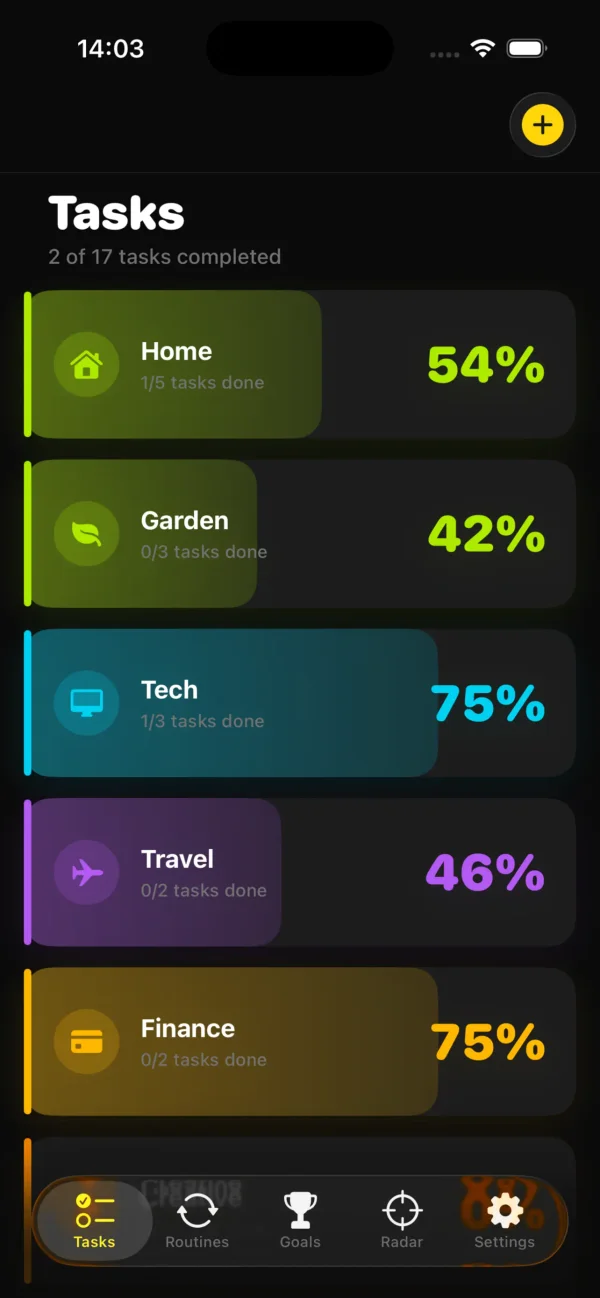
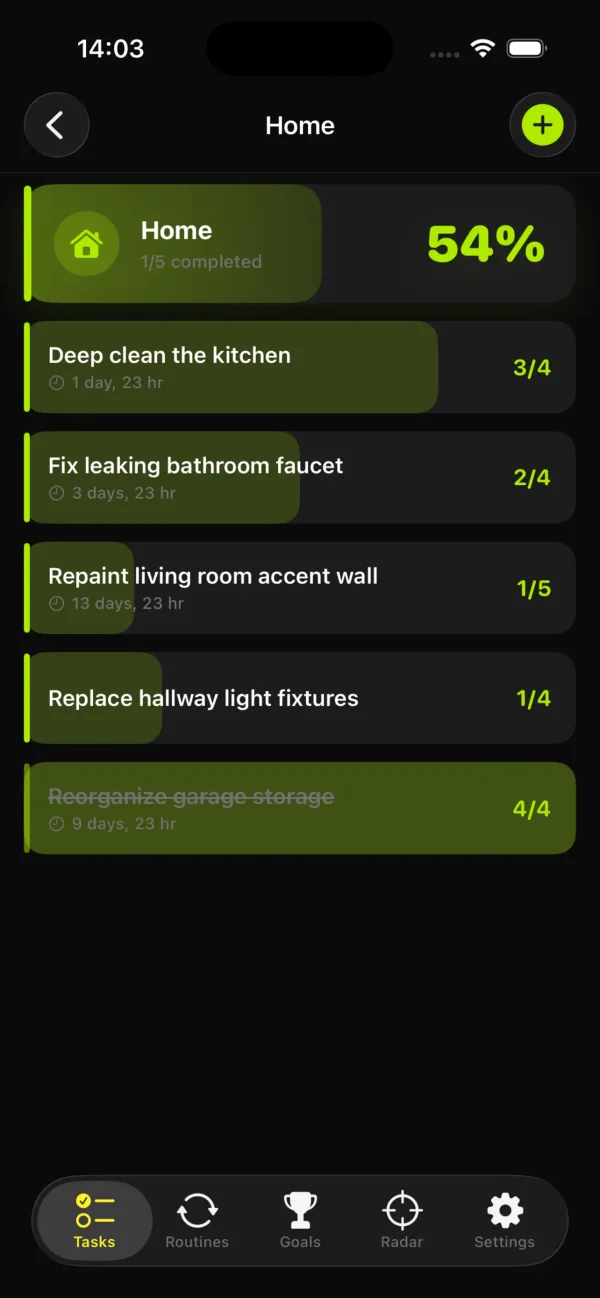
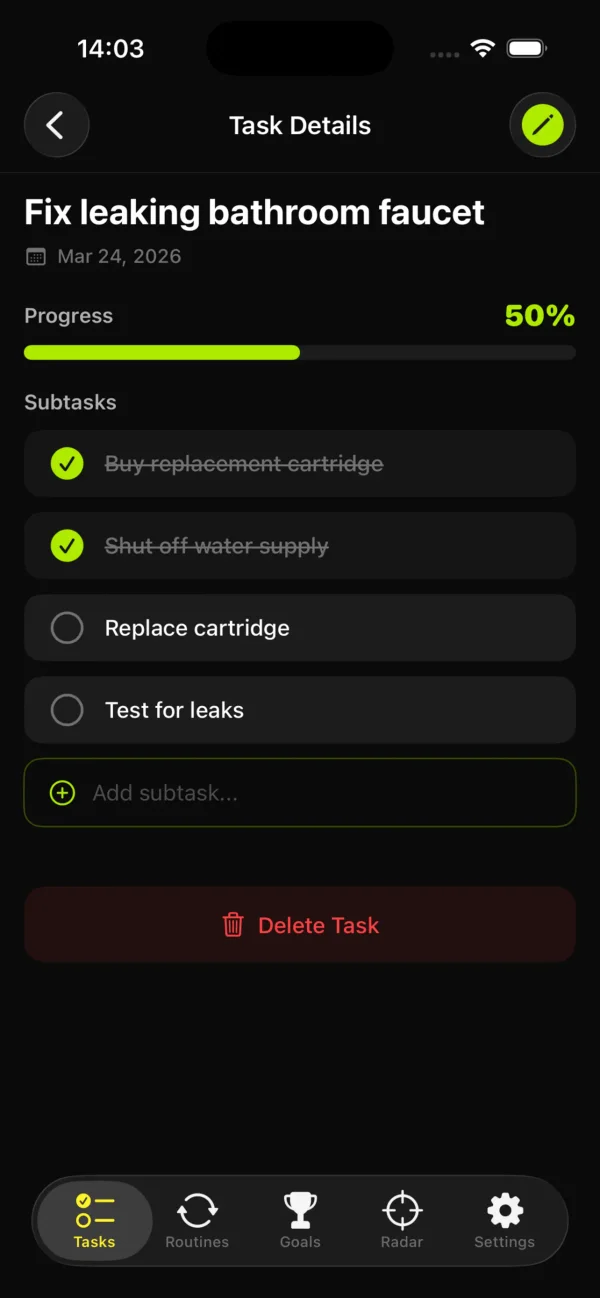
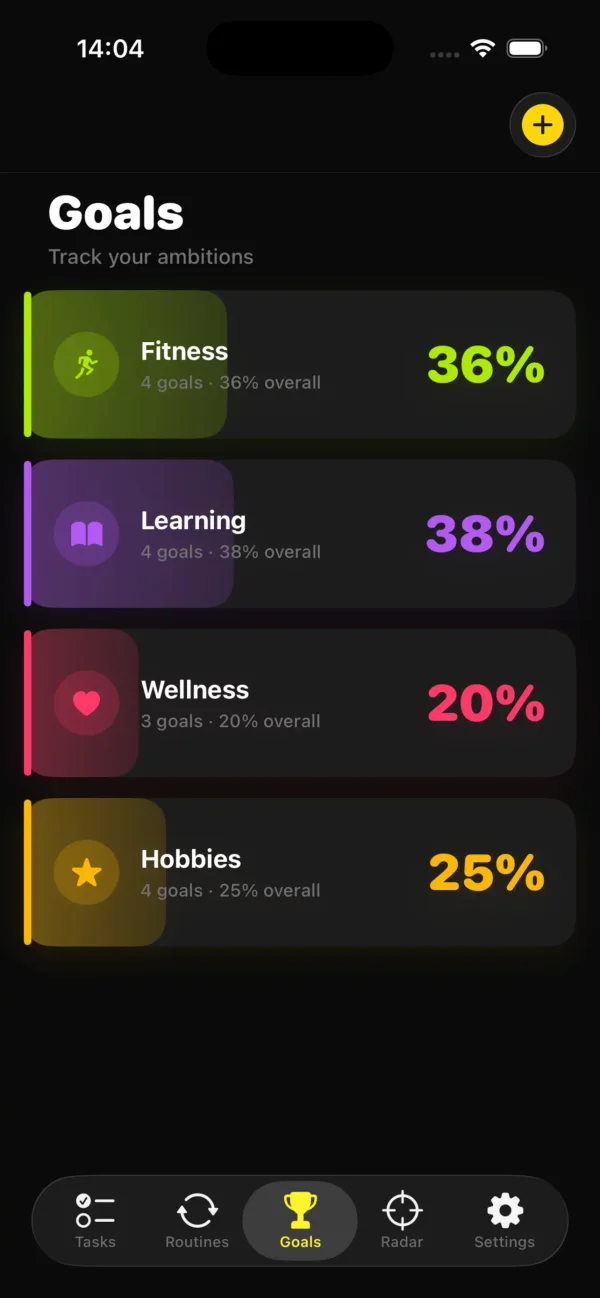
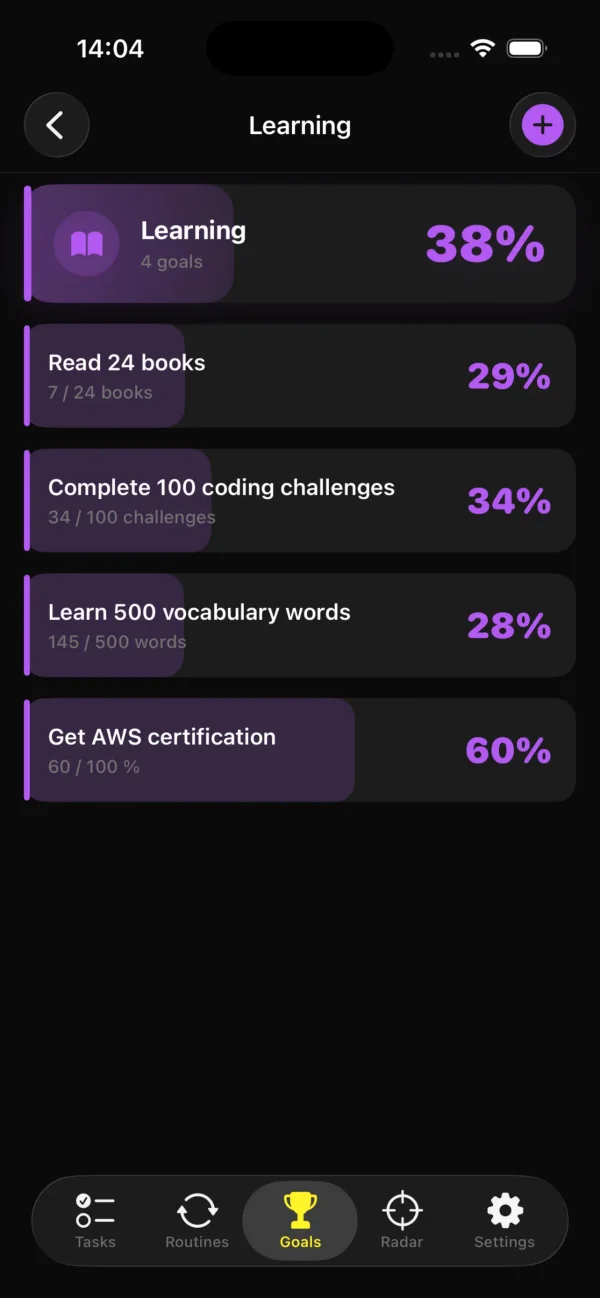
Create categories like Home, Work, Tech, or Travel. Each category shows a bold progress card with a colored accent bar and a live percentage. Tap into a category to see all tasks sorted by due date. Add subtasks to break down complex projects — the progress bar fills as you check them off.
ROUTINES — NEVER FORGET RECURRING TASKS
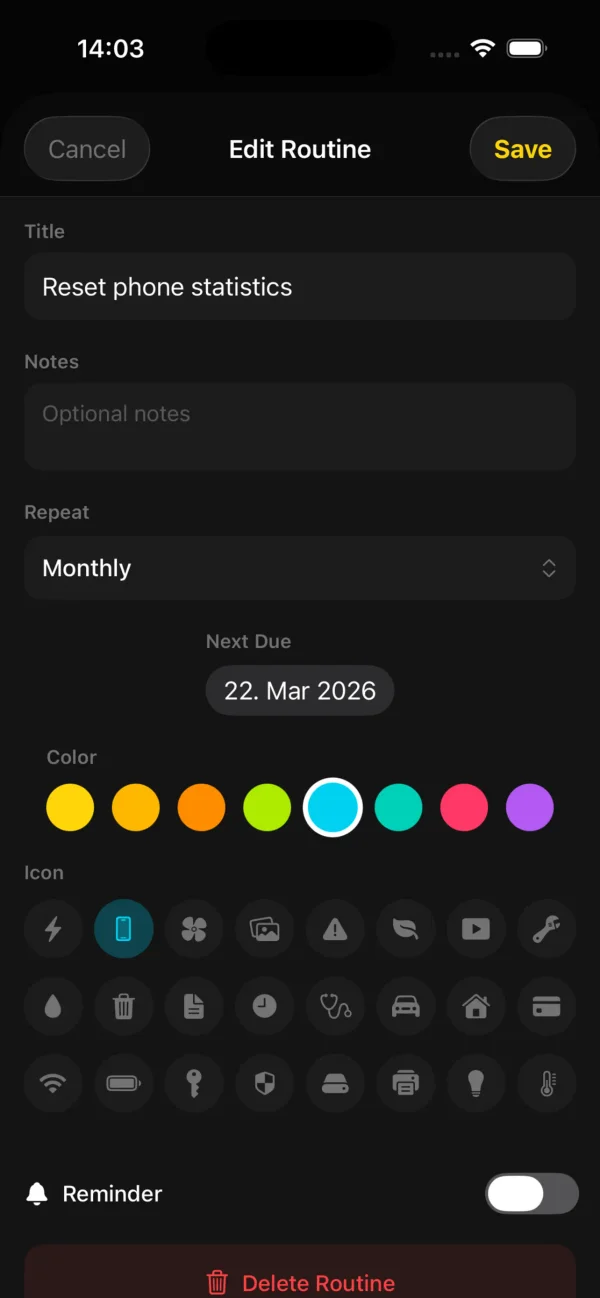
Track recurring maintenance tasks like reading the electricity meter, changing filters, backing up photos, or rotating tires. Set intervals from daily to yearly, or define a custom cycle (every X days). Each routine has its own color and icon. The urgency fill shifts from calm to amber to red as the deadline approaches. One tap to mark it done and reset the timer.
GOALS — THREE WAYS TO TRACK
Set personal goals with the tracking mode that fits:
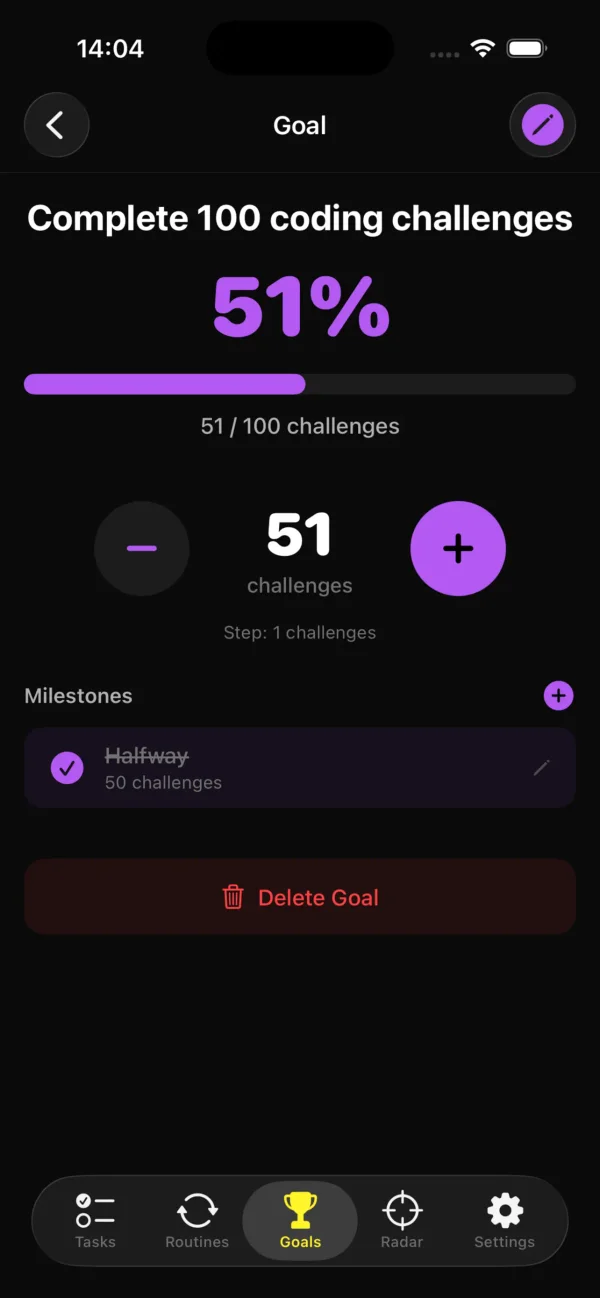
- Counter — Big +/- buttons for step-by-step tracking (books read, recipes cooked, trails hiked)
- Value — Enter custom amounts (kilometers run, hours practiced)
- Slider — Drag to set your progress visually
Add milestones to goals and tap to mark them as reached. The app automatically updates your progress when you hit a milestone.
RADAR — YOUR COMMAND CENTER
The Radar page answers one question: What should I do next? It shows your closest goal at the top, overdue items that need attention, and a unified timeline of everything coming up over the next 14 days — grouped by day. Tap any item to open it. Hit the checkmark to complete it instantly. This Week shows how many things you finished on each day of the week.
MADE FOR IPHONE DUO
Fully open, your overview and your list sit side by side. Closed and turned sideways, the same two halves stand next to each other. Half open, a golden light bar fills with your progress, and nothing you read or tap lies in the fold. Folding keeps your place: the tab, open sheets, what you typed and where you scrolled.
TEXT THAT FITS YOUR EYES
Every screen follows your text size, up to the largest accessibility sizes.
BUILT FOR RELIABILITY
- Automatic backups every 7 days, plus manual backup on demand
- Import and export your data as JSON
- Restore from any of your last 7 backups
- Local notifications with reminders for tasks, routines, and goals — tap one to open it right away
- All data stored locally on your device — nothing leaves your phone
DESIGN PHILOSOPHY
4ToDo uses a striking dark theme with yellow accents and 8 category colors. Every element communicates status visually through progress bars. No clutter, no complexity — just a clear view of what matters.
Built by robspace.
Nouveautés
Version 1.2 · 28/10/2026
4ToDo 1.2
• Made for iPhone Duo: fully open, your overview and your list sit side by side. Half open, a golden light bar fills with your progress and nothing lies in the fold.
• Text follows your text size, up to the largest accessibility sizes.
• Tapping a reminder now opens its task or goal right away. A routine's reminder opens the routine.
• On Sundays, This Week on the Radar shows the current week and marks today.
All your tasks, routines, goals, streaks and backups carry over unchanged.
Confidentialité de l’application
Ce que Robert Poetzsch déclare sur l’App Store au sujet du traitement des données par cette application.
-
Données non collectées
Le développeur ne collecte aucune donnée à partir de cette application.
Les pratiques en matière de confidentialité peuvent varier, notamment en fonction des fonctionnalités que vous utilisez ou de votre âge.
Informations
- Vendeur
- Robert Poetzsch
- Catégorie
- Productivité
- Version
- 1.2
- Mis à jour
- 28/10/2026
- Publié
- 30/03/2026
- Taille
- 6,0 Mo
- Nécessite
- iOS 26.0 ou version ultérieure
- Classification d’âge
- 4+
- Prix
- 1,99 €
- Langues
- Anglais
- Copyright
- © 2026 by Robert Poetzsch
Vous aimerez peut-être aussi
-
 SpendQ BuddyProductivité
-
 SendScan: Scanner + AutomationProductivité
-
 Drafty StoryÉcrire sans pression
-
 Link ClusterCollect and manage links.
-
 Voiset: AI Daily Planner TasksProductivité
-
 Tiny Calendar - SimpleCalProductivité
-
 Scan ThingsProductivité
-
 ZavalaProductivité
-
 Deckloud: Nextcloud DeckKanban & tâches, auto-hébergé
-
 Hi Sticky: Notes autocollantesMémos, listes et widgets