Adapto: Screen Time Control
App Blocker for Every Routine
Conçue pour iPhone, iPad
Gratuit · Achats intégrés
- Classification d’âge4+
- CatégorieProductivité
- Développeur集军 孟
- LanguesJaponais+ 5 de plus
- Taille6,5 Mo
Renvoie vers la page App Store officielle
Download.org n’héberge aucun fichier de Adapto: Screen Time Control. Le bouton ouvre la page de l’application sur App Store, où 集军 孟 la publie. Fiche vérifiée pour la dernière fois le 12/11/2026.
Captures d’écran
À propos
Le développeur n’a pas fourni ce texte dans votre langue.
Adapto - Adaptive Screen Time
You don’t need more screen time rules.
You need the right rules at the right time.
Not every moment of your day is the same.
Morning isn’t bedtime.
School isn’t the weekend.
Family time isn’t homework.
Why should your screen time treat them the same?
Yet that’s exactly how most screen time apps work.
One set of rules.
One schedule.
All day long.
Real life doesn’t work that way.
That’s why we created Adaptive Screen Time.
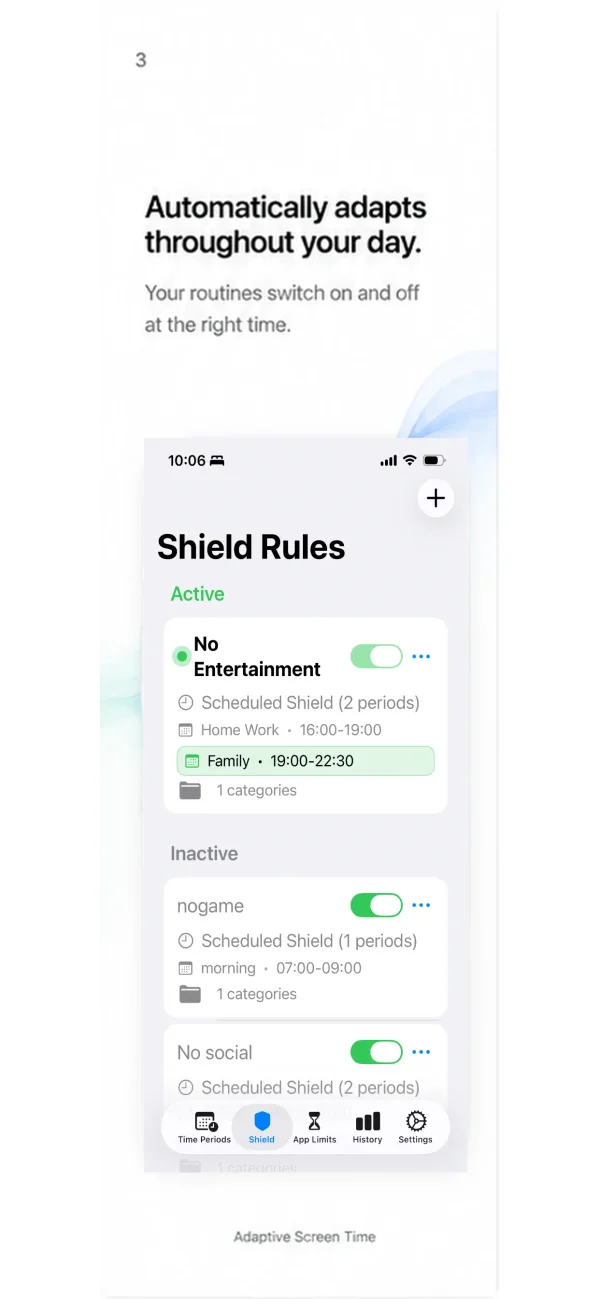
Adapto automatically adapts your screen time rules throughout your day, so your phone works with your life—not against it.
--------------
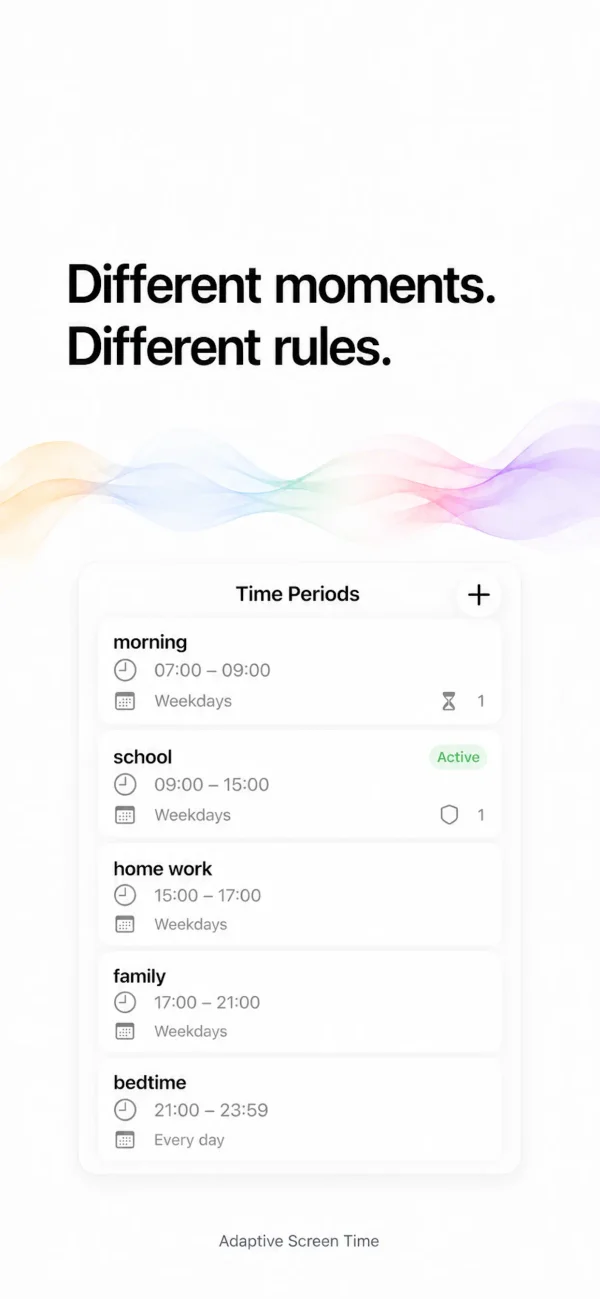
Every moment deserves its own rules.
Create routines for the moments that matter most.
• Morning
• School
• Homework
• Family Time
• Bedtime
• Weekends
Or create routines that fit your own life.
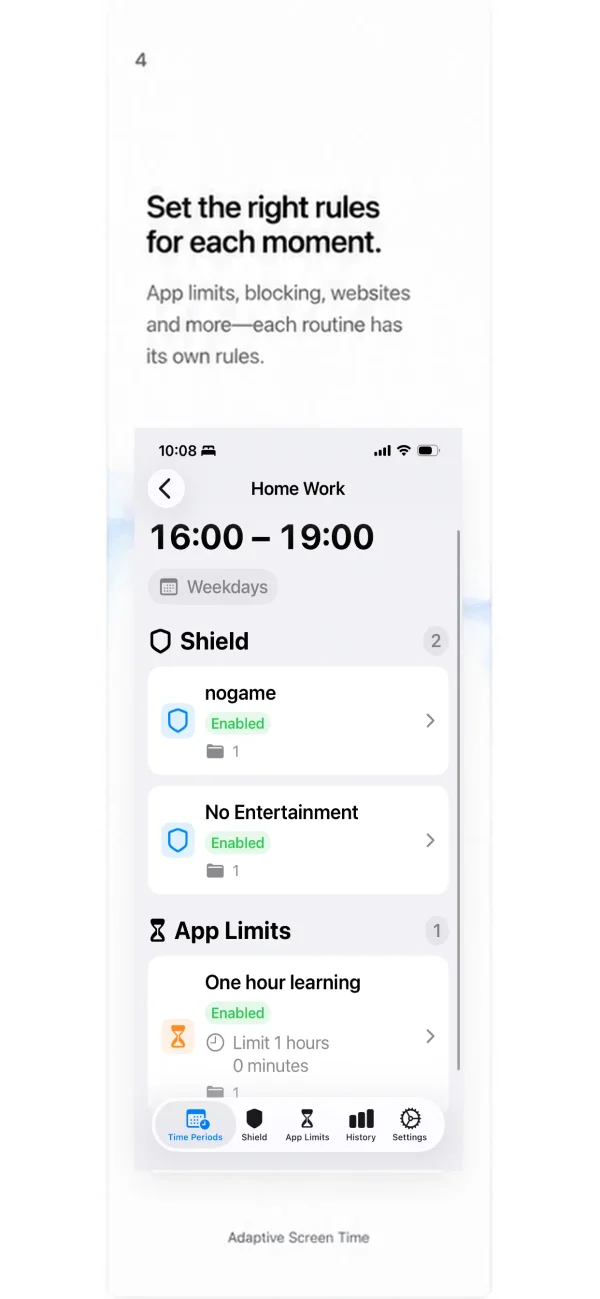
Every routine can have its own:
• App Limits
• App Blocking
• Website Restrictions
• Allowed Apps
• Protection Settings
When one routine ends, the next one begins automatically.
No manual switching.
No remembering schedules.
No repeating the same settings every day.
Just the right rules at the right time.
--------
Built around your life.
Most screen time apps start with one question:
“What apps do you want to block?”
Adapto starts with a different one:
“What does your day look like?”
Because screen time isn’t just about apps.
It’s about your life.
The apps you need during school aren’t the ones you need during family dinner.
The rules that help you focus during homework aren’t the same rules you need on a relaxing weekend.
Instead of forcing one set of rules to fit every moment, Adapto lets every moment have its own rules.
That’s Adaptive Screen Time.
-------------
Designed for healthier digital habits.
Whether you’re creating healthier habits for yourself, setting better boundaries for your family, or helping your child build a balanced relationship with technology, Adapto adapts with your day—not against it.
Because healthier screen time isn’t about blocking more apps.
It’s about creating the right environment at the right moment.
-------------
Welcome to Adaptive Screen Time.
Technology shouldn’t force you to change your life.
Technology should adapt to it.
Welcome to Adapto.
Read on https://apps.newbasoft.com/privacy-sts.html
https://www.apple.com/legal/internet-services/itunes/dev/stdeula/
Nouveautés
Version 1.5 · 29/09/2026
Give every part of your day the right screen time rules. You can now customize notifications when an App Limit is reached, and manage App Limits and blocked apps more easily within each time slot.
Confidentialité de l’application
Ce que 集军 孟 déclare sur l’App Store au sujet du traitement des données par cette application.
-
Données non collectées
Le développeur ne collecte aucune donnée à partir de cette application.
Les pratiques en matière de confidentialité peuvent varier, notamment en fonction des fonctionnalités que vous utilisez ou de votre âge.
Informations
- Vendeur
- 集军 孟
- Catégorie
- Productivité
- Version
- 1.5
- Mis à jour
- 29/09/2026
- Publié
- 17/09/2025
- Taille
- 6,5 Mo
- Nécessite
- iOS 17 ou version ultérieure
- Classification d’âge
- 4+
- Prix
- Gratuit
- Achats intégrés
- Oui
- Langues
- Japonais, Espagnol, Allemand, Chinois simplifié, Anglais, Coréen
- Copyright
- © Copyrights. 2025 Jijun Meng
Vous aimerez peut-être aussi
-
 Minua: Gagnez du temps d'écranContrôle Parental & Focus
-
 Little Beaver: Focus TimerProductivité
-
 Temps d'écran en couple : BurnApps bloquées et tâches à deux
-
 Morning Routine Timer - MorrowProductivité
-
 Reshade : Ton temps d’écranBlocage apps, focus, limites
-
 Bloquer apps & se concentrerTemps d’écran & blocage web
-
 Fota FocusProductivité
-
 Go ChecklistProductivité
-
 Earned - Screen TimeProductivité
-
 Focus & App Blocker - MoraProductivité