AI Limits – Predictive Tracker
AI Usage, Resets & Widgets
Conçue pour iPhone, iPad
Gratuit
- Classification d’âge4+
- CatégorieOutils de développement
- DéveloppeurBad Bundle Limited
- LanguesAnglais
- Taille7,6 Mo
Renvoie vers la page App Store officielle
Download.org n’héberge aucun fichier de AI Limits – Predictive Tracker. Le bouton ouvre la page de l’application sur App Store, où Bad Bundle Limited la publie. Fiche vérifiée pour la dernière fois le 23/11/2026.
Captures d’écran
À propos
Le développeur n’a pas fourni ce texte dans votre langue.
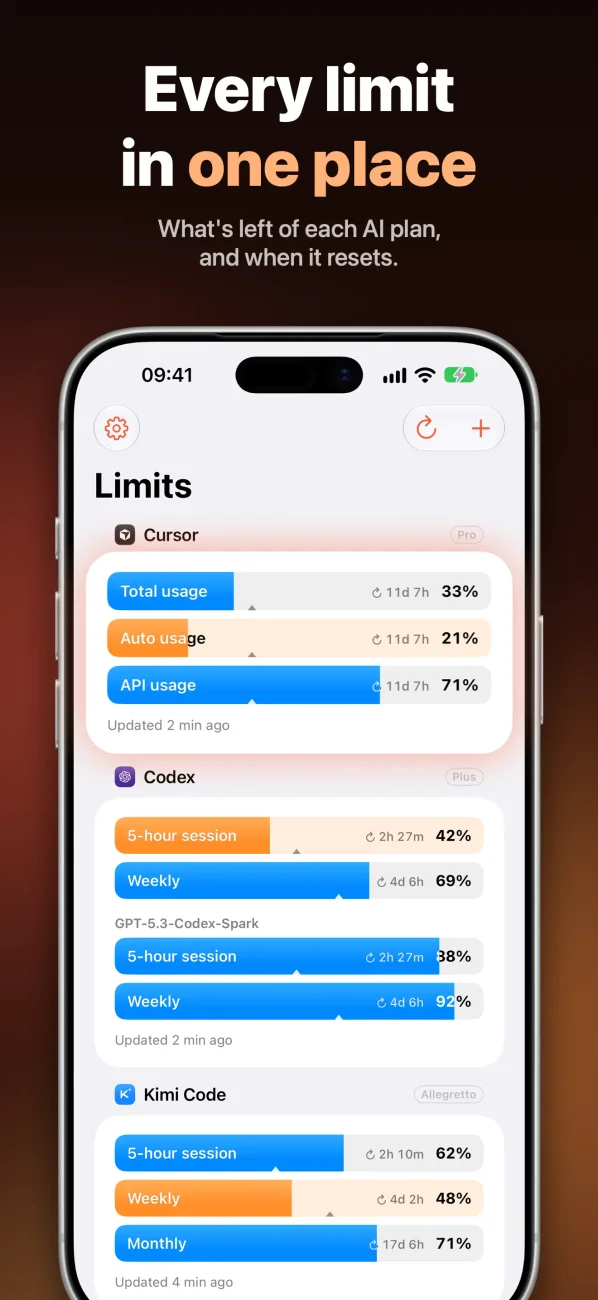
Limits shows how much of your AI subscriptions you have left, and when each limit resets, in one place and in widgets on your Home Screen and Lock Screen. You never need to open a provider's website to find out whether you can keep going.
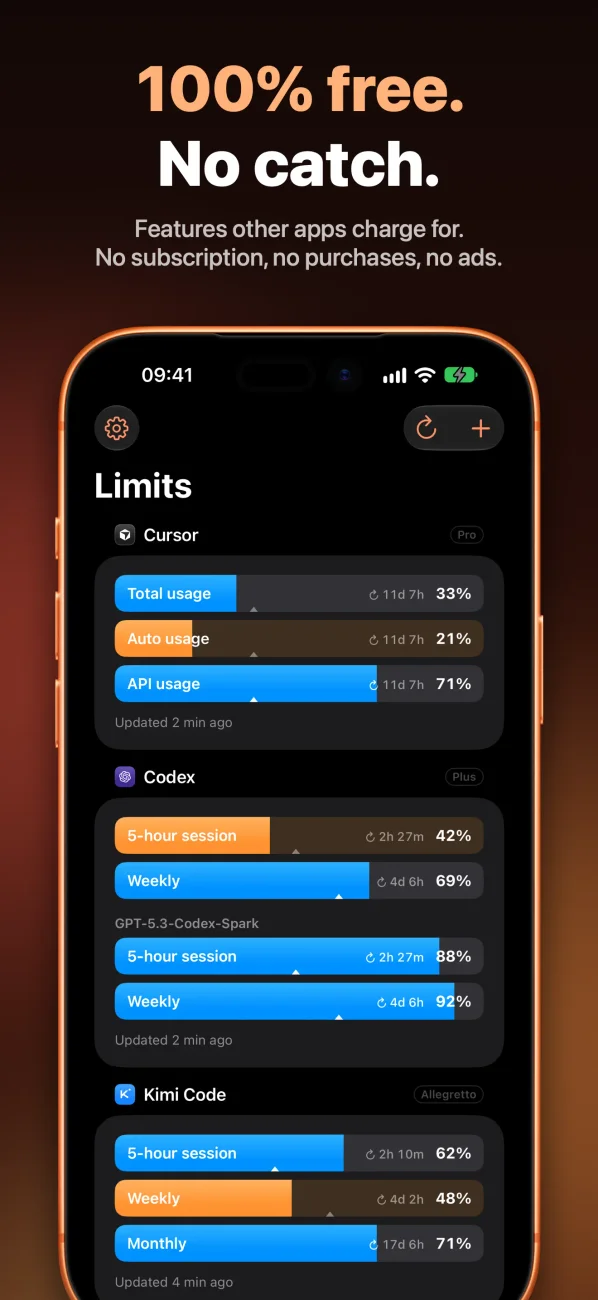
Limits is 100% free, for good. There is no subscription, no in-app purchase, no paid tier and no ads. Other apps charge for widgets, history and alerts like these. Limits doesn't: you already pay for your AI subscriptions, and seeing what you have left shouldn't cost extra.
It has no tracking, no server and no account of its own: your sign-ins and your usage stay on your iPhone.
YOUR LIMITS AT A GLANCE
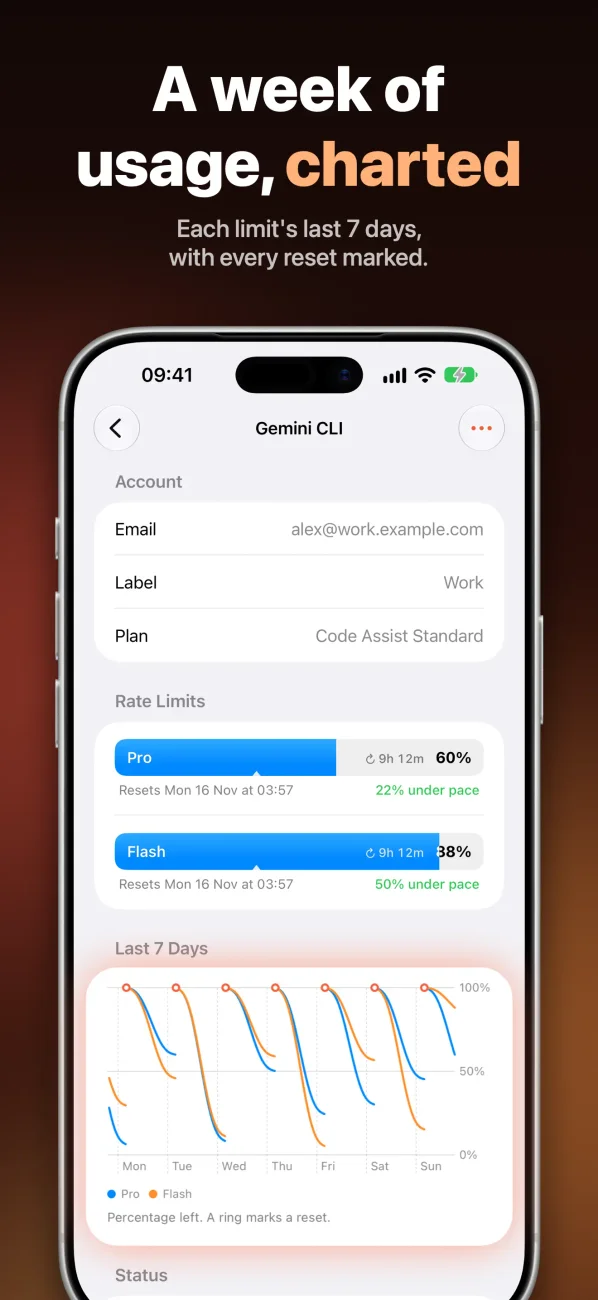
• See every 5-hour session, weekly, monthly and credits limit as a gauge, with how much is left and when it resets.
• Add more than one account for each provider, such as work and personal, and put them in the order you want.
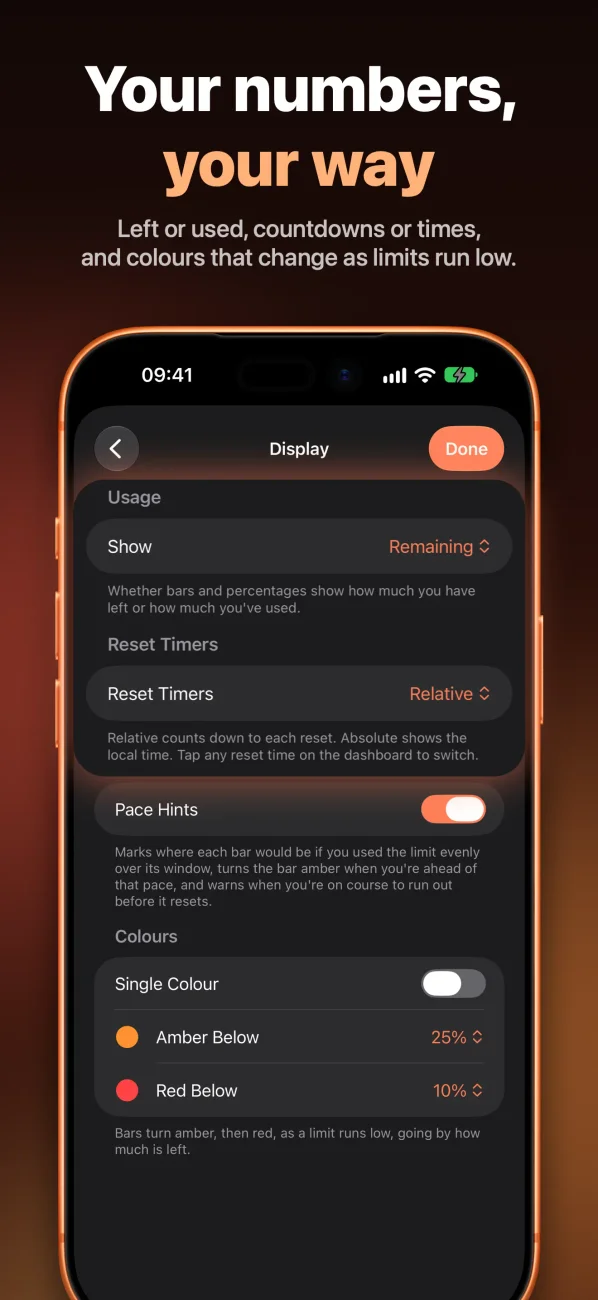
• Pace hints mark where each bar would be if you used the limit evenly, turn it amber when you are ahead of that pace, and warn you when you are on course to run out before it resets.
• Show what you have left or what you have used, and show resets as a countdown or as a time.
• Amber and red gauges always come with the percentage as well, and Single Colour turns colours off.
WIDGETS
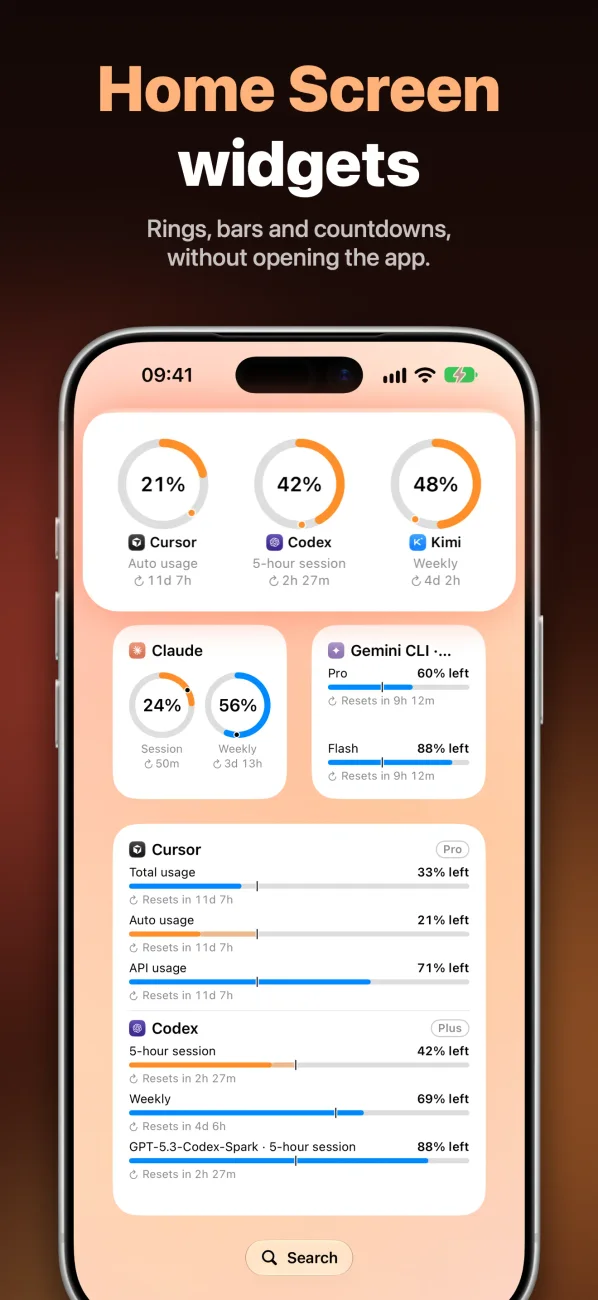
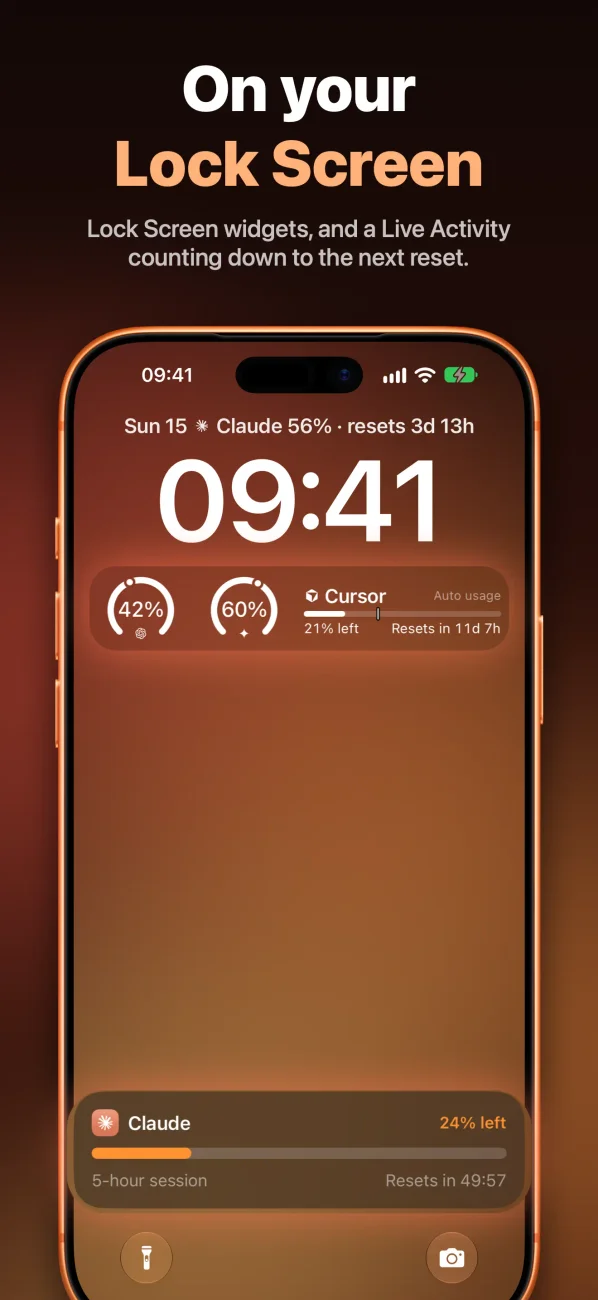
• Add Home Screen widgets in small, medium and large sizes, or Lock Screen widgets, to check your limits without opening Limits.
• Choose which accounts a widget shows: side by side, stacked, or as a terminal-style readout.
• Limits refreshes in the background, so the widgets stay up to date.
NOTIFICATIONS
• Choose to be told when a limit is running low, and when a low limit has reset.
• Notifications are made on your iPhone from the usage it already has. There are no push servers, and nothing is sent anywhere to make them.
PROVIDERS
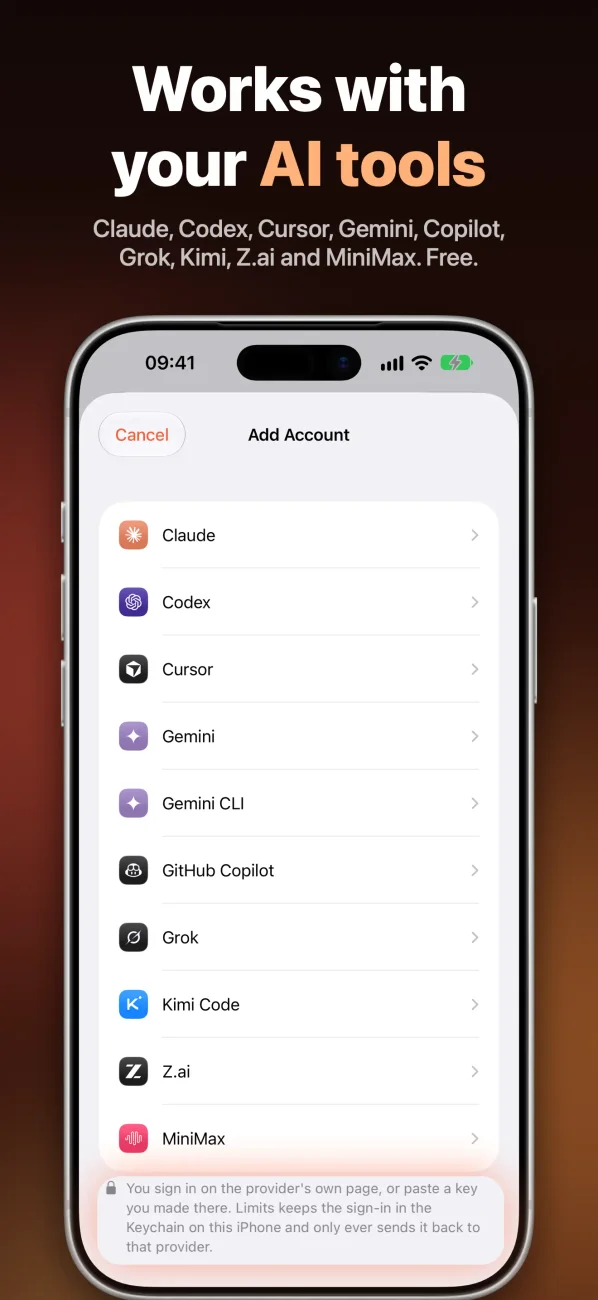
Claude, Codex, Cursor, Gemini CLI, GitHub Copilot, Grok, Kimi Code, Z.ai (GLM Coding Plan) and MiniMax. Sign in to each one inside Limits, with the account you already use, or paste an API key for Kimi Code, Z.ai and MiniMax. Where a provider has separate limits for different models, such as Codex's GPT-5.3-Codex-Spark or Claude's Opus limits, Limits shows each one.
PRIVATE BY DESIGN
• Your sign-ins are kept in the iOS Keychain on this iPhone only, never synced to iCloud or included in backups, and are only ever sent back to the provider they came from.
• Your usage is read straight from each provider and kept on this iPhone so the widgets can show it.
• Limits only reads your usage and account details. It never sends prompts or uses your subscription for anything else.
• No analytics, no third-party code and no logging. Delete All Data in Settings removes every sign-in, every account and everything saved.
• Works with VoiceOver, Voice Control, Larger Text, Reduce Motion and Increase Contrast.
Limits isn't affiliated with or endorsed by Anthropic, OpenAI, Anysphere, Google, GitHub, xAI, Moonshot AI, Z.ai or MiniMax. Their names are used only to identify their services.
Nouveautés
Version 1.1 · 22/11/2026
• Three new widgets: Side by Side, Stack and Terminal. Choose which accounts each widget shows, and their order.
• Plan names are up to date. Claude's Max 20x is now Ultra, and ChatGPT's three Pro plans show as Pro 100, Pro 200 and Pro 500.
• On iPhone Duo, nothing sits under the fold when it's half open.
• About now says why Limits is free. It still is: no subscription, no paid tier and nothing to unlock.
Confidentialité de l’application
Ce que Bad Bundle Limited déclare sur l’App Store au sujet du traitement des données par cette application.
-
Données non collectées
Le développeur ne collecte aucune donnée à partir de cette application.
Les pratiques en matière de confidentialité peuvent varier, notamment en fonction des fonctionnalités que vous utilisez ou de votre âge.
Informations
- Vendeur
- Bad Bundle Limited
- Catégorie
- Outils de développement
- Version
- 1.1
- Mis à jour
- 22/11/2026
- Publié
- 27/10/2026
- Taille
- 7,6 Mo
- Nécessite
- iOS 26.0 ou version ultérieure
- Classification d’âge
- 4+
- Prix
- Gratuit
- Langues
- Anglais
- Copyright
- © 2026 Bad Bundle Limited
Vous aimerez peut-être aussi
-
 AI Usage LimitsOutils de développement
-
 AI Usage Tracker: PulseOutils de développement
-
 Usages: AI Usage TrackerOutils de développement
-
 TokenBar MobileOutils de développement
-
 Agentfy: Claude Code MonitorOutils de développement
-
 Drops for Claude CodeOutils de développement
-
 Limits: AI Usage TrackerCodex, Claude, Cursor: limites
-
 NowdexTrack your agent usage
-
 /cards: Claude Code FlashcardsMémorisez les commandes slash
-
 Nex Terminal-SSH & SFTP clientOutils de développement