
AirComp Pro
Professional Flight Computer
Conçue pour iPhone
Gratuit · Achats intégrés
- Classification d’âge4+
- CatégorieUtilitaires
- DéveloppeurEric Foster
- LanguesAnglais
- Taille5,5 Mo
Renvoie vers la page App Store officielle
Download.org n’héberge aucun fichier de AirComp Pro. Le bouton ouvre la page de l’application sur App Store, où Eric Foster la publie. Fiche vérifiée pour la dernière fois le 18/11/2026.
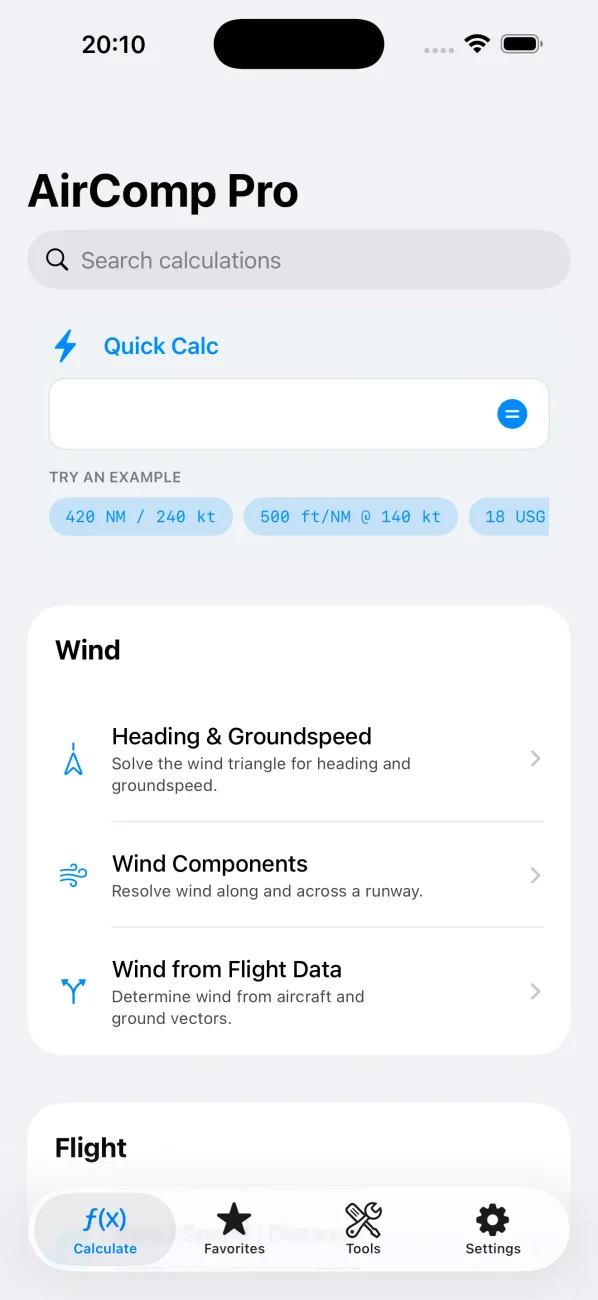
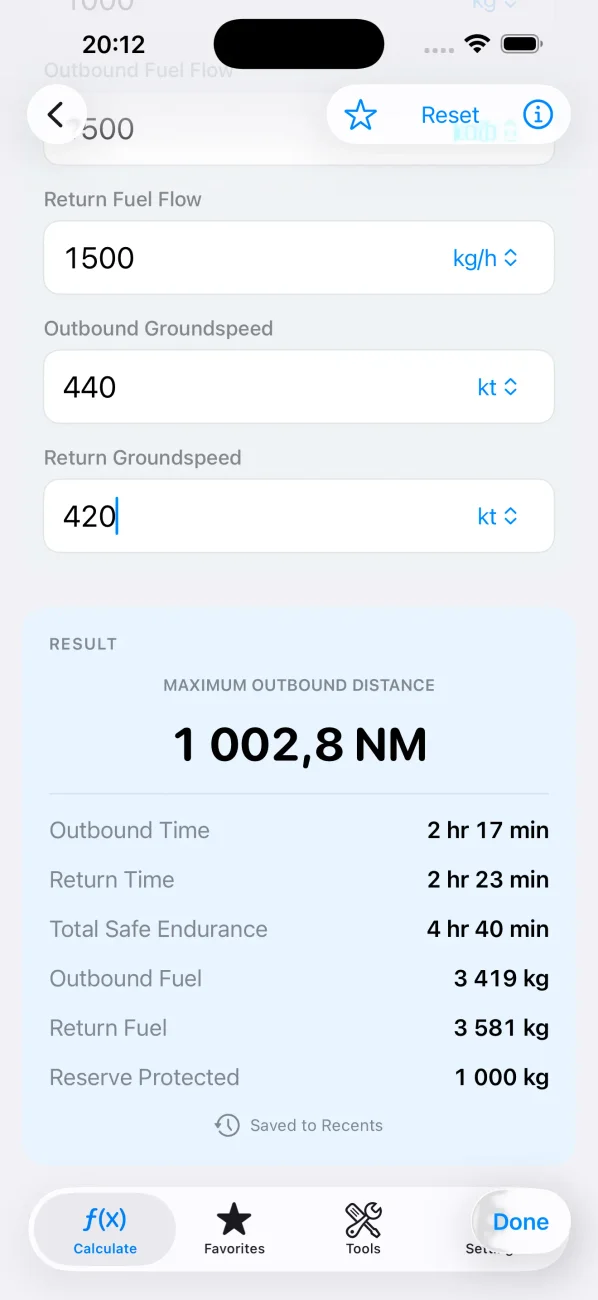
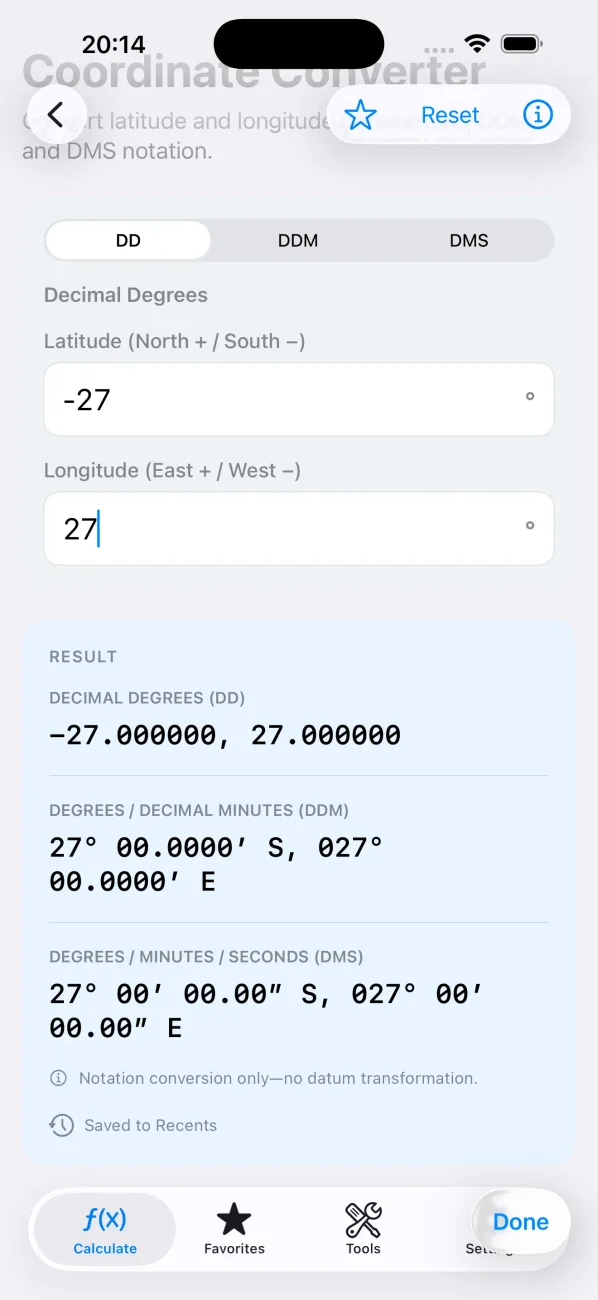
Captures d’écran



À propos
Le développeur n’a pas fourni ce texte dans votre langue.
AirComp Pro is a professional flight computer for pilots who want fast, clear, dependable aviation calculations—whether planning a flight, checking performance, or working through a calculation in the cockpit.
Built as a native, offline-first app, AirComp Pro brings together 34 pilot-focused calculators across wind, navigation, airspeed, atmosphere, fuel, climb, descent, landing performance, and unit conversion. Every core tool works without an internet connection, account, advertising, analytics, tracking, or device permissions.
CALCULATE WITH CONFIDENCE
Solve practical flight calculations with focused workflows, explicit units, clear results, and useful operational context:
• Heading and groundspeed
• Runway wind components
• Wind from flight data
• Time, speed, distance, fuel, and endurance
• Pressure altitude, density altitude, ISA deviation, cloud base, and cold-temperature correction
• True airspeed, Mach/TAS, crossover altitude, and TAT/SAT
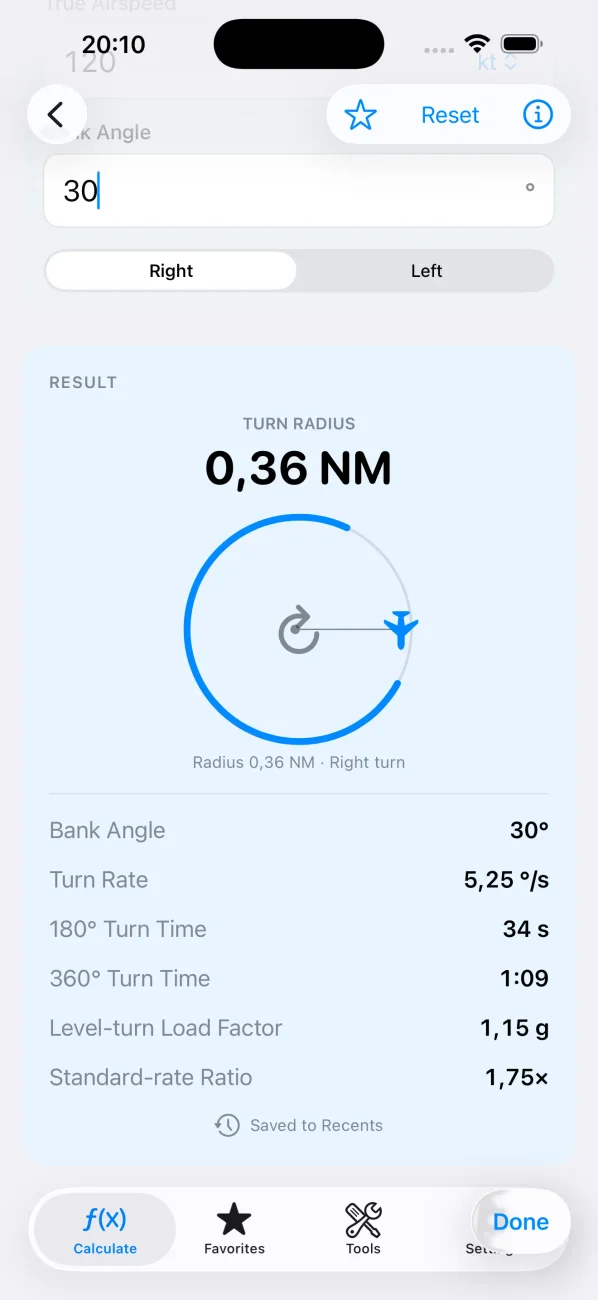
• Required rate of climb, climb gradient, turn performance, and top of descent
• Fuel mass and volume conversions with editable density assumptions
• Excess approach speed and landing-distance estimates
• Cabin altitude and landing cabin-controller settings
• Course correction, magnetic/true conversion, revised ETA, ETP, and point of no return
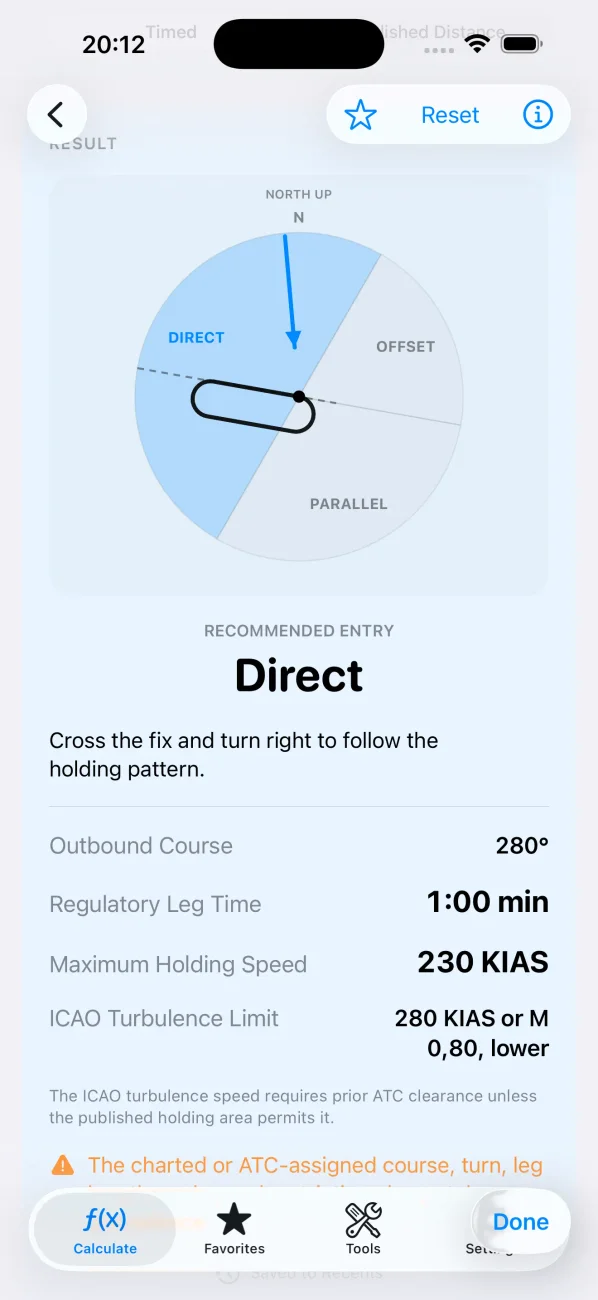
• Hold-entry visualisation with FAA and ICAO reference limits
• Jet descent constraints
• Coordinate conversion between DD, DDM, and DMS
NAVIGATION TOOLS THAT STAY PRACTICAL
AirComp Pro includes tools for building and checking navigation geometry, including base/final point construction, place-bearing-distance points, and bearing intersections. Work with simple relative magnetic bearings and distances by default, or add an explicit WGS-84 reference coordinate and magnetic variation when coordinate output is required. The app never silently assumes magnetic variation or a reference position.
FAST INPUT. CLEAR RESULTS.
Choose the units you use and change them at any input without losing the underlying value. Results are presented in clean, readable cards designed to make a calculation easy to review. Save frequently used calculators as Favorites, revisit completed work in Recent Calculations, and search the complete calculator catalogue when you need a tool quickly.
Quick Calc lets you enter compact aviation expressions directly from the Calculate screen. Try examples such as:
• 420 NM / 240 kt
• 500 ft/NM @ 140 kt
• 18 USG × 0.8 kg/L
VISUAL E6B TRAINING
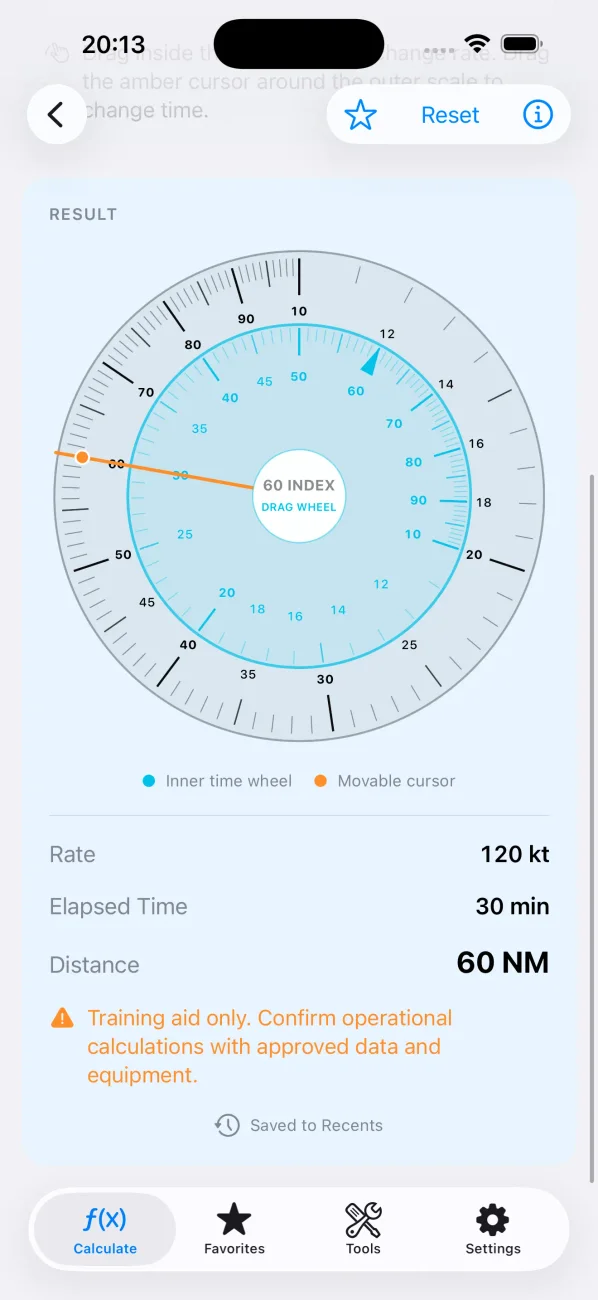
Develop mechanical flight-computer proficiency with the interactive Visual E6B. Rotate the logarithmic time wheel, move the cursor, or enter precise values and watch speed, time, and distance remain synchronised. It is a hands-on way to understand the relationships behind the calculation, not merely read an answer.
APPLE WATCH COMPANION
Keep four essential calculations on your wrist with the included Apple Watch companion:
• Wind Components
• Density Altitude
• Top of Descent
• Quick Aviation Unit Conversion
The Watch app performs its calculations locally, so it does not require a connection to your iPhone to calculate.
DESIGNED FOR THE FLIGHT DECK AND FLIGHT PLANNING
AirComp Pro supports light and dark appearance, Dynamic Type, VoiceOver, Bold Text, Reduce Motion, portrait, and landscape layouts. It is designed to be quick to scan, straightforward to operate, and useful before or during a flight.
PRIVACY BY DESIGN
• No account required
• No advertising
• No analytics
• No tracking
• No data collection
• No internet connection required for core calculations
• No device permissions requested
IMPORTANT: AirComp Pro is an aviation calculation aid only. It does not replace approved aircraft data, AFM/POH limitations, certified navigation equipment, official weather information, regulations, operator procedures, or pilot judgement. Always verify calculations and use approved operational data where required.
Confidentialité de l’application
Ce que Eric Foster déclare sur l’App Store au sujet du traitement des données par cette application.
-
Données non collectées
Le développeur ne collecte aucune donnée à partir de cette application.
Les pratiques en matière de confidentialité peuvent varier, notamment en fonction des fonctionnalités que vous utilisez ou de votre âge.
Informations
- Vendeur
- Eric Foster
- Catégorie
- Utilitaires
- Version
- 1.0
- Mis à jour
- 22/09/2026
- Publié
- 21/09/2026
- Taille
- 5,5 Mo
- Nécessite
- iOS 18.0 ou version ultérieure
- Classification d’âge
- 4+
- Prix
- Gratuit
- Achats intégrés
- Oui
- Langues
- Anglais
- Copyright
- © 2026 Eric Foster. All rights reserved.
Vous aimerez peut-être aussi
-
 Crew Time CalculatorUtilitaires
-
 Logipad XPLUtilitaires
-
 E-JETS Virtual PanelUtilitaires
-
 E-JETS Training GuideUtilitaires
-
 Flight-TimeUtilitaires
-
 PVbutlerUtilitaires
-
 Lightspeed AviationUtilitaires
-
 Melon MobileUtilitaires
-
 INVmate IIUtilitaires
-
 Terminal: FTP,SSH Shell ClientLinux, PuTTy,SFTP Code manager