- Classification d’âge4+
- CatégorieUtilitaires
- DéveloppeurSapar Kurmanov
- LanguesAnglais
- Taille12,5 Mo
Renvoie vers la page App Store officielle
Download.org n’héberge aucun fichier de AirExtend. Le bouton ouvre la page de l’application sur App Store, où Sapar Kurmanov la publie. Fiche vérifiée pour la dernière fois le 23/11/2026.
Captures d’écran
À propos
Le développeur n’a pas fourni ce texte dans votre langue.
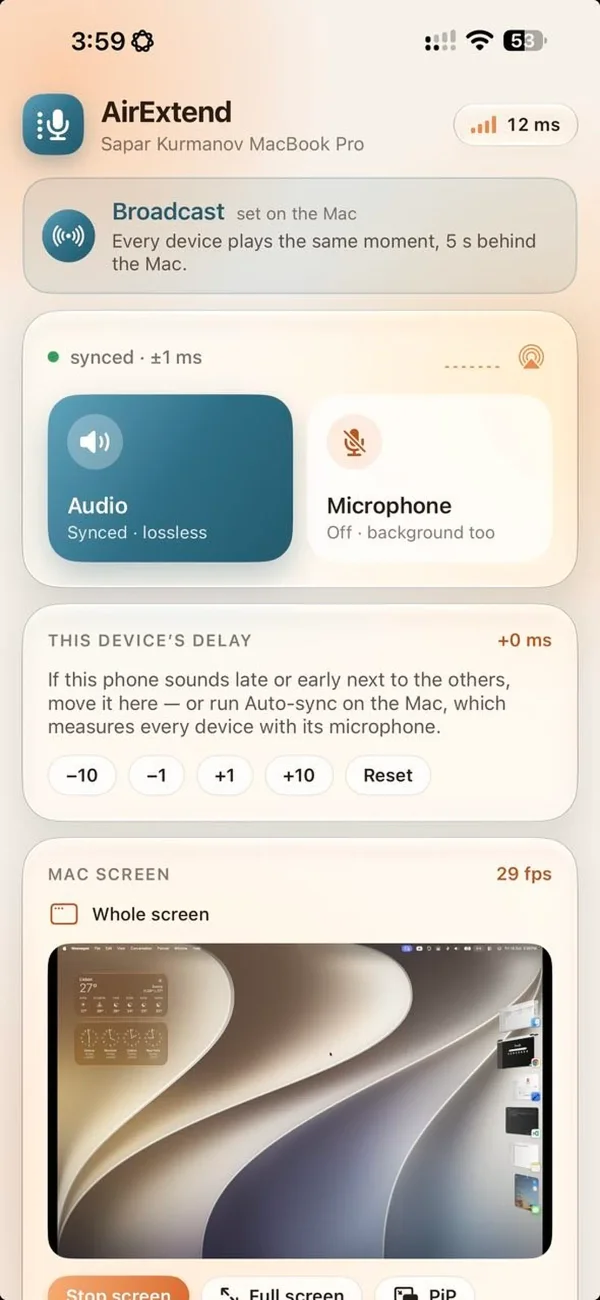
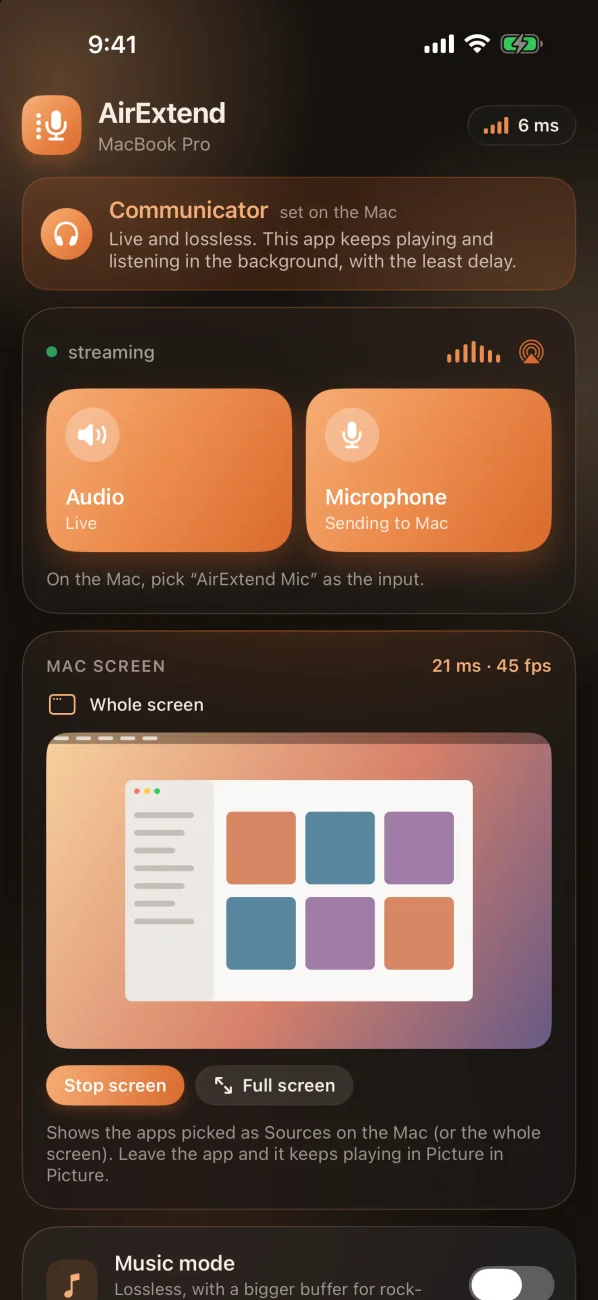
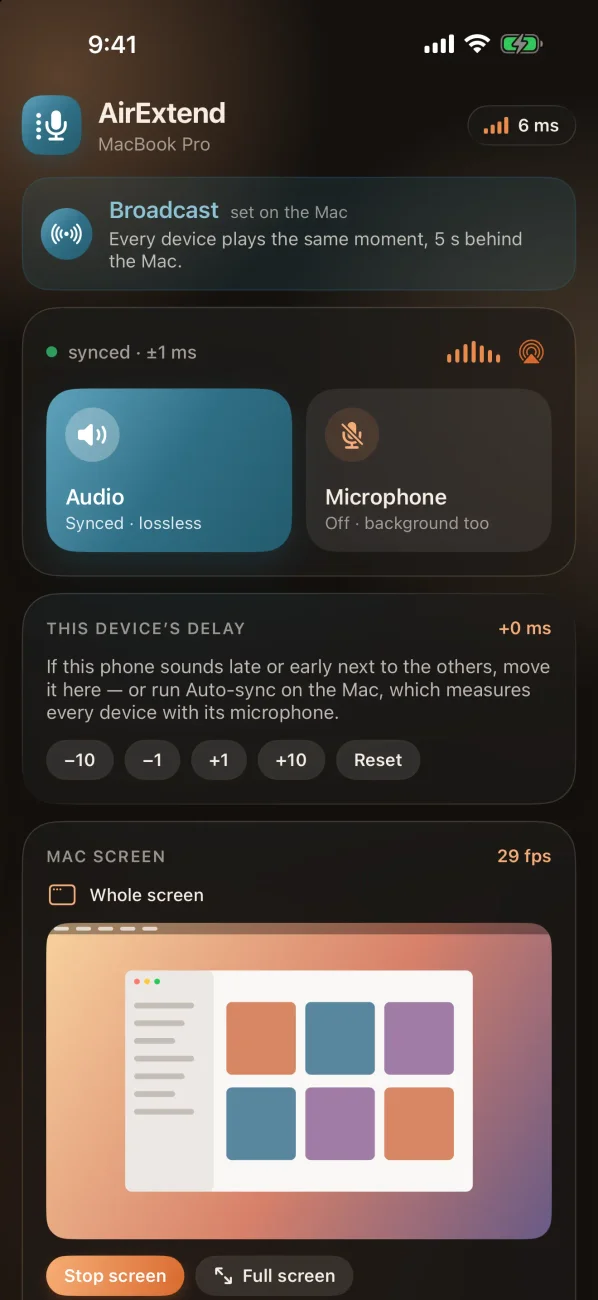
AirExtend turns your iPhone or iPad into a speaker, a microphone and a second screen for your Mac, over your own Wi-Fi.
IMPORTANT: AirExtend needs the free AirExtend app on your Mac (macOS 14 or later, Apple silicon). Get it at airextend.278labs.co.uk. This app is its companion.
TWO MODES, CHOSEN ON THE MAC
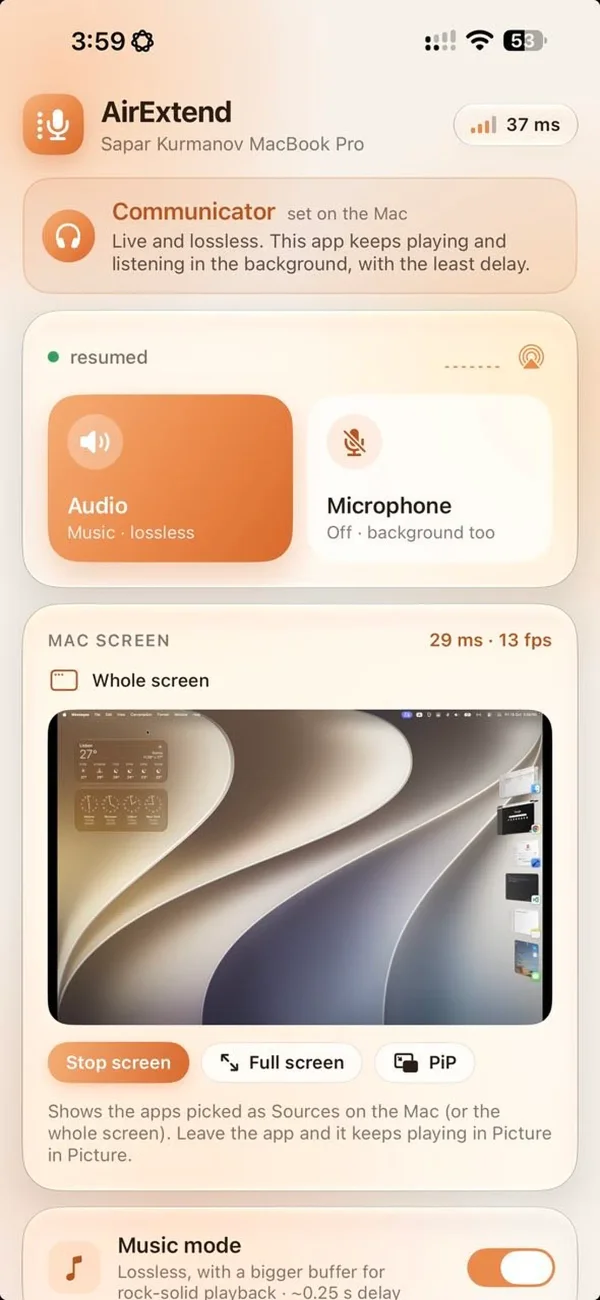
- Communicator: live, lossless sound with about 20 ms of delay. For calls, games and video. Your phone also works as the Mac's microphone.
- Broadcast: every device plays the same moment, to the millisecond, after a shared delay (5 seconds by default). Auto-sync listens to the room and lines the speakers up.
WHAT YOU GET
- Mac sound on the phone. Play the whole Mac, or only the apps you pick, such as a single video call or a music player.
- Phone as a microphone. It appears on the Mac as the "AirExtend Mic" input, and you can switch it on and off from the phone.
- Mac screen on the phone. Show the whole screen or chosen apps, in 720p, 1080p, 1440p or 4K, with full screen and Picture in Picture.
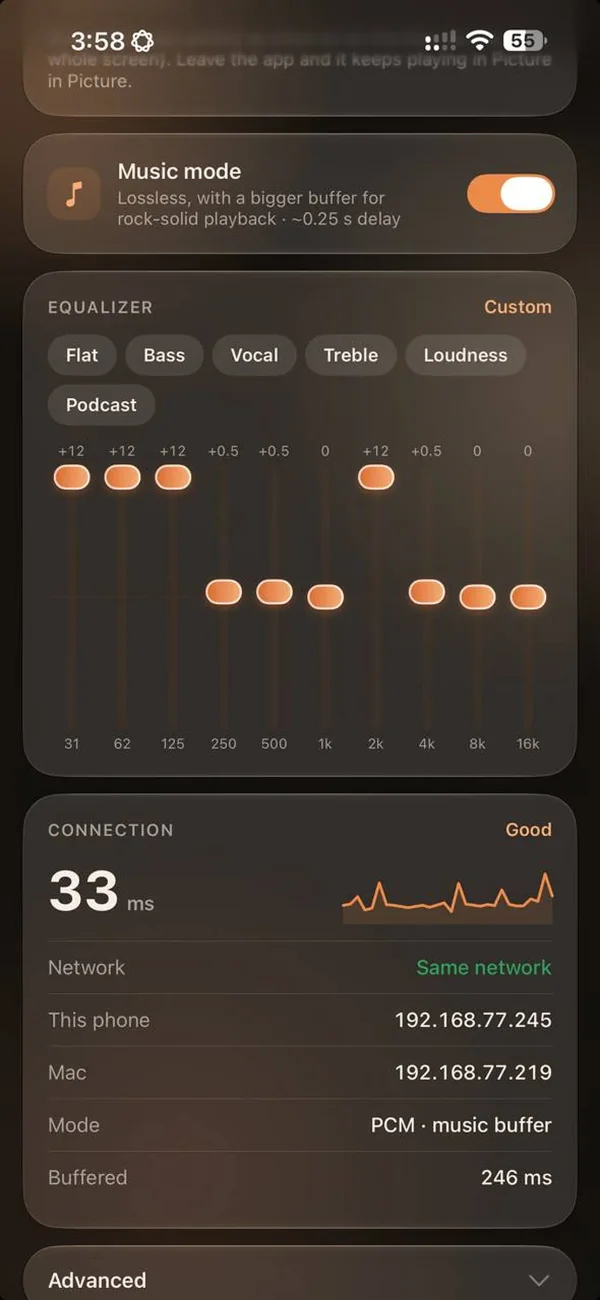
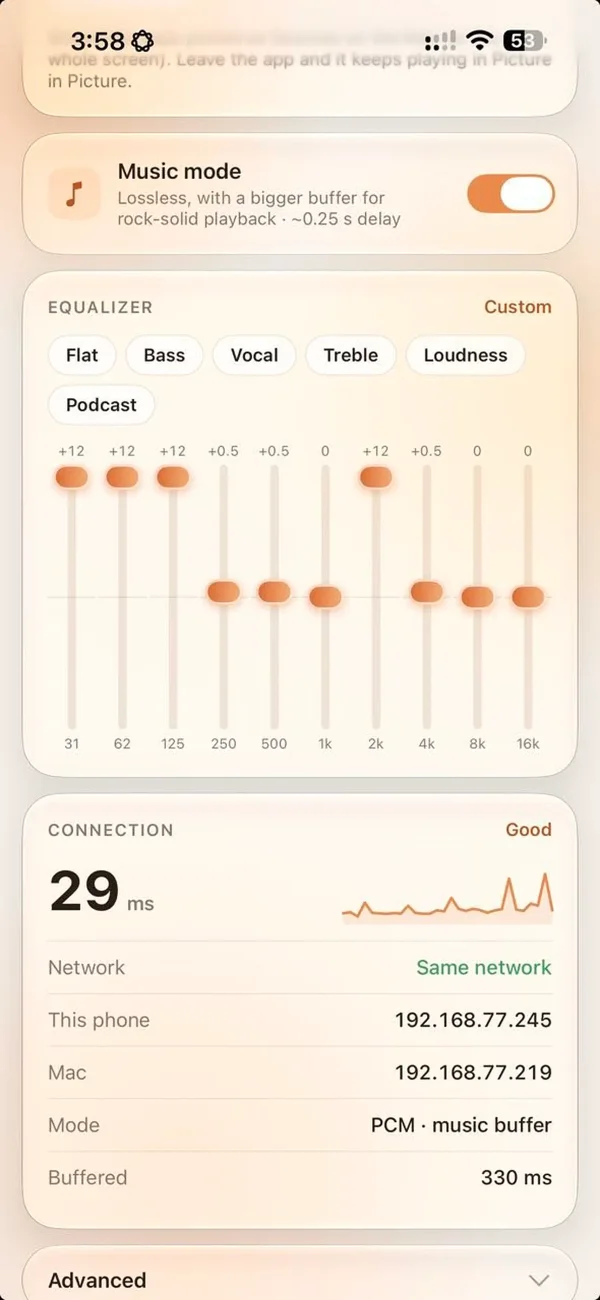
- Equalizer, Music mode (a bigger buffer for rock-solid playback) and a per-device delay trim.
- Keeps playing in the background, with the screen locked.
- Live connection panel: ping, network, buffer and sync status.
PAIR IN SECONDS
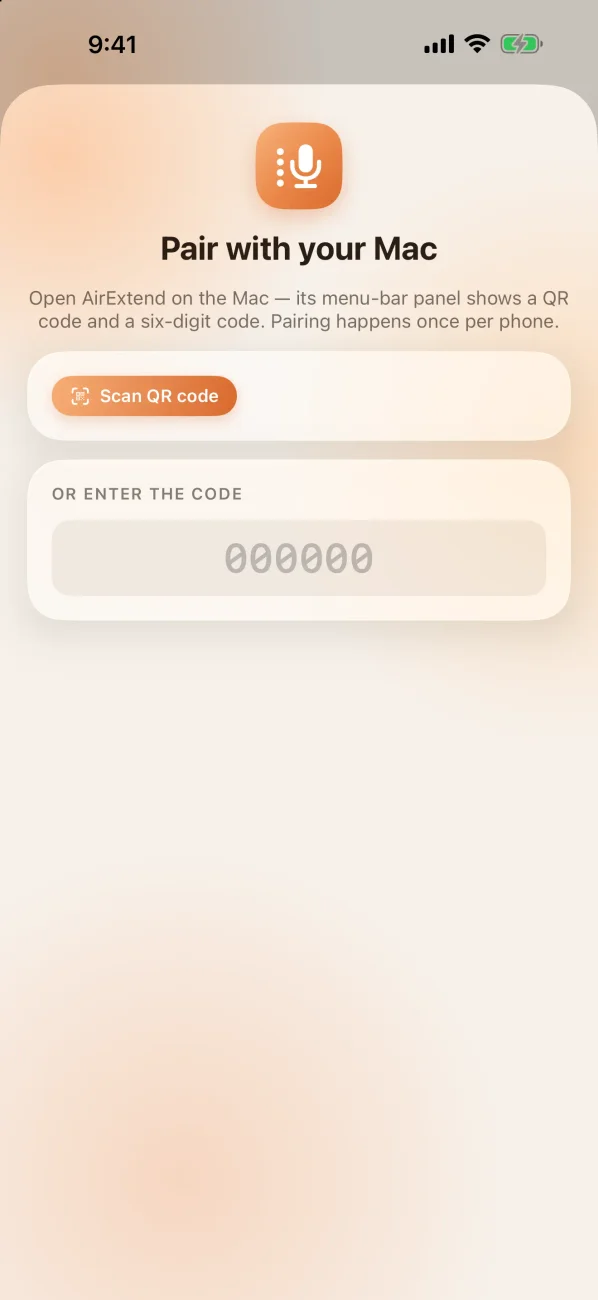
Scan the QR code in the Mac's menu-bar panel, or type the six-digit code. The code changes every ten minutes, and "Open access" is off by default, so only devices you pair can connect.
HOW MANY DEVICES?
It depends on your Wi-Fi. Every device receives its own stream, so the number you can run well is set by the bandwidth and channel width of your router, the band (5 GHz is far better than 2.4 GHz), signal quality and how busy the network is. Lossless sound uses about 1.6 Mb/s per device and Compact (AAC) about 192 kb/s, which suits many more devices. Screen video needs far more, around 12 Mb/s at 1080p. Use Ethernet for the Mac and a modern router for the best result.
PRIVATE BY DESIGN
No account, no cloud, no ads and no analytics. Sound, microphone and screen travel only between your devices on your local network, and AirExtend collects no data.
Local network access is required to find your Mac. The microphone is used only when you switch it on, and the camera only to scan the pairing QR code.
Nouveautés
Version 1.0.1 · 09/11/2026
Reliability fixes: the phone microphone now reopens itself if iOS silently interrupts it during a call, a route change, or an audio engine change, instead of staying silent. The app also no longer ends unexpectedly if the microphone briefly fails to start while busy or mid-route-change.
Confidentialité de l’application
Ce que Sapar Kurmanov déclare sur l’App Store au sujet du traitement des données par cette application.
-
Données non collectées
Le développeur ne collecte aucune donnée à partir de cette application.
Les pratiques en matière de confidentialité peuvent varier, notamment en fonction des fonctionnalités que vous utilisez ou de votre âge.
Informations
- Vendeur
- Sapar Kurmanov
- Catégorie
- Utilitaires
- Version
- 1.0.1
- Mis à jour
- 09/11/2026
- Publié
- 31/10/2026
- Taille
- 12,5 Mo
- Nécessite
- iOS 17.0 ou version ultérieure
- Classification d’âge
- 4+
- Prix
- Gratuit
- Langues
- Anglais
- Copyright
- © 2026 Sapar Kurmanov (278labs)