- Classification d’âge9+
- CatégorieUtilitaires
- DéveloppeurPT. ALIEN WAVE GROUP
- LanguesAnglais
- Taille5,4 Mo
Renvoie vers la page App Store officielle
Download.org n’héberge aucun fichier de Alienwave Keyboard. Le bouton ouvre la page de l’application sur App Store, où PT. ALIEN WAVE GROUP la publie. Fiche vérifiée pour la dernière fois le 26/11/2026.
Captures d’écran

À propos
Le développeur n’a pas fourni ce texte dans votre langue.
Alien Keyboard lets you speak or type in Urdu, English, Bahasa and more, and puts the translation right where you are writing — in any app.
VOICE TYPING IN THE KEYBOARD
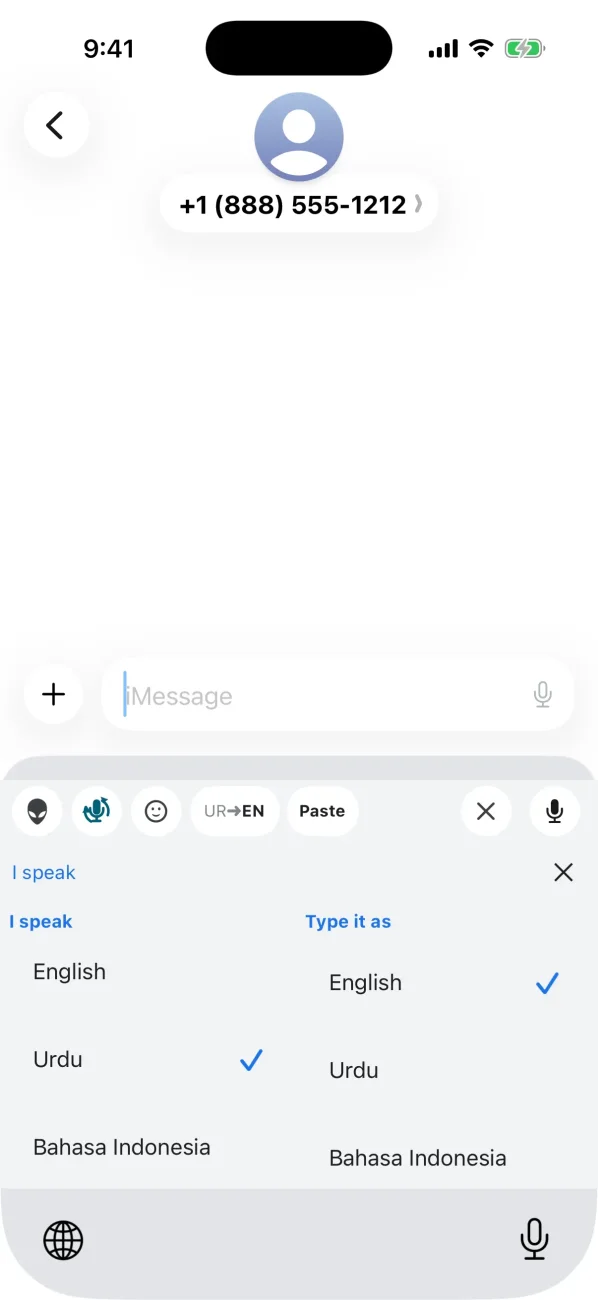
Tap the microphone in the keyboard, speak, and the translation is typed for you. Your words show in the toolbar as you speak. The first tap opens Alien Keyboard once to turn voice typing on; after that the microphone works from the keyboard until it has gone unused for 10 minutes.
URDU HEARD AS URDU
An optional speech model runs on your iPhone and writes Urdu in Urdu script (about 650 MB, downloaded once, only if you choose to). Where your iPhone cannot hear Punjabi, Pashto, Persian, Bengali, Nepali or Tamil, the same model hears them too.
LIVE TRANSLATION INSIDE THE KEYBOARD
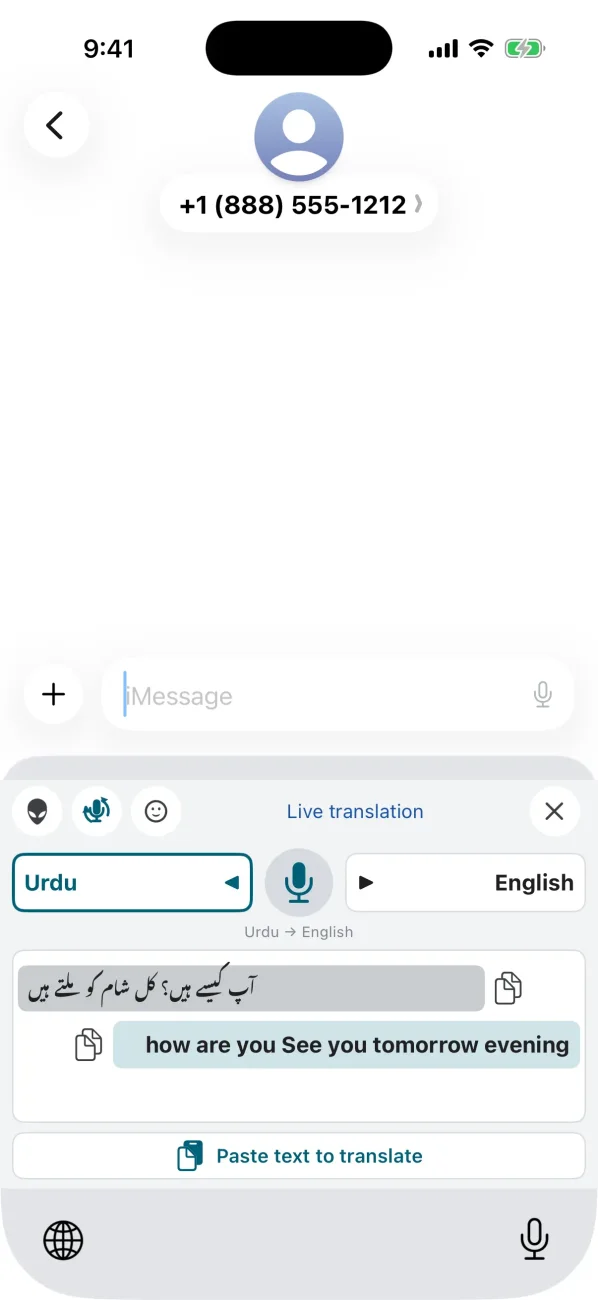
Choose a language for each side and take turns to speak. Every line is translated and can be played aloud or copied. Paste a message to translate it into the conversation as well.
29 LANGUAGES
English, Urdu, Bahasa Indonesia, Malay, Arabic, Bengali, Chinese (Simplified), Chinese (Traditional), Dutch, Filipino, French, German, Hindi, Italian, Japanese, Korean, Nepali, Pashto, Persian, Polish, Portuguese, Punjabi, Russian, Spanish, Tamil, Thai, Turkish, Ukrainian and Vietnamese. Every language can be translated; which ones you can speak depends on the language and your iPhone.
A COMPLETE KEYBOARD
• English and Urdu layouts, and Bahasa with its own word suggestions
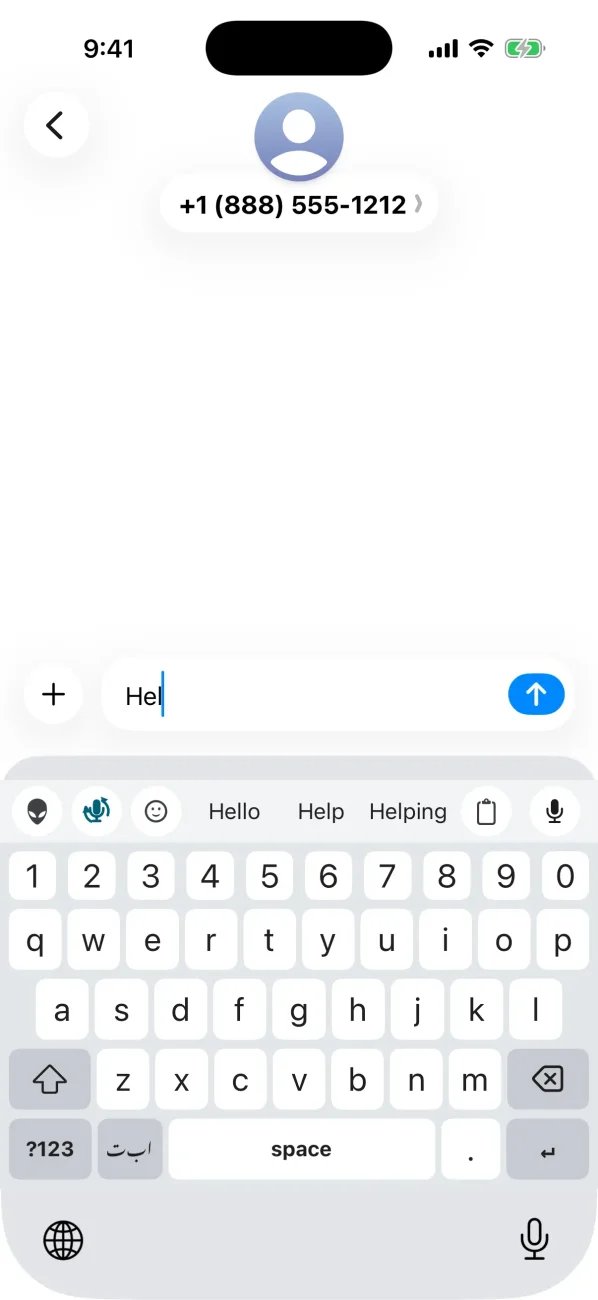
• Word suggestions in the toolbar, and autocorrect for English that one backspace undoes
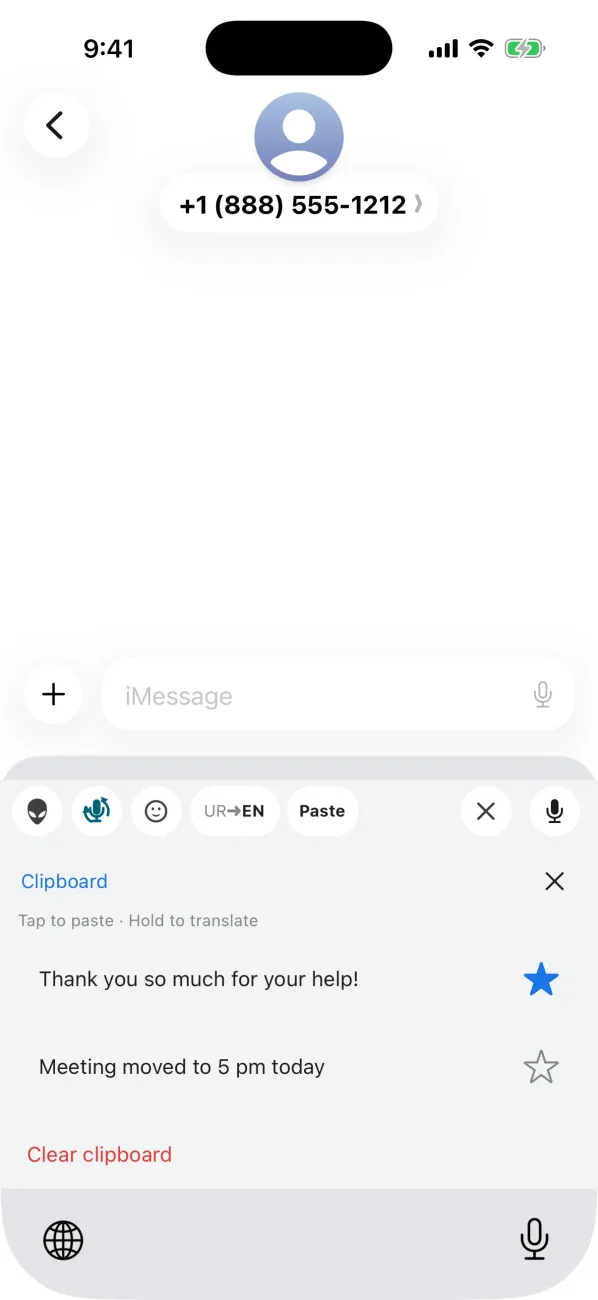
• Clipboard history: tap to paste, hold to translate, star the ones you want to keep
• Your own text shortcuts
• Emoji panel that opens on your recent ones
• Text you dictate with Apple's microphone can be translated too (switch it off in Keyboard settings)
• Light and dark themes, adjustable key size, twenty key sound packs and vibration
PRIVACY
• Language pairs with an Apple translation model downloaded on your iPhone (iOS 26) are translated on the device. Other pairs, Urdu among them, are sent to Google Translate, and only after you turn translation on.
• The optional speech model works on your iPhone. Audio is never saved and never sent to us.
• No account, no ads, no analytics and no server of ours. Your clipboard, shortcuts and learned words are stored encrypted on your iPhone.
• In password, code, email and web-address fields nothing is suggested, learned or remembered.
Allow Full Access is needed for translation, the clipboard and voice typing.
Privacy policy: https://alienwave92.github.io/alien-keyboard-privacy/
Nouveautés
Version 2.8 · 25/11/2026
Voice typing and live translation, now inside the keyboard:
• Tap the keyboard's microphone, speak, and the translation is typed where you are writing. Your words show in the toolbar as you speak
• The first tap opens Alien Keyboard to turn voice typing on; tap ◀ at the top left to go back. After that the microphone works without leaving the keyboard until it has gone unused for 10 minutes, a call interrupts it or the app is closed. Needs Allow Full Access
• While voice typing is on, iOS shows the orange microphone dot. Only what you say after tapping the microphone is turned into text. Turn it off at any time in the app
• Urdu is heard as Urdu and written in Urdu script by an optional speech model that runs on your iPhone (about 650 MB, downloaded once, only if you choose to). Getting it ready takes a few minutes the first time and again after each app or iOS update: keep the app open meanwhile. Where your iPhone cannot hear Punjabi, Pashto, Persian, Bengali, Nepali or Tamil, the same model hears them too
• Live translation sits inside the keyboard: choose a language for each side, take turns to speak, and play or copy a line. Paste a message to translate it into the conversation too
• Text typed by Apple's own dictation microphone can be translated as well, after a short pause. This is on by default; switch it off in Keyboard settings
• When the translation cannot be reached (no connection, or a VPN that blocks it), what you said is typed as it is, with the reason shown
A cleaner, faster keyboard:
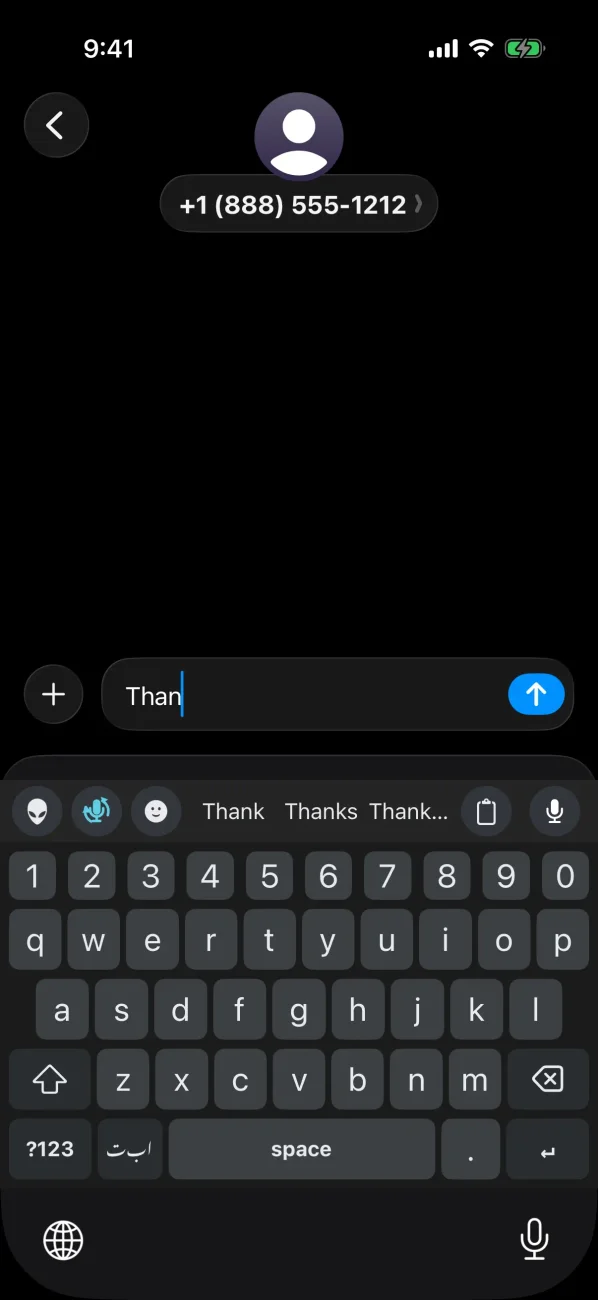
• A new toolbar: app, live translation, emoji, language pill, Paste, clipboard and microphone
• Word suggestions sit in the toolbar, so the keyboard is shorter and does not jump while you type
• Keys resized and respaced, flat, in new light and dark colours
• On iPhones without a Home button the extra globe key is gone, leaving a wider space bar
• The Translate button for typed text has left the toolbar. To translate, speak instead, or copy the text and hold it in the clipboard panel
Clipboard:
• Hold a copied item to translate it and type the translation
• The clipboard keeps only what you copy, not your dictations or translations
Faster and more reliable:
• The keyboard opens faster and no longer flickers as it appears
• Keyboard settings, the clipboard panel and Paste respond faster
• Fast typing no longer cuts key clicks short, and Q, A and P at the screen edges show their popup and no longer react late
• Autocorrect, suggestions and undo no longer change the wrong letters after you tap elsewhere in your text
• Words the keyboard learns are now stored encrypted on your iPhone, like your clipboard and shortcuts, and kept separately for English, Bahasa and Urdu
• The setup list in the app shows which steps are already done
• Alien Keyboard now runs on iOS 18 and later. Translating offline with Apple's downloaded languages needs iOS 26
Confidentialité de l’application
Ce que PT. ALIEN WAVE GROUP déclare sur l’App Store au sujet du traitement des données par cette application.
-
Données non collectées
Le développeur ne collecte aucune donnée à partir de cette application.
Les pratiques en matière de confidentialité peuvent varier, notamment en fonction des fonctionnalités que vous utilisez ou de votre âge.
Informations
- Vendeur
- PT. ALIEN WAVE GROUP
- Catégorie
- Utilitaires
- Version
- 2.8
- Mis à jour
- 25/11/2026
- Publié
- 18/09/2026
- Taille
- 5,4 Mo
- Nécessite
- iOS 18.0 ou version ultérieure
- Classification d’âge
- 9+
- Prix
- Gratuit
- Langues
- Anglais
- Copyright
- © 2026 PT. Alien Wave Group
Vous aimerez peut-être aussi
-
 Flash Translation KeyboardUtilitaires
-
 QlipKeyboardUtilitaires
-
 ReplyHer: AI Texting AssistantUtilitaires
-
 Text Repeater - Emoji RepeaterUtilitaires
-
 LangboardUtilitaires
-
 Endemic: Local On-Device AIUtilitaires
-
 Keybridge - Clavier TraduitTraducteur Chat & Message IA
-
 Thai Keyboard + TranslatorUtilitaires
-
 Insights - Data Analytics ToolUtilitaires
-
 Jiyu Keyboard - AI ReplyUtilitaires