
Alt Text Generator
AI-Powered Image Descriptions
Conçue pour iPhone, iPad
Gratuit
- Classification d’âge4+
- CatégorieUtilitaires
- DéveloppeurBouncing Ball Games
- LanguesAnglais
- Taille7,8 Mo
Renvoie vers la page App Store officielle
Download.org n’héberge aucun fichier de Alt Text Generator. Le bouton ouvre la page de l’application sur App Store, où Bouncing Ball Games la publie. Fiche vérifiée pour la dernière fois le 13/11/2026.
Captures d’écran
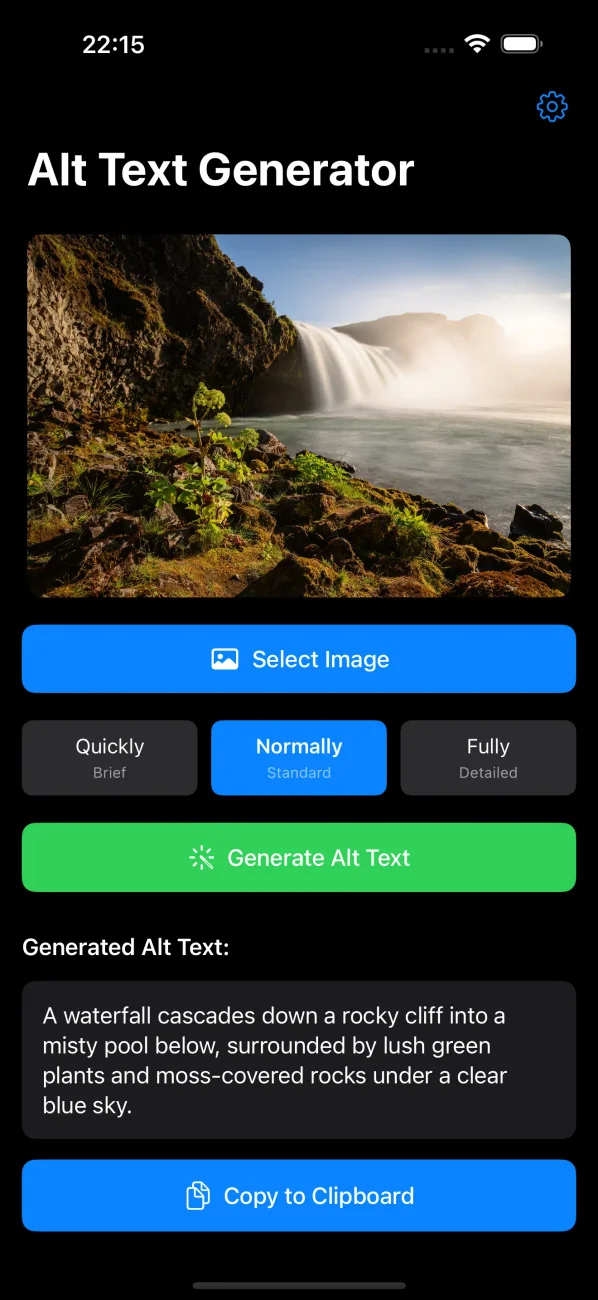
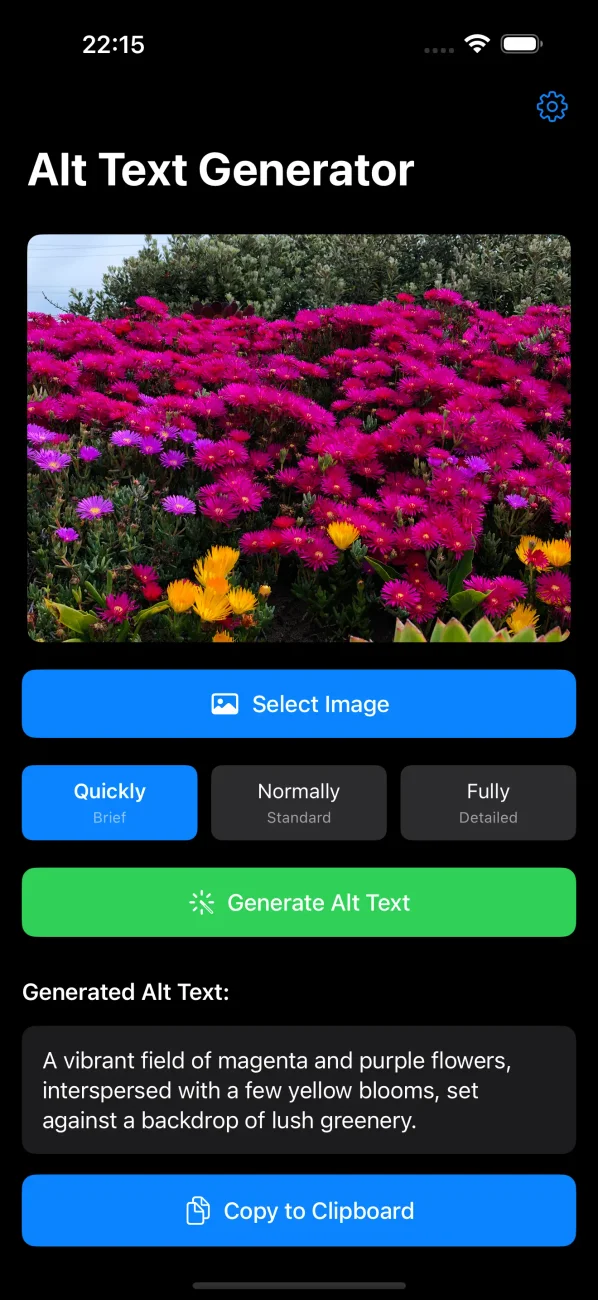
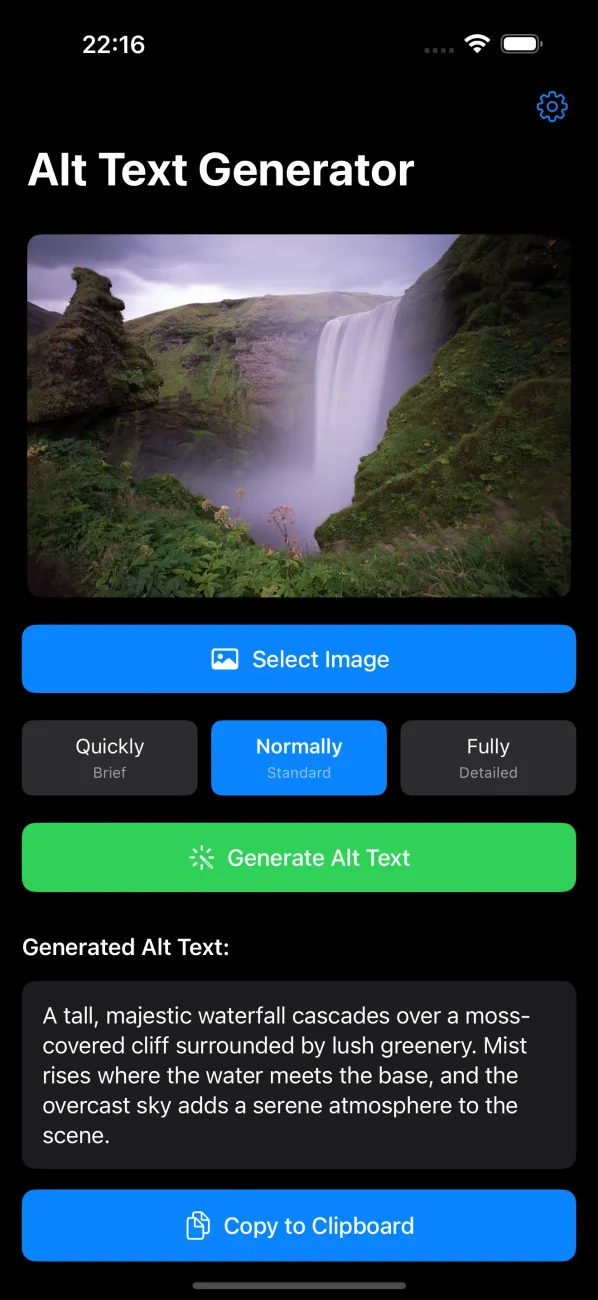
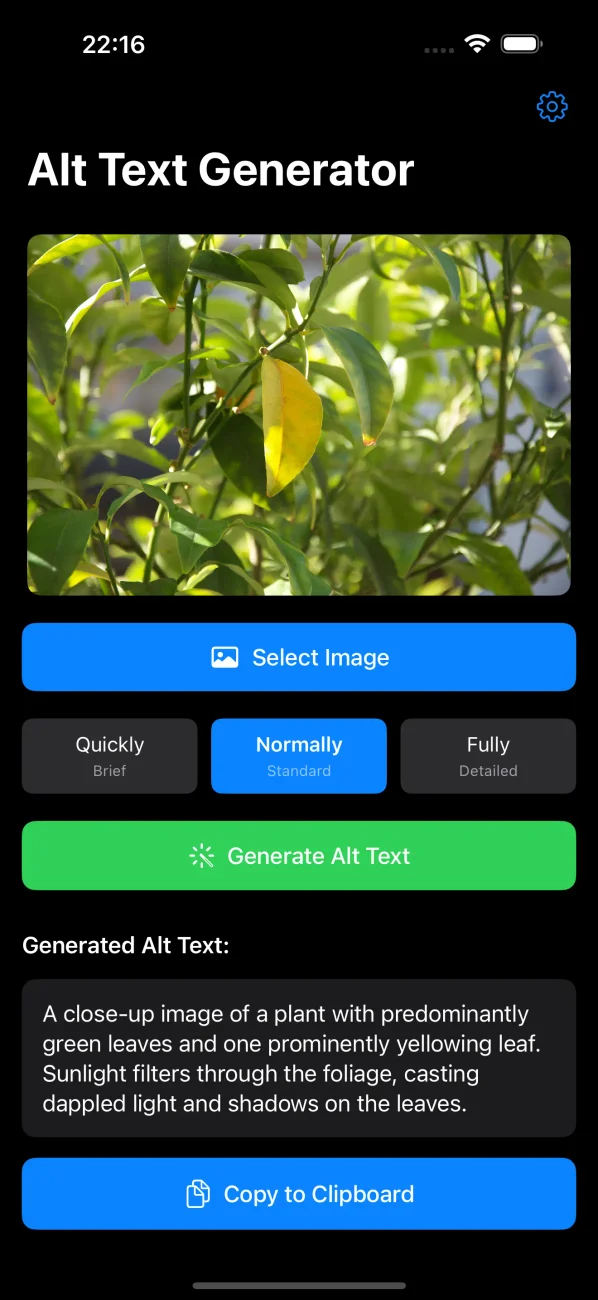
À propos
Le développeur n’a pas fourni ce texte dans votre langue.
Alt Text Generator makes your images accessible to everyone by creating detailed, meaningful descriptions using advanced AI technology. With powerful Shortcuts integration, you can now get descriptions for
any image on your iOS device - from screenshots to social media posts, memes to documents - even when apps don't provide their own descriptions.
Empowering Users with Visual Impairments:
Finally, a tool that describes what's really in those images! Use our Shortcuts integration to:
• Get descriptions for memes and social media images that typically lack alt text
• Understand screenshots from any app on your device
• Describe photos in messaging apps before sharing or receiving
• Access visual content in apps that don't support accessibility
• Create workflows that automatically describe images from any source
Key Features:
• Universal Image Description - Works with any image on your iOS device through Shortcuts
• Powerful Shortcuts Actions - Build automations to describe images from any app or workflow
• Batch Processing - Describe multiple images at once with detailed feedback for each
• Instant AI Descriptions - Powered by OpenAI's GPT-4 Vision for accurate, contextual descriptions
• Three Detail Levels - Choose quick summaries, standard descriptions, or comprehensive details
• VoiceOver Optimized - Every feature designed with screen reader users in mind
• Privacy First - Images processed securely, never stored or logged
Game-Changing Shortcuts Examples:
- Add to Share Sheet to describe any image from any app
- Create a shortcut that describes screenshots automatically
- Build workflows that describe images before sending in messages
- Set up automations to describe downloaded images
- Get descriptions for images in apps without accessibility support
Also Perfect For:
- Content creators ensuring their posts are accessible
- Developers testing accessibility compliance
- Educators creating inclusive materials
- Anyone wanting to understand image content better
How It Works:
1. In-app: Select an image and generate alt text instantly
2. Via Shortcuts: Share any image from any app to get a description
3. Automation: Build workflows that describe images automatically
About the OpenAI API Key:
This app requires your own OpenAI API key to function - think of it as bringing your own AI brain to power the descriptions. Here's why this approach benefits you:
• Cost Control: You only pay for what you use directly through OpenAI (typically pennies per image)
• Privacy Assurance: Your images go directly to OpenAI, not through our servers
• Latest Technology: Access to OpenAI's cutting-edge GPT-4 Vision model
• No Subscription: One-time app purchase, you control your usage costs
• Reliability: Direct connection to OpenAI ensures consistent service
Getting your API key is straightforward - the app includes step-by-step setup instructions that guide you through creating an OpenAI account and generating your key. Most users spend less than $5/month even with heavy usage, and you can set spending limits in your OpenAI account for complete budget control.
Your privacy is fully protected - all image processing happens securely between your device and OpenAI's servers. We never see, store, or log your images or API usage.
Break down visual barriers. Make every image accessible.
Nouveautés
Version 1.2 · 26/08/2025
Added the option to add your own custom addition to the prompt, so you can tailor the tone or content to better fit your style!
Confidentialité de l’application
Ce que Bouncing Ball Games déclare sur l’App Store au sujet du traitement des données par cette application.
-
Données non collectées
Le développeur ne collecte aucune donnée à partir de cette application.
Les pratiques en matière de confidentialité peuvent varier, notamment en fonction des fonctionnalités que vous utilisez ou de votre âge.
Informations
- Vendeur
- Bouncing Ball LTD
- Catégorie
- Utilitaires
- Version
- 1.2
- Mis à jour
- 26/08/2025
- Publié
- 02/07/2025
- Taille
- 7,8 Mo
- Nécessite
- iOS 18.5 ou version ultérieure
- Classification d’âge
- 4+
- Prix
- Gratuit
- Langues
- Anglais
- Copyright
- © Bouncing Ball Limited 2025
Vous aimerez peut-être aussi
-
 Flip Unit: Unit ConverterUtilitaires
-
 ClipmanUtilitaires
-
 NoteTell Money ReaderPour aveugles et malvoyants
-
 LisNavUtilitaires
-
 PhononUtilitaires
-
 CerePlayUtilitaires
-
 VisionAI : assistance visuelleDécrivez votre monde
-
 OOrionVotre assistant visuel
-
 Wolpz - Synthèse Vocale IATransformez l'ouïe en vue
-
 Sm@rtAppVIUtilitaires