
Genba Report AI: Photo PDFs
Work reports from site photos
Conçue pour iPhone, iPad, iPod touch
Gratuit · Achats intégrés
- Classification d’âge4+
- CatégorieÉconomie et entreprise
- DéveloppeurKazuaki Takahashi
- LanguesJaponais
- Taille68,7 Mo
Renvoie vers la page App Store officielle
Download.org n’héberge aucun fichier de Genba Report AI: Photo PDFs. Le bouton ouvre la page de l’application sur App Store, où Kazuaki Takahashi la publie. Fiche vérifiée pour la dernière fois le 23/11/2026.
Captures d’écran


À propos
Le développeur n’a pas fourni ce texte dans votre langue.
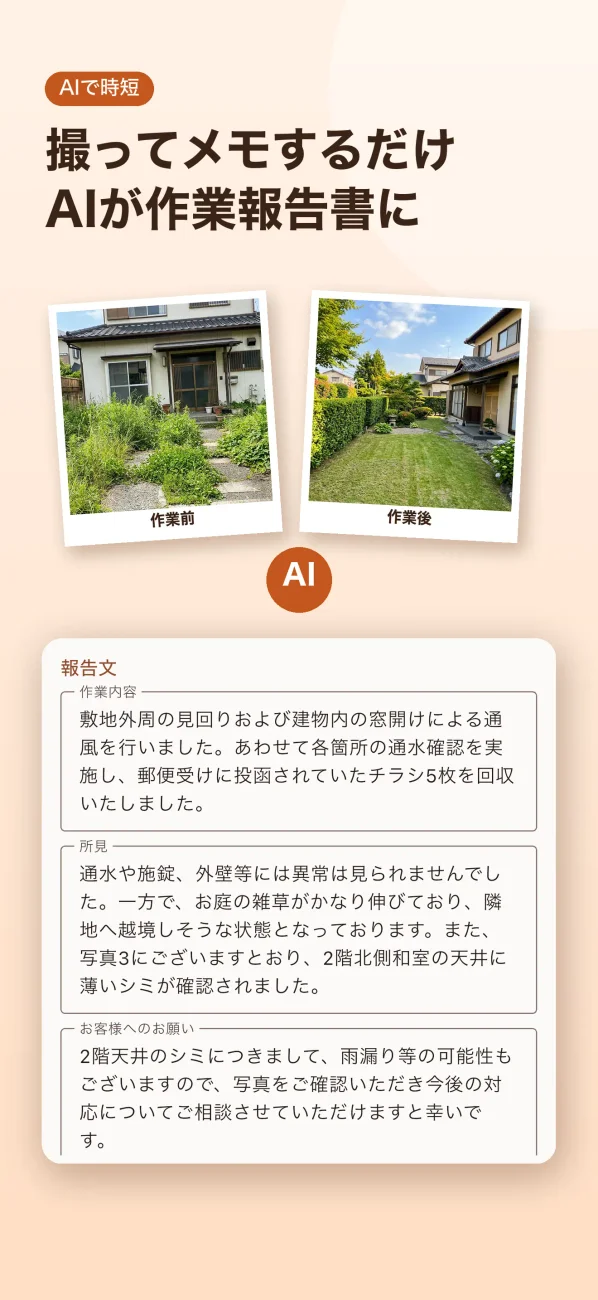
Just take photos and add a quick note. AI writes a work report for your customer and turns it into a PDF with photos that you can deliver on the spot. The app's interface is in Japanese. It is made for sole proprietors and small companies in Japan doing on-site work. Spend the time you used to spend on reports and daily logs on your next job or on rest.
HOW IT WORKS (3 STEPS)
1. Take before and after photos
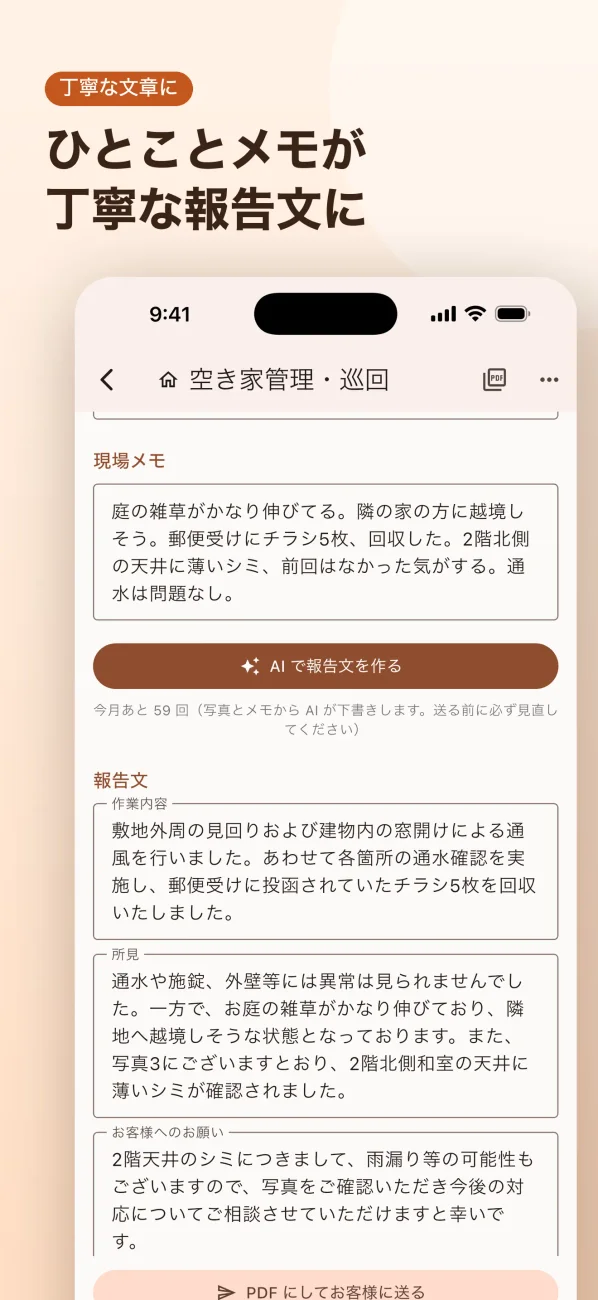
2. Write a short note about what you noticed
3. AI turns it into text and a PDF. Send it as is by email or messaging app
RECOMMENDED FOR
- Sole proprietors and small companies doing on-site work such as pest control, vacant house management, landscaping and mowing, house cleaning, and handyman services
- Anyone who has no time to write reports or daily logs after a job
- Anyone who wants to give customers a proper report with photos
WHAT YOU CAN DO
- Take photos, write a note and tap a button: AI writes polished text for "Work performed", "Findings", "Requests to the customer" and "Suggestions for next time"
- Create a PDF report with before and after photos side by side, and share it right away
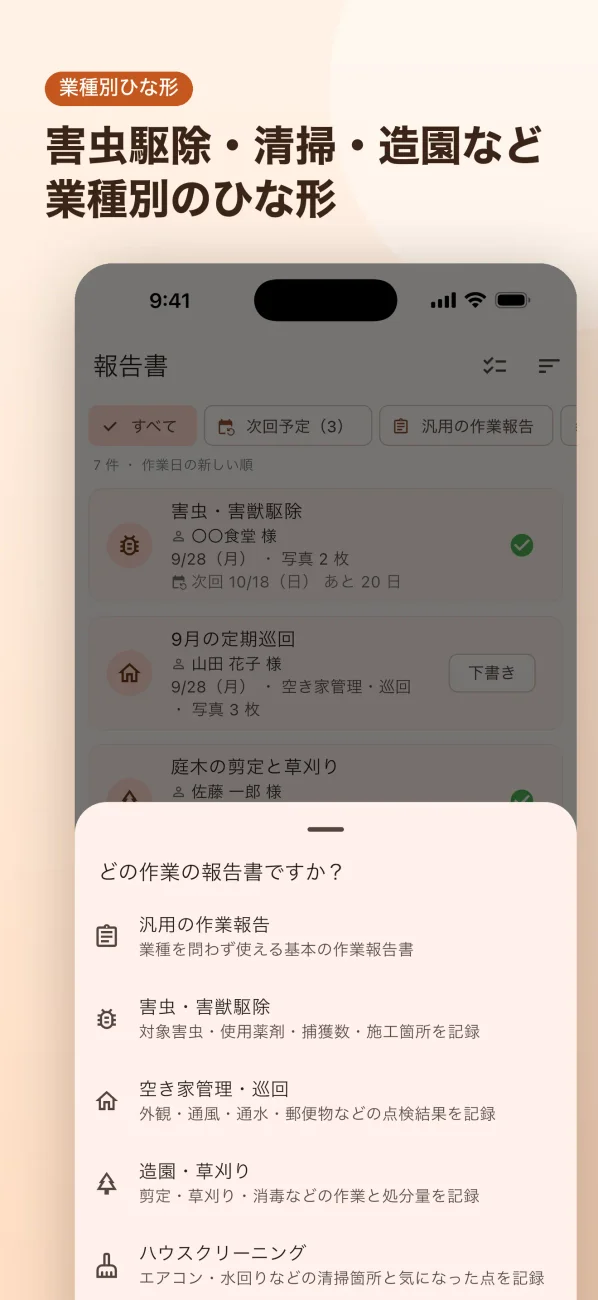
- Templates by trade (general, pest control, vacant house management, landscaping, house cleaning), with fields for checklist items, chemicals used and more
- Add, reorder or hide work menu items for each trade
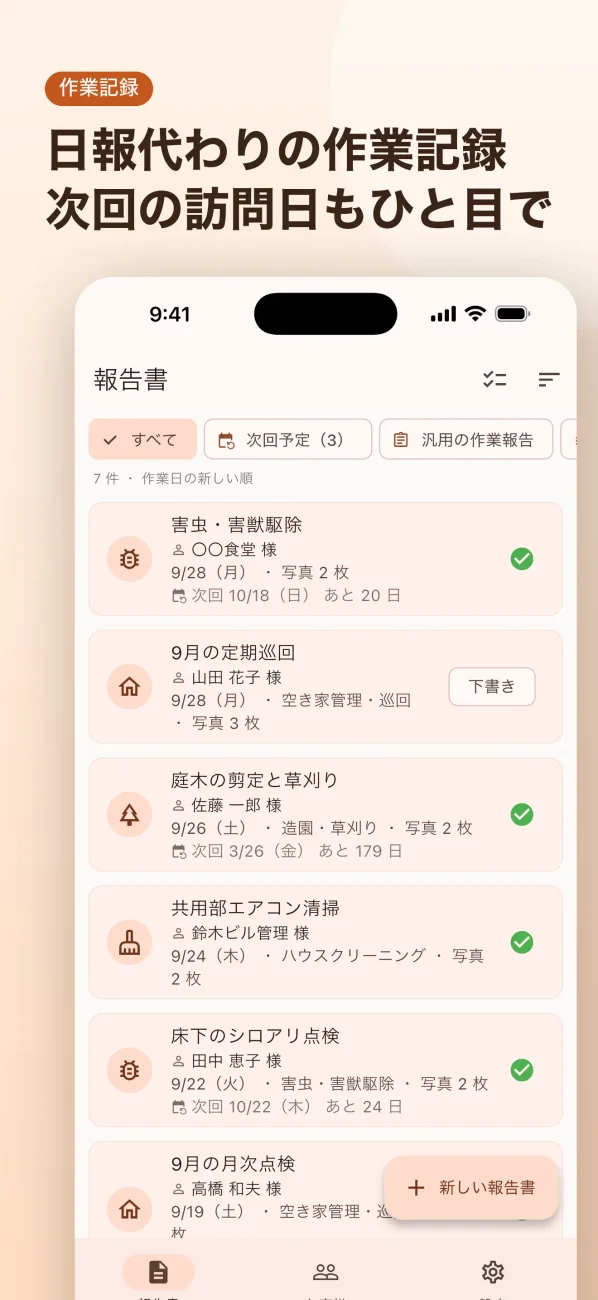
- Manage customers, record the work date, start time and duration, and track the next visit date
- Each job's photos and notes are saved one by one, so they also serve as a daily work log
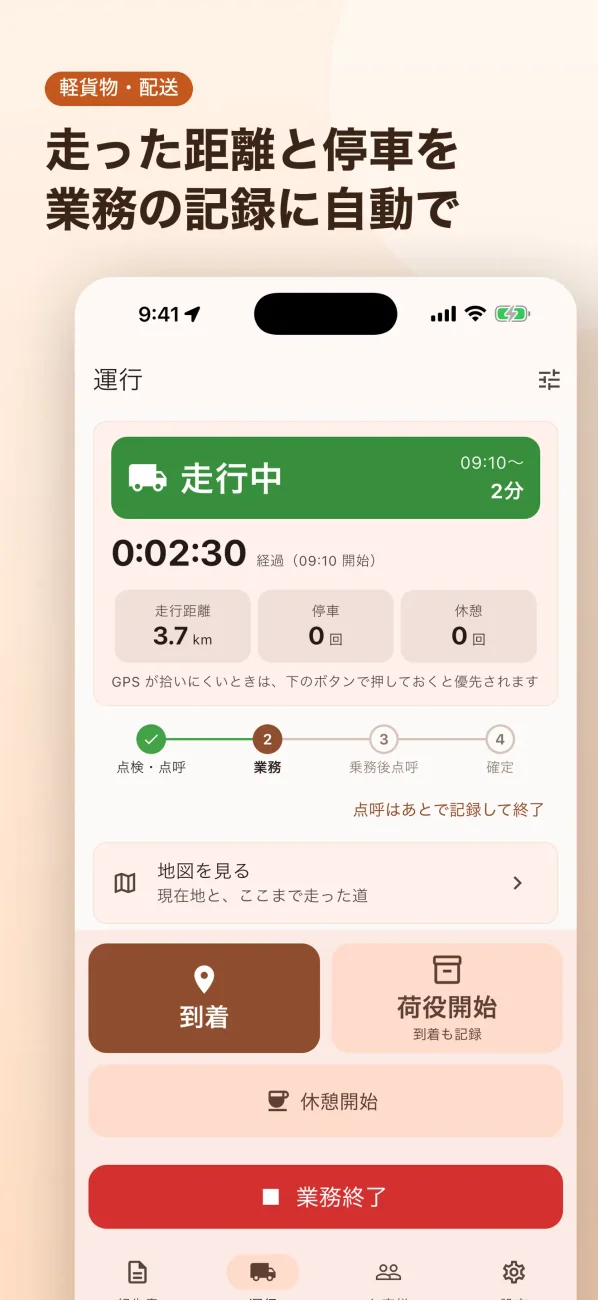
- For light freight and delivery drivers: a Trips tab records your route, stops and breaks automatically, along with roll calls, daily vehicle checks and accident records
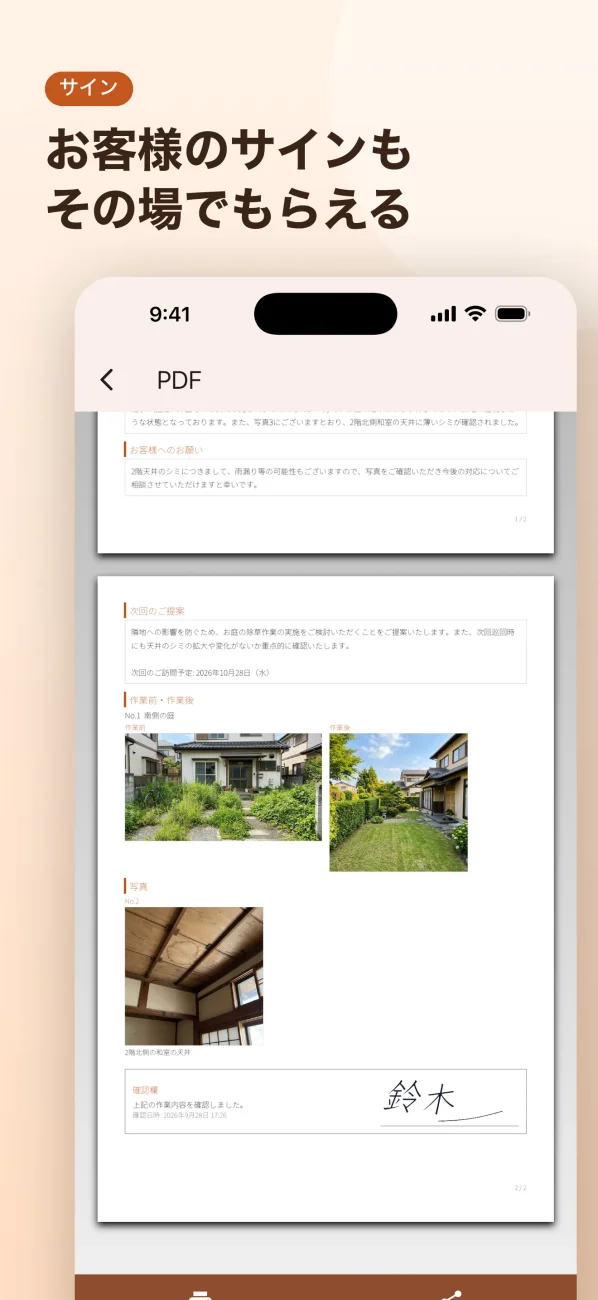
- Get the customer's finger signature on the spot and include it in the PDF
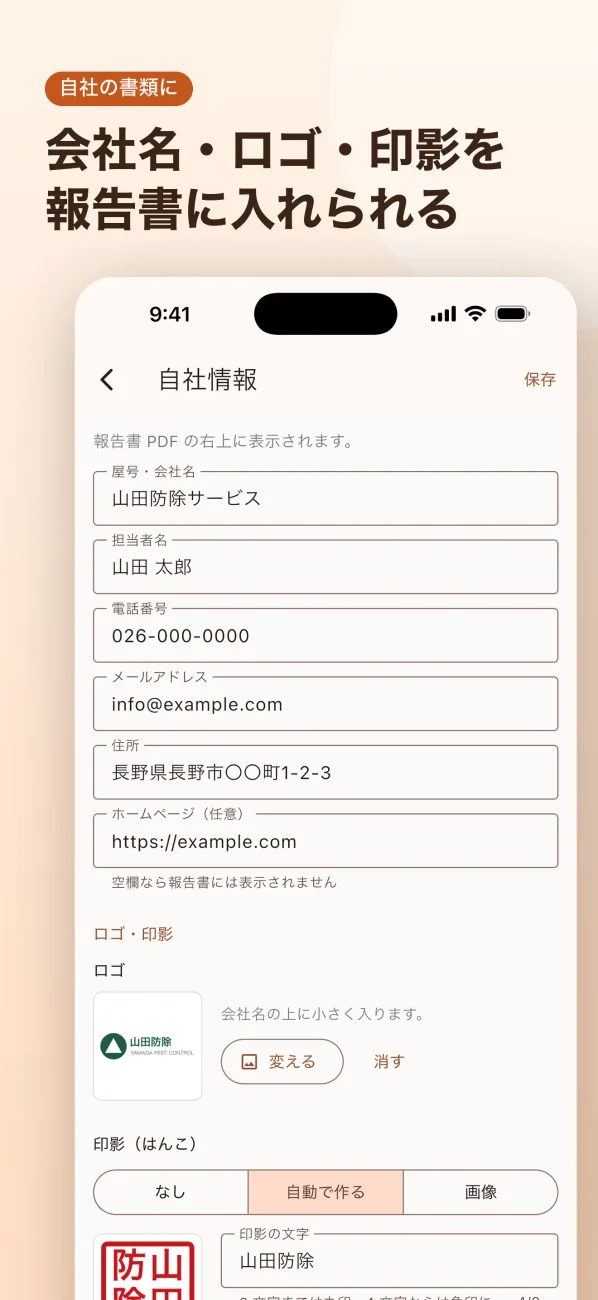
- Add your company logo and seal to the PDF (Pro)
- Data is stored on your device. Create a backup file and restore it when you change phones
PLANS
- Without a subscription: AI report text up to 5 times, up to 3 reports per month, and a label on the PDF
- Pro: unlimited reports, AI up to 60 times per month, no label on the PDF, logo and seal, and theme color changes
- Pro+: everything in Pro, with AI up to 120 times per month
Pro and Pro+ are auto-renewable subscriptions, available as monthly or yearly plans.
PLEASE NOTE
- Text written by AI is a draft. Always check the content before sending it to your customer
- When AI writes text, the notes and photos for that report are sent to an external AI service. Report content and photos are not sent anywhere else
ABOUT AUTO-RENEWABLE SUBSCRIPTIONS
- Payment is charged to your Apple Account when you confirm the purchase
- The subscription renews automatically unless auto-renew is turned off at least 24 hours before the end of the current period
- You can turn off auto-renew in your Apple Account subscription settings
Terms of Use: https://kazutaka.biz/kiyaku/
Privacy Policy: https://kazutaka.biz/privacy/
Nouveautés
Version 1.1.0 · 14/11/2026
- Added support for light freight and delivery work. Choose "Light freight / delivery" as your trade to add a Trips tab that automatically records your route, stops and breaks from the start to the end of each job. Roll calls, daily vehicle checks, accident records and the driver register can also be kept in the app.
- Added a delivery completion report template.
- Backups are now made automatically (saved to iCloud Drive).
- Text is now larger and easier to read, and the app supports dark mode for use in the car at night.
Confidentialité de l’application
Ce que Kazuaki Takahashi déclare sur l’App Store au sujet du traitement des données par cette application.
-
Données n’établissant aucun lien avec vous
Peuvent être collectées, mais ne sont pas liées à votre identité.
- Achats
- Emplacement
- Contenu utilisateur
- Identifiants
- Données d’utilisation
- Diagnostic
Les pratiques en matière de confidentialité peuvent varier, notamment en fonction des fonctionnalités que vous utilisez ou de votre âge.
Informations
- Vendeur
- Kazuaki Takahashi
- Catégorie
- Économie et entreprise
- Version
- 1.1.0
- Mis à jour
- 14/11/2026
- Publié
- 18/10/2026
- Taille
- 68,7 Mo
- Nécessite
- iOS 15.0 ou version ultérieure
- Classification d’âge
- 4+
- Prix
- Gratuit
- Achats intégrés
- Oui
- Langues
- Japonais
- Copyright
- © 2026 Kazuaki Takahashi
Vous aimerez peut-être aussi
-
 さくっと作業報告|写真・音声で現場レポートÉconomie et entreprise
-
 入退去フォト台帳Économie et entreprise
-
 サイトキットProductivité
-
 工事写真台帳|黒板つき撮影・現場写真をPDFにÉconomie et entreprise
-
 施工写真AIProductivité
-
 シンプル現場メモÉconomie et entreprise
-
 DokuAI: DocumentationRapport Chantier Photo & AI
-
 Simple Photo BookPhotos de chantier en PDF
-
 123ReporterÉconomie et entreprise