Applowance
Chores Earn Real Screen Time
Conçue pour iPhone, iPad
Achats intégrés
- Classification d’âge4+
- CatégorieProductivité
- DéveloppeurRamses Works LLC
- LanguesAnglais
- Taille34,0 Mo
Applowance n’est peut-être pas disponible sur App Store pour le moment
La fiche de la boutique était inaccessible lors de notre dernière vérification. Le lien mène toujours à la page App Store officielle.
Captures d’écran



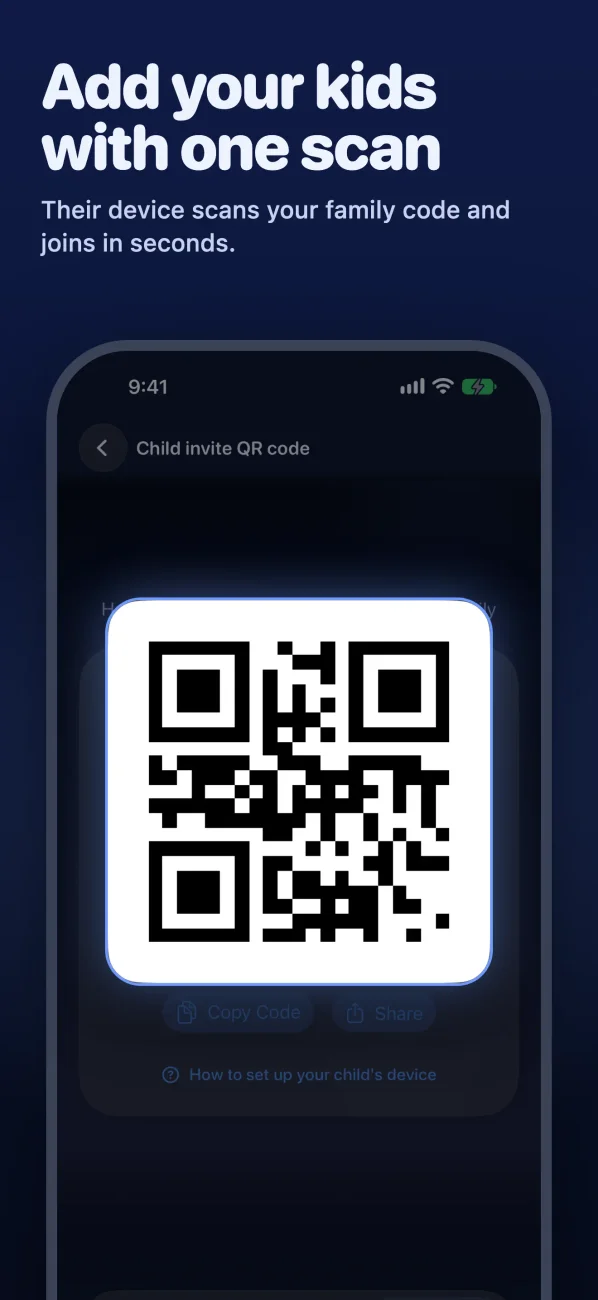


À propos
Le développeur n’a pas fourni ce texte dans votre langue.
Applowance turns chores into screen time your children earn.
Parents create chores, children complete them, and the apps unlock —
automatically. When the earned minutes run out, the apps lock again.
Real iOS app blocking, not just a friendly reminder.
THE APPLOWANCE PROMISE
Every Screen Time feature is free for every child on your plan: real app
blocking, scheduled blocking, multiple blocking profiles and timed
sessions are never paid features. The free plan covers one parent and up
to two children, with the chore-to-screen-time loop, cross-device sync
and push notifications included. Premium adds family seats and extras —
never Screen Time controls.
HOW IT WORKS
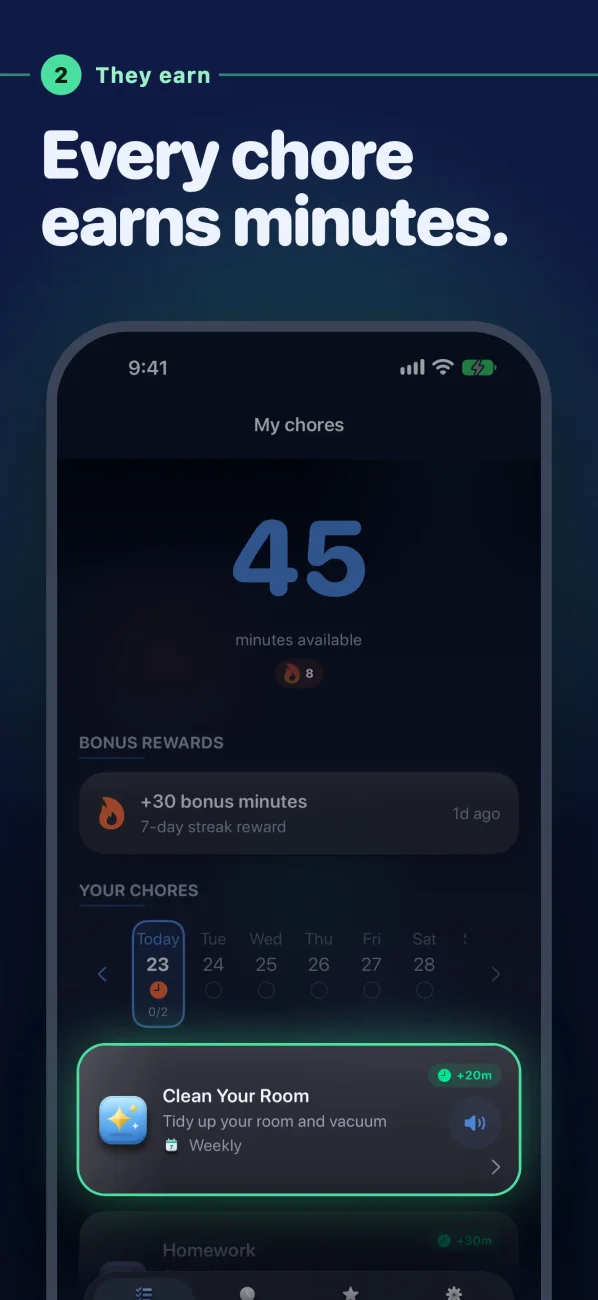
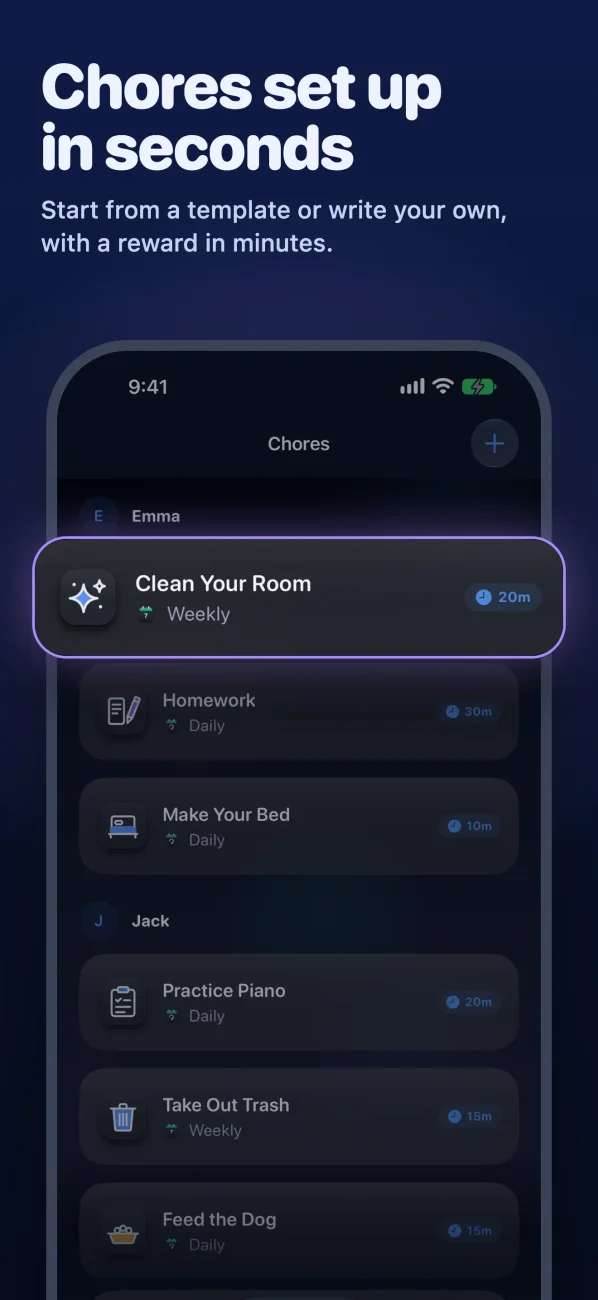
1. Parent creates a chore like "Make bed" and sets a screen time reward
in minutes.
2. A child marks it done on their device. The parent gets a push
notification — approve or deny right from the lock screen.
3. Approved minutes are added to the child's balance. Apps unlock for the
length of the session. When time runs out, everything locks again.
Automatically.
WHAT YOU GET FOR FREE
- Up to 2 children, 1 parent account
- Unlimited chores (one-time, daily, or weekly)
- Real app blocking via iOS Screen Time APIs
- Scheduled blocking and multiple blocking profiles
- Timed screen time sessions with a visual countdown
- Child notifications at 10, 5 and 1 minute remaining when the session is long enough
- Optional parent alerts when a child starts or ends a session
- Cross-device sync across the whole family
- Push notification approvals with Approve / Deny actions
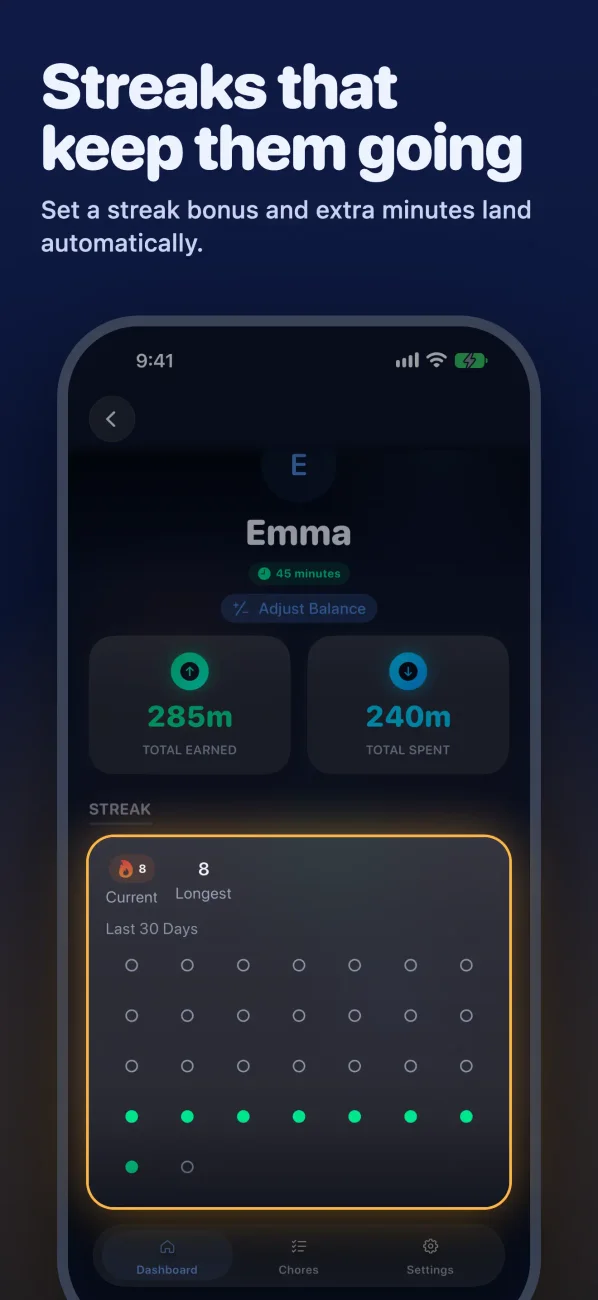
- Chore streaks, bonus time, and age-appropriate templates
- Weekly summaries and usage reports
- Branded App Locked screen on blocked apps and websites
- Per-child PIN for shared devices
WHAT PREMIUM ADDS
Optional, for families who want more. Premium is $4.99/month or
$49.99/year with a 14-day free trial; Lifetime is a one-time $99.99
purchase with the same features and no recurring charge. Both support
Apple Family Sharing.
- Unlimited children and unlimited parent or caregiver accounts
- Custom rewards and a reward store your children redeem from
- Allowance tracking alongside earned screen time
- A family activity log of every approval, session, and redemption
- A chore calendar to review each child's chores by day and record ones done on earlier days
PRIVACY YOU CAN VERIFY
- No advertising. No data sales. No tracking.
- New first-party diagnostics require a signed-in parent with current
consent; child and Demo sessions create none. Earlier beta reports may
upload later; see the privacy policy for retention and deletion limits.
- Children join anonymously — no email, no password, no profile photos.
- Designed with COPPA in mind. Read the full privacy policy at
applowance.app/privacy.
DEVICE REQUIREMENTS
Requires iOS 18.0 or later on iPhone or iPad. Real app blocking uses
iOS Screen Time APIs. Blocking depends on Screen Time access remaining
enabled and iOS monitoring; a child may revoke access or delete Applowance.
QUESTIONS? Visit applowance.app or contact us at
support@applowance.app.
Terms of Use (EULA): https://www.apple.com/legal/internet-services/itunes/dev/stdeula/
Nouveautés
Version 1.1.1 · 24/11/2026
• Children get a heads-up when 10, 5 and 1 minute remain in a screen time session. Shorter sessions use the warnings that fit.
• Parents can get a notification when a child starts or ends a session. Each parent can manage Session alerts in Settings.
• Blocked apps and websites now show the Applowance icon and a Got it button.
Confidentialité de l’application
Ce que Ramses Works LLC déclare sur l’App Store au sujet du traitement des données par cette application.
-
Données établissant un lien avec vous
Peuvent être collectées et liées à votre identité.
- Achats
- Coordonnées
- Contenu utilisateur
- Identifiants
- Données d’utilisation
- Diagnostic
-
Données n’établissant aucun lien avec vous
Peuvent être collectées, mais ne sont pas liées à votre identité.
- Autres données
Les pratiques en matière de confidentialité peuvent varier, notamment en fonction des fonctionnalités que vous utilisez ou de votre âge.
Informations
- Vendeur
- Ramses Works LLC
- Catégorie
- Productivité
- Version
- 1.1.1
- Mis à jour
- 24/11/2026
- Publié
- 10/10/2026
- Taille
- 34,0 Mo
- Nécessite
- iOS 18.0 ou version ultérieure
- Classification d’âge
- 4+
- Achats intégrés
- Oui
- Langues
- Anglais
- Copyright
- © 2026 Ramses Works LLC
Vous aimerez peut-être aussi
-
 Photo to PDF: Compress & MergeProductivité
-
 梳理: 一键理清乱糟糟的计划、重新排版Productivité
-
 Flari: Contrôle Temps d'ÉcranFocus & Bloqueur d'Apps IA
-
 ChoreScroll: Chores & RewardsProductivité
-
 ONIT - Pro ScoutingProductivité
-
 TimeGuide - Daily PlannerProductivité
-
 Merite : Temps d'écran méritéTâches accomplies, temps gagné
-
 Plantri: Time Block PlannerProductivité
-
 Trash Panda CleanupProductivité
-
 NimbalystProductivité