- Classification d’âge4+
- CatégorieProductivité
- DéveloppeurFUJIFILM Corporation
- LanguesAnglais+ 2 de plus
- Taille228,4 Mo
Renvoie vers la page App Store officielle
Download.org n’héberge aucun fichier de AR Projection Simulator. Le bouton ouvre la page de l’application sur App Store, où FUJIFILM Corporation la publie. Fiche vérifiée pour la dernière fois le 16/11/2026.
Captures d’écran

À propos
Le développeur n’a pas fourni ce texte dans votre langue.
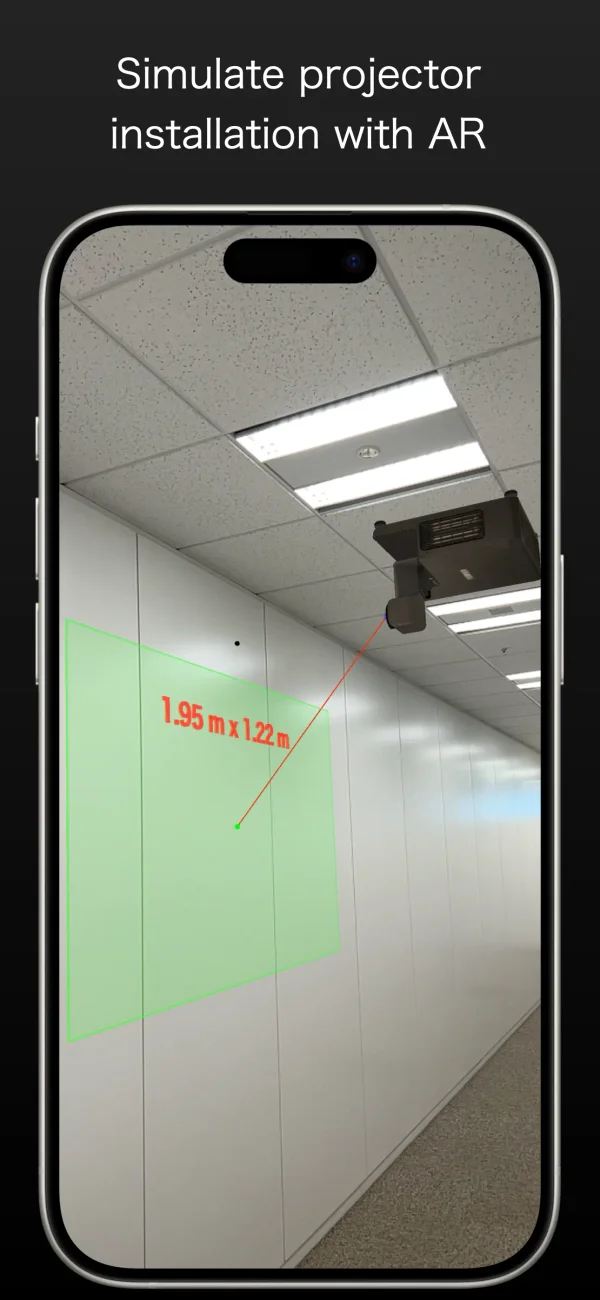
AR Projection Simulator is an app that allows you to simulate the installation of a projector using AR.
You can visualize the relationship between the projector installation position and the projection size, and explore the possibilities of spatial effects created by Z-projectors.
It can be used for preliminary design and creating proposal images for customers.
【Features】
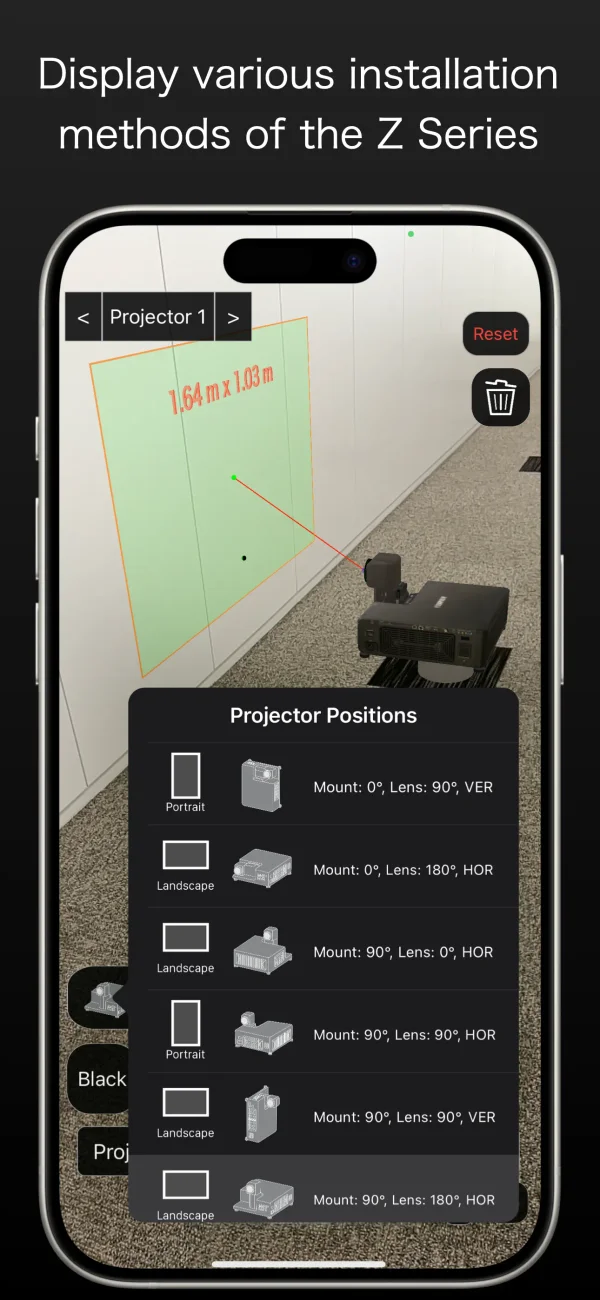
1. Reproduces the various installation methods that are the greatest feature of the Z Series.
You can simply select from a list to display the abundant installation methods achieved through two-axial rotatable lens and vertical/horizontal installation.
2. Easily simulate the demo of overhead installation, which is hard to do with actual equipment.
You can easily visualize the hanging height required to obtain the desired projection size. It also allows simulation of the height of overhead mounting brackets or stands.
3. Compare various projectors and installation positions/projection ranges.
By entering the specifications, you can register and simulate various models.
【Supported OS】
iOS 16.6 or later
iPadOS 16.6 or later
【Supported Devices】
iPhone SE (2nd generation), iPhone 8 or later
iPad Pro 12.9-inch (1st generation) or later
iPad Pro 11-inch (1st generation) or later
iPad Pro 10.5-inch
iPad Pro 9.7-inch
iPad (5th generation) or later
iPad mini (5th generation) or later
iPad Air (3rd generation) or later
For simulations in environments with less features, such as plain walls, we recommend using a device with LiDAR.
【Notes】
This simulator is a convenient tool for estimation only. It is not intended to provide exact measurements.
There may be a few % differences from the actual measurements.
Depending on the pose of the projector, shadows may occur due to the main unit being between the lens and the screen. For details, please check the projection simulator on our official website.
https://optics.fujifilm.com/projector/simulator/
Nouveautés
Version 1.0.2 · 08/05/2024
・Fixed display of Simplified Chinese.
・Fixed an issue with the display of certain UI elements.
Confidentialité de l’application
Ce que FUJIFILM Corporation déclare sur l’App Store au sujet du traitement des données par cette application.
-
Données non collectées
Le développeur ne collecte aucune donnée à partir de cette application.
Les pratiques en matière de confidentialité peuvent varier, notamment en fonction des fonctionnalités que vous utilisez ou de votre âge.
Informations
- Vendeur
- FUJIFILM Corporation
- Catégorie
- Productivité
- Version
- 1.0.2
- Mis à jour
- 08/05/2024
- Publié
- 07/05/2024
- Taille
- 228,4 Mo
- Nécessite
- iOS 16.6 ou version ultérieure
- Classification d’âge
- 4+
- Prix
- Gratuit
- Langues
- Anglais, Japonais, Chinois simplifié
- Copyright
- © FUJIFILM Corporation