
- Classification d’âge4+
- CatégorieMusique
- Développeursang hoon lee
- LanguesCoréen+ 2 de plus
- Taille15,4 Mo
Renvoie vers la page App Store officielle
Download.org n’héberge aucun fichier de ARC Score. Le bouton ouvre la page de l’application sur App Store, où sang hoon lee la publie. Fiche vérifiée pour la dernière fois le 22/11/2026.
Captures d’écran
À propos
Le développeur n’a pas fourni ce texte dans votre langue.
ARC Score is a sheet music app for editing printed notation, adding annotations, and reading scores while you play.
Edit with Apple Pencil on iPad or your finger on iPhone. On iPhone, use one finger to write, erase, and select, and two fingers to pan and zoom.
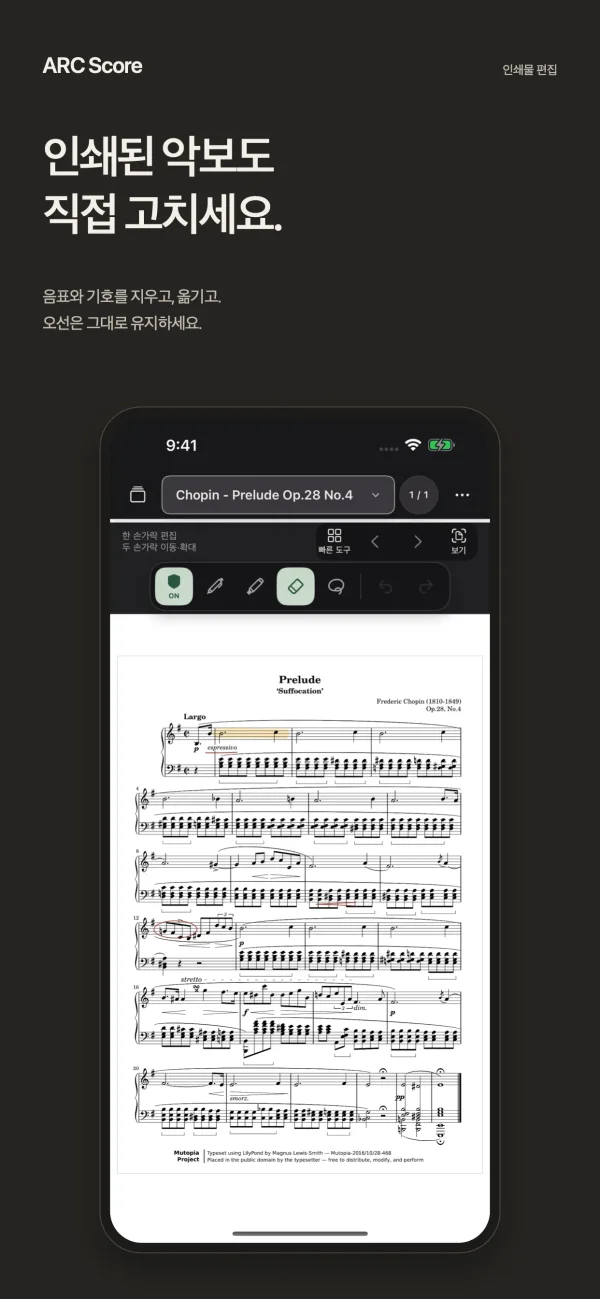
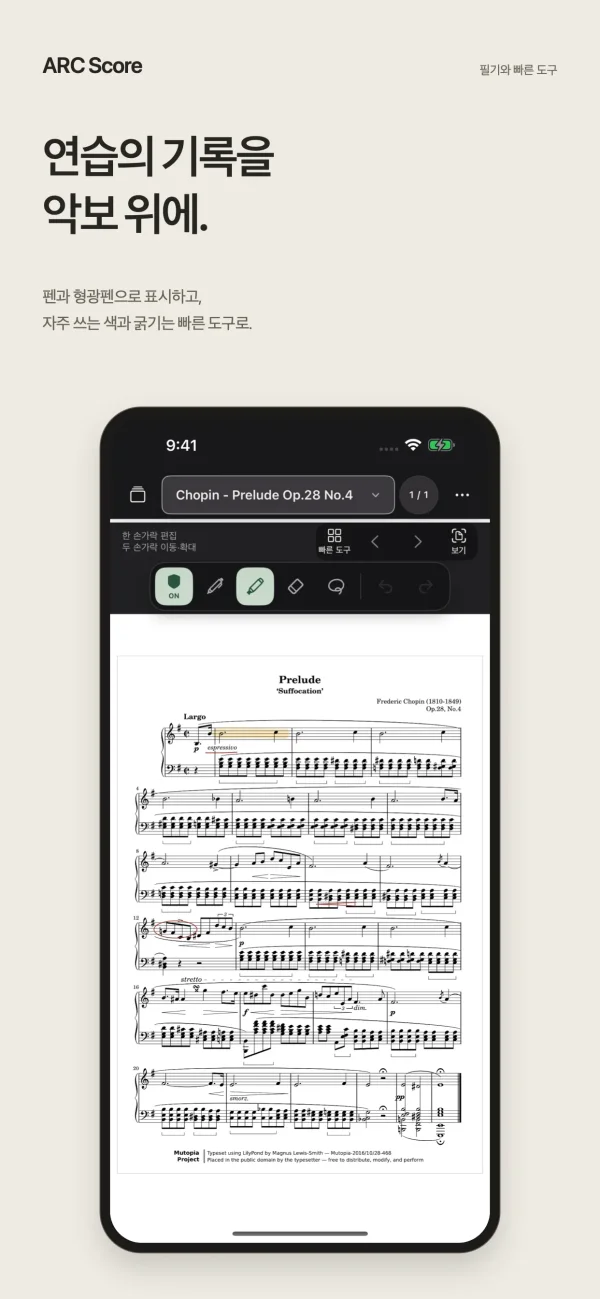
Import PDF or image scores, or create a score from blank staff paper. Turn on printed-content editing to erase or move printed markings while preserving staff lines. Annotate with the pen and highlighter, and save your favorite colors and widths as quick tools.
Write notes and rests on the staff of a new or imported score with Music Pen. Recognized handwriting becomes printed notation based on where you wrote it. Add dots or flags to revise it, or use Undo to return to the original handwriting. This does not automatically transcribe an entire existing score. Recognition results depend on handwriting and score quality.
Key features
• Import PDF and image scores
• Staff-paper templates with or without a title area
• Save personal PDFs as templates: repeat one selected page or use the complete PDF
• Edit printed content while preserving staff lines
• Convert handwritten notes and rests with Music Pen
• Ordinary pen, highlighter, eraser, freeform and rectangular selection
• Undo and Redo
• Folders and setlists
• Add, duplicate, reorder, and delete pages
• Portrait, landscape, and two-page reading
• Automatic saving and work recovery
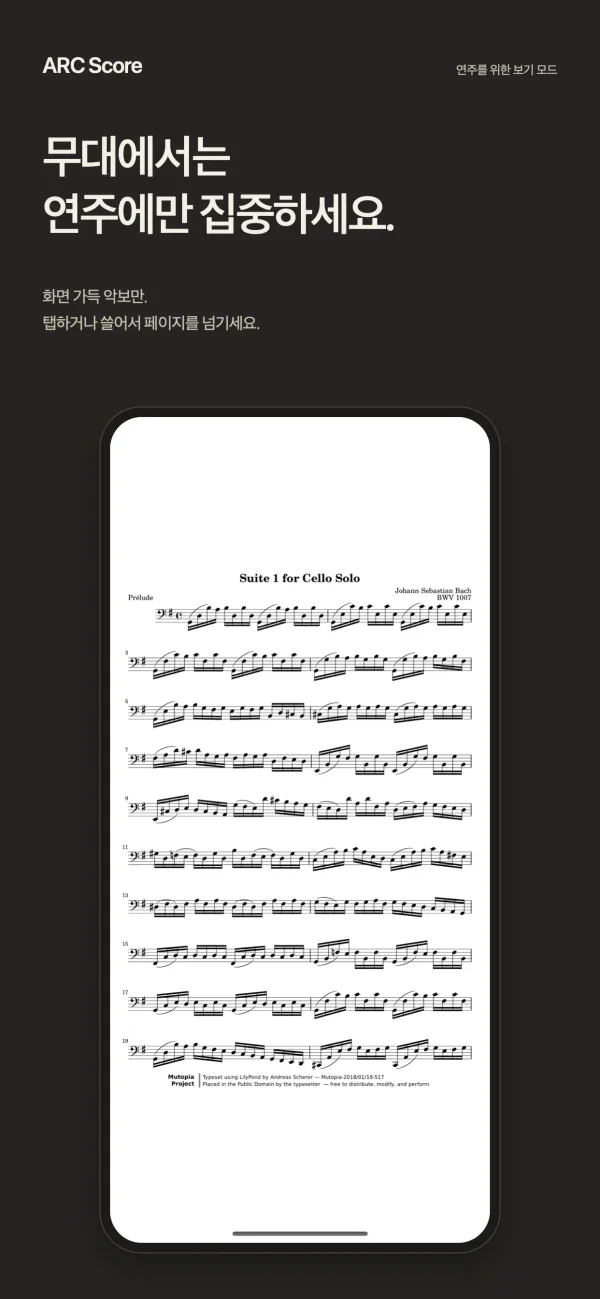
Hide the tools in reading mode while keeping system information such as the time and battery visible. Tap or swipe to turn pages, and use performance lock to reduce unintended actions.
ARC Score supports Korean, English, and Japanese. Open App Language in settings to change the language in system settings. Printed-content editing and staff detection work best with clear PDFs and images. Results may vary with low-resolution scans and photographs.
Access plans
Keep up to five library scores for free, with viewing, ordinary annotations, basic management, saving, and export. A multi-page score counts as one library item. Tutorial scores do not count toward the free limit. No ARC Score account or login is required.
Monthly and lifetime access provide the same current benefits: printed-content editing, Music Pen, and unlimited library scores. Prices vary by country or region. Check the price and terms shown in the app and Apple's purchase confirmation before buying.
Monthly access is an auto-renewable subscription. Eligible subscribers receive a 14-day free trial, followed by the monthly charge unless cancelled. To avoid renewal, cancel in your Apple Account subscription settings at least 24 hours before the next billing date. Lifetime access is a one-time purchase with no automatic renewal. Buying lifetime access does not automatically cancel an existing monthly subscription.
After a trial or subscription ends, existing scores and edits remain available for viewing, ordinary annotations, saving, and export. Scores above the free limit are retained. In free access, you can add a new score only when fewer than five library scores are stored. New printed-content editing and Music Pen use require active access. Use Restore Purchases to verify an existing purchase.
Privacy Policy: https://arc-score-support.jzrtcmkrj4.chatgpt.site/privacy
Terms of Use (Apple Standard EULA): https://www.apple.com/legal/internet-services/itunes/dev/stdeula/
Nouveautés
Version 1.2.24 · 15/11/2026
• In View Mode, each song shows the page you are on and its page count, such as "2/3", where it never covers the music. On iPad it sits at the very top of the screen, above each page in two-page view.
• Pen Settings has a new Steady Handwriting slider. Turn it up to calm the shake in your lines when you lift the pen. It starts off.
• Detect Staves now finds staves with wide line spacing or on enlarged pages, and no longer takes a colored pen line across a staff for a staff line. This applies to scores you import or detect again.
• Scores with many erased printed pages save quickly.
• "Add to Quick Tools" in Pen Settings adds the pen in use in one tap.
• The Settings screen is simpler and slides up smoothly.
Confidentialité de l’application
Ce que sang hoon lee déclare sur l’App Store au sujet du traitement des données par cette application.
-
Données non collectées
Le développeur ne collecte aucune donnée à partir de cette application.
Les pratiques en matière de confidentialité peuvent varier, notamment en fonction des fonctionnalités que vous utilisez ou de votre âge.
Informations
- Vendeur
- sang hoon lee
- Catégorie
- Musique
- Version
- 1.2.24
- Mis à jour
- 15/11/2026
- Publié
- 06/08/2026
- Taille
- 15,4 Mo
- Nécessite
- iOS 18.0 ou version ultérieure
- Classification d’âge
- 4+
- Prix
- Gratuit
- Achats intégrés
- Oui
- Langues
- Coréen, Anglais, Japonais
- Copyright
- © ARC Score
Vous aimerez peut-être aussi
-
 OpenScore – Partitions PDFTourne-page & journal d’étude
-
 Ultimate Drum TuneMusique
-
 BluePick: Metronome & TunerMusique
-
 Band Session NoteMusique
-
 Realbook MasterMusique
-
 JAMIT - Your Part, Our JamMusique
-
 ttuner: Accordeur & MétronomeFlotte sur votre partition
-
 Sheet Me - 악보제작,뷰어Musique
-
 TEMPO DailyDrum: MétronomePratique, morceaux et scène
-
 콘티연습실Musique