
- Classification d’âge4+
- CatégorieUtilitaires
- DéveloppeurBrandon Davis
- LanguesAnglais
- Taille6,1 Mo
Renvoie vers la page App Store officielle
Download.org n’héberge aucun fichier de ArchMM. Le bouton ouvre la page de l’application sur App Store, où Brandon Davis la publie. Fiche vérifiée pour la dernière fois le 20/11/2026.
Captures d’écran


À propos
Le développeur n’a pas fourni ce texte dans votre langue.
Scale, measure, and calculate with ArchMM.
A practical calculator for designers, model makers, builders, architects, and students—built around feet, inches, fractions, and architectural scale.
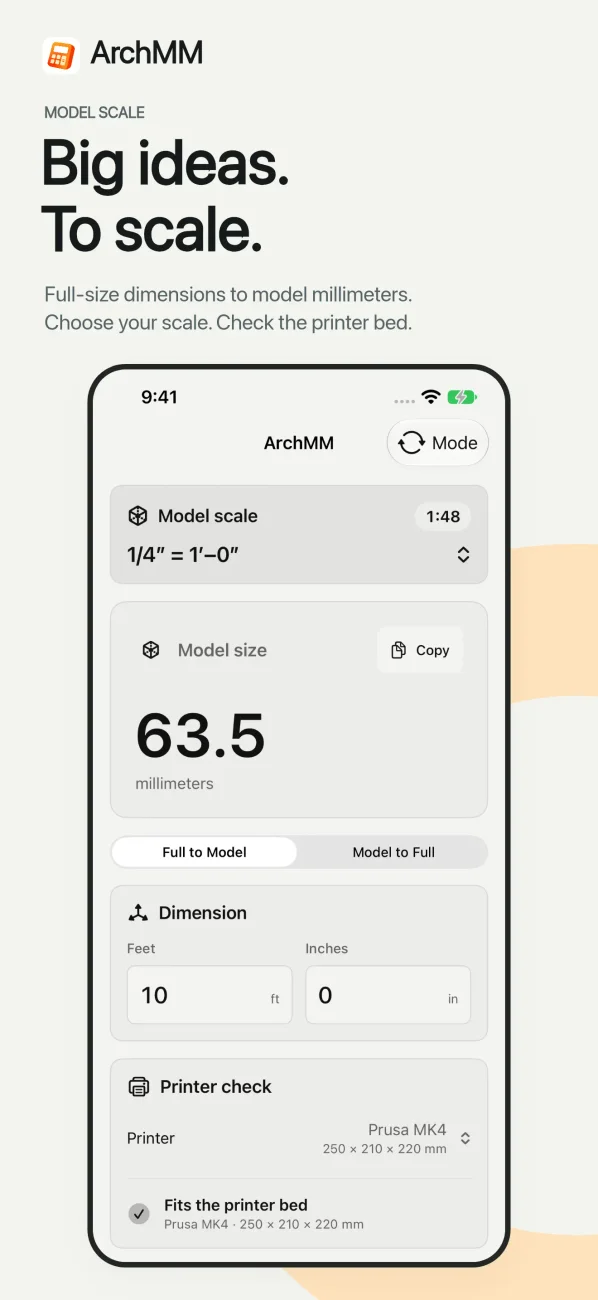
MODEL SCALE
Convert full-size feet and inches to model millimeters for 3D printing and model making, or work backward from a model measurement. Choose 1:1 or common architectural scales and compare the converted length with a printer-bed preset.
CARPENTER CALCULATOR
Use dedicated number, unit, fraction, and arithmetic buttons. Add and subtract dimensions, multiply lengths into area or volume, recall memory, and revisit recent calculations. The next number after equals starts a new calculation.
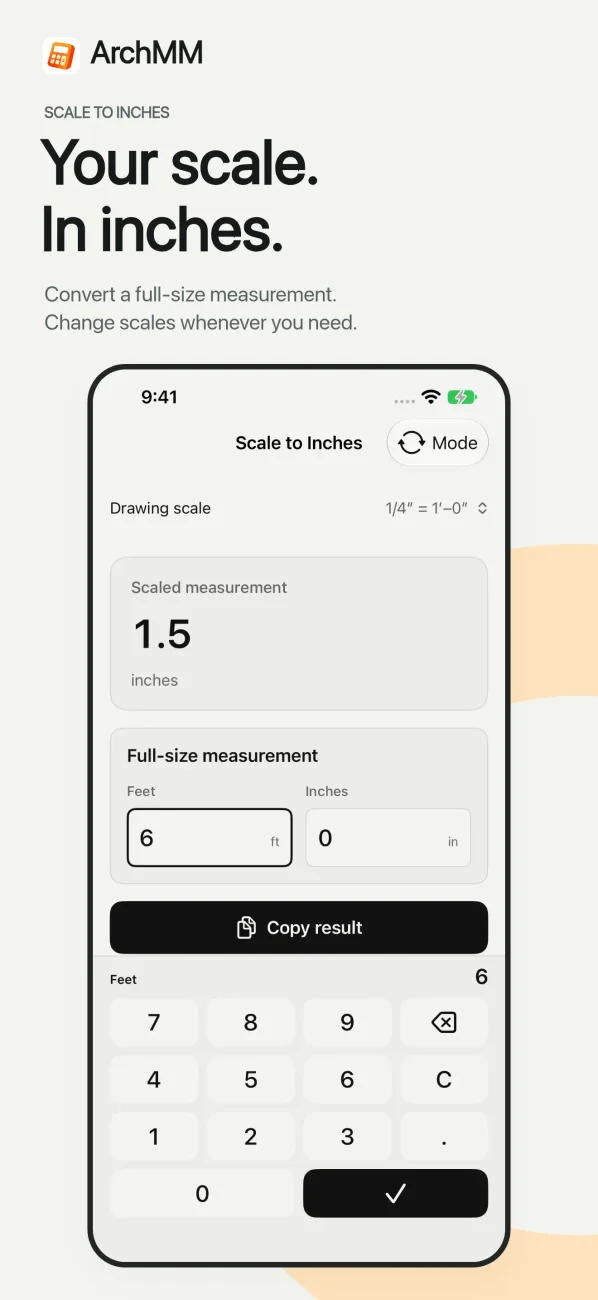
SCALE TO INCHES
Enter a full-size measurement and get its scaled size in inches. Change the drawing scale at any time.
PROJECT TOOLS
Calculate board feet, explore a stair layout, and work out common-rafter geometry. Each tool explains its assumptions. These are geometry estimates, not structural design or code-compliance approval.
MADE FOR EVERYDAY WORK
• Copy results for your next task
• Light, Dark, and System appearance
• On-device calculations with no account, ads, analytics, or tracking
• No internet connection needed for calculations
Printer checks compare one converted length with the bed dimensions. Confirm the complete part geometry, orientation, and clearances in your slicer.
Nouveautés
Version 1.1.0 · 12/10/2026
ArchMM now brings three calculators into one focused workspace.
• New Carpenter calculator with feet, inches, fractions, arithmetic, memory, and recent calculations.
• New Scale to Inches mode with changeable architectural scales.
• New Board Feet, Stair Layout, and Common Rafter project tools.
• A more prominent Model scale control for 3D-printing conversions.
• Updated app-family design and icon.
• Updated website, support, and privacy links.
Confidentialité de l’application
Ce que Brandon Davis déclare sur l’App Store au sujet du traitement des données par cette application.
-
Données non collectées
Le développeur ne collecte aucune donnée à partir de cette application.
Les pratiques en matière de confidentialité peuvent varier, notamment en fonction des fonctionnalités que vous utilisez ou de votre âge.
Informations
- Vendeur
- Brandon Davis
- Catégorie
- Utilitaires
- Version
- 1.1.0
- Mis à jour
- 12/10/2026
- Publié
- 05/08/2026
- Taille
- 6,1 Mo
- Nécessite
- iOS 18.0 ou version ultérieure
- Classification d’âge
- 4+
- Prix
- Gratuit
- Langues
- Anglais
- Copyright
- © 2026 Brandon PT Davis
Vous aimerez peut-être aussi
-
 ArchelleConvertisseur d’échelles
-
 Model Scale CalculatorUtilitaires
-
 Scale Ruler - Pocket RulerTriangular Scale & Ruler
-
 Scale Calculator EasyUtilitaires
-
 Fjernbetjening – TélécommandeContrôlez votre Smart TV
-
 millimeters feet converterUtilitaires
-
 iRFR - BTSUtilitaires
-
 MyETC: PhotometricsUtilitaires
-
 Spatially - 3D Video MakerUtilitaires
-
 Offline Vietnamese TranslatorUtilitaires