
- Classification d’âge+4
- CatégorieProductivité
- DéveloppeurKrishna Sathvik Mantripragada
- LanguesAnglais
- Taille3,5 Mo
Renvoie vers la page App Store officielle
Download.org n’héberge aucun fichier de As Told. Le bouton ouvre la page de l’application sur App Store, où Krishna Sathvik Mantripragada la publie. Fiche vérifiée pour la dernière fois le 17/11/2026.
Captures d’écran


À propos
Le développeur n’a pas fourni ce texte dans votre langue.
Write it. Say it. Keep it.
As Told is a quiet, private writing space for anything you want to put into words.
Capture a passing thought. Write a note. Work through an idea. Draft something longer. Make a plan. Build a list. Or tap the microphone and simply say what's on your mind. Typing and speaking belong on the same page, so you never have to decide what kind of note you're creating first.
WRITE NATURALLY
A clean page, a title if you want one, and a small writing toolbar just above the keyboard. No block picker, no formatting ribbon, no setup. Give a thought as much structure as it needs and no more.
SAY IT INSTEAD
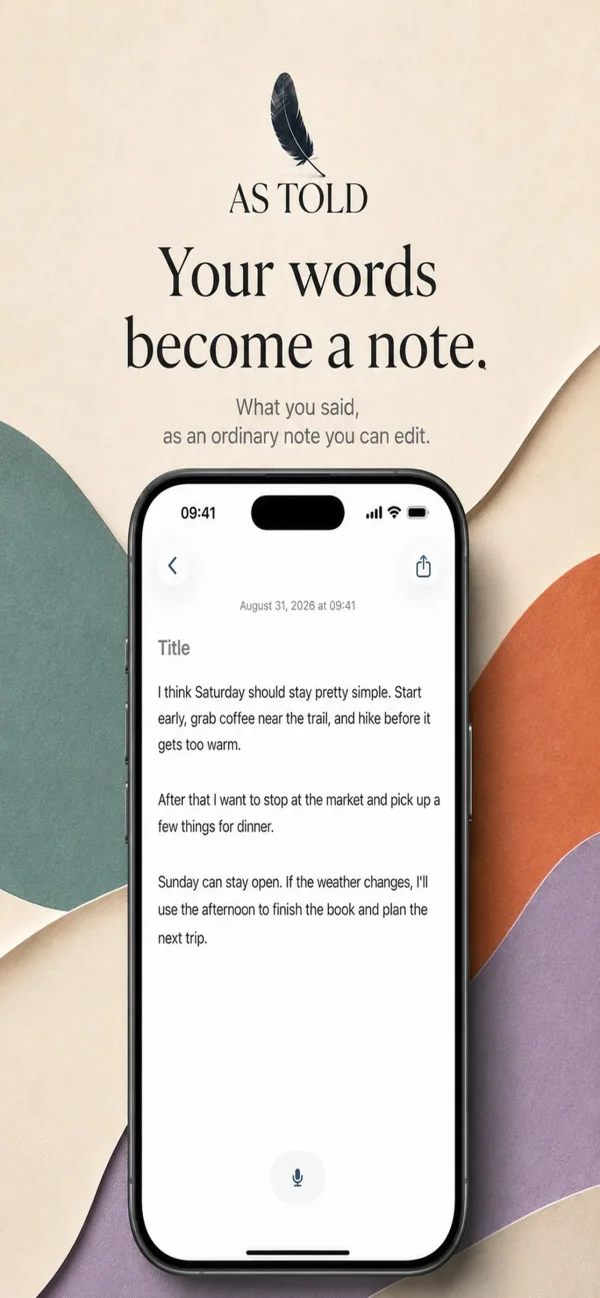
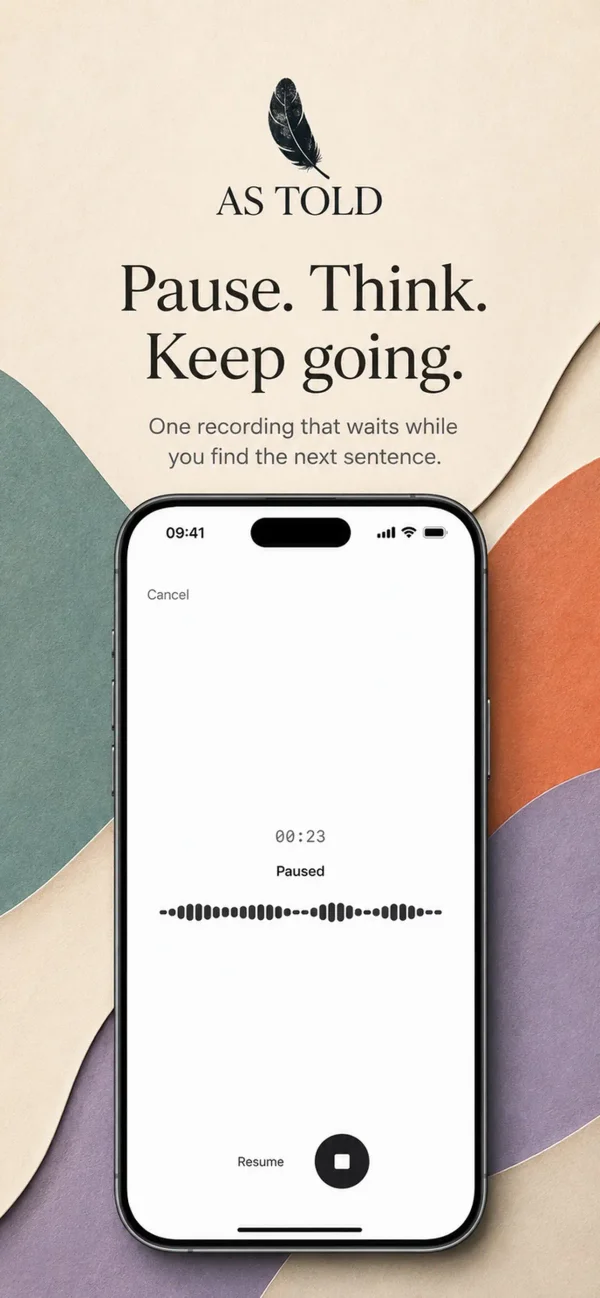
The microphone sits beside the new-note button on Home. Tap it and As Told is already listening — there is no note to create first. Pause when you need a moment and pick the same recording back up. When your words come back, they become an ordinary note like any other: no separate voice inbox, no transcript screen to visit. Speaking inside a note works the same way, and the words land at your cursor.
MAKE IT WHATEVER YOU NEED
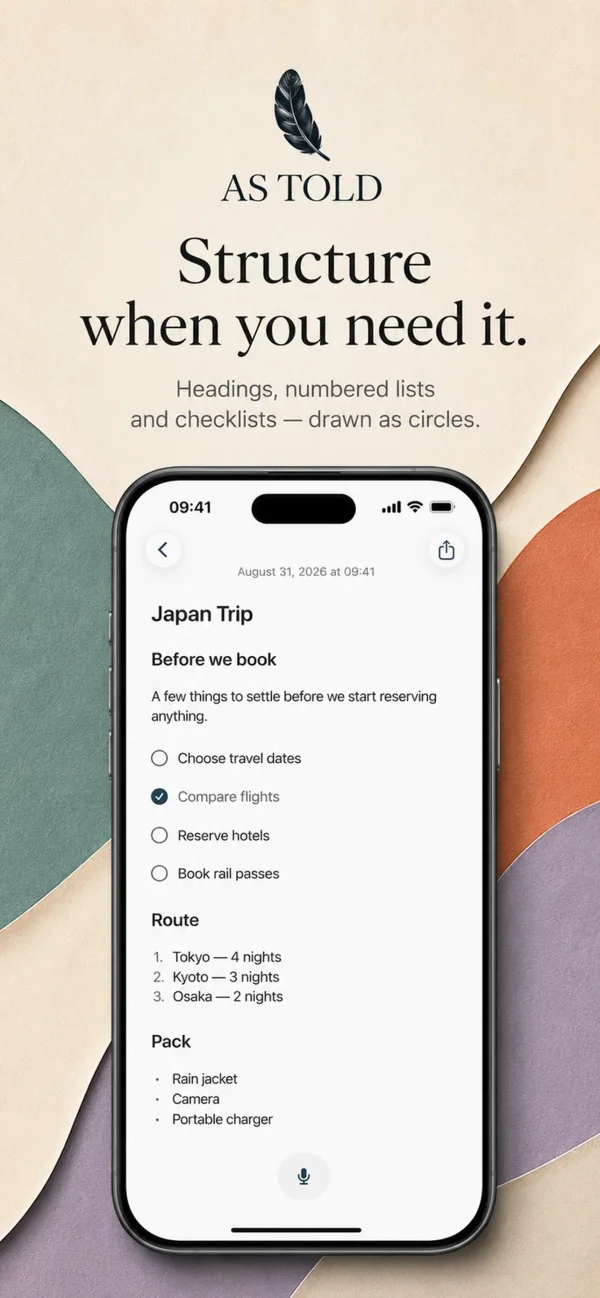
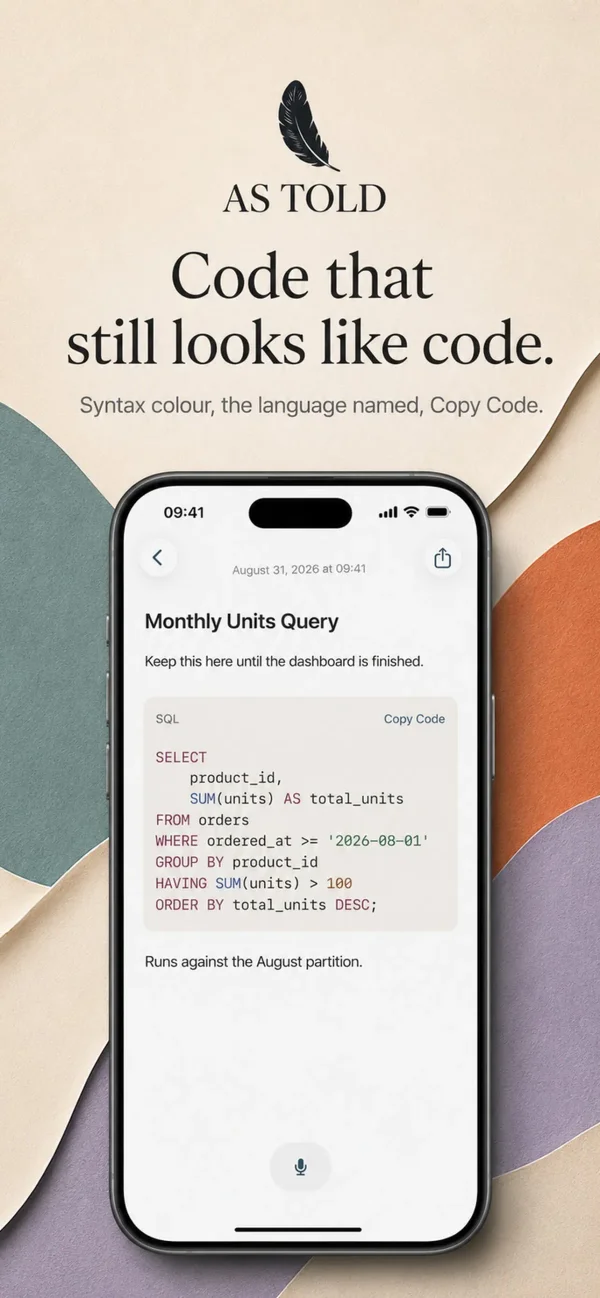
Headings and subheadings. Bulleted and numbered lists. Checklists you tick in place — a circle beside each line. Paste a plan, a table or a block of code and it arrives with its shape intact: tables stay tables, links stay tappable, code stays code, monospaced and syntax-coloured with Copy Code one tap away.
FIND IT AGAIN
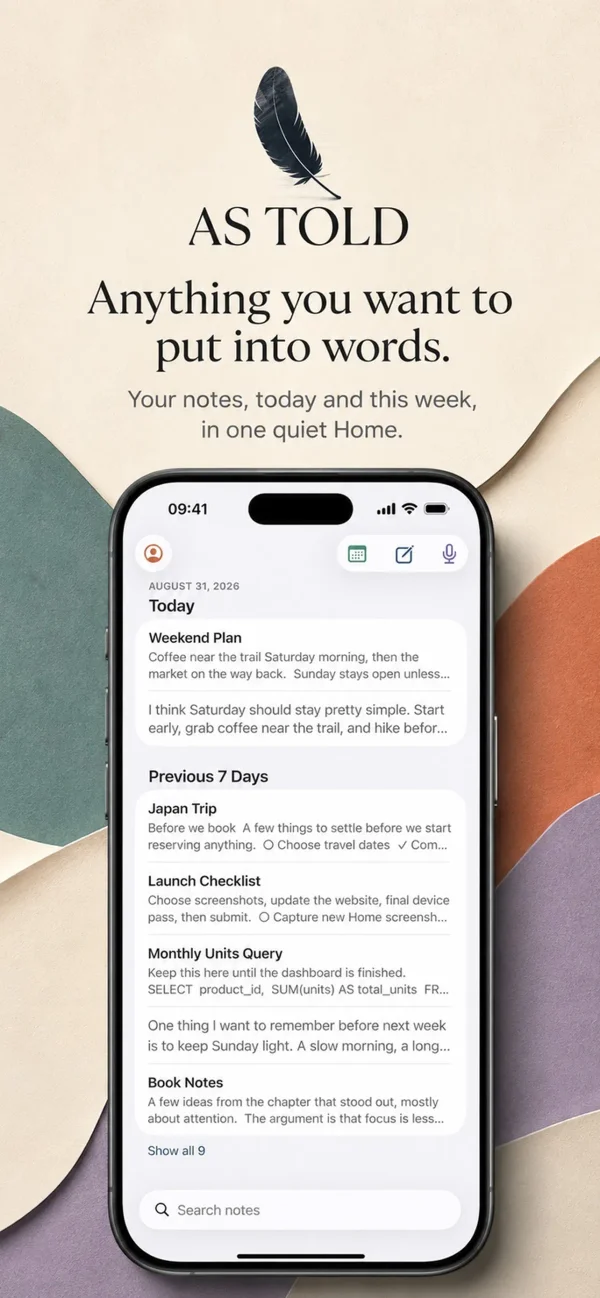
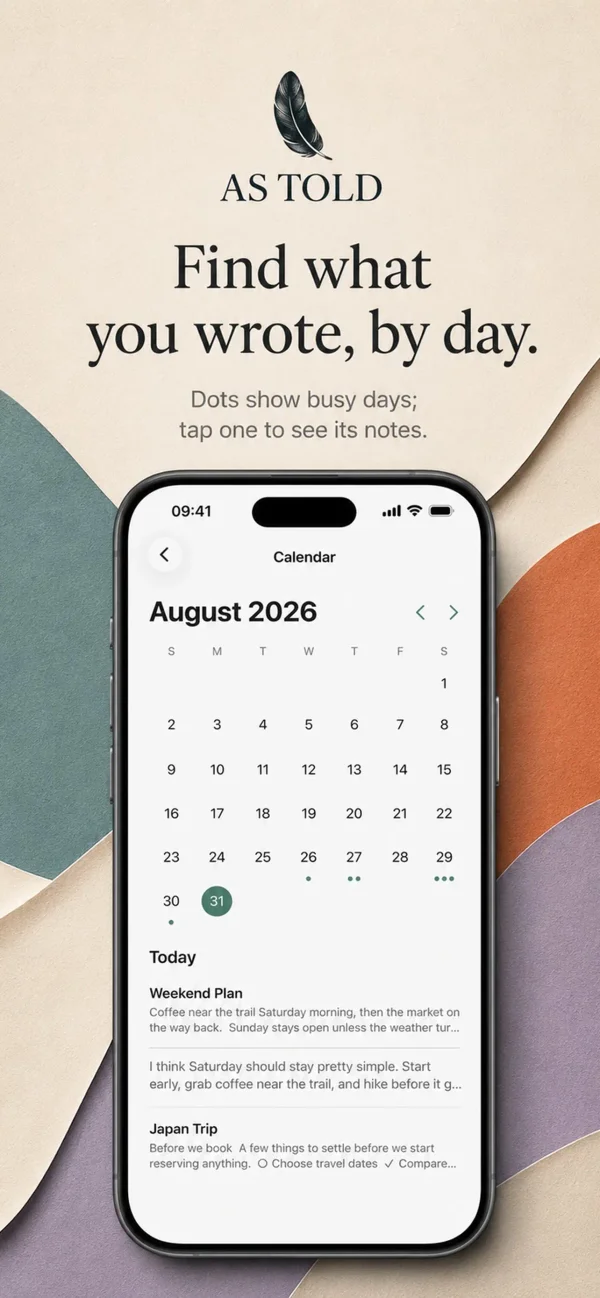
Home keeps the recent days in view — Today, then the previous seven — with a short preview under every note. Search when you remember a word. Open the calendar when you remember the day: dots show how much you wrote on each one, and tapping a day lists its notes right under the month.
SPEAK THE WAY YOU ACTUALLY SPEAK
As Told doesn't ask you to choose a language before you talk. Speak in one, or move between two in the same sentence — the transcript comes back in the languages you used, in the scripts you used, rather than translated into one. Voice transcription is tested most closely with English, Telugu, Hindi, and speech that moves between them.
Your words are transcribed as you said them. Punctuation, capitalisation and paragraph breaks are added so a spoken thought reads like written language — and that is all. Nothing is summarised, rewritten, polished or translated.
YOUR WORDS SHOULDN'T DISAPPEAR
If a recording can't be transcribed — no signal, a connection that dropped — it is kept on your iPhone so you can try again. Nothing you said is thrown away because the network wasn't there.
SHARE WHEN YOU NEED TO
Tap Share and iOS takes over. A note goes to whichever apps and services are already on your iPhone, with its formatting where the destination can take it and plain text everywhere else. As Told creates no link and keeps no record of what you sent.
PRIVATE BY DESIGN
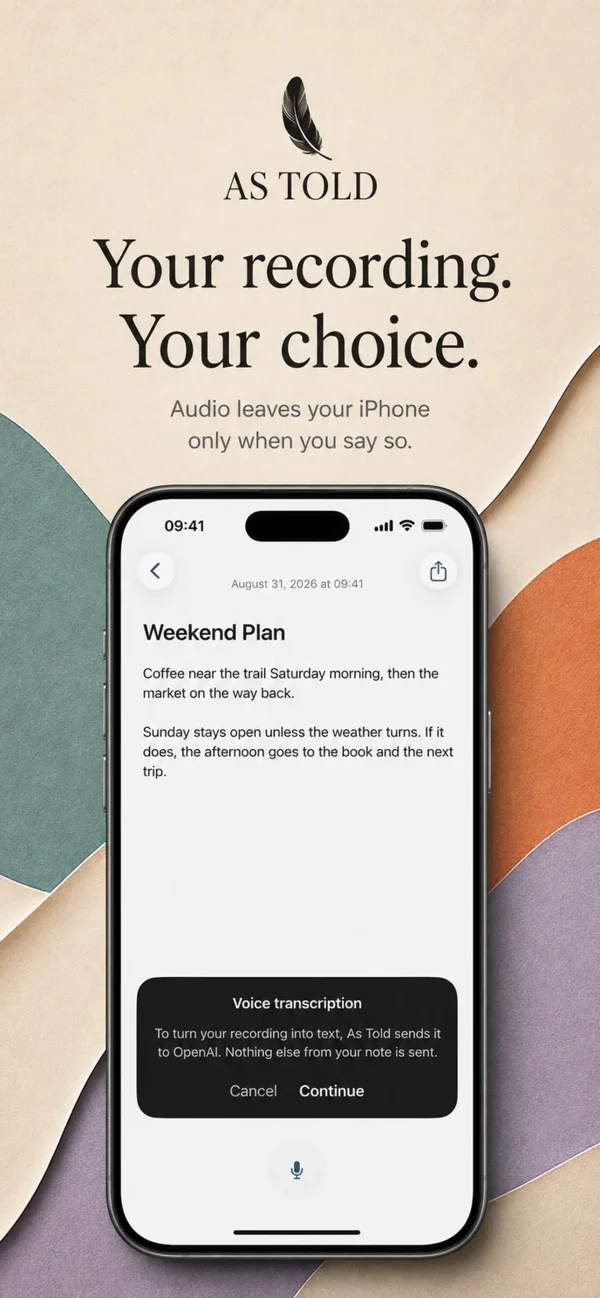
No account, ever. Your notes live on your iPhone. A recording leaves the device only when you choose to transcribe it, only after you agree the first time, and nothing else from the note goes with it. No ads, no analytics, no third-party SDKs. Lock the app with Face ID if you like — it is off unless you turn it on.
Whatever you want to put into words — write it, say it, keep it.
Nouveautés
Version 1.2.0 · 02/09/2026
Home is easier to scan, and the calendar shows you your month.
A clearer Home
Notes are grouped into Today and the previous seven days, with a two-line preview under each title — titled and untitled notes side by side. Show all opens a busy group; Browse older notes takes you to the complete timeline.
A calendar that shows where you wrote
Dots under each day show how much you wrote that day. Tap a day and its notes appear right under the month — go back by when, not just by what.
Checklists, drawn as circles
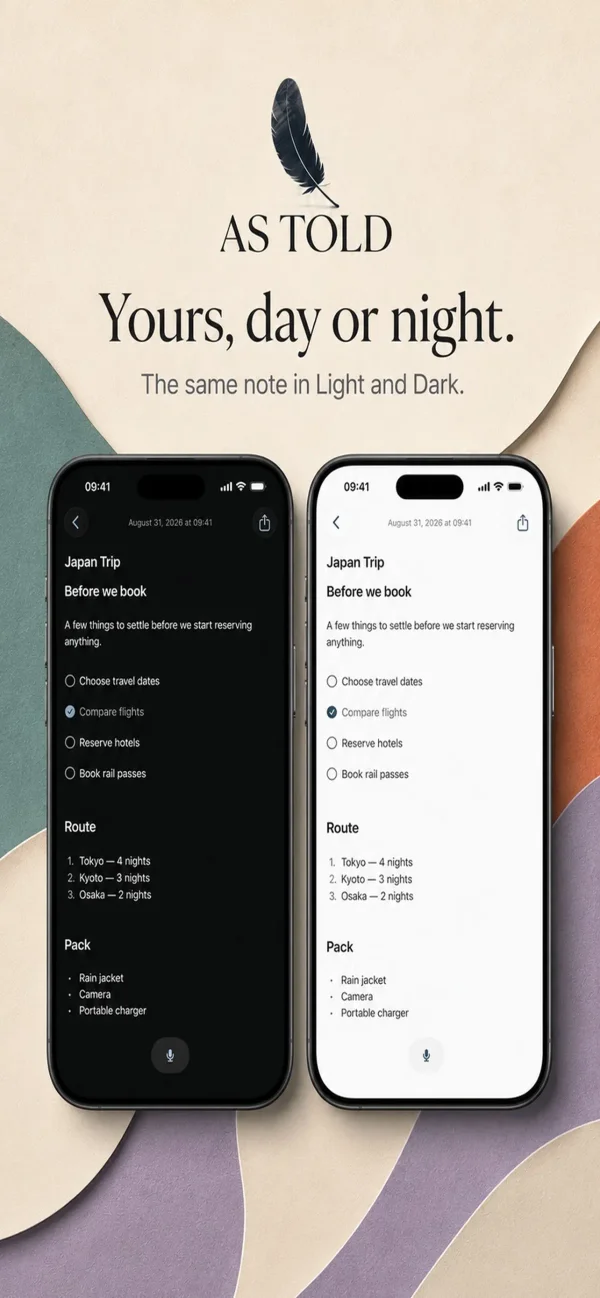
A checklist item now has a circle beside it. Tap it to tick it off; it stays where you put it.
Steadier voice
A recording that is interrupted is finished properly before anything is sent, and when transcription can't start, the message says what actually happened.
Quieter in Light and Dark
A neutral palette across the app, so the only colour on the page is the one that means something.
Confidentialité de l’application
Ce que Krishna Sathvik Mantripragada déclare sur l’App Store au sujet du traitement des données par cette application.
-
Données établissant un lien avec vous
Peuvent être collectées et liées à votre identité.
- Identifiants
- Données d’utilisation
Les pratiques en matière de confidentialité peuvent varier, notamment en fonction des fonctionnalités que vous utilisez ou de votre âge.
Informations
- Vendeur
- Krishna Sathvik Mantripragada
- Catégorie
- Productivité
- Version
- 1.2.0
- Mis à jour
- 02/09/2026
- Publié
- 26/08/2026
- Taille
- 3,5 Mo
- Nécessite
- iOS 26.0 ou version ultérieure
- Classification d’âge
- +4
- Prix
- Gratuit
- Langues
- Anglais
- Copyright
- © 2026 Krishna Sathvik
Vous aimerez peut-être aussi
-
 Dumpie - AI Life PlannerProductivité
-
 LogPad: Quick NotesProductivité
-
 Tasksmith - Organize Your DayProductivité
-
 Mimiri NotesProductivité
-
 NotePal AI - Note TakerProductivité
-
 TagItFindItProductivité
-
 FacileThings 3Productivité
-
 Jot - Instant Brain DumpProductivité
-
 Weeklist: Weekly PlannerProductivité
-
 Bleep - Visual Ideas & NotesProductivité