Audio Visualizer: BeatLuster
Music Video Maker for Creators
Conçue pour iPhone
Gratuit · Achats intégrés
- Classification d’âge4+
- CatégoriePhoto et vidéo
- DéveloppeurCodepaint Inc.
- LanguesAnglais+ 1 de plus
- Taille27,7 Mo
Renvoie vers la page App Store officielle
Download.org n’héberge aucun fichier de Audio Visualizer: BeatLuster. Le bouton ouvre la page de l’application sur App Store, où Codepaint Inc. la publie. Fiche vérifiée pour la dernière fois le 17/11/2026.
Captures d’écran
À propos
Le développeur n’a pas fourni ce texte dans votre langue.
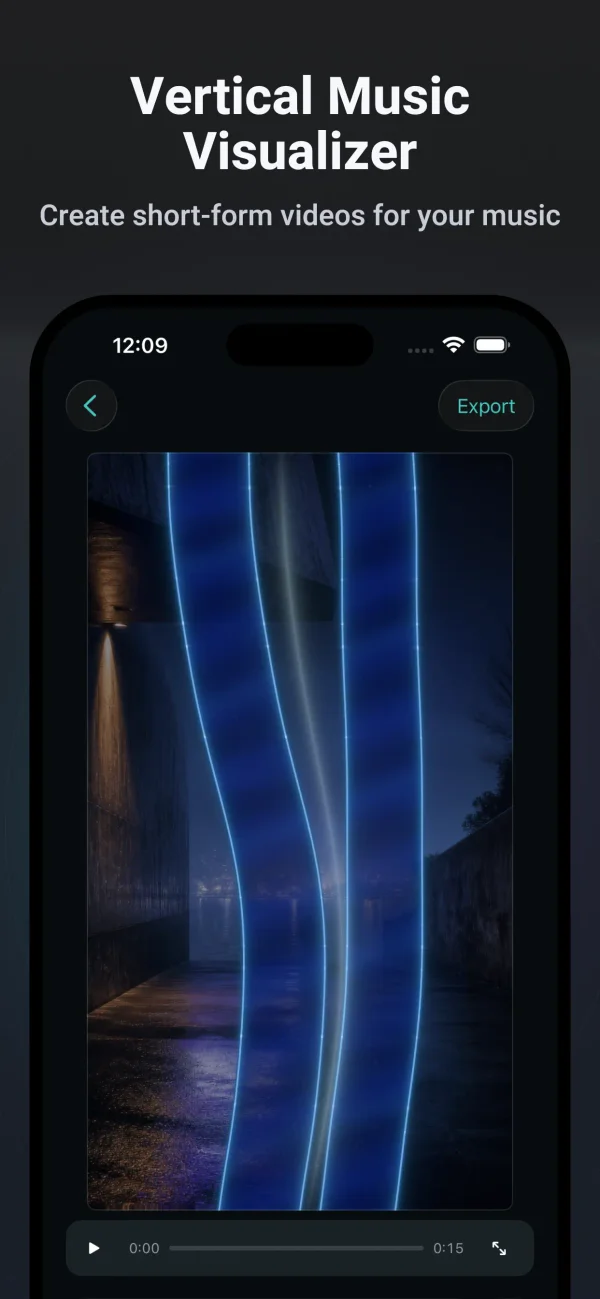
BeatLuster is a video maker for music artists, producers, and creators who want to create audio-reactive music visuals. No filming or complex timeline editing is required. Choose your audio, combine a Look with Artwork, check the result in Preview, and export an MP4 with audio.
Promote a new track, share a release, create short-form videos for social media and video-sharing platforms such as YouTube and TikTok, create ads, or deliver client work. In addition to vertical 9:16 video, BeatLuster supports 1:1 and 16:9 formats.
◆ Create in Three Steps
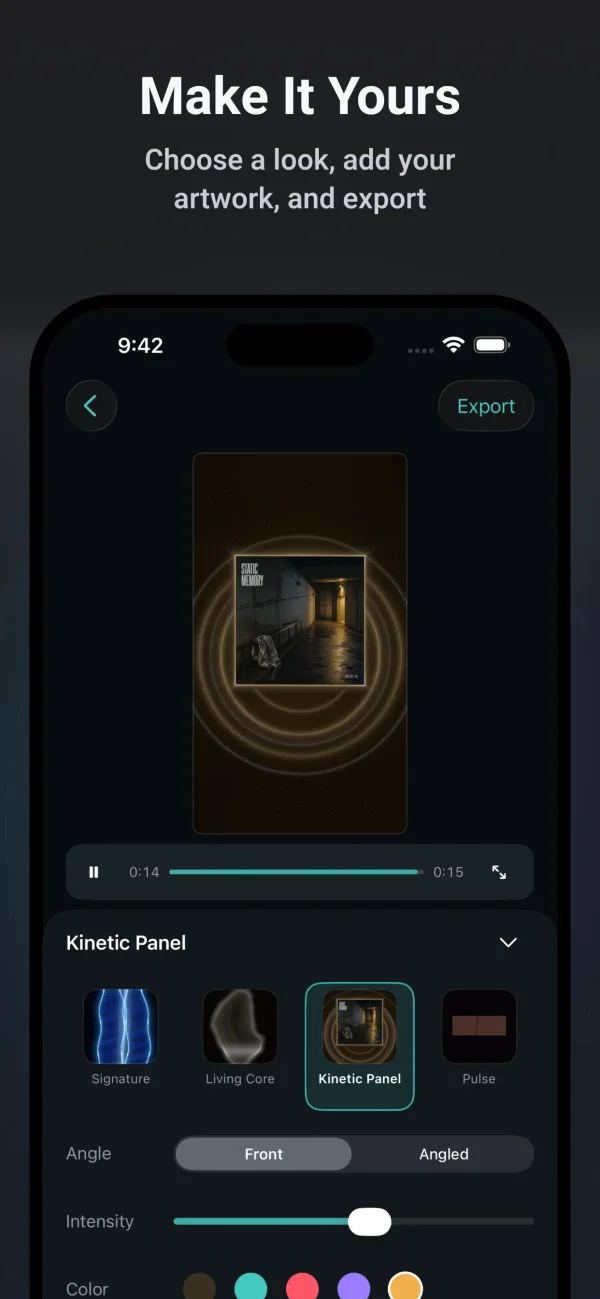
1. Choose your audio and set the Clip you want to use.
2. Pick a Look and optionally add Artwork.
3. Check the result in Preview and export your video.
◆ Six Production Looks
• Kinetic Panel
• Signature
• Living Core
• Pulse
• Strata
• Spectral Veil
Each Look responds to music with its own motion and visual character. Artwork treatment and available controls vary by Look. Where controls are available, you can adjust settings such as reactivity and color. Save your edits as a Project so it is ready for your next export.
◆ Export Options
Videos are exported as MP4 files with audio.
• Clip: Load the full audio, choose where the Clip starts, and use up to 60 seconds. Depending on the audio length, choose 15, 30, or 60 seconds. When the audio is shorter than 60 seconds and its full length is not already one of those choices, you can also choose Whole track. Audio shorter than 15 seconds uses the full source automatically.
• Aspect ratio: 9:16, 1:1, or 16:9
• Frame rate: 30fps or 60fps
• Destinations: Photos, Files, or other apps through Share
◆ Free and BeatLuster Pro
With Free, you can keep one Project at a time and export one video in total with no watermark. Free and Pro use the same export quality. Editing and Preview remain available after you have used your free export.
With Pro, you can create and duplicate Projects and export videos without these limits.
◆ Using Your Completed Videos
Completed videos created with BeatLuster may be used for the following purposes under the Terms of Use:
• Social media posts
• Distribution and monetization on video-sharing platforms such as YouTube and TikTok
• Advertising and promotion
• Client work and delivery of completed videos
You may not sell or distribute BeatLuster visuals as stock footage, reusable video or loop assets, templates, or other materials intended for reuse in another creative work. You are responsible for securing the necessary rights and permissions for the audio, Artwork, and other materials you use.
See the BeatLuster License Guide for details:
https://www.codepaint.app/license-guide-beatluster
◆ BeatLuster Pro Plans
BeatLuster offers Weekly and Monthly auto-renewable subscriptions and a Lifetime one-time purchase.
Prices may vary by country, region, and time of year. Weekly and Monthly plans renew automatically unless canceled at least 24 hours before the end of the current period. Your Apple Account is charged within 24 hours before renewal. You can manage or cancel a subscription in Settings > Apple Account > Subscriptions. Lifetime is a one-time purchase and does not auto-renew.
◆ Terms of Use
https://www.codepaint.app/terms-beatluster
◆ Privacy Policy
https://www.codepaint.app/privacy-policy-beatluster
◆ Disclaimer & Trademarks
BeatLuster is an independent tool and is not sponsored, endorsed, or affiliated with any third-party social media platform.
Nouveautés
Version 1.0.2 · 04/11/2026
Performance improvements
Confidentialité de l’application
Ce que Codepaint Inc. déclare sur l’App Store au sujet du traitement des données par cette application.
-
Données établissant un lien avec vous
Peuvent être collectées et liées à votre identité.
- Achats
- Emplacement
- Identifiants
- Données d’utilisation
- Diagnostic
-
Données n’établissant aucun lien avec vous
Peuvent être collectées, mais ne sont pas liées à votre identité.
- Contenu utilisateur
- Diagnostic
Les pratiques en matière de confidentialité peuvent varier, notamment en fonction des fonctionnalités que vous utilisez ou de votre âge.
Informations
- Vendeur
- Codepaint Inc.
- Catégorie
- Photo et vidéo
- Version
- 1.0.2
- Mis à jour
- 04/11/2026
- Publié
- 14/09/2026
- Taille
- 27,7 Mo
- Nécessite
- iOS 18.1 ou version ultérieure
- Classification d’âge
- 4+
- Prix
- Gratuit
- Achats intégrés
- Oui
- Langues
- Anglais, Japonais
- Copyright
- © 2026 Codepaint Inc.
Vous aimerez peut-être aussi
-
 Hypnogram: Music VisualizerPhoto et vidéo
-
 RhythmReelPhoto et vidéo
-
 WEAVE: Music Video EditorPhoto et vidéo
-
 Resonance: Visual InstrumentPhoto et vidéo
-
 Super Wide RecorderPhoto et vidéo
-
 Soniframe - Music VisualizerPhoto et vidéo
-
 NULPhoto et vidéo
-
 E-TrackerPhoto et vidéo
-
 LyricMVPhoto et vidéo
-
 Waveloop: Audiogram MakerPhoto et vidéo