AuthorAZ
Private Vault: No AI. No Cloud
Conçue pour iPhone, iPad
Gratuit · Achats intégrés
- Classification d’âge4+
- CatégorieLivres
- DéveloppeurAlex Filip
- LanguesAnglais
- Taille66,2 Mo
Renvoie vers la page App Store officielle
Download.org n’héberge aucun fichier de AuthorAZ. Le bouton ouvre la page de l’application sur App Store, où Alex Filip la publie. Fiche vérifiée pour la dernière fois le 13/11/2026.
Captures d’écran



À propos
Le développeur n’a pas fourni ce texte dans votre langue.
AuthorAZ is a private, offline workspace for indie authors to organize books, manage publishing information, write, dictate, store manuscript snapshots, collect quotes, and keep the practical side of an author career in one place.
If your book business is scattered across folders, spreadsheets, cloud drives, old files, writing apps, and half-remembered notes, AuthorAZ gives every book a clean private home.
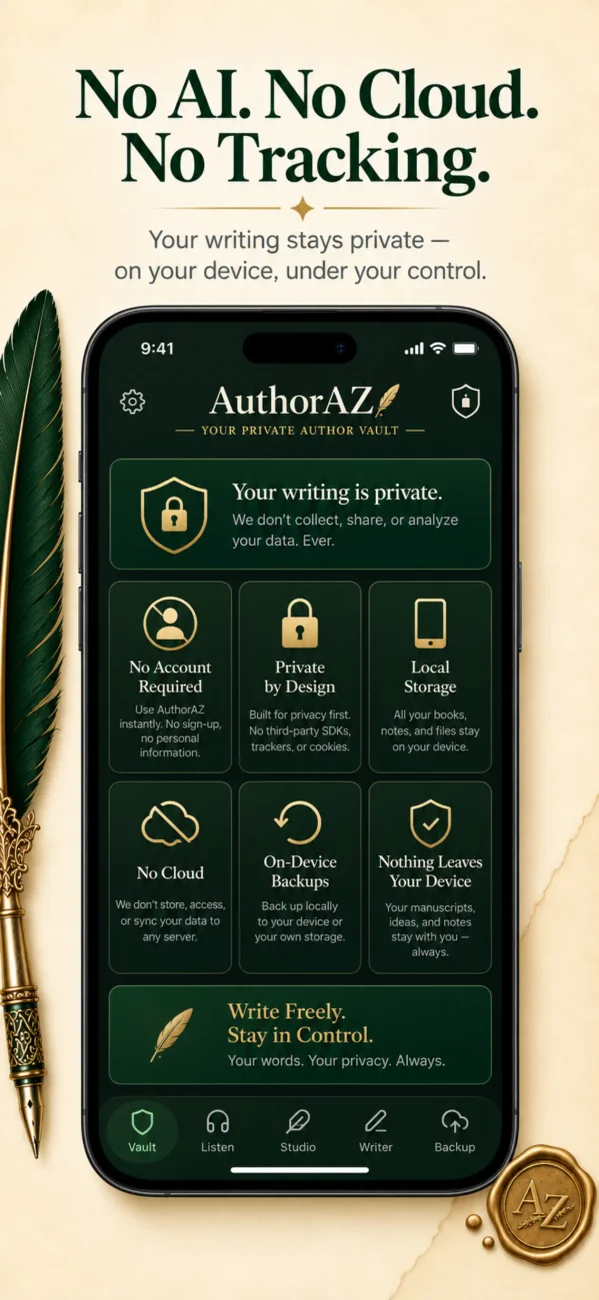
No AI reading your work.
No AuthorAZ cloud.
No account needed.
No data or user tracking.
Everything lives on your device. Your library is encrypted locally, and backups only leave your device when you choose to export them.
WRITE WITHOUT SENDING YOUR WORDS ANYWHERE
Create and edit writing projects directly inside AuthorAZ.
Draft chapters, scenes, notes, or entire books in a focused writing workspace connected to the rest of your book information.
Your writing stays on your device. AuthorAZ does not upload your manuscript, analyze your prose, rewrite your sentences, or send your work to an AI service.
DICTATE ON YOUR DEVICE
Prefer speaking to typing?
Use dictation to turn your voice into text inside the writing workspace, using supported on-device speech recognition.
Your manuscript stays in your private AuthorAZ library rather than being processed by an AuthorAZ server.
BUILT FOR AUTHORS WITH MORE THAN ONE THING TO MANAGE
AuthorAZ helps you organize:
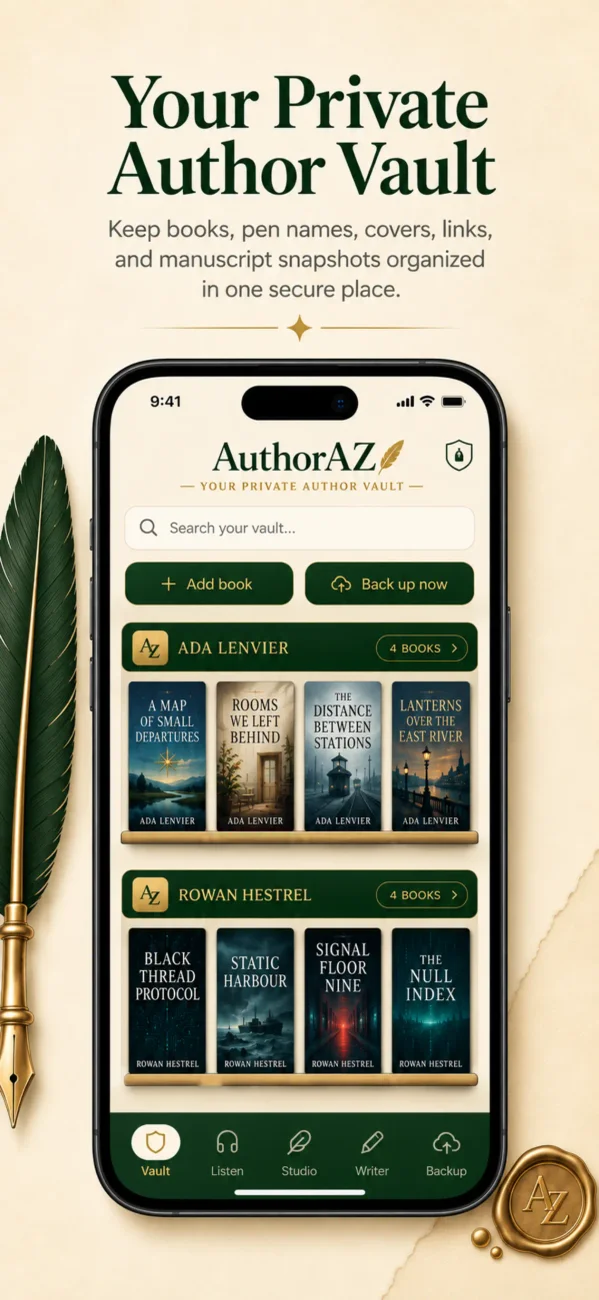
• Pen names and author identities
• Books, series, statuses, and release dates
• Writing projects and chapters
• ASINs, ISBNs, BISAC categories, prices, keywords, descriptions, and A+ notes
• Ebook, paperback, hardcover, audio, and variant cover slots
• Store and reader links
• Quote banks and quote tags
• Manuscript snapshots
• Notes and book-specific reference material
ONE-TAP COPY FOR DAILY AUTHOR WORK
Tap to copy titles, subtitles, identifiers, prices, keywords, descriptions, buy links, and full metadata sheets.
AuthorAZ is designed for repetitive publishing tasks, whether you manage one book or an entire catalogue across multiple pen names.
IMPORT MANUSCRIPT SNAPSHOTS
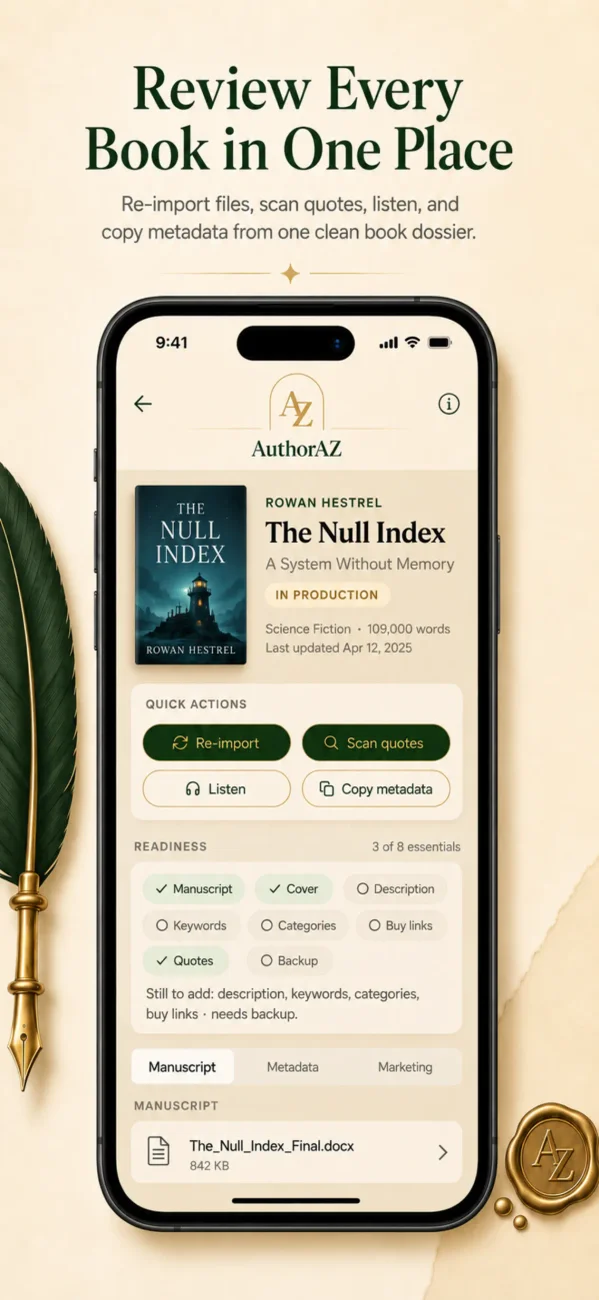
Import a .txt, .docx, or .epub file as a read-only manuscript snapshot. Your original file is never edited.
Once imported, you can:
• Search across your manuscript text
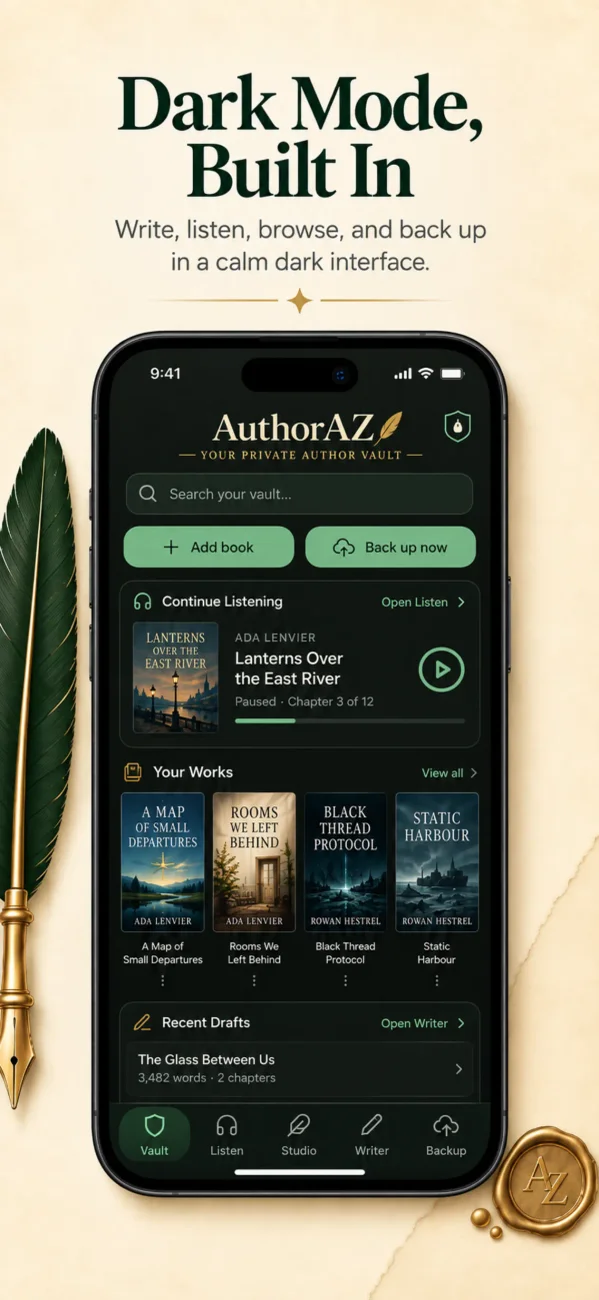
• Listen with on-device text-to-speech
• Scan for quotable lines
• Save quotes to your quote bank
• Check manuscript health stats
• Bookmark and flag lines for review
• Re-import a newer snapshot when your manuscript changes
HEAR YOUR BOOK BEFORE READERS DO
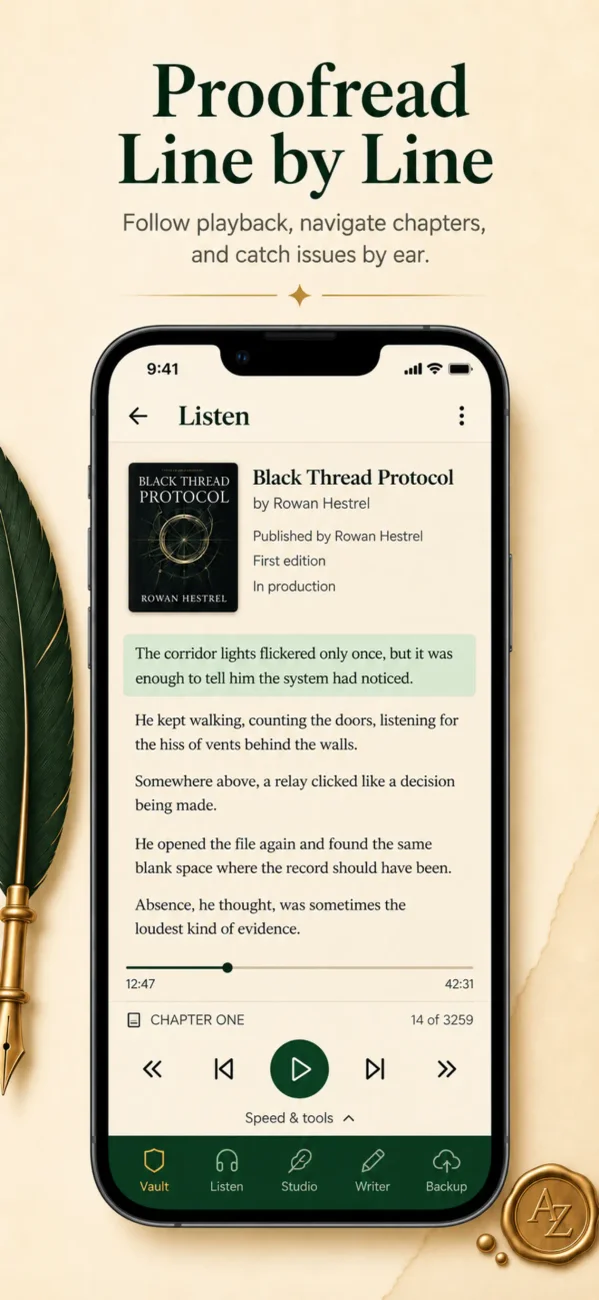
Use on-device text-to-speech to listen sentence by sentence.
Adjust speed, choose a system voice, jump between chapters, bookmark your place, or flag lines that need attention.
No audio is uploaded by AuthorAZ. No manuscript is sent to an AuthorAZ server.
FIND QUOTES WITHOUT AI
AuthorAZ uses deterministic, on-device filters to help surface potential quote lines.
Search for punchy lines, dialogue, questions, emotional lines, chapter endings, or character mentions.
You stay in control. AuthorAZ does not write for you, rewrite your work, generate passages, or train on your manuscript.
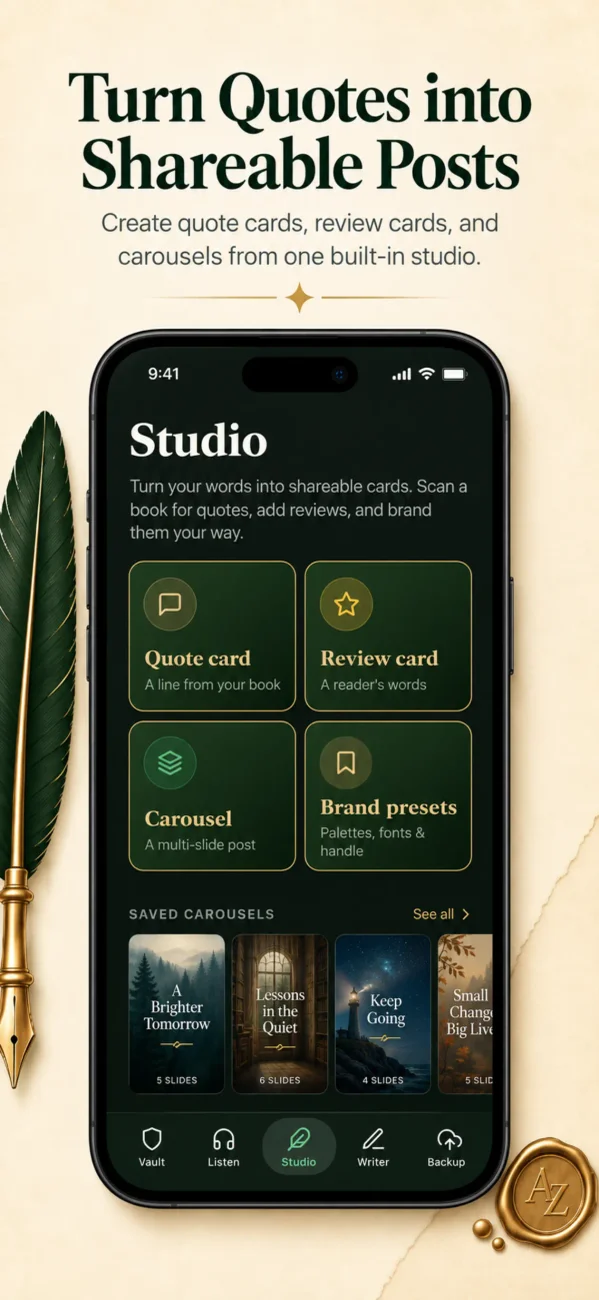
CREATE QUOTE CARDS
Save your favorite lines and turn them into clean quote cards for social media.
Choose the format, background, and display elements, then export a full-resolution PNG with no watermark.
LIGHT OR DARK. YOUR WORKSPACE.
Use AuthorAZ in light mode or dark mode and choose the workspace that feels right for the way you work.
PRIVATE BACKUPS YOU CONTROL
AuthorAZ creates encrypted backup files that you export yourself.
Save them wherever you choose and restore them later with your password.
AuthorAZ does not keep a copy.
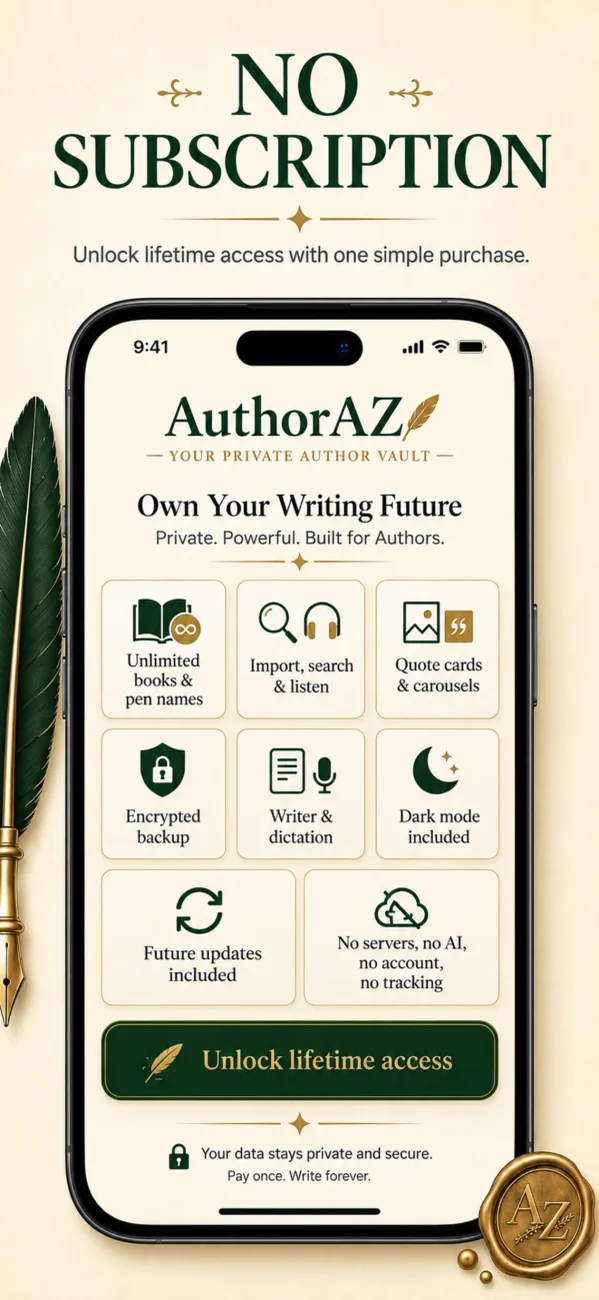
TRY EVERYTHING FREE
Start with a full 14-day trial. Then unlock lifetime access with one payment.
No recurring subscription.
AuthorAZ is for indie authors who want to write, organize, search, listen to, and manage their books without handing their creative work to another cloud platform.
Your books. Your words. Your device.
Nouveautés
Version 1.0.4 · 25/10/2026
Write in peace, now with a calmer look.
• A new charcoal dark mode that's easier on the eyes at night
• Dictation that punctuates for you and keeps every word
• Writing that flows without the keyboard getting in the way
• Studio cards and carousels, more reliable than ever
• Better VoiceOver support throughout
Your books, still private. Still only on your device.
Confidentialité de l’application
Ce que Alex Filip déclare sur l’App Store au sujet du traitement des données par cette application.
-
Données non collectées
Le développeur ne collecte aucune donnée à partir de cette application.
Les pratiques en matière de confidentialité peuvent varier, notamment en fonction des fonctionnalités que vous utilisez ou de votre âge.
Informations
- Vendeur
- Alex Filip
- Catégorie
- Livres
- Version
- 1.0.4
- Mis à jour
- 25/10/2026
- Publié
- 24/07/2026
- Taille
- 66,2 Mo
- Nécessite
- iOS 16.4 ou version ultérieure
- Classification d’âge
- 4+
- Prix
- Gratuit
- Achats intégrés
- Oui
- Langues
- Anglais
- Copyright
- © 2026 AuthorAZ.com
Vous aimerez peut-être aussi
-
 Booth: Author Event FinderLivres
-
 Hakee: Books to AudiobooksLivres
-
 Auren: Text to Speech ReaderLivres
-
 ShelfSweep: Book CatalogScanner privé de bibliothèque
-
 Plotwist Book ClubLivres
-
 BookShelf — A literary recordLivres
-
 Rishi ReaderLivres
-
 Velvet Stories : Romance IARomance & audio, pour vous
-
 BookMind: Read & NoteLivres