- Classification d’âge4+
- CatégorieUtilitaires
- DéveloppeurSean Brennan
- LanguesAnglais
- Taille501,0 Ko
Renvoie vers la page App Store officielle
Download.org n’héberge aucun fichier de bClk. Le bouton ouvre la page de l’application sur App Store, où Sean Brennan la publie. Fiche vérifiée pour la dernière fois le 15/11/2026.
Captures d’écran


À propos
Le développeur n’a pas fourni ce texte dans votre langue.
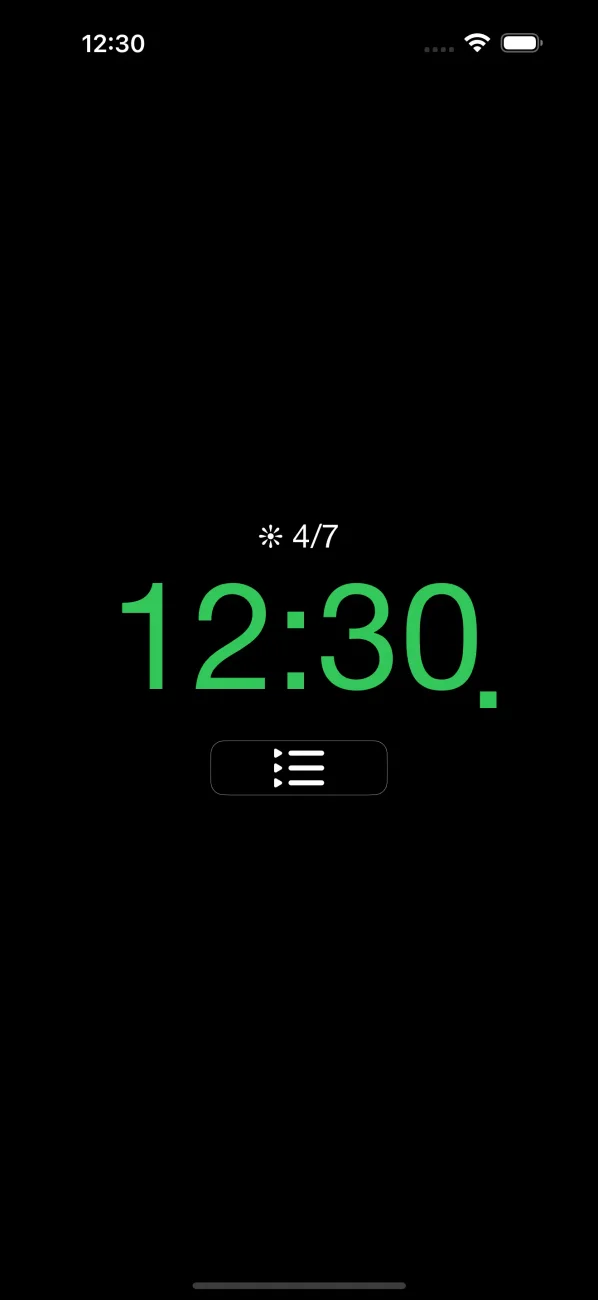
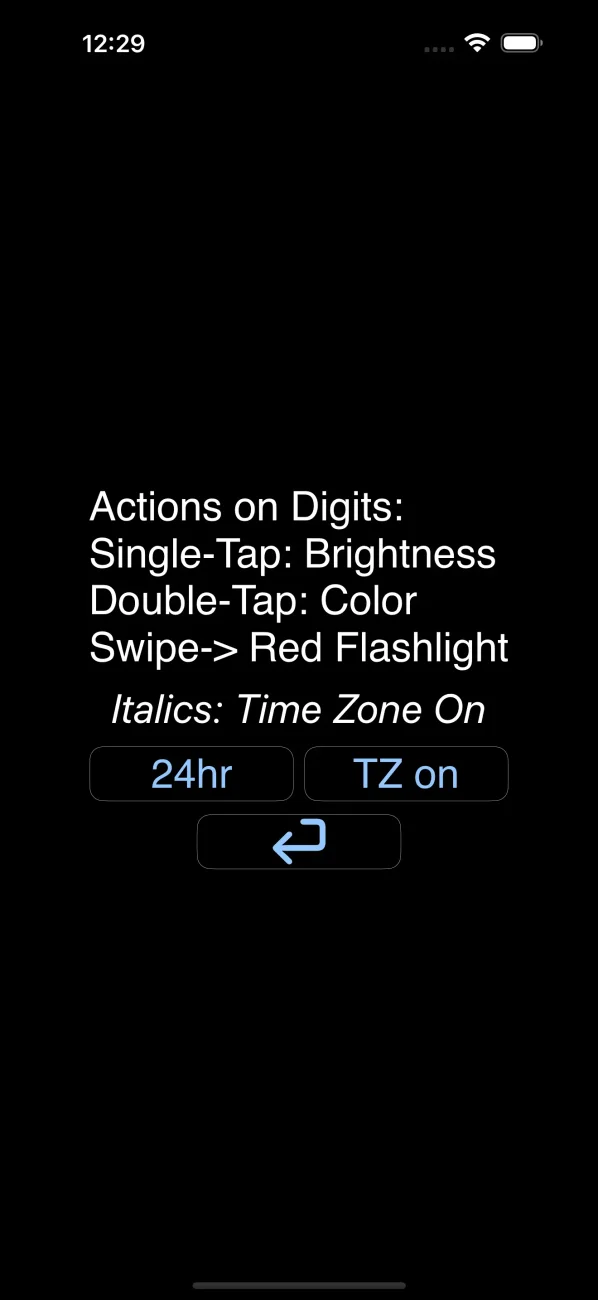
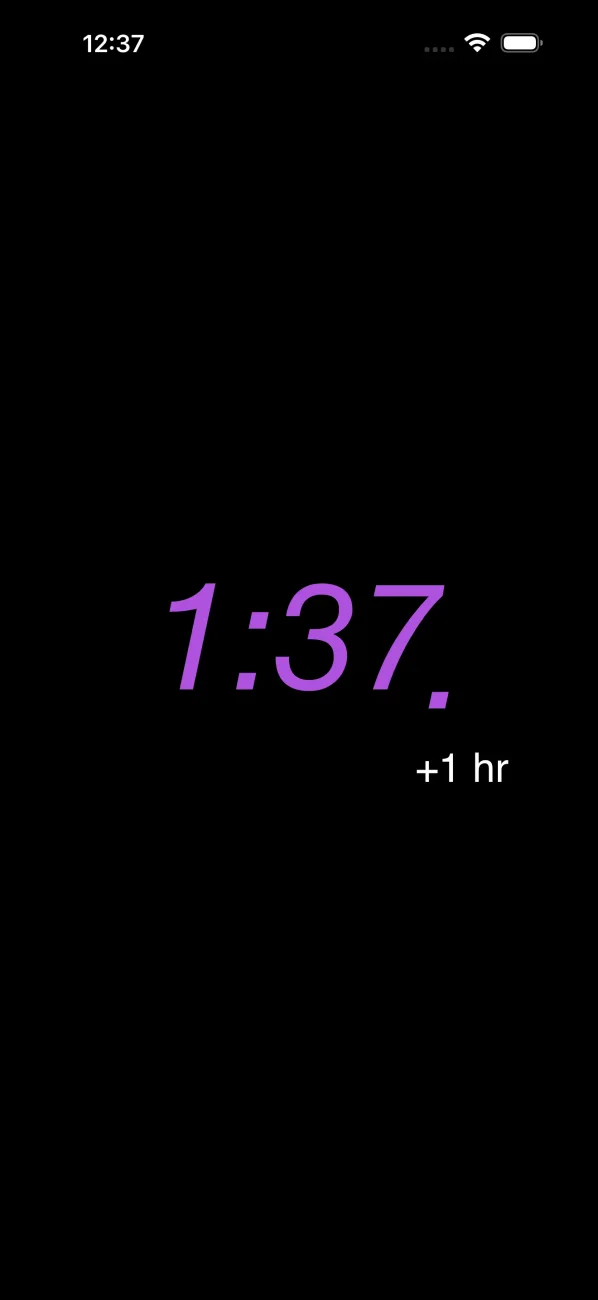
Night clock. Choice of 12 or 24 hr format. 12hr format has an extra "." to denote pm hours. Whole rainbow of color choices and variable brightnesses. Guide button leads you to separate page (and disappears after 3 seconds if not tapped). Set color/brightness by tapping on digits so you are less likely to change something while just handling the clock in the dark. Be sure to plug in because it does draw power.
Single tap: change brightness.
Double tap: change digit color.
Swipe the digits to change background color to bright red to use as a night flashlight. Swipe digits again to get back to black blackground (and old brightness).
Both brightness change and color change are orientation-dependent. Single tap in Portrait mode increases brightness, in Landscape decreases brightness. Similarly, double-tap in Portrait cycles one way and reverses if in Landscape.
Display another time zone: If you are living in Maui but your officemates are all in Chicago and you want to keep track of what time it is there. Digits are italic if the time zone is enabled.
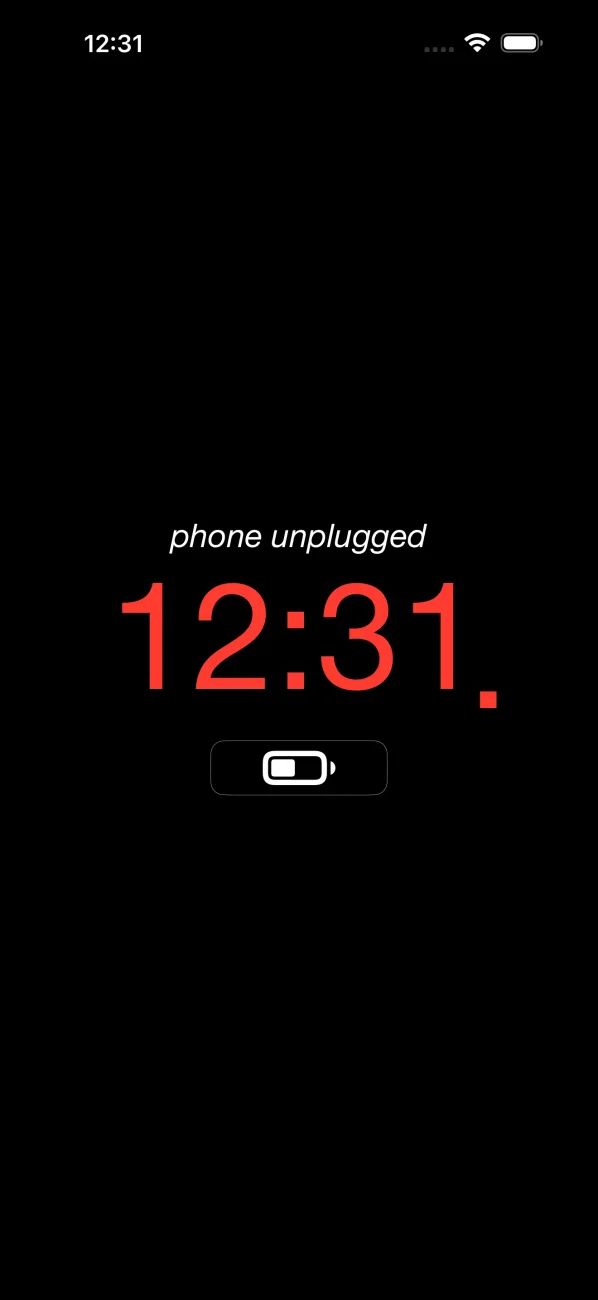
AutoLock is turned off in the app so the clock continues to display during the night but with v1.80 and up if the phone is unplugged or power is lost then the display will turn off after the number of minutes set in the AutoLock feature. If AutoLock is set to never then the display will stay on but at the lowest power consumption setting. A 1/2 full battery icon is displayed if battery is being drained (see screenshot for largest iPhone).
Nouveautés
Version 2.36 · 13/12/2025
Updated age ratings
Confidentialité de l’application
Ce que Sean Brennan déclare sur l’App Store au sujet du traitement des données par cette application.
-
Données non collectées
Le développeur ne collecte aucune donnée à partir de cette application.
Les pratiques en matière de confidentialité peuvent varier, notamment en fonction des fonctionnalités que vous utilisez ou de votre âge.
Informations
- Vendeur
- Sean Brennan
- Catégorie
- Utilitaires
- Version
- 2.36
- Mis à jour
- 13/12/2025
- Publié
- 31/01/2020
- Taille
- 501,0 Ko
- Nécessite
- iOS 13.2 ou version ultérieure
- Classification d’âge
- 4+
- Prix
- Gratuit
- Langues
- Anglais
- Copyright
- © FairviewAssociates 2020
Vous aimerez peut-être aussi
-
 ReceiptVaults ProUtilitaires
-
 HeliochronSuivez le soleil
-
 Video to MP3: Cut & Edit AudioUtilitaires
-
 WireGuard Aether VPNConnecteur VPN WireGuard
-
 MemoCalc-Number NotesGardez, réutilisez, sommez
-
 Sticker OptimizerUtilitaires
-
 PinletUtilitaires
-
 Cast TV - Screen MirroringUtilitaires
-
 Pushup Alarm Clock: MissionsUtilitaires
-
 Docs2WalletUtilitaires