
Bedside Coach
Nursing Practice & Simulation
Conçue pour iPhone, iPad
Gratuit · Achats intégrés
- Classification d’âge4+
- CatégorieÉducation
- DéveloppeurBrandon Dominguez
- LanguesAnglais
- Taille667,0 Mo
Renvoie vers la page App Store officielle
Download.org n’héberge aucun fichier de Bedside Coach. Le bouton ouvre la page de l’application sur App Store, où Brandon Dominguez la publie. Fiche vérifiée pour la dernière fois le 18/11/2026.
Captures d’écran


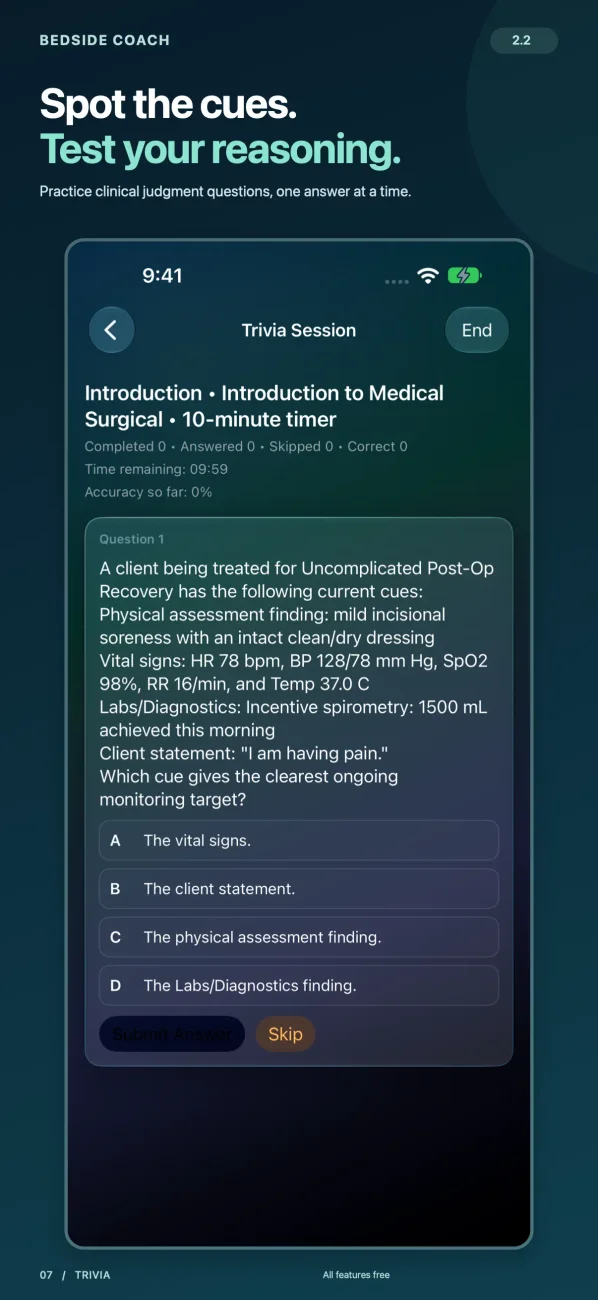

À propos
Le développeur n’a pas fourni ce texte dans votre langue.
Practice the decisions and conversations that matter at the bedside.
Bedside Coach helps nursing students, educators, and simulation teams practice patient care, clinical judgment, and communication. All features are free, including the full case library, study activities, and custom case creation.
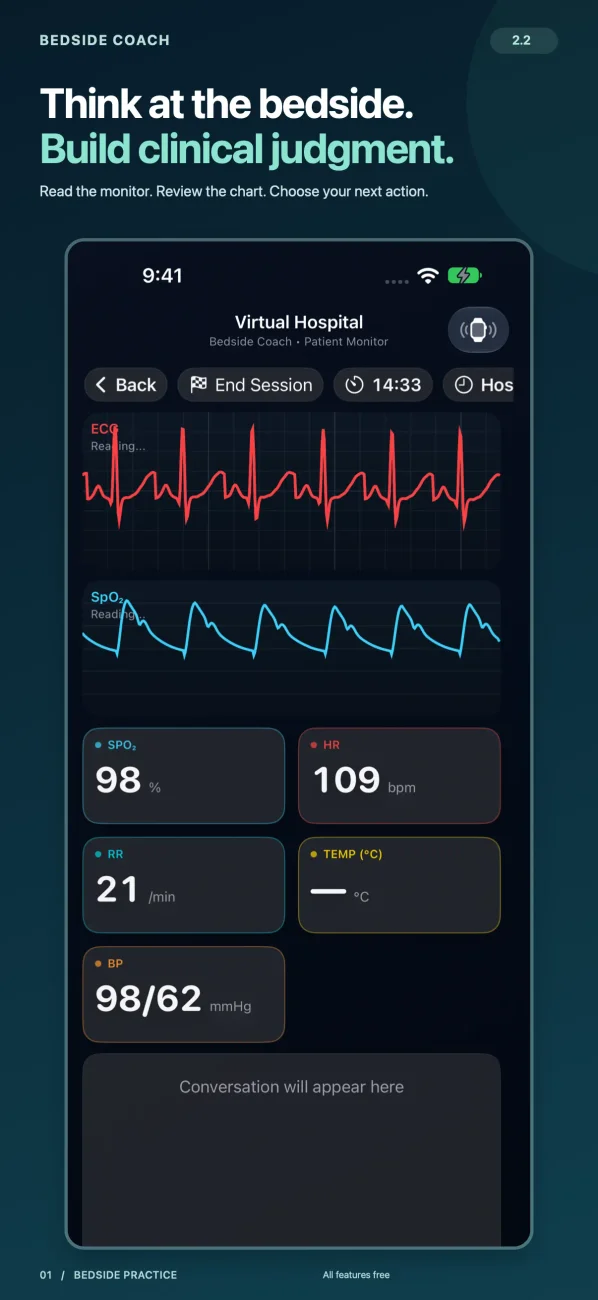
WORK THROUGH PATIENT SCENARIOS
Monitor simulated vital signs, review patient records, assessments, orders, and medication information, and practice your next steps. Connect what you see in the chart to the decisions you make at the bedside.
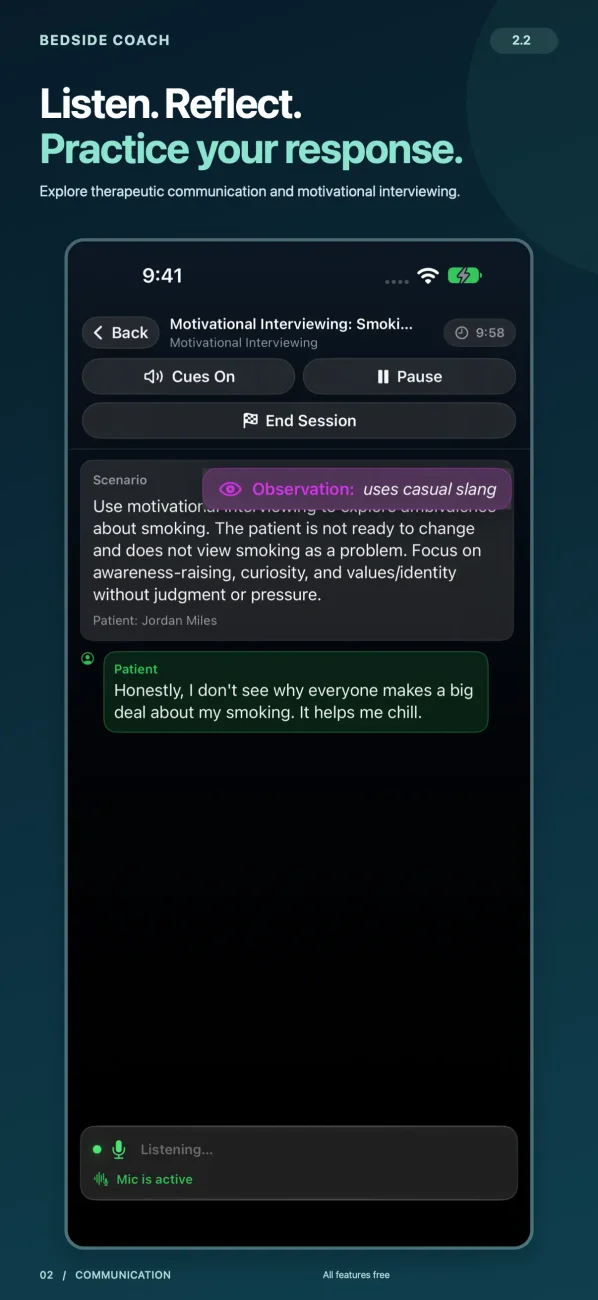
PRACTICE THE CONVERSATION
Rehearse therapeutic communication, including de-escalation, grief, and difficult conversations. Practice simulated telehealth visits with voice or typed responses and optional communication challenges. Choose Notes, Teaching Material, or Transcript in the companion workspace. Keep private notes, drafts, and sharing state while changing panes or available space; sharing starts only when you choose it. Review feedback with excerpts from your responses.
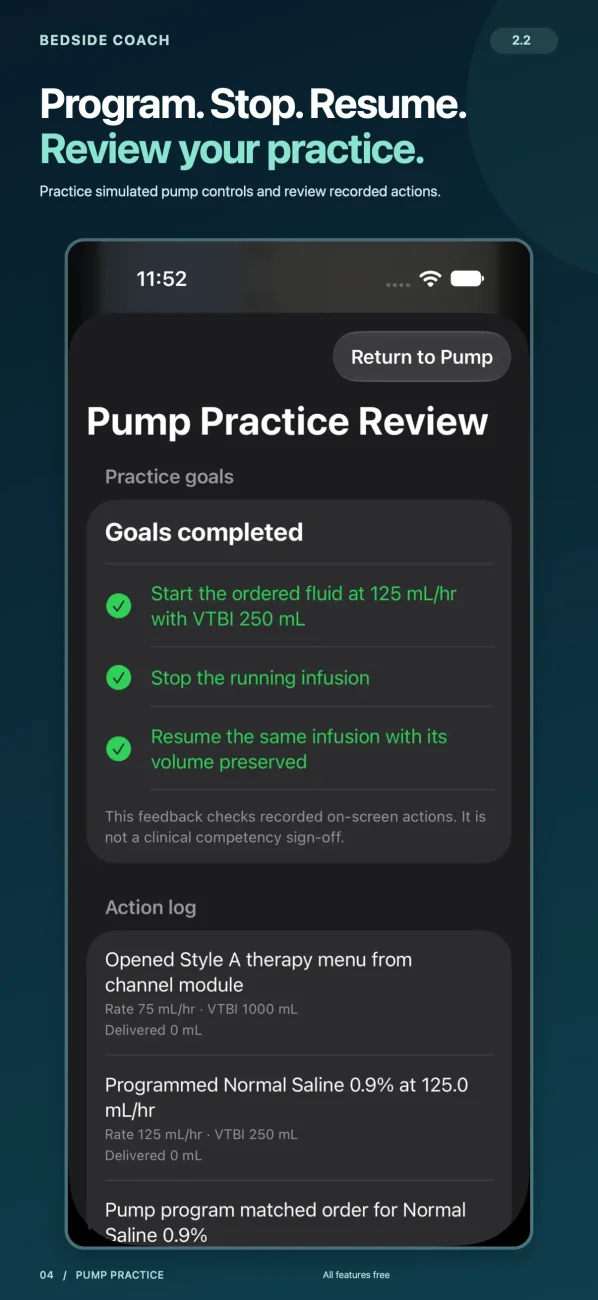
PRACTICE IV PUMP DECISIONS
Practice simulated programming, stop and resume controls, and alarm response. Within a patient case, compare the explicitly linked order and committed pump settings while distinguishing simulated delivery from charted entries. Missing links and order changes stay visible; comparison does not verify medication or document administration.
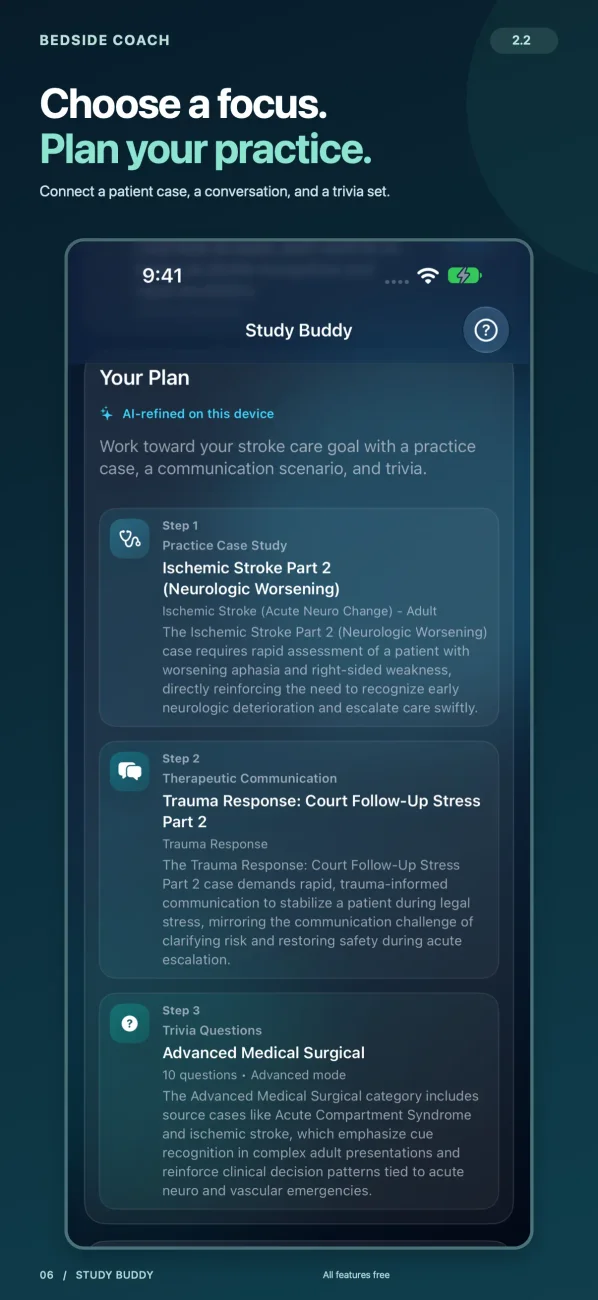
MAKE A STUDY PLAN
Tell Study Buddy what you want to work on and build a guided session. Explore all Trivia modes and follow a patient through six clinical judgment steps in Case Studies, without a daily Case Studies quota.
BUILD AND SHARE TEACHING CASES
Create custom cases, import supported cases from ChartSlate, and share instructor or student case files. Create a separate QR-locked copy to distribute before class, then share its matching unlock QR or encoded text when you are ready to release it. Imported cases stay available after unlocking.
TEACH, OBSERVE, AND ASSESS
Use Skills & Competency Assessment for standalone checkoffs and proctored scenarios. Apply faculty rubrics, record observations and prompting, review explicit scores, and preserve signed assessments when creating a reassessment. Save and share local PDF reports. On iPhone and iPad, Debrief Coaching links findings to saved transcript evidence when available, with explicit replay of retained audio and recovery controls for interrupted analysis.
PRACTICE ACROSS APPLE DEVICES
Use the Apple Watch companion to provide cues to simulated participants and receive case-specific learner alerts. On Apple Vision Pro, arrange spatial monitoring, patient records, and simulated infusion controls around your practice workspace.
PRIVATE, ON-DEVICE PRACTICE
Supported simulation conversations, speech processing, and coaching run on device. The developer does not receive your cases, recordings, transcripts, or reports. You choose what to export or share; selected external services may have their own network and account requirements. Use fictional or properly deidentified information only.
Apple Intelligence features require compatible hardware, Apple Intelligence enabled, and an available on-device model. Availability varies by language and region. iPhone requires iOS 27 or later; iPad requires iPadOS 27 or later; Apple Vision Pro requires visionOS 27 or later. Apple Watch cues and learner alerts require a compatible connected iPhone and watchOS 26 or later.
Existing subscribers: free feature access does not cancel an existing subscription or renewal. Review your Apple Account subscriptions through Profile > Existing Subscription Support.
For education and simulation only. Not intended for diagnosis, treatment, or real-patient clinical decisions. AI feedback is formative and requires educator review.
Privacy Policy: https://www.bedsidecoach.app/privacy
Terms of Use: https://www.apple.com/legal/internet-services/itunes/dev/stdeula/
Nouveautés
Version 2.3 · 29/10/2026
Bedside Coach 2.3 improves patient conversations in practice scenarios and telehealth.
• Better handling of questions with several parts, including medication discussions and care-plan review.
• Improved consistency with case information and clearer patient, caregiver, and nurse responsibilities.
• Reduced repetition and better focus when the conversation changes topics.
Patient responses continue to run on device using Apple Intelligence on compatible devices.
For education and simulation only. AI feedback supports practice and educator review.
Confidentialité de l’application
Ce que Brandon Dominguez déclare sur l’App Store au sujet du traitement des données par cette application.
-
Données non collectées
Le développeur ne collecte aucune donnée à partir de cette application.
Les pratiques en matière de confidentialité peuvent varier, notamment en fonction des fonctionnalités que vous utilisez ou de votre âge.
Informations
- Vendeur
- Brandon Dominguez
- Catégorie
- Éducation
- Version
- 2.3
- Mis à jour
- 29/10/2026
- Publié
- 23/02/2026
- Taille
- 667,0 Mo
- Nécessite
- iOS 27.0 ou version ultérieure
- Classification d’âge
- 4+
- Prix
- Gratuit
- Achats intégrés
- Oui
- Langues
- Anglais
- Copyright
- © 2025 Brandon Dominguez
Vous aimerez peut-être aussi
-
 Nurse Shift: Clinical CasesÉducation
-
 NurseCase: Cas & SBARPratique clinique et SBAR
-
 Hello Bedside Nursing PracticeÉducation
-
 ClinicaRN-NCLEX Prep & SimÉducation
-
 Blast LearningÉducation
-
 MedibytesÉducation
-
 West Coast UniversityÉducation
-
 vSim for NursingÉducation
-
 Delightex EduÉducation
-
 ATI TEAS & NCLEX RN/PNÉducation