- Classification d’âge4+
- CatégorieOutils de développement
- DéveloppeurJun Nonaka
- LanguesAnglais+ 1 de plus
- Taille45,3 Mo
Renvoie vers la page App Store officielle
Download.org n’héberge aucun fichier de BleARRadar. Le bouton ouvre la page de l’application sur App Store, où Jun Nonaka la publie. Fiche vérifiée pour la dernière fois le 13/11/2026.
Captures d’écran

À propos
Le développeur n’a pas fourni ce texte dans votre langue.
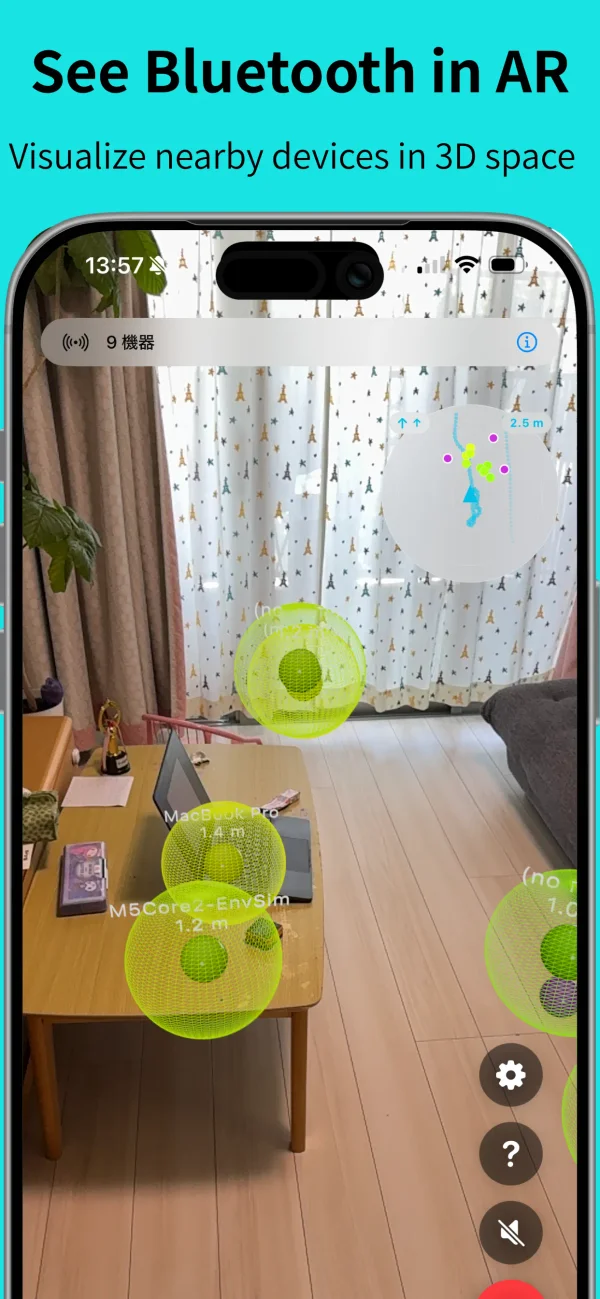
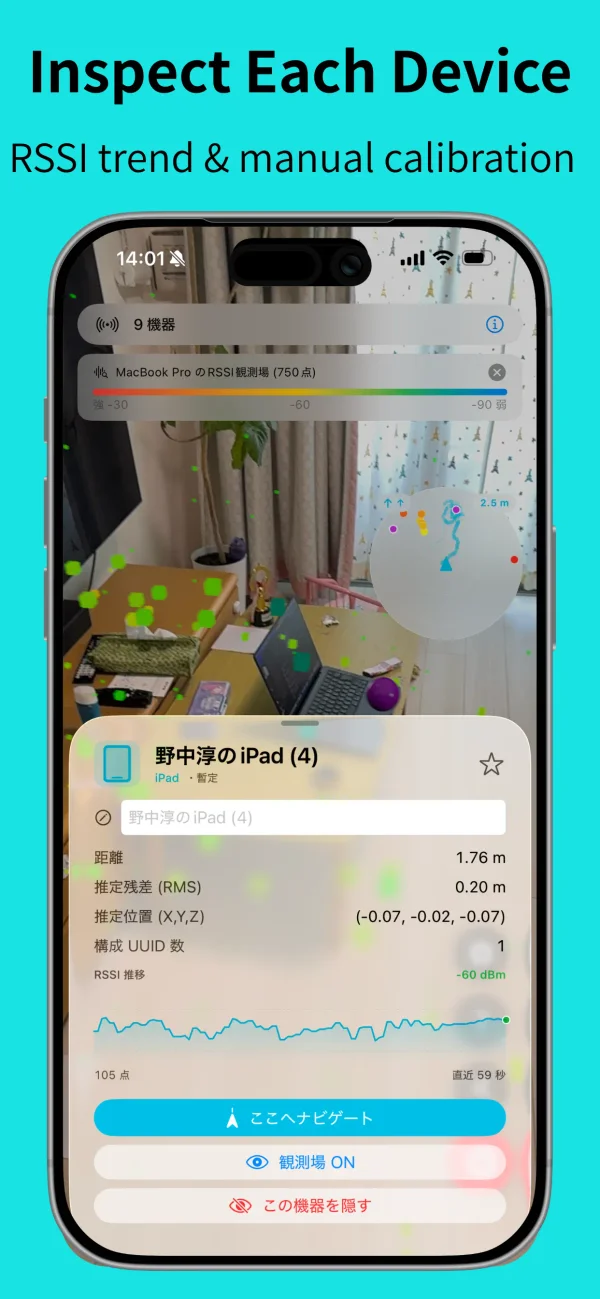
BleARRadar is an AR radar that visualizes nearby Bluetooth (BLE) devices as 3D sphere markers in the space around you.
Just hold up your phone and walk through your room — detected devices appear floating in space. Color shifts from green (close) to red (far), with name and distance labels. Identify Macs, iPhones, AirPods, Apple TVs, smart TVs, beacons and more at a glance.
【Main Features】
■ AR Sphere Markers
RSSI multilateration estimates device positions and renders them as 3D spheres. Accuracy improves in real time as you walk around.
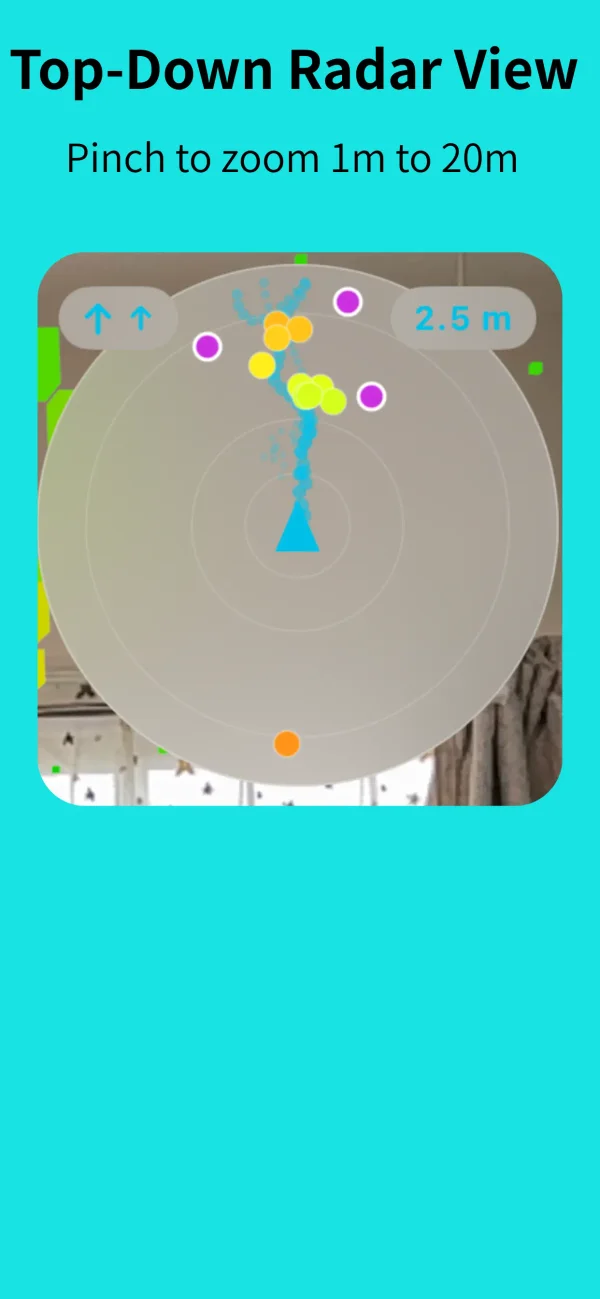
■ 2D Top-Down Minimap
A radar-style minimap in the top-right corner. Toggle heading-up / north-up. Pinch to zoom radius from 1m to 20m.
■ AirTag-Style Direction Navigation
Tap "Navigate" on any device — a large arrow and distance appear. Within 50cm, it switches to a green checkmark.
■ Manual Calibration
Long-press above a device to place a purple anchor, then tap "Set as true position" to pin the marker accurately.
■ Vision Auto-Calibration (Experimental)
Point the camera at your Mac or TV — the Vision framework's object detection auto-matches a BLE device and pins it.
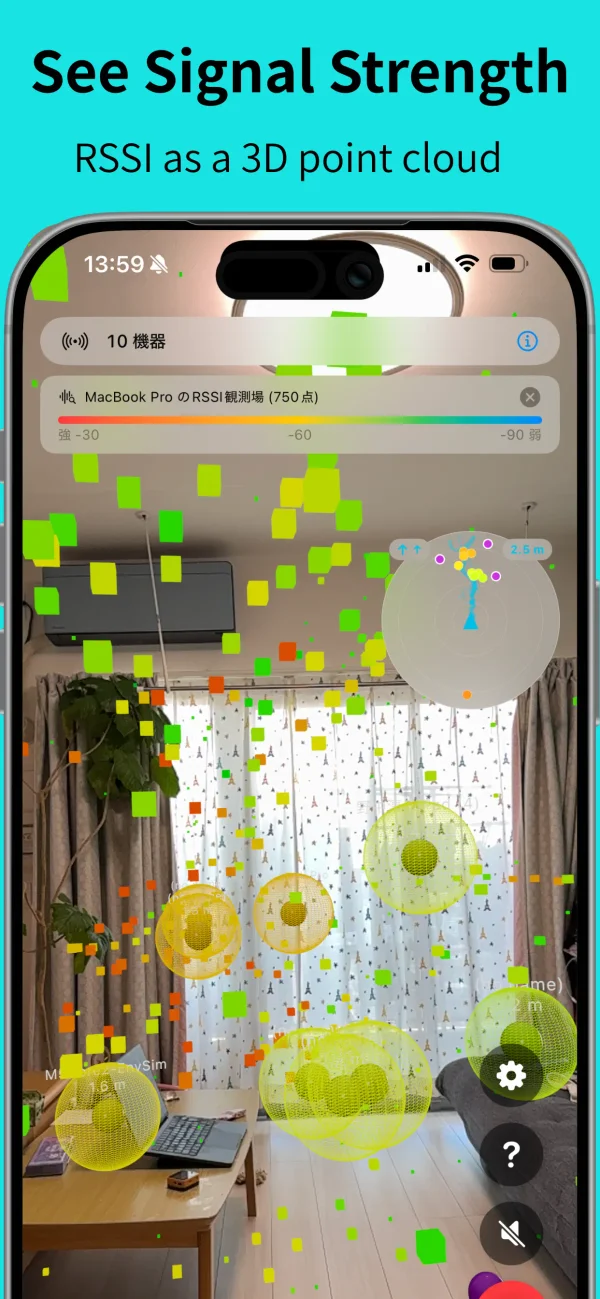
■ 3D RSSI Field Visualization
Select a device and turn on "Field" — the RSSI strength appears as a 3D point cloud, showing how the signal attenuates in space.
■ Geiger Counter Sound
Click sound speeds up as the strongest RSSI device gets closer, like a physical detector.
■ AR Screen Recording + Share
Record via ReplayKit, then share or save to Photos.
■ Aliases and Favorites
Rename devices to your liking, persisted across launches. Filter to show only starred devices.
■ Data Export (CSV / JSON)
Export all observations, positions, and calibrations for analysis on Mac.
【Who is it for?】
- IoT / BLE developers wanting to verify device behavior
- Curious users wanting to "see" Bluetooth devices around them
- Anyone interested in feeling the world of radio waves
- Creators showcasing AR × IoT demos on social media
【Requirements】
iOS 17 or later (ARKit-capable iPhone / iPad)
【Notes】
- This app uses experimental technology; accuracy depends on environment and devices
- Do not use for safety-critical purposes
- Detection range is limited to BLE advertisement reception
- Comply with local laws when using
Confidentialité de l’application
Ce que Jun Nonaka déclare sur l’App Store au sujet du traitement des données par cette application.
-
Données non collectées
Le développeur ne collecte aucune donnée à partir de cette application.
Les pratiques en matière de confidentialité peuvent varier, notamment en fonction des fonctionnalités que vous utilisez ou de votre âge.
Informations
- Vendeur
- Jun Nonaka
- Catégorie
- Outils de développement
- Version
- 1.0
- Mis à jour
- 16/05/2026
- Publié
- 15/05/2026
- Taille
- 45,3 Mo
- Nécessite
- iOS 26.4 ou version ultérieure
- Classification d’âge
- 4+
- Prix
- Gratuit
- Langues
- Anglais, Japonais
- Copyright
- © 2026 Jun Nonaka
Vous aimerez peut-être aussi
-
 Bluetooth Explorer:AI TerminalOutils de développement
-
 Shaderly - GLSL Shader EditorOutils de développement
-
 Commander | Terminal CommandsOutils de développement
-
 LaunchBuddy: App PlannerShip & Grow Your iOS Apps
-
 Swifter for SwiftUIOutils de développement
-
 Débogage BluetoothScanner et écrire des données
-
 Network SnifferInspect HTTPS / Socket Request
-
 nRF Connect Device ManagerOutils de développement
-
 Device Tester: Check & MonitorOutils de développement
-
 WebSSH - Sysadmin ToolboxOutils de développement