BleControlsPi
Control Rasp. Pi via Bluetooth
Conçue pour iPhone, iPad
Achats intégrés
- Classification d’âge4+
- CatégorieUtilitaires
- DéveloppeurNormand Frenette
- LanguesAnglais
- Taille7,8 Mo
BleControlsPi n’est peut-être pas disponible sur App Store pour le moment
La fiche de la boutique était inaccessible lors de notre dernière vérification. Le lien mène toujours à la page App Store officielle.
Captures d’écran


À propos
Le développeur n’a pas fourni ce texte dans votre langue.
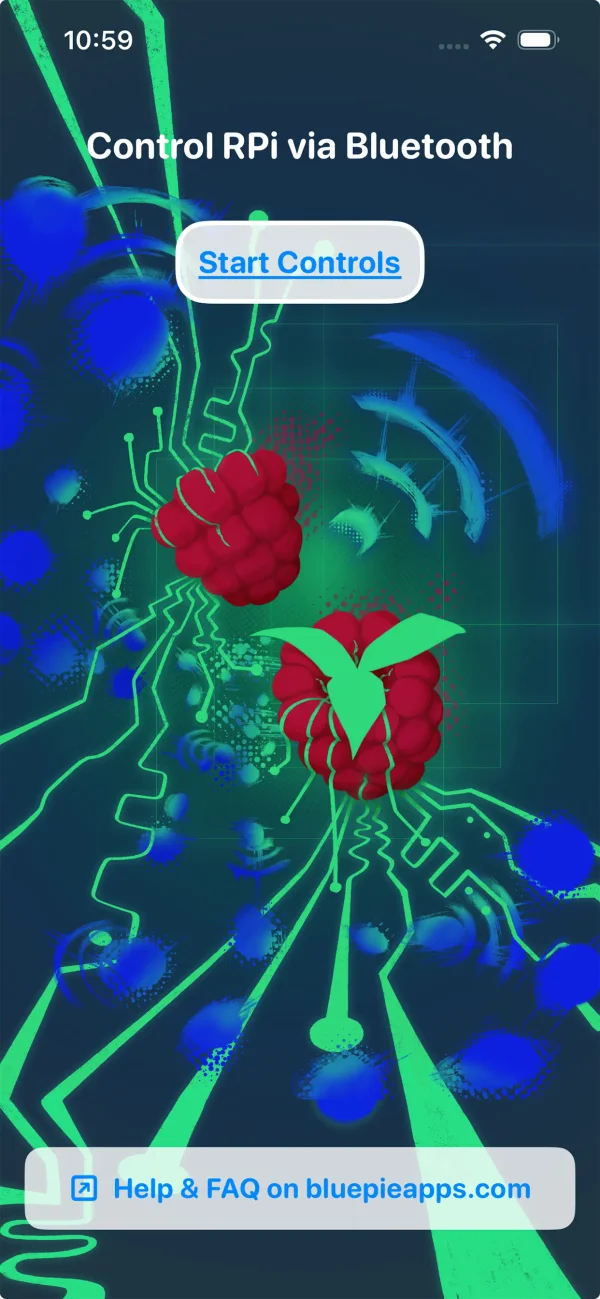
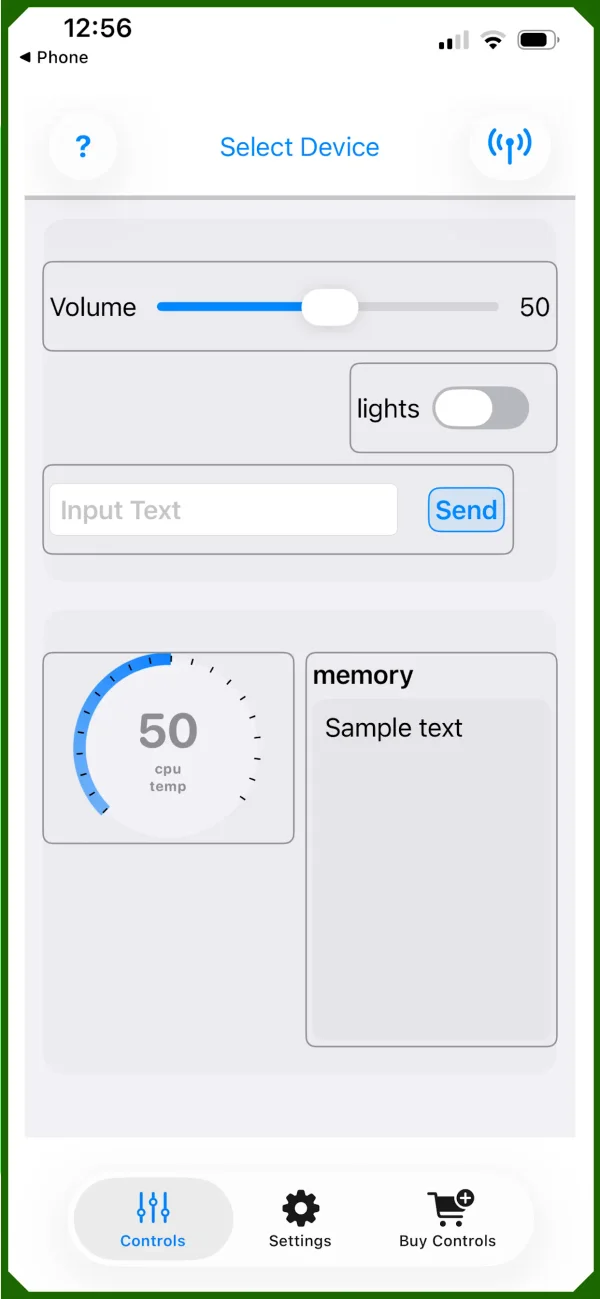
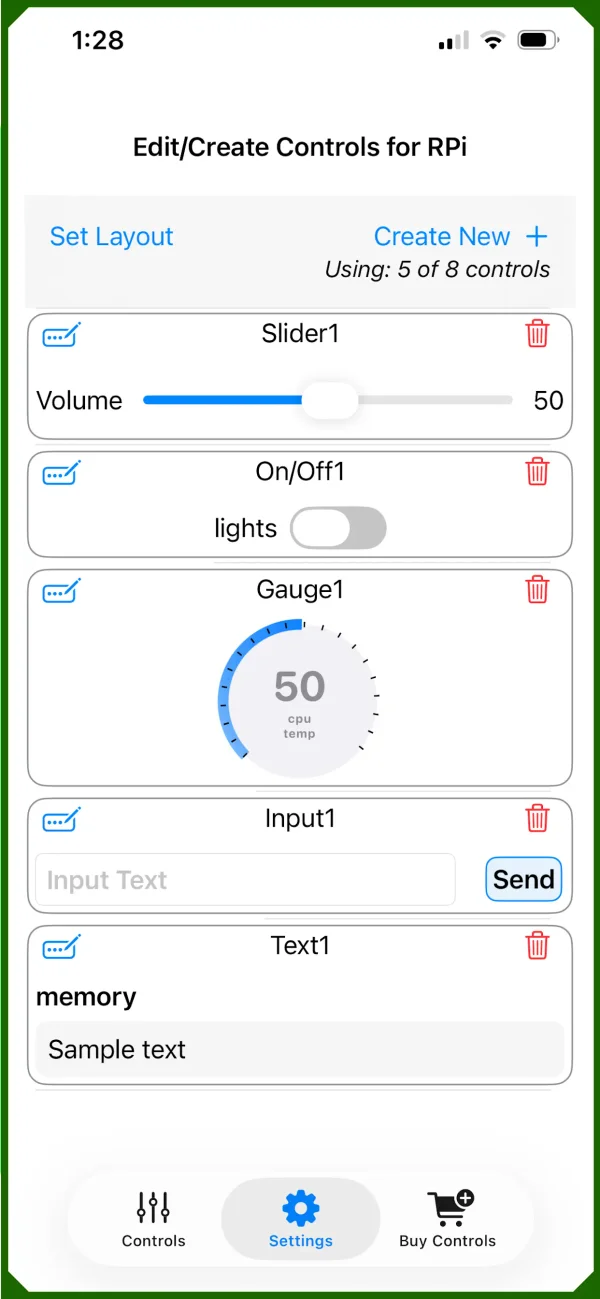
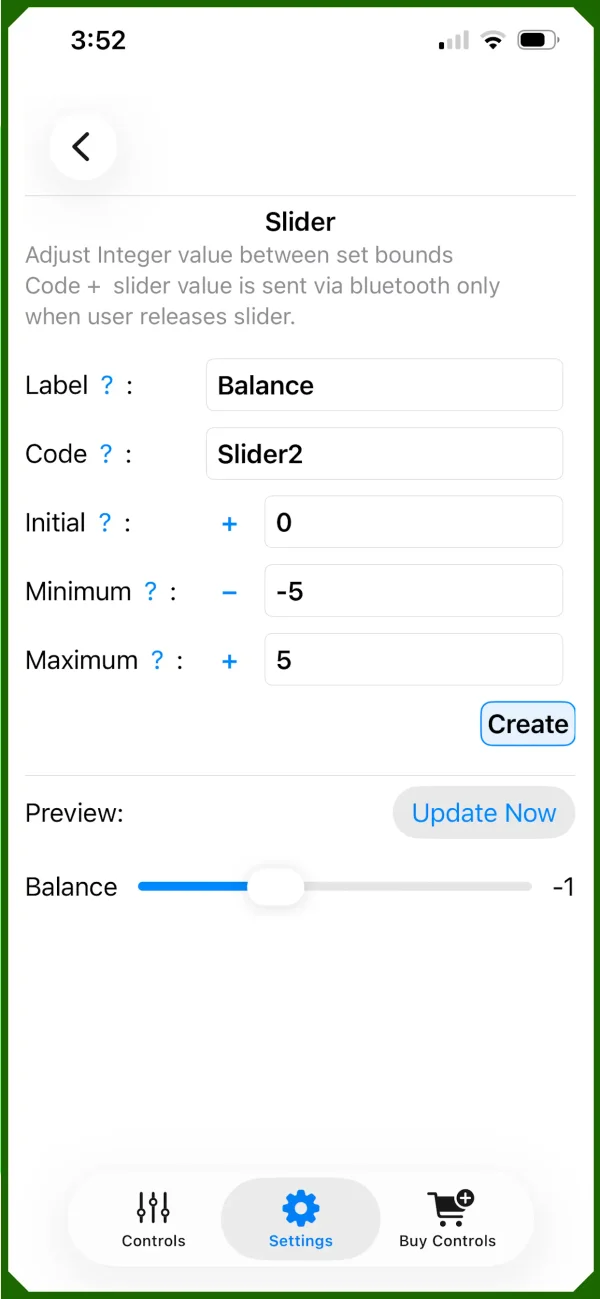
The BLEControlsPi App allows to create various iOS controls such as Button,Toggle, Sliders, Steppers, Pickers (color, date, options) to Control a Raspberry Pi.
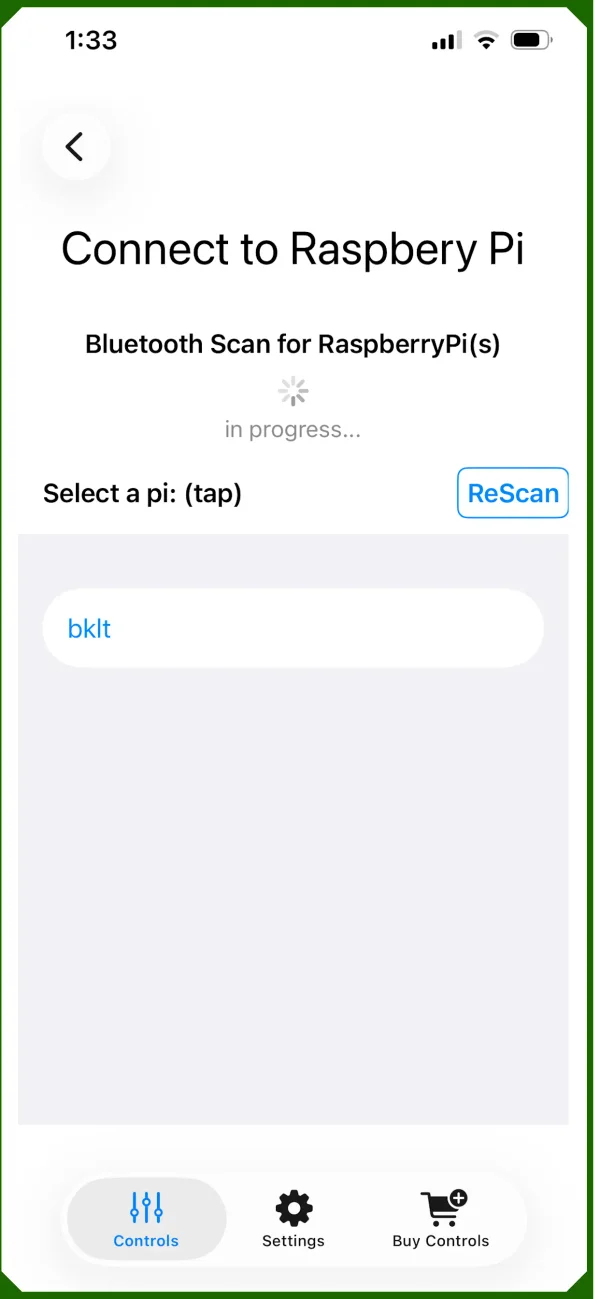
Manipulating these controls sends their value to the Raspberry Pi (or linux device) in real time over Bluetooth Low Energy(BLE).
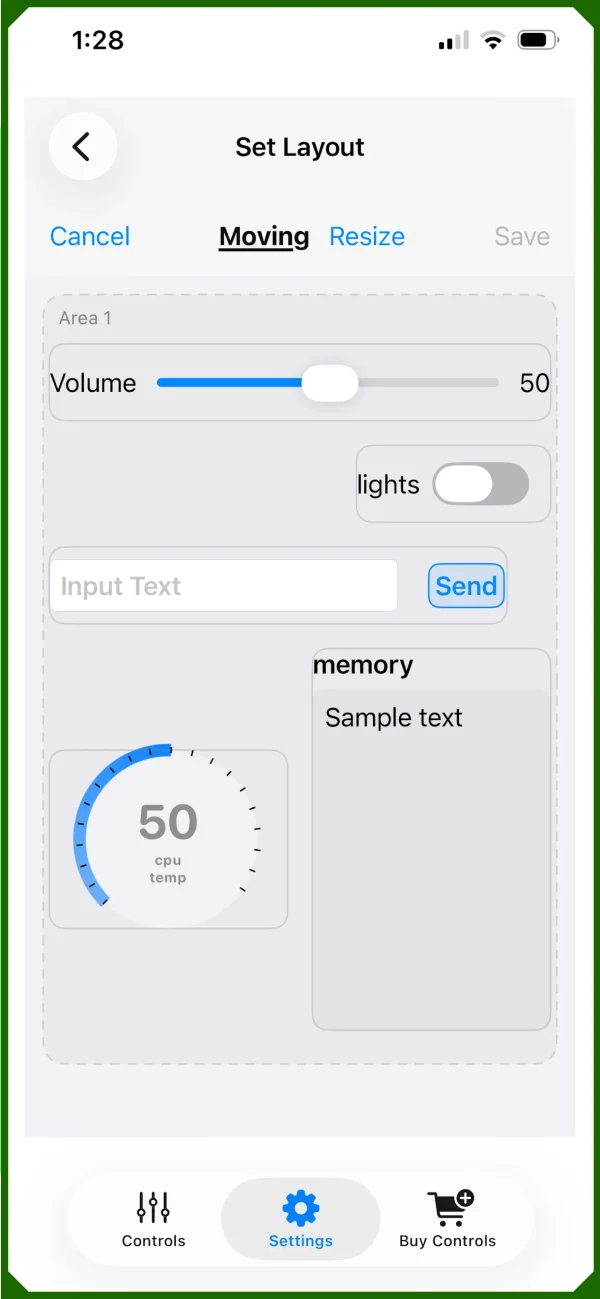
You can also define Display controls such as Gauges and Text Displays, to create a Dashboard, where the Raspberry Pi sends info to the iPhone/iPad also in real time over Bluetooth.
You can create, edit, size, and positions the controls in the app without being connected to a Raspberry Pi. However, before you can connect to, and control the Raspberry Pi you must instal the Python code (see below).
IMPORTANT: You must install the free companion Python Software on the Raspberry Pi - where you define your own handlers (callback) functions that take actions on the Raspberry Pi, or fetch data on the Raspberry Pi to send to the iPhone/iPad.
The code is provided with an automated installer for the Raspberry Pi. See https://github.com/bluepieapps/blecontrolspi-python and the README.
The app provides 2 free controls. These can be created , deleted and re-created as often as you wish, allowing you to test any configuration, or run a simple control scheme.
If you need more controls, you can use In-App Purchases to buy Control Packs (in quantity 1,3,5 or 9) for a small fee. This is not a subscription. Once you own the pack - it is yours to use. Packs allow the creation of any controls offered in the app, and any such controls can be edited, deleted and re-created at will.
You can install the app on multiple iPhones/iPads that all use the same Apple ID. Controls Packs, and Controls you define on one device are synchronized to the other devices on app restart. Add a new control on your iPhone, and it will show up on your iPad. delete a controls from your iPad, and it will be deleted from your iPhone.
See a video of the app at: https://youtu.be/8y3t2luLw3k
See the documentation at: https://bluepieapps.com/Control-Pi-over-bluetooth/
- There is docs on how the controls, working which type of controls are available.
- There is also an explanation of how you create handlers in the Python Code on the Raspberry Pi to have the RPi react to the controls you have defined.
Confidentialité de l’application
Ce que Normand Frenette déclare sur l’App Store au sujet du traitement des données par cette application.
-
Données non collectées
Le développeur ne collecte aucune donnée à partir de cette application.
Les pratiques en matière de confidentialité peuvent varier, notamment en fonction des fonctionnalités que vous utilisez ou de votre âge.
Informations
- Vendeur
- Normand Frenette
- Catégorie
- Utilitaires
- Version
- 1.0
- Mis à jour
- 08/07/2026
- Publié
- 08/07/2026
- Taille
- 7,8 Mo
- Nécessite
- iOS 17.0 ou version ultérieure
- Classification d’âge
- 4+
- Achats intégrés
- Oui
- Langues
- Anglais
- Copyright
- © 2026 Normand Frenette
Vous aimerez peut-être aussi
-
 Network TunnelUtilitaires
-
 SysPulse - Linux Monitor & SSHUtilitaires
-
 BugX-Bug TrackerUtilitaires
-
 eTrackPad: Wireless TrackpadUtilitaires
-
 Aurora RemoteUtilitaires
-
 ServoControlUtilitaires
-
 Q-ScoutUtilitaires
-
 SoloOps: Miner DashboardUtilitaires
-
 SMSVirtual : Numéro VirtuelNuméro pour créer un compte
-
 Open Pi - Raspberry Pi ManagerUtilitaires