Blue Dots.
Find anything, anywhere
Conçue pour iPhone, iPad, iPod touch
Gratuit · Achats intégrés
- Classification d’âge12+
- CatégorieUtilitaires
- DéveloppeurKenneth Søgnesand
- LanguesAnglais+ 1 de plus
- Taille70,5 Mo
Renvoie vers la page App Store officielle
Download.org n’héberge aucun fichier de Blue Dots. Le bouton ouvre la page de l’application sur App Store, où Kenneth Søgnesand la publie. Fiche vérifiée pour la dernière fois le 16/11/2026.
Captures d’écran
À propos
Le développeur n’a pas fourni ce texte dans votre langue.
You know that rush after you finally purge the junk drawer, clear out the garage, or deep-clean the closet? Everything's in its place and you feel like you've finally got your life together. Two weeks later the slow creep starts again. Same old chaos.
That's exactly why most people stay stuck. They stop at the purge.
Blue Dots is the missing piece that turns one-time decluttering into something that lasts.
Here's how simple it is. Snap one photo of your freshly organized space. Tap to drop BLUE DOTS™ straight onto the shelves, drawers, boxes or bins.
Inside each dot you name the items, add quick photos, and set a status: Available, Almost Out, Need to Buy More, Broken, Borrowed, Want to Sell, Donate or Gift, Get Rid Of, or Sold.
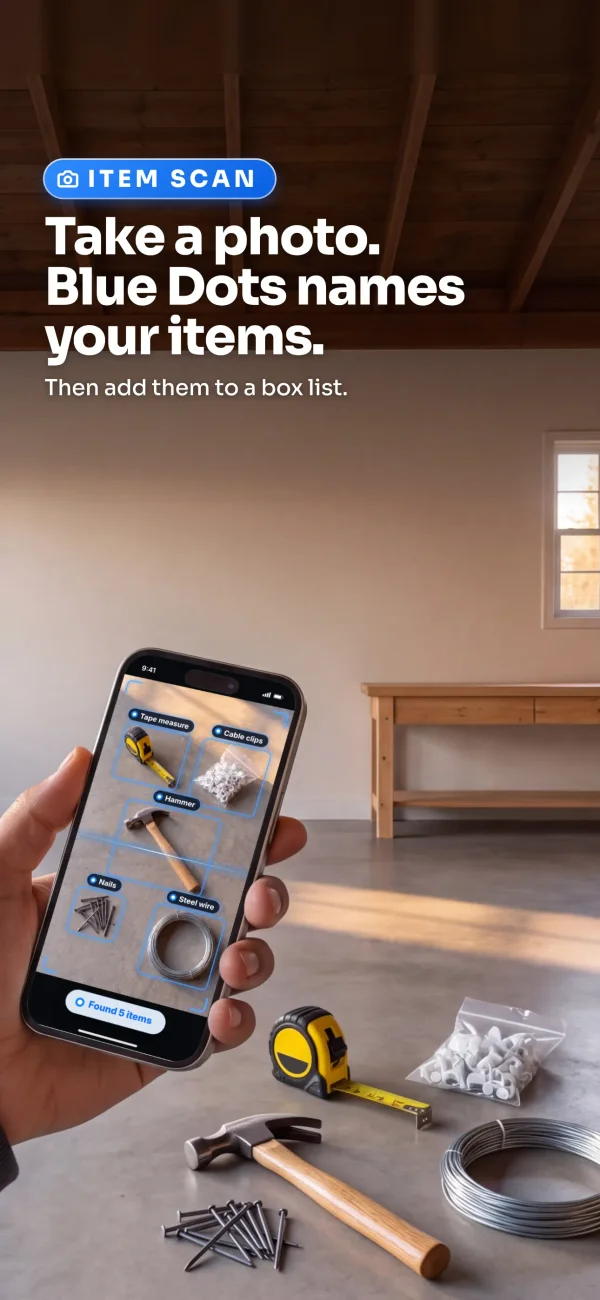
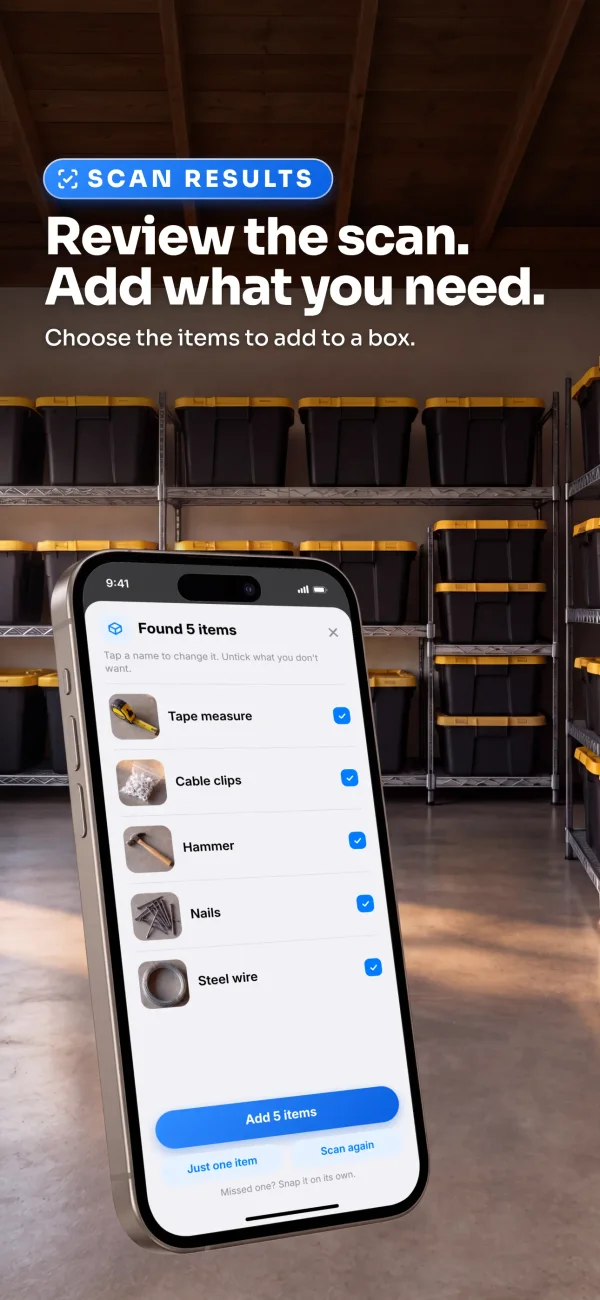
NEW: Catalog a whole shelf in one shot. Point the camera at a shelf or a pile and the scanner finds up to 20 items in one photo, names each one and adds them to your map. Less time cataloguing, more time actually organizing.
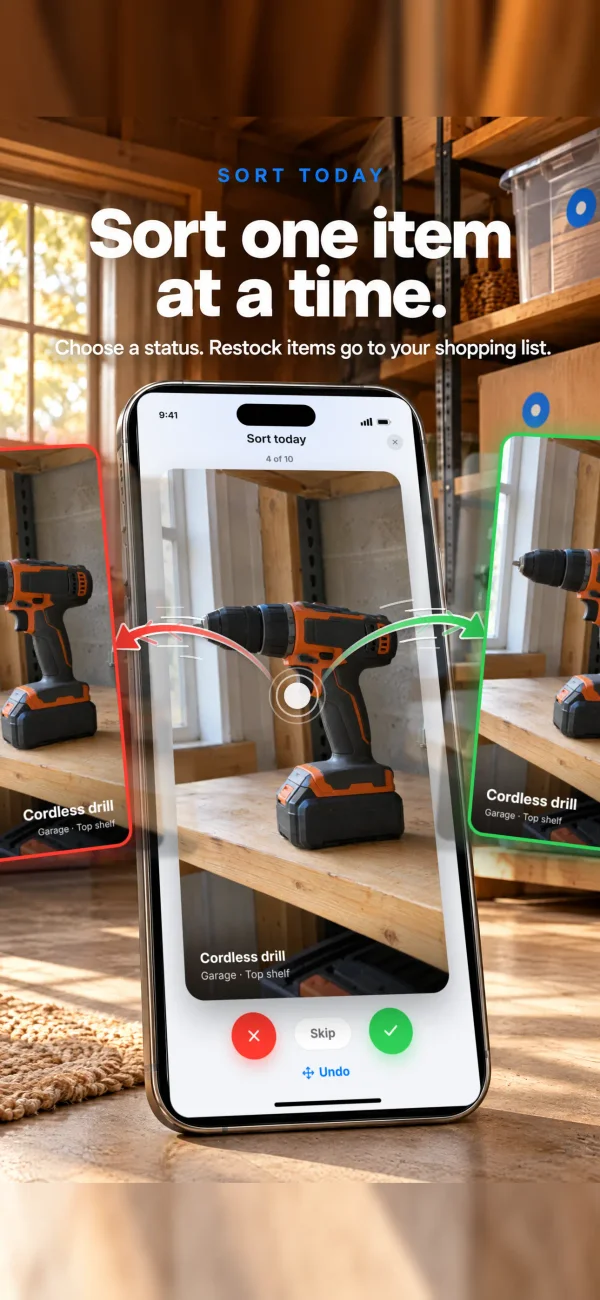
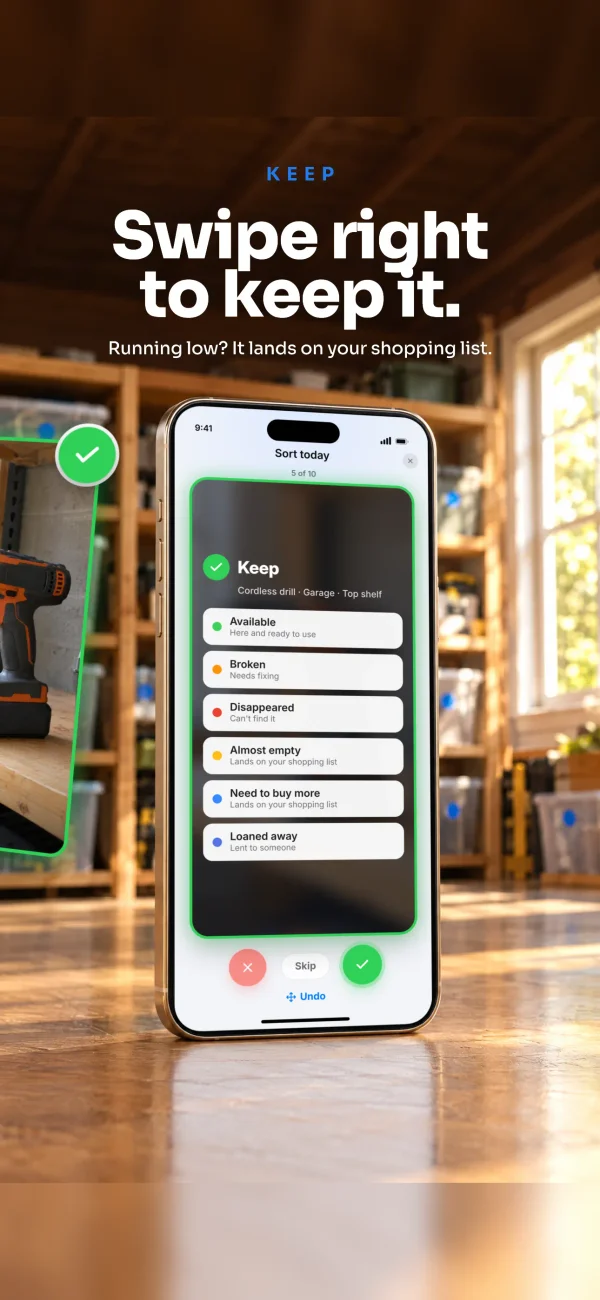
NEW: Sort today. A quick daily deck of the things that still have no status. Swipe left to let go — Want to Sell, Donate or Gift, Get Rid Of. Swipe right to keep — Available, Almost Out, Need to Buy More and more. A few swipes a day and the whole house is sorted.
Mark something Need to Buy More or Almost Out and it drops into a running shopping list — so your next store run writes itself, and you stop standing in the aisle wondering whether you're already out.
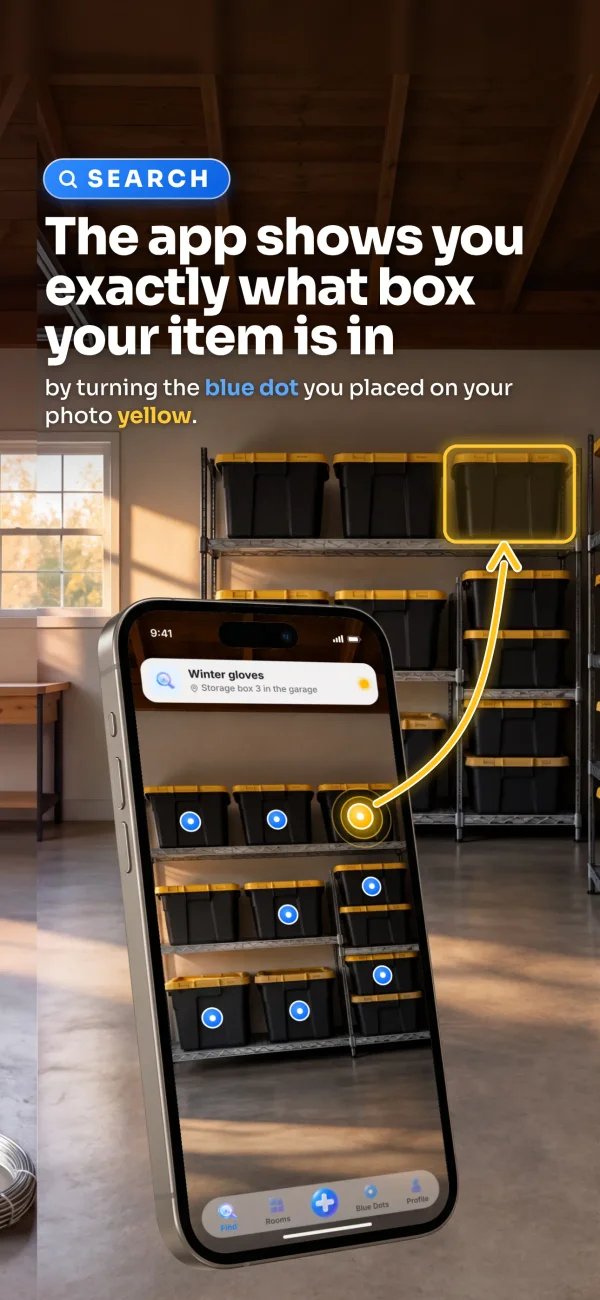
Later you just type what you're looking for. The exact spot lights up bright yellow on your real photo. You walk over and grab it. No spreadsheets. No opening ten random boxes while getting frustrated.
Purge once, map it once, and you're done.
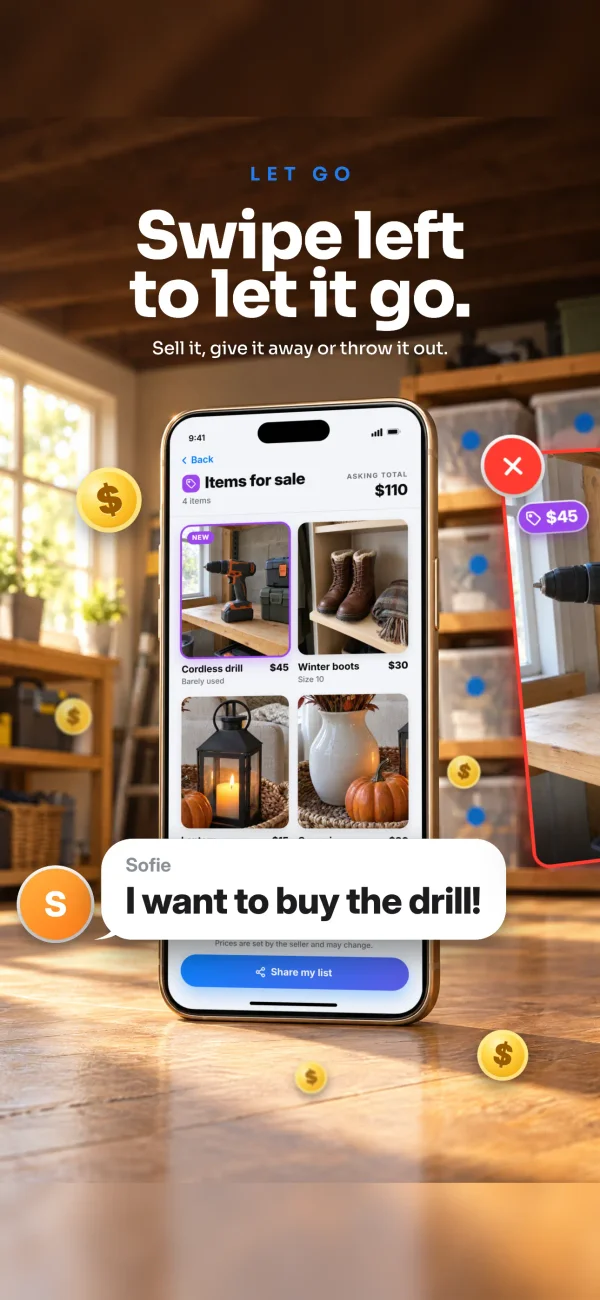
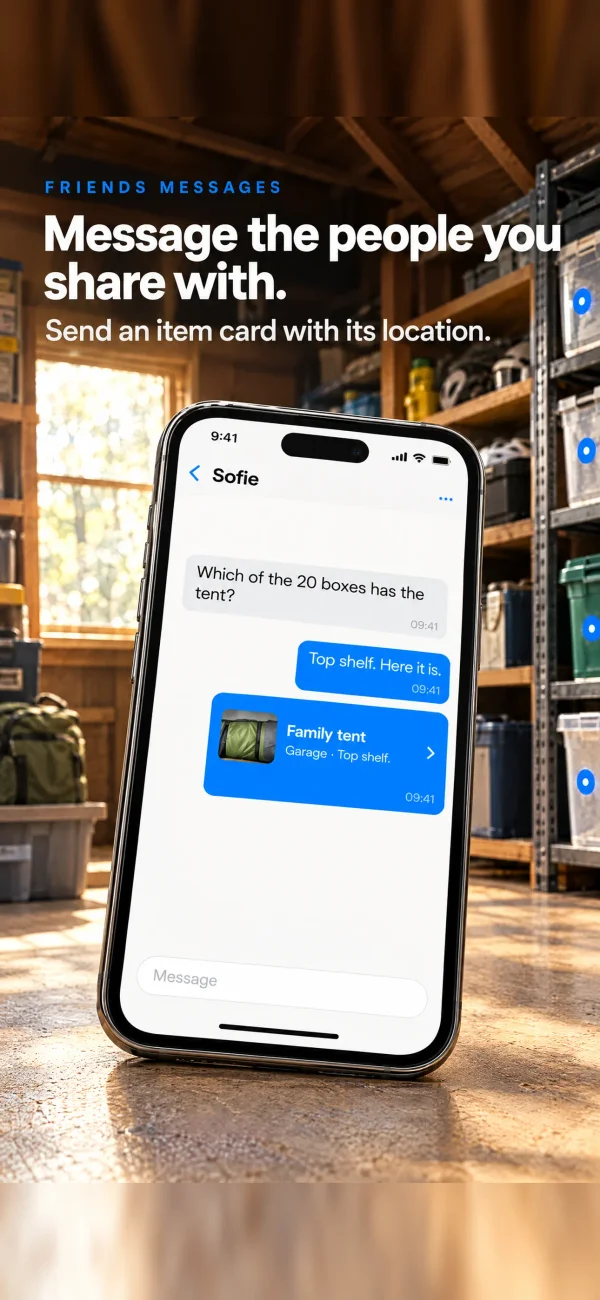
NEW: Let go of things with your friends. Add friends with a friend code and message them in the app. Anything you mark Want to Sell, Donate or Gift, or Get Rid Of shows up for your friends — only those things, never the rest of your home. They can ask for it, make an offer or comment. Sold it? Mark it Sold and it moves to its own list.
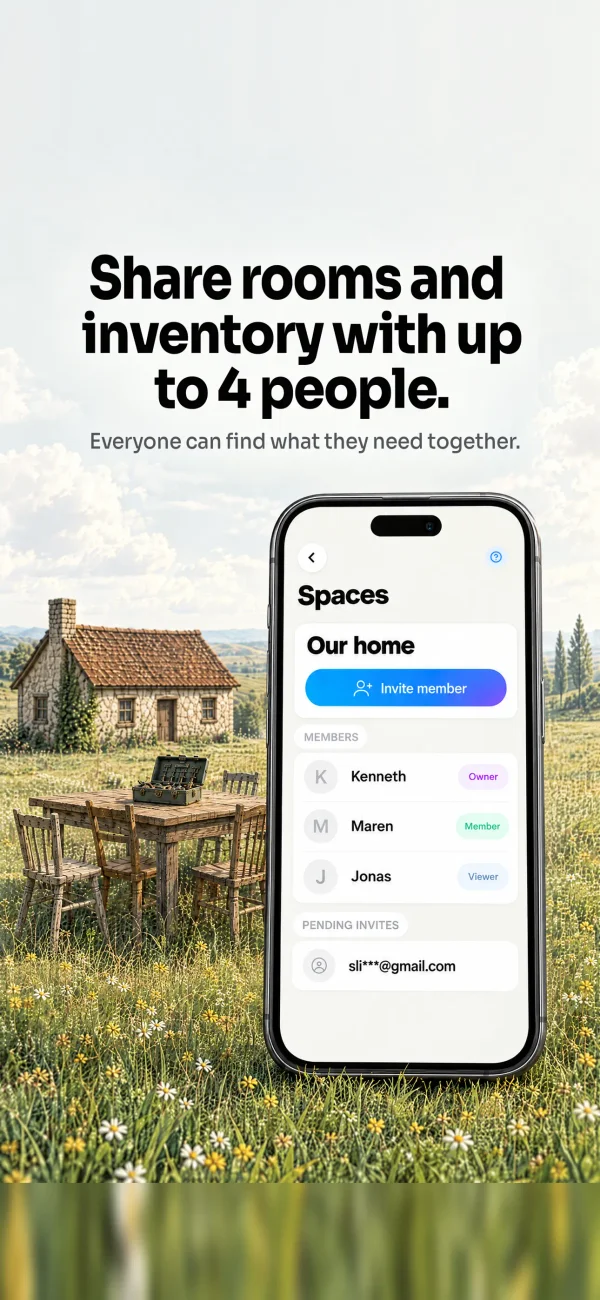
Share the home with the people in it. With a Family plan, everyone in the household maps and finds things in the same Family Space. A Work Space does the same for a workshop or small team.
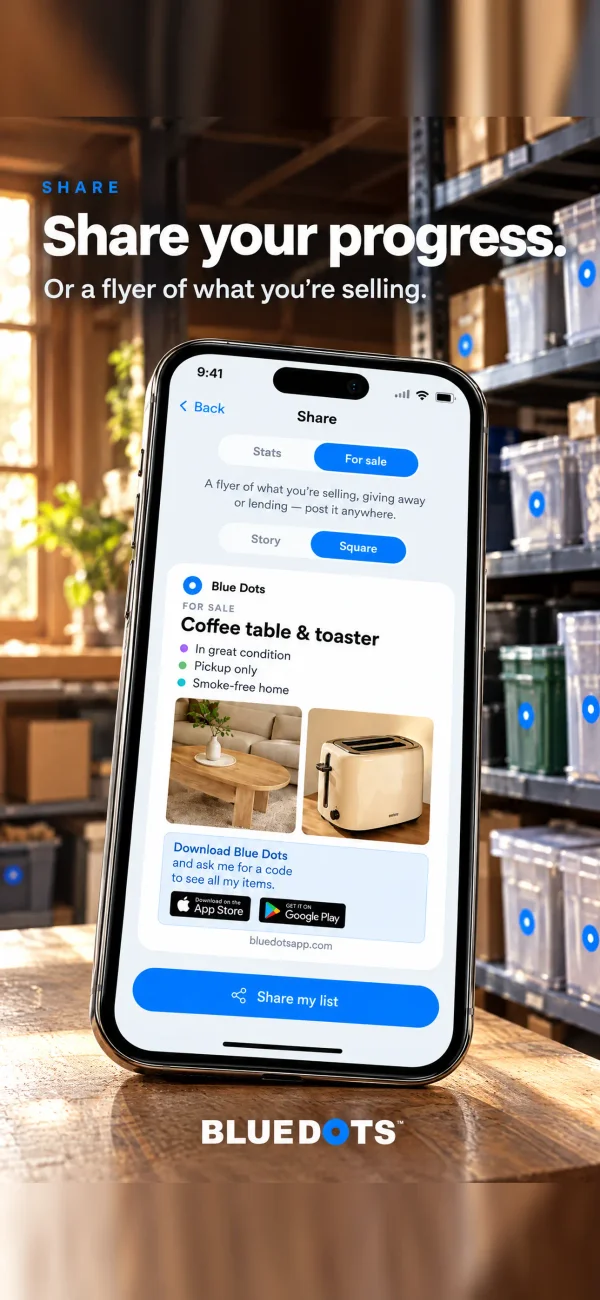
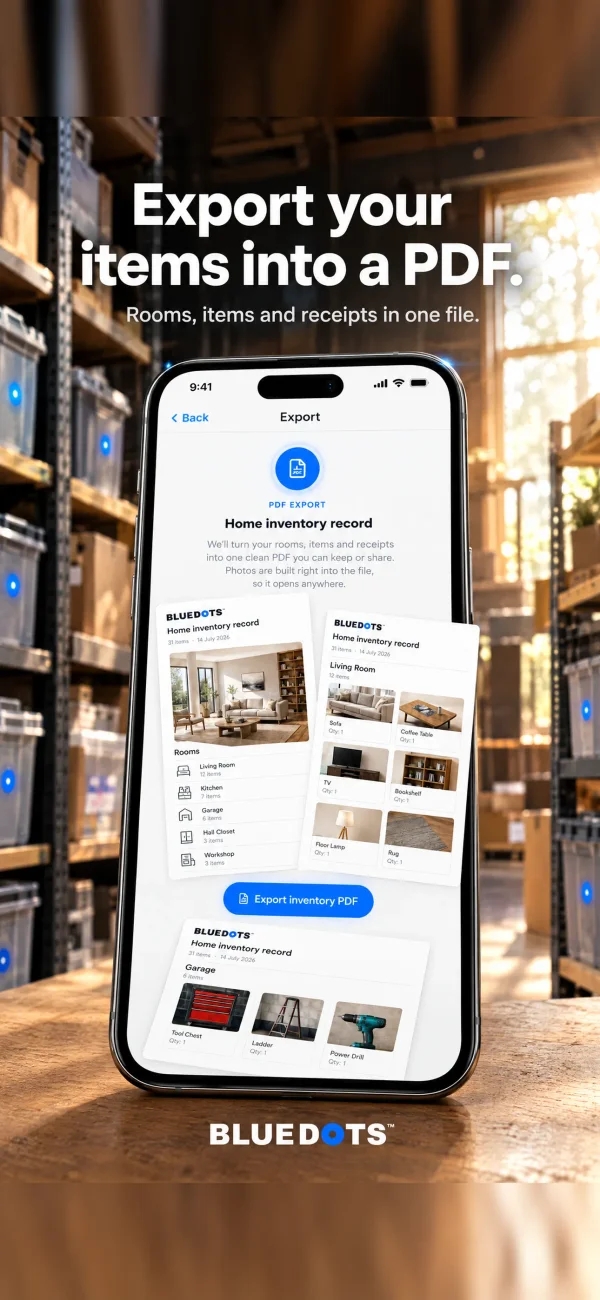
Need it all on paper? Export your whole inventory as a clean PDF — every room, every blue dot, every item and photo, right down to the receipts you saved — to keep for yourself or share when you move, downsize or sell. Your whole home in one file. Or make a simple "for sale" or "free to a good home" poster in a tap.
With a map you can actually see, the clutter is far easier to keep out. Decision fatigue? Lighter. "Just-in-case" panic? Taken care of.
It works anywhere — garages, workshops, kitchens, closets, kids' rooms, moving boxes, storage units, even your parents' basement full of who-knows-what.
The stuff that makes the magic happen: real-photo blue-dot mapping, instant yellow-highlight search, an AI scanner that names one item or a whole shelf for you, Sort today, status tracking so you know what's usable (and what to restock, sell or donate), a built-in shopping list, friends and messages, Family and Work Spaces, read-only sharing codes, one-tap PDF export, and cloud sync so it's all on every device you use.
You purge once. Map it. Find forever.
Everything you own, and one app to find it all.
Download Blue Dots and finally stop losing your own stuff in your own house. The BLUE DOTS™ remember.
Family and Work Spaces need a subscription.
https://www.apple.com/legal/internet-services/itunes/dev/stdeula/
https://bluedotsapp.com/terms
Nouveautés
Version 1.10.2 · 27/10/2026
NEW IN THIS UPDATE
Scan many items from one photo:
Point the camera at a shelf or a pile, and the Item Scanner finds up to 20 items in one picture, names each one and adds them to your map.
Setting up a room now takes a fraction of the time. Less time cataloguing, more time actually organizing.
Sort today
A quick daily deck of the items that have no status yet. Swipe left to let one go, Want to Sell, Donate or Gift, or Get Rid Of.
Swipe right to keep it: Available, Almost Out, Need to Buy More, Broken, Borrowed and more.
A few swipes a day and the whole house is sorted.
Friends and messages
Add friends with a friend code and chat with them in the app, photos included. Things you mark to let go show up for your friends, so they can ask for them, make an offer or comment.
Sold something? Mark it Sold and it moves to its own listing page that your friends can see.
A fresh new look: a redesigned app with clearer screens, a simpler Profile, and one tap between your Dashboard and the things you're selling.
Confidentialité de l’application
Ce que Kenneth Søgnesand déclare sur l’App Store au sujet du traitement des données par cette application.
-
Données établissant un lien avec vous
Peuvent être collectées et liées à votre identité.
- Achats
- Coordonnées
- Contacts
- Contenu utilisateur
- Identifiants
- Données d’utilisation
- Diagnostic
- Autres données
Les pratiques en matière de confidentialité peuvent varier, notamment en fonction des fonctionnalités que vous utilisez ou de votre âge.
Informations
- Vendeur
- Mytools Sognesand
- Catégorie
- Utilitaires
- Version
- 1.10.2
- Mis à jour
- 27/10/2026
- Publié
- 29/04/2026
- Taille
- 70,5 Mo
- Nécessite
- iOS 15.1 ou version ultérieure
- Classification d’âge
- 12+
- Prix
- Gratuit
- Achats intégrés
- Oui
- Langues
- Anglais, Norvégien
- Copyright
- © @ 2025-2026 Mytools Søgnesand All rights reserved