
- Classification d’âge4+
- CatégorieÉconomie et entreprise
- DéveloppeurThe Danyalgil Company
- Taille40,1 Mo
Renvoie vers la page App Store officielle
Download.org n’héberge aucun fichier de blue·auth. Le bouton ouvre la page de l’application sur App Store, où The Danyalgil Company la publie. Fiche vérifiée pour la dernière fois le 20/11/2026.
Captures d’écran



À propos
Le développeur n’a pas fourni ce texte dans votre langue.
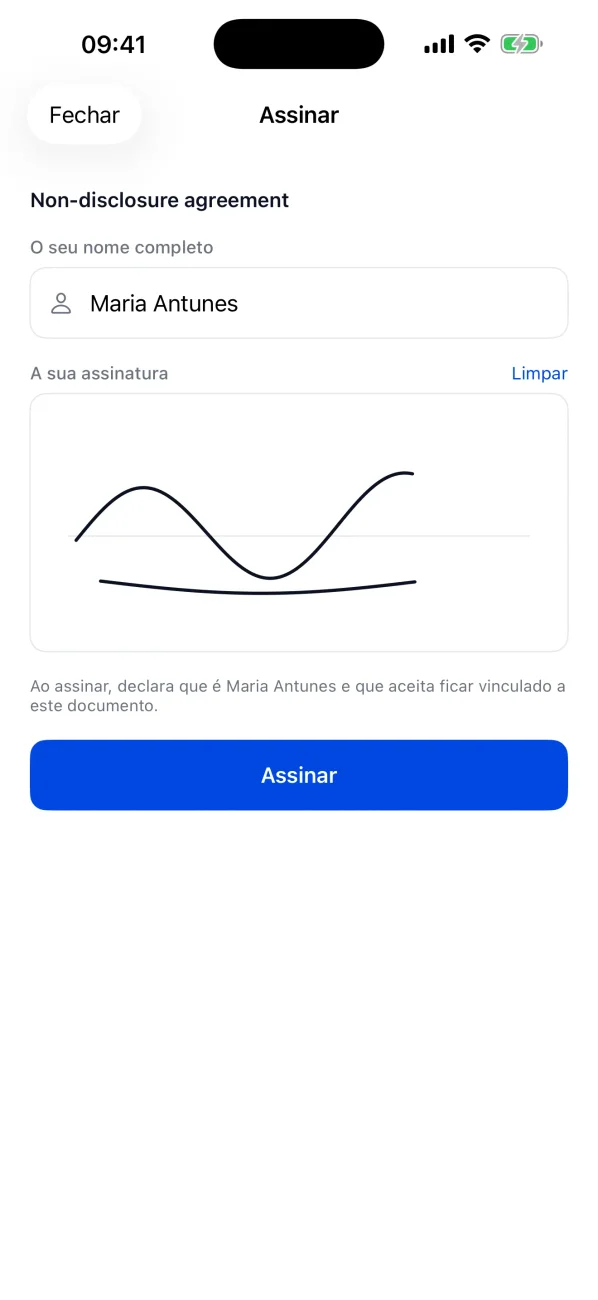
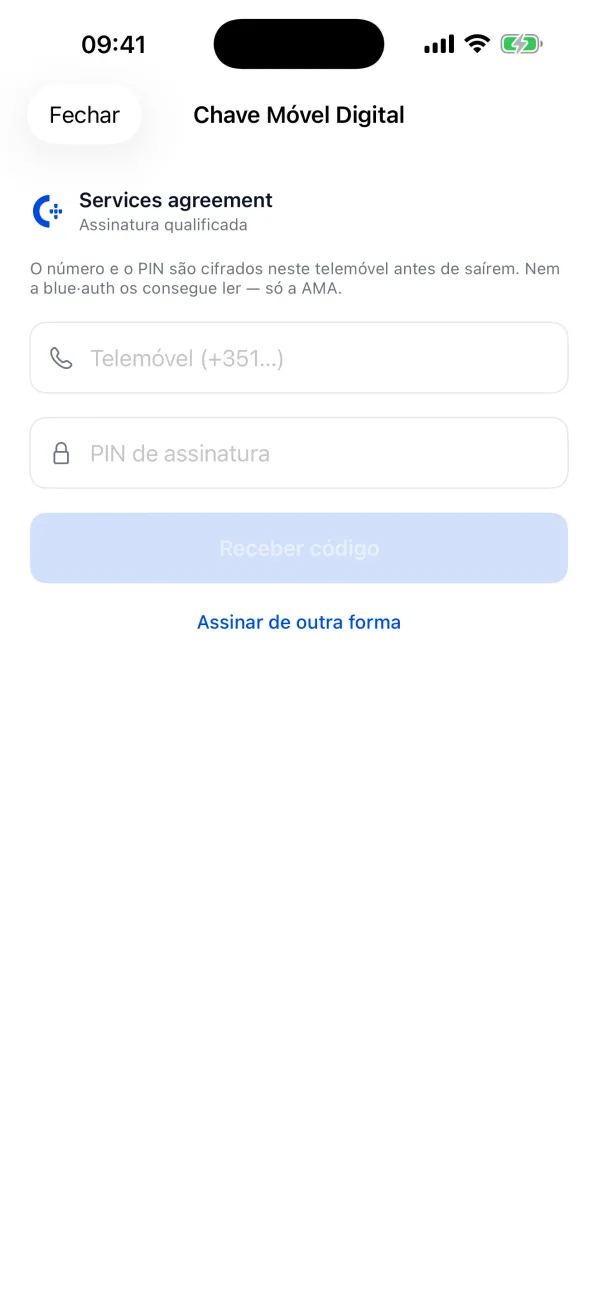
Sign contracts and documents from your phone, with legal standing recognised across the European Union.
When somebody sends you a document to sign, it turns up here. You get a notification, open it, read the whole thing and sign in the right place. No more printing, signing by hand, scanning and sending it back.
QUALIFIED SIGNATURES
Sign with the Portuguese Chave Móvel Digital and you get a qualified electronic signature, the highest level European law recognises. It carries the same weight as a signature witnessed in person, and is accepted by courts, banks, notaries and public services. If you would rather not, you can always sign the ordinary way, by drawing your signature on the screen.
IDENTITY CHECKS
When the sender asks for stronger proof, the app captures a photo of your identity document and runs a short video check that tells a real person from a photograph. All of it is stored alongside the document, as evidence.
ALWAYS KNOW WHERE THINGS STAND
See what is waiting for you, what you have signed and what is finished. On a document with several people, you can see who has signed and who is still holding it up.
THE ORIGINAL IS ALWAYS ONE STEP AWAY
Every signed document carries a code that takes anyone back to the original online, with the full record of who signed, when and from where. Print it or share it freely: the paper never loses its link to the original.
PRIVATE BY DEFAULT
The app opens with Face ID or Touch ID. Your documents are yours, and blue·auth was built from the ground up to prove a document is genuine without having to expose it.
PART OF blueauth.co
The app is one piece of a larger platform, with timestamping, document anonymisation, certificates, forensic evidence custody and tools for teams. What you sign here shows up there, and the other way round.
A blue·auth account is required. Create one directly in the app.
Nouveautés
Version 2.4.0 · 15/11/2026
Your b·ID on your phone
Create and update your private signing profile, identity-document images, expiry date and optional given/family names while preserving your full document name.
A better signature editor
Draw full-screen in portrait or landscape, undo and redo strokes, and confirm or cancel changes.
A refreshed app
Home, Documents, Identity and Profile, plus the new joining-dots loading animation. Document-expiry reminders are sent 30, 15 and 5 days before expiry and on the expiry date.
Confidentialité de l’application
Ce que The Danyalgil Company déclare sur l’App Store au sujet du traitement des données par cette application.
-
Données établissant un lien avec vous
Peuvent être collectées et liées à votre identité.
- Coordonnées
- Contenu utilisateur
- Identifiants
- Informations sensibles
- Autres données
Les pratiques en matière de confidentialité peuvent varier, notamment en fonction des fonctionnalités que vous utilisez ou de votre âge.
Informations
- Vendeur
- Danyalgil & Danyalgil, Lda.
- Catégorie
- Économie et entreprise
- Version
- 2.4.0
- Mis à jour
- 15/11/2026
- Publié
- 10/03/2025
- Taille
- 40,1 Mo
- Nécessite
- iOS 17.0 ou version ultérieure
- Classification d’âge
- 4+
- Prix
- Gratuit
- Copyright
- © 2026 Danyalgil & Danyalgil, Lda.
Vous aimerez peut-être aussi
-
 Dilution +Productivité
-
 OSS CompanionÉconomie et entreprise
-
 SIM CONFERENCEÉconomie et entreprise
-
 ConCaptureÉconomie et entreprise
-
 ShopkitÉconomie et entreprise
-
 Minuteur Pomodoro - PomodoConcentrez-vous mieux
-
 Contact Backup: Cleaner,ExportÉconomie et entreprise
-
 DSWalletÉconomie et entreprise
-
 HelloApp LionesaÉconomie et entreprise
-
 TAP CargoÉconomie et entreprise