
BlueTrack POS
Staff sales, pay and schedules
Conçue pour iPhone, iPad, iPod touch
Gratuit
- Classification d’âge12+
- CatégorieÉconomie et entreprise
- DéveloppeurMadfunctional LLC
- LanguesAnglais
- Taille50,8 Mo
Renvoie vers la page App Store officielle
Download.org n’héberge aucun fichier de BlueTrack POS. Le bouton ouvre la page de l’application sur App Store, où Madfunctional LLC la publie. Fiche vérifiée pour la dernière fois le 30/11/2026.
Captures d’écran
À propos
Le développeur n’a pas fourni ce texte dans votre langue.
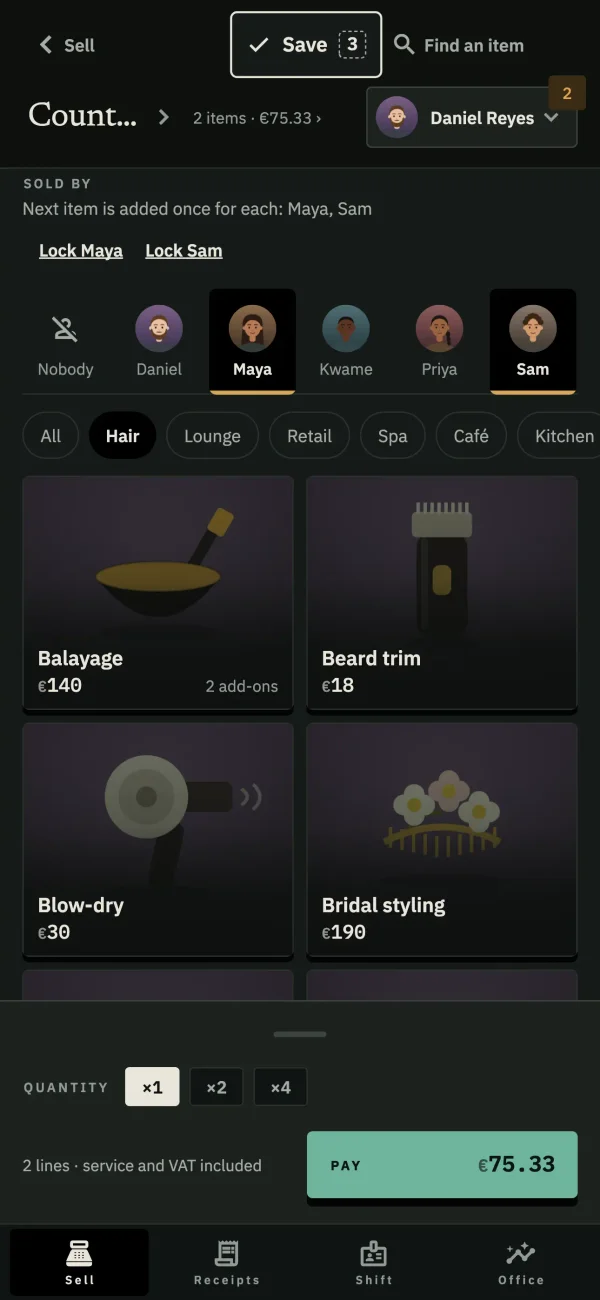
BlueTrack is a point of sale for any business where a sale is credited to the person who made it: salons and barbers, spas, shops and showrooms, restaurants, cafés and bars. Every line is named to the staff member it belongs to as it is rung, and BlueTrack works out what each person has earned.
CREDIT EVERY SALE TO THE PERSON WHO EARNED IT
• Pick a staff member's face above the menu, then ring the items. Each line carries that person's name.
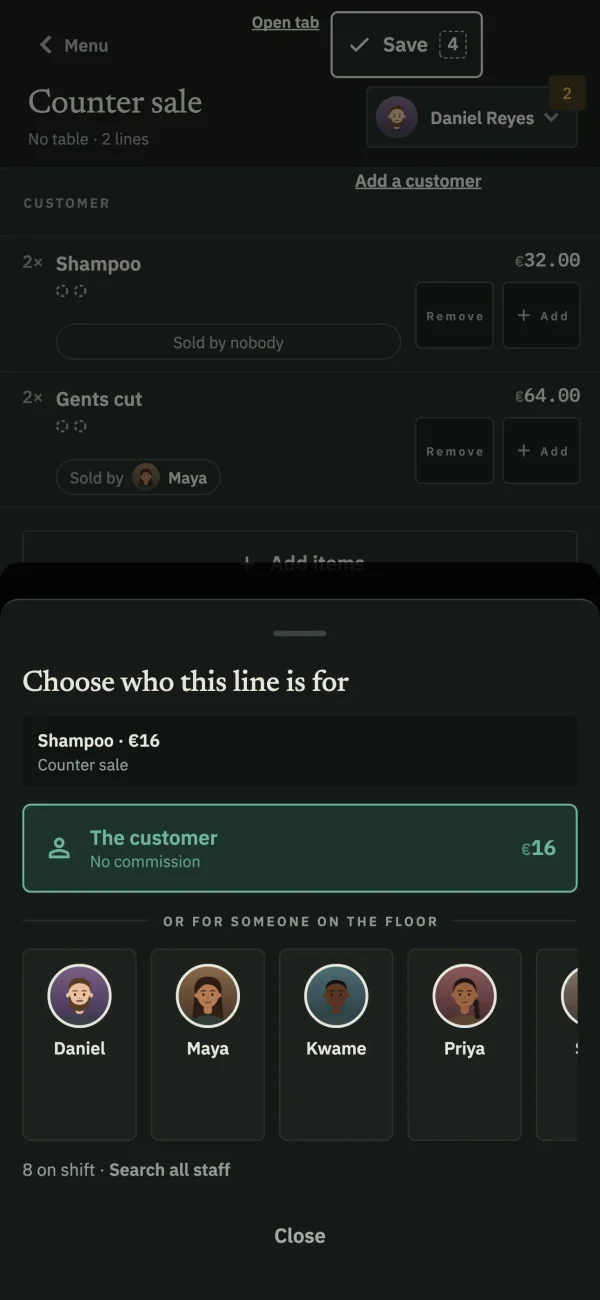
• Any item can be for anyone, or for the customer. Your pay rules decide what it pays.
• Add a customer to a sale and see who looks after them and when they last came in.
TABS AND COUNTER SALES
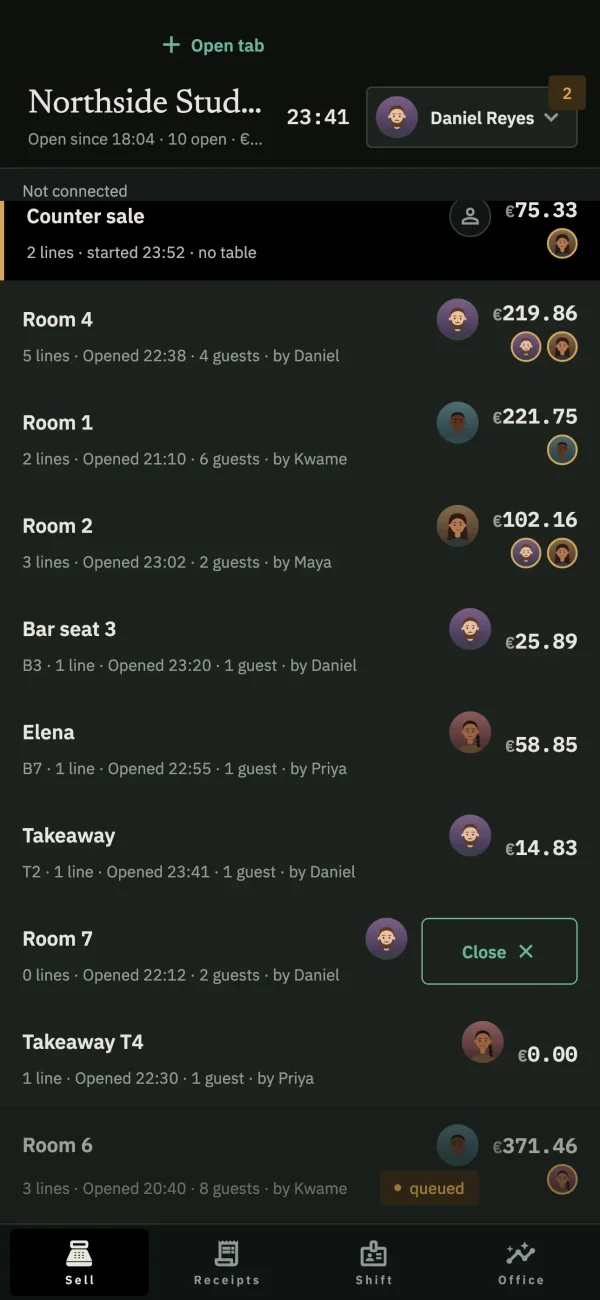
• Open a tab on a table, a chair, a room or a takeaway order, or ring a counter sale on the spot.
• See every open tab with its total and who each line is for.
• Move lines to another tab, merge two tabs, or rename one.
• Every device at the venue sees a new sale or a change as it happens.
TAKE PAYMENT
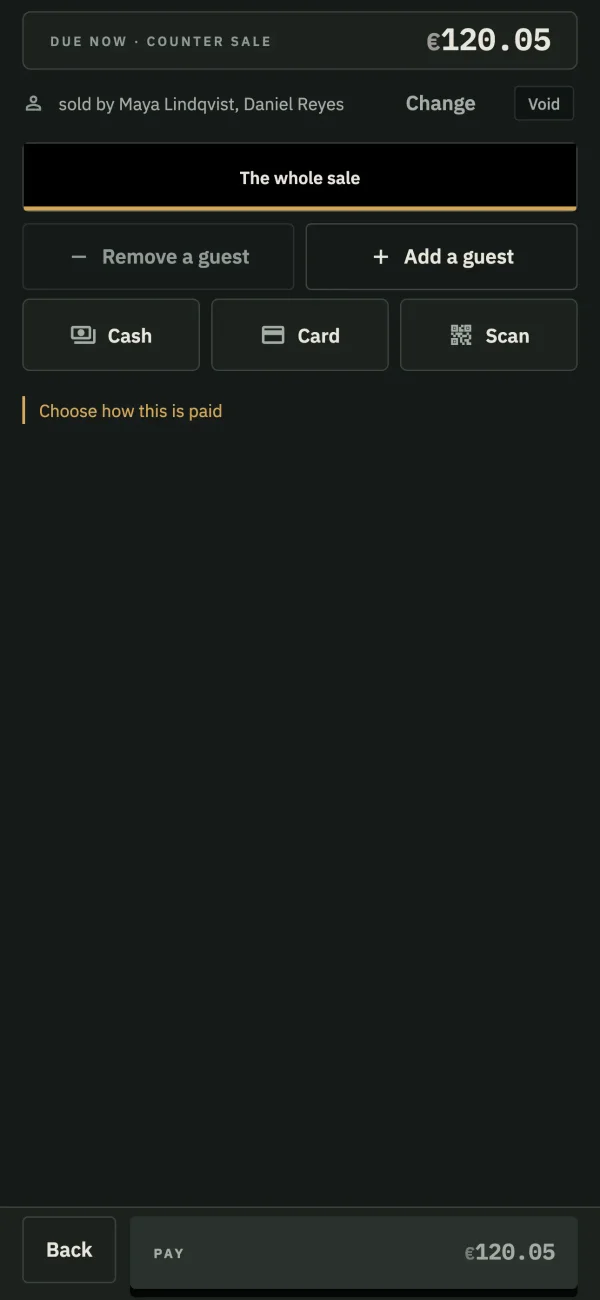
• Cash, card and Scan, or split one sale across several ways to pay.
• Quick cash amounts and the change to give back.
• A Scan payment keeps a photo of the customer's slip.
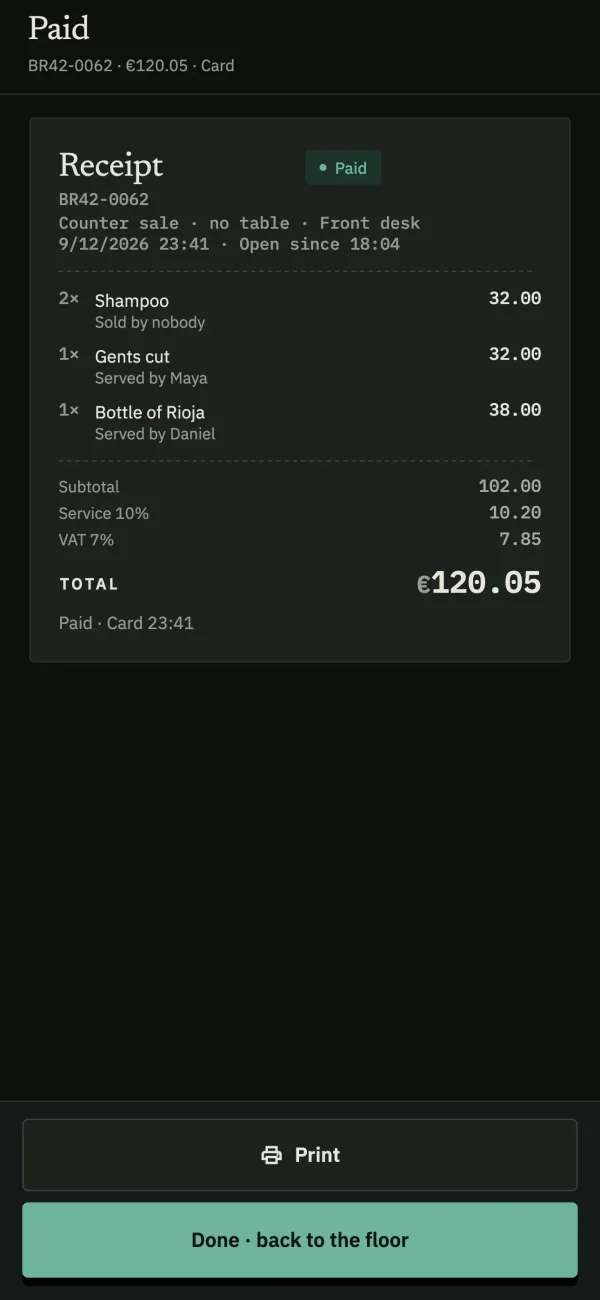
• Print the receipt or send it.
PAY STAFF BY RULES YOU WRITE
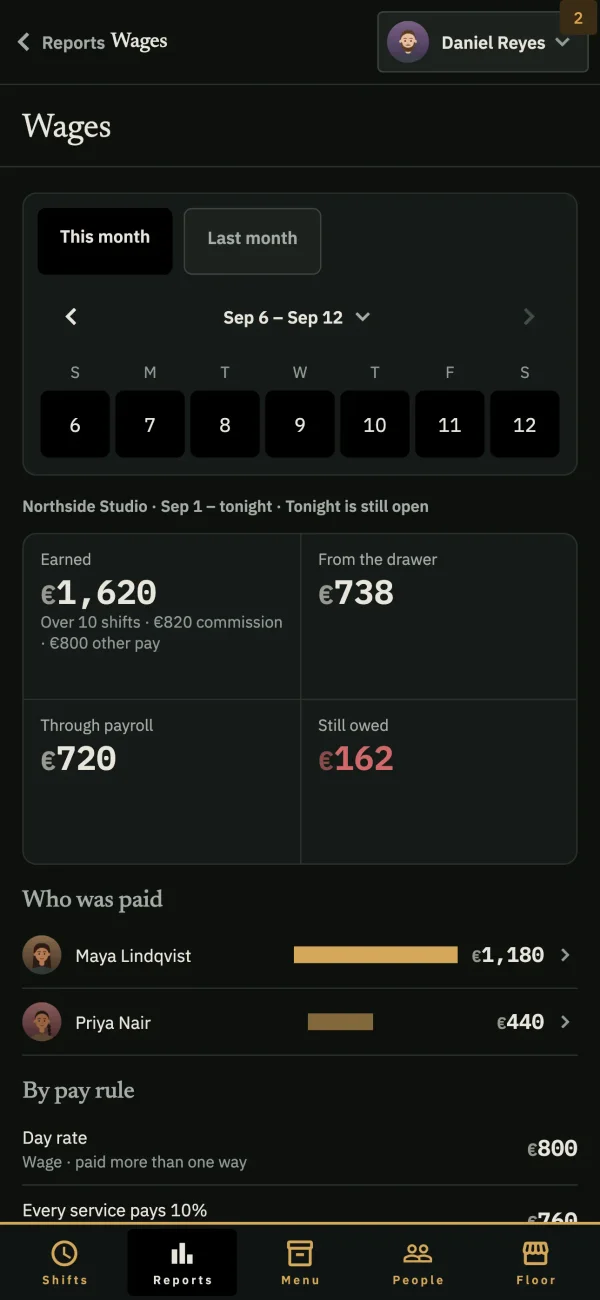
• Commission, bonuses and a person's own rate are all pay rules, each read back as a plain sentence.
• Pay a share of sales, a set amount per item, or more as a target is reached.
• Rules can also add or take off pay for late arrivals, missed days and on-time days.
• Each person sees what they have earned this month and what it is made of, on their own phone.
• Set a different monthly salary for each venue a person works at.
SCHEDULES AND TIME OFF
• Plan the week for every person, copy last week, and see who is in, late or away.
• Staff clock in and out with their face and PIN at the venue.
• Staff ask for days off from their own phone, and managers approve.
CASH YOU CAN TRUST
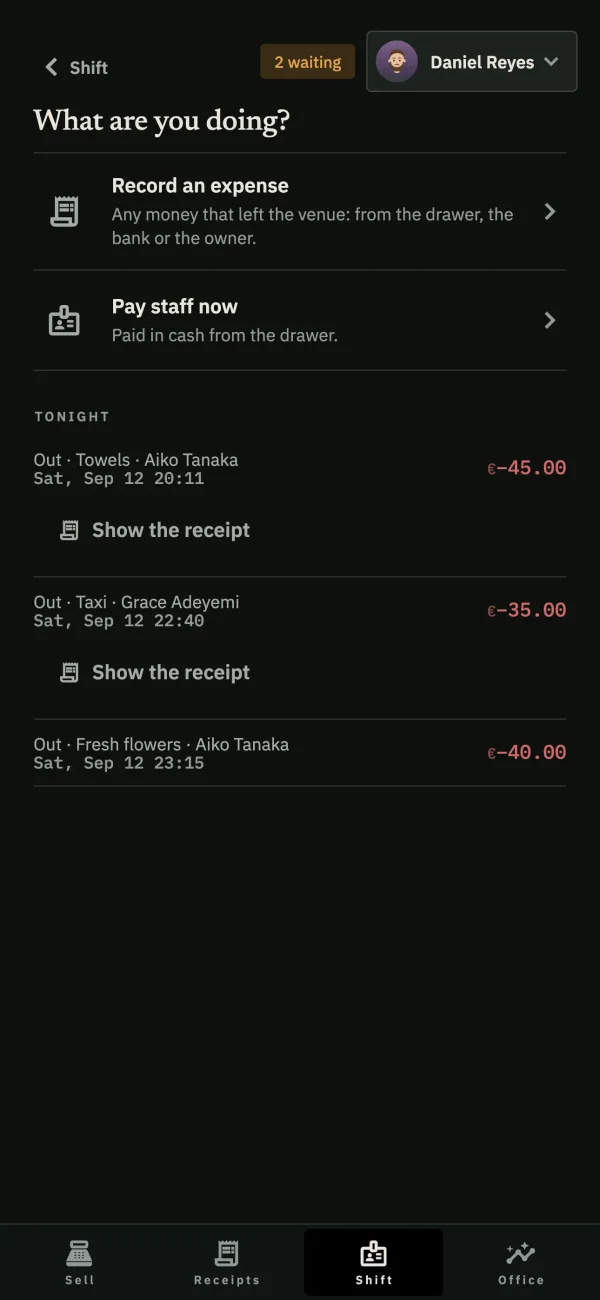
• Add cash, take cash out and pay staff from the drawer. Cash cannot come out without a photo of the receipt.
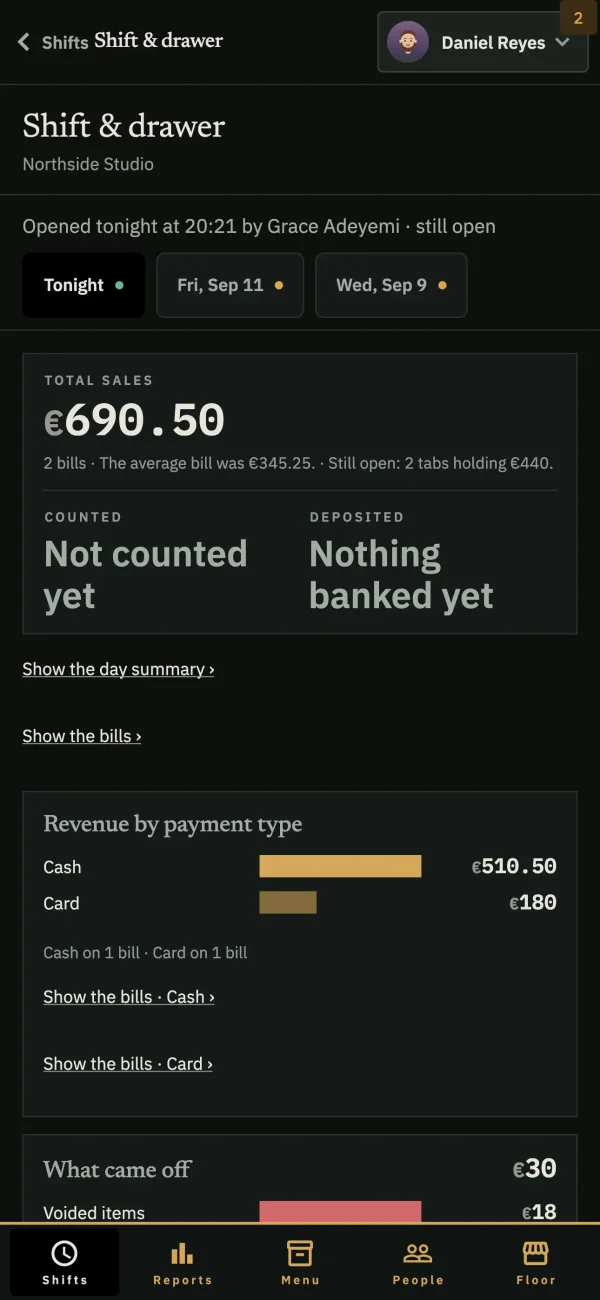
• Close the shift with a blind count: count everything in the drawer and a manager checks it in the office.
• Record what reached the bank, with the paying-in slip.
CONTROL WHAT COMES OFF A BILL
• Void, comp or discount a line with a reason, and refund a receipt line by line.
• When the person doing it may not approve alone, a manager approves with their face and PIN.
STOCK, COSTS AND SALES
• A night-by-night stock book, deliveries received against the bill photo, counts, recipes and orders to your supplier.
• Costs the venue carries, each with its payments and receipts, for the owner.
• One Sales page for everything past tonight: sales by day, item, category, hour and staff member, set against the stretch before.
• Copy a menu from one venue to another.
BUILT FOR A BUSY FLOOR
• Staff unlock a shared device with their face and PIN. What each person can do follows from their role.
• One login can reach several venues.
• Works on tablets and phones, in English and Thai.
BlueTrack needs a BlueTrack account for your venue and an internet connection.
Nouveautés
Version 0.1.160 · 29/11/2026
Every item on sale is now rung with one tap on its card.
A new sale screen makes the next step obvious.
Move or merge a tab now sits beside Split, Print and Pay.
Tab lists refresh by themselves and show when they were last updated.
You can add a customer to a bill after it is paid.
Receipts name the device that rang the sale.
Ringing a drink for a full-time person who is not clocked in clocks them in.
A manager who signs in with their email can run the whole venue.
A salary can be set separately at each venue a person works at.
The schedule keeps its top row in view, shows who is working today, and lets managers change the order of names.
Staff types are Full time, Contract or Exempt, and managers can change many people at once.
Deleting, adding back and merging a person asks why and is recorded.
Confidentialité de l’application
Ce que Madfunctional LLC déclare sur l’App Store au sujet du traitement des données par cette application.
-
Données établissant un lien avec vous
Peuvent être collectées et liées à votre identité.
- Coordonnées
- Contenu utilisateur
- Identifiants
-
Données n’établissant aucun lien avec vous
Peuvent être collectées, mais ne sont pas liées à votre identité.
- Identifiants
- Données d’utilisation
- Diagnostic
Les pratiques en matière de confidentialité peuvent varier, notamment en fonction des fonctionnalités que vous utilisez ou de votre âge.
Informations
- Vendeur
- Madfunctional LLC
- Catégorie
- Économie et entreprise
- Version
- 0.1.160
- Mis à jour
- 29/11/2026
- Publié
- 05/11/2026
- Taille
- 50,8 Mo
- Nécessite
- iOS 15.0 ou version ultérieure
- Classification d’âge
- 12+
- Prix
- Gratuit
- Langues
- Anglais
- Copyright
- © 2026 Madfunctional LLC
Vous aimerez peut-être aussi
-
 Turk's Compass: Job & BusinessÉconomie et entreprise
-
 BiFu:Crypto,Forex,RWA TradingFinance
-
 PoS Cash RegisterÉconomie et entreprise
-
 OnlineJobs for EmployersÉconomie et entreprise
-
 Tookan AgentÉconomie et entreprise
-
 3D Viewer by Chief ArchitectProductivité
-
 Glovo Manager PortalÉconomie et entreprise
-
 ClearanceJobs: Job SearchÉconomie et entreprise
-
 one2car Next Gen Used car appÉconomie et entreprise
-
 Deltek CostpointÉconomie et entreprise