
BlurSnap
Blur faces & license plates
Conçue pour iPhone, iPad
Gratuit · Achats intégrés
- Classification d’âge4+
- CatégoriePhoto et vidéo
- DéveloppeurNoriko Hisajima
- LanguesAnglais+ 1 de plus
- Taille7,6 Mo
Renvoie vers la page App Store officielle
Download.org n’héberge aucun fichier de BlurSnap. Le bouton ouvre la page de l’application sur App Store, où Noriko Hisajima la publie. Fiche vérifiée pour la dernière fois le 24/11/2026.
Captures d’écran

À propos
Le développeur n’a pas fourni ce texte dans votre langue.
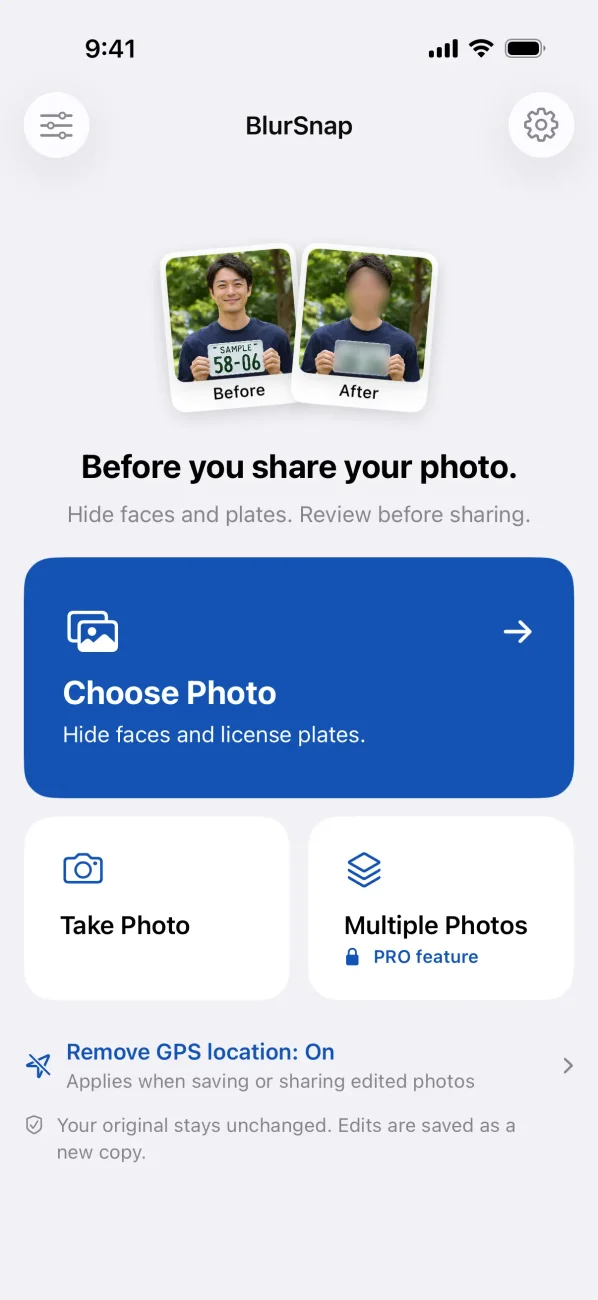
Before you share your photo.
BlurSnap helps you hide faces, vehicle license plates, and other details you don’t want to make public before saving or sharing a photo.
From everyday outings to events and car photos, take a moment to check what’s visible, edit what matters, and review the result before sharing.
FEATURES
• Automatic face and license plate detection
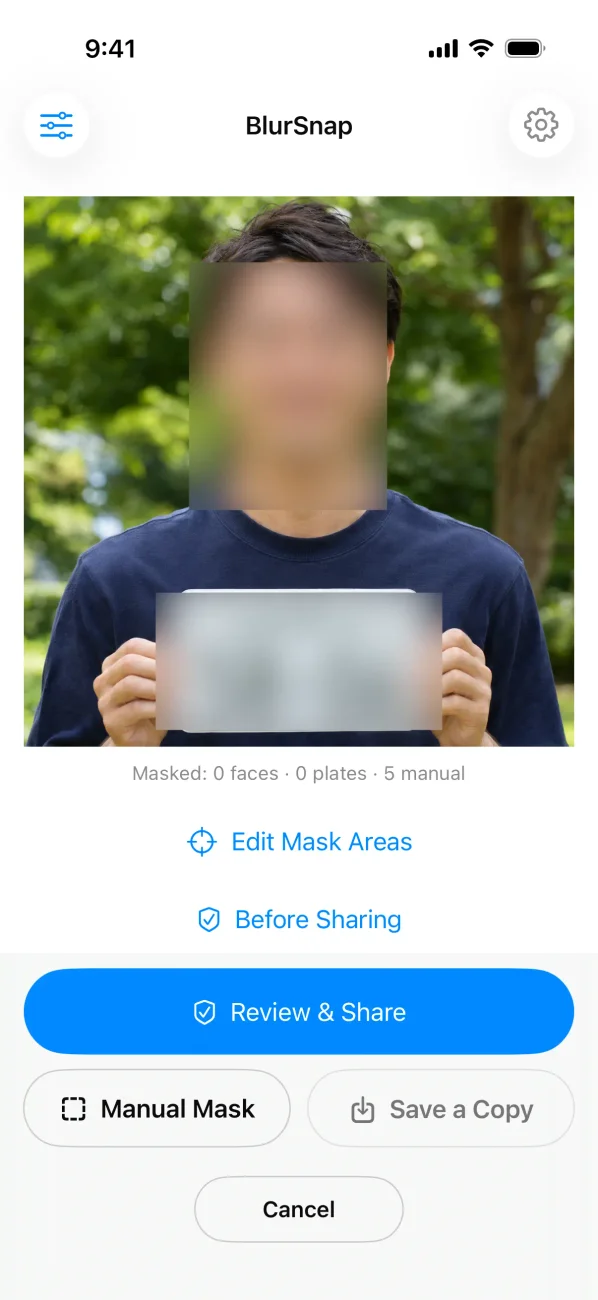
Hide detected areas with blur and other masking styles. Adjust the areas and choose which individual masks to keep or turn off.
• Manual editing from the original photo
Start manual editing without automatic masks and choose the areas yourself. You can also add stamps or edit eye color.
• Live filter previews
Compare filters while keeping your photo in view.
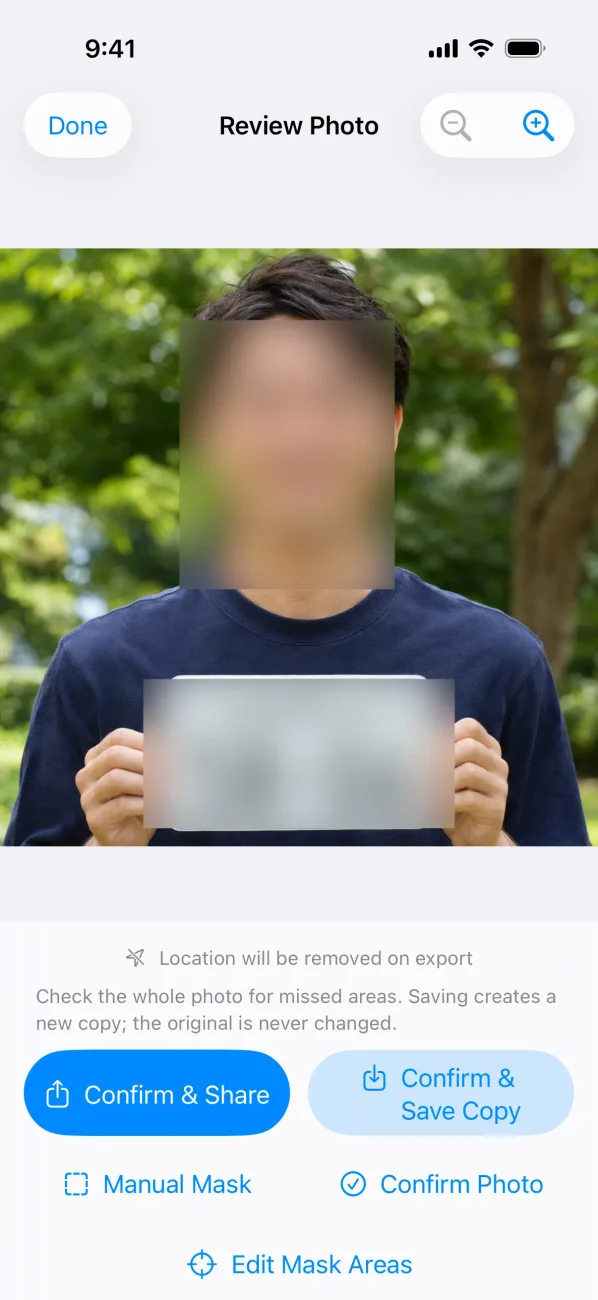
• Review before saving or sharing
Zoom in on the edited photo to check your work, then save or share directly from the review screen.
• Optional GPS metadata removal
Choose whether to remove GPS information from edited photos when saving or sharing. Check the current setting on the home screen.
• Save a new copy
Edited photos are saved as new images. Photos already in your library are never overwritten.
• Edit multiple photos with Pro
Select up to five photos, review each one, and save them together.
Image processing takes place on your device.
For photos taken within the app, the unedited camera original is also saved when you first save or open sharing. It is not included in the share payload and is not modified by the GPS removal setting.
Automatic detection may miss some areas or select areas that do not need masking. Stamps and eye color edits alone do not guarantee that private information is hidden. Always review the entire photo before saving or sharing.
Some features, including multiple-photo selection, require Pro.
Nouveautés
Version 1.7.0 · 23/11/2026
We’ve improved the workflow from reviewing your photo to saving and sharing it.
• Refreshed the home screen and action cards.
• Made the GPS removal setting easier to check on the home screen.
• Improved filter selection with live photo previews.
• Added controls to keep or turn off individual masks.
• Improved manual editing so stamp-only and eye-only edits can be applied.
• Improved manual recovery after automatic detection fails, with clearer guidance before saving or sharing.
• Added an automatic return to the home screen after successfully sharing or saving a single photo.
• Kept edits available when an operation is canceled or fails, so you can try again.
• Improved batch processing, camera-original saving, and navigation after sharing.
Original photos remain unchanged. Edited results are saved as new copies.
Confidentialité de l’application
Ce que Noriko Hisajima déclare sur l’App Store au sujet du traitement des données par cette application.
-
Données non collectées
Le développeur ne collecte aucune donnée à partir de cette application.
Les pratiques en matière de confidentialité peuvent varier, notamment en fonction des fonctionnalités que vous utilisez ou de votre âge.
Informations
- Vendeur
- Noriko Hisajima
- Catégorie
- Photo et vidéo
- Version
- 1.7.0
- Mis à jour
- 23/11/2026
- Publié
- 21/01/2026
- Taille
- 7,6 Mo
- Nécessite
- iOS 18.6 ou version ultérieure
- Classification d’âge
- 4+
- Prix
- Gratuit
- Achats intégrés
- Oui
- Langues
- Anglais, Japonais
- Copyright
- © 2026pftFactory
Vous aimerez peut-être aussi
-
 Plate Blur AI: Cars & HomesPhoto et vidéo
-
 PlateBlur: Plate PrivacyPhoto et vidéo
-
 BlurSnap: Blur Photo EditorPhoto et vidéo
-
 Christmas Effects Xmas EditorPhoto et vidéo
-
 AutoStudio: Photo VoitureRetouche auto & fond studio
-
 Redact: Floutage photo & vidéoFlouter visages et plaques
-
 AI Headshot Generator PremiumPhoto et vidéo
-
 Reg DeletePhoto et vidéo
-
 Labobo Wallpapers HD & 4KPhoto et vidéo
-
 Instant Blur - Photo PrivacyPhoto et vidéo