
- Classification d’âge4+
- CatégorieUtilitaires
- DéveloppeurDeborah Eze
- LanguesAnglais
- Taille78,6 Mo
Renvoie vers la page App Store officielle
Download.org n’héberge aucun fichier de Brainrot Blocker. Le bouton ouvre la page de l’application sur App Store, où Deborah Eze la publie. Fiche vérifiée pour la dernière fois le 12/11/2026.
Captures d’écran

À propos
Le développeur n’a pas fourni ce texte dans votre langue.
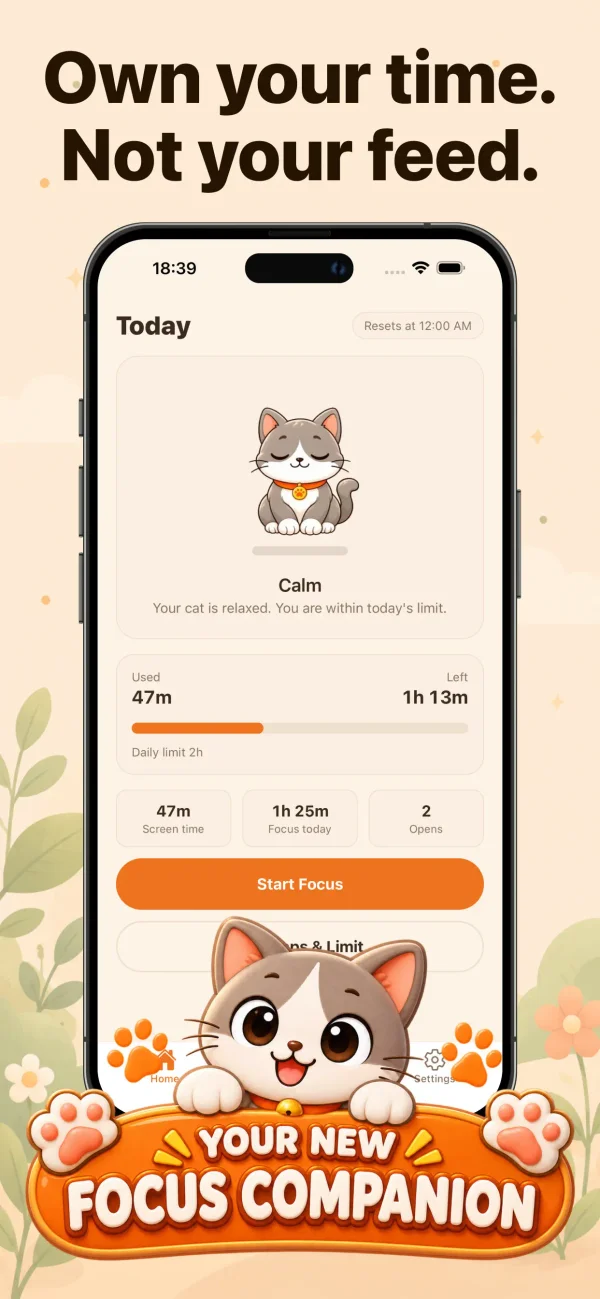
Stop doomscrolling and take back your time with a cute focus cat.
Brainrot Blocker helps you understand and reduce the time you spend in distracting apps. Choose the apps that interrupt your day, set a daily screen time limit, and let your cat show when scrolling starts taking over.
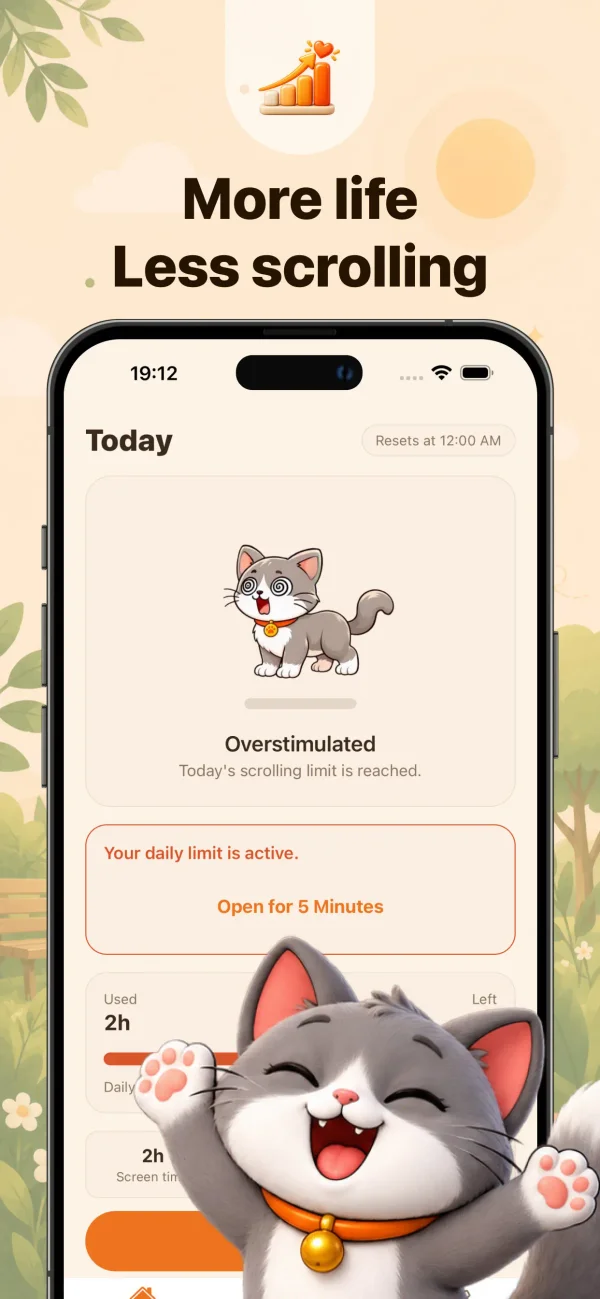
When the daily limit is reached, selected apps are blocked, helping you step away from endless feeds and return to what matters.
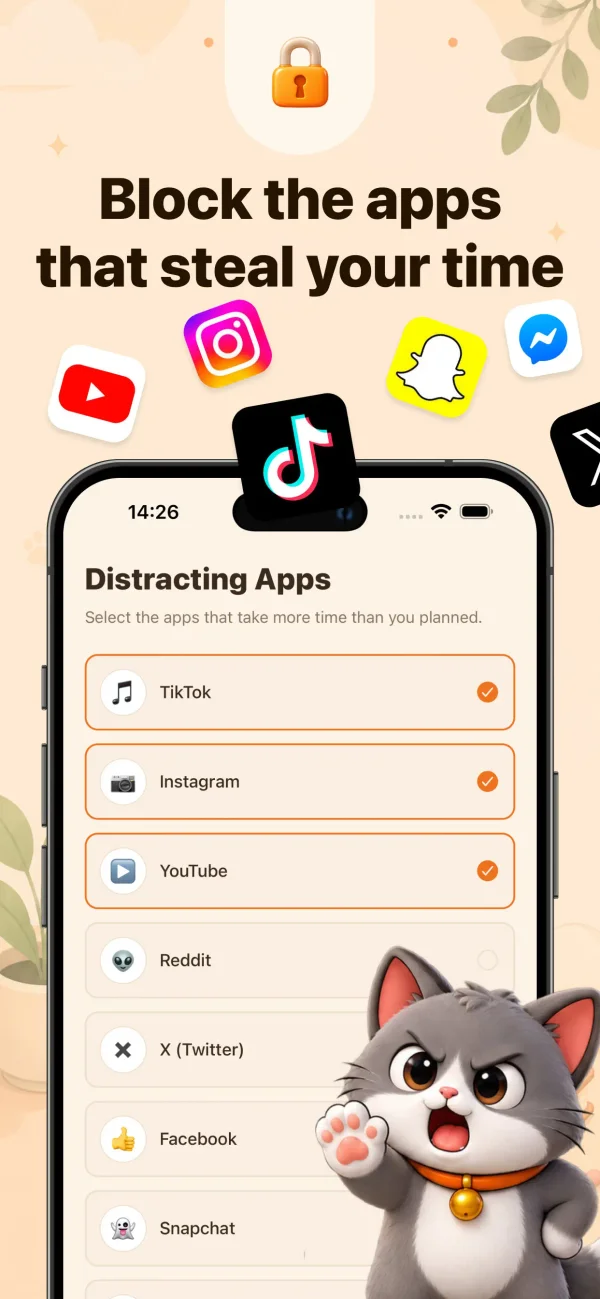
BLOCK DISTRACTING APPS
• Choose social media, entertainment, and other distracting apps
• Keep all selected apps under one simple daily limit
• Automatically block access when your time runs out
• Open a blocked app temporarily when you genuinely need it
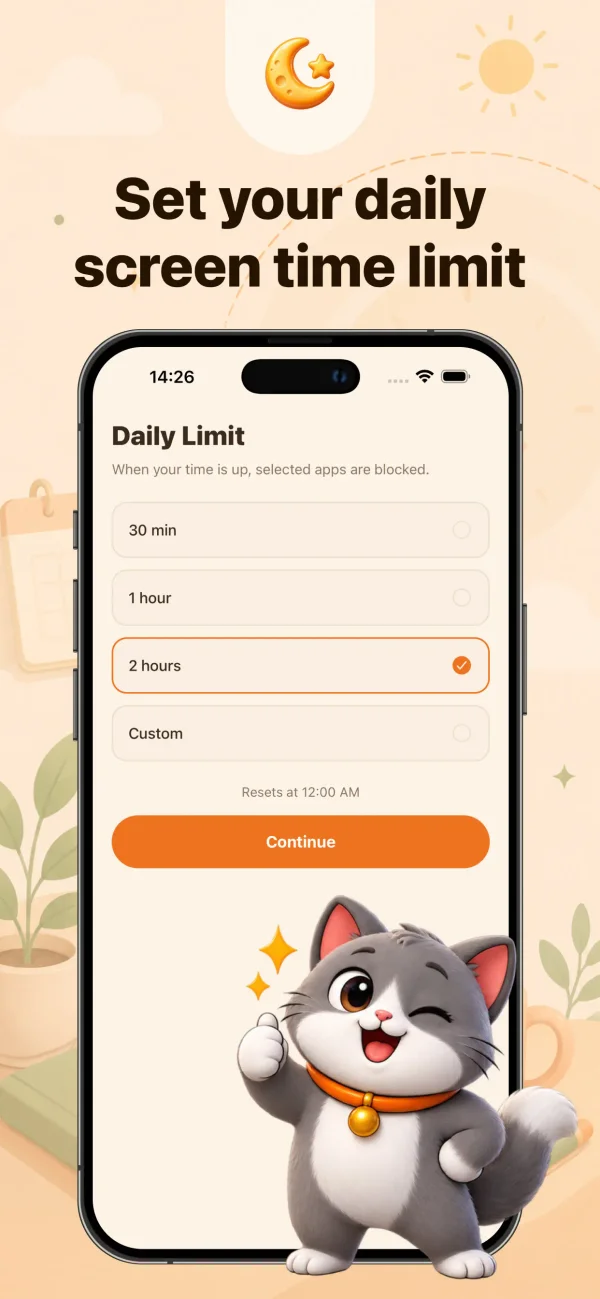
SET A DAILY SCREEN TIME LIMIT
Choose a limit that works for you and easily see:
• Screen time used today
• Time remaining before blocking
• Current progress toward your limit
• When the daily limit will reset
START A FOCUS SESSION
Need to work, study, read, or take a break from your phone? Start a focus session to temporarily block selected apps.
Choose a 15, 25, or 45-minute session, or set a custom duration that fits your plans.
MEET YOUR FOCUS CAT
Your cat reacts to your scrolling habits and changes its mood throughout the day:
• Calm while you stay within your limit
• Restless when you are close to reaching it
• Overstimulated when the limit is reached
• Recovering while a focus session is active
TRACK TODAY’S PROGRESS
See your daily screen time, completed focus minutes, and temporary app opens in one clear view. No complicated reports, scores, or productivity systems.
PRIVATE BY DESIGN
Your selected apps and Screen Time activity are handled using Apple’s privacy-preserving Screen Time system. No account is required, and your app activity is not used for advertising.
Screen Time access is required for app blocking and activity-based cat reactions.
Brainrot Blocker gives you a simple limit, a distraction-free focus timer, and a friendly reminder to put your phone down.
Terms of Use Link: https://www.apple.com/legal/internet-services/itunes/dev/stdeula/
Nouveautés
Version 1.2 · 17/10/2026
• Refined visuals and smoother navigation
• Minor fixes and stability improvements
Confidentialité de l’application
Ce que Deborah Eze déclare sur l’App Store au sujet du traitement des données par cette application.
-
Données non collectées
Le développeur ne collecte aucune donnée à partir de cette application.
Les pratiques en matière de confidentialité peuvent varier, notamment en fonction des fonctionnalités que vous utilisez ou de votre âge.
Informations
- Vendeur
- Deborah Eze
- Catégorie
- Utilitaires
- Version
- 1.2
- Mis à jour
- 17/10/2026
- Publié
- 10/10/2026
- Taille
- 78,6 Mo
- Nécessite
- iOS 16.4 ou version ultérieure
- Classification d’âge
- 4+
- Prix
- Gratuit
- Achats intégrés
- Oui
- Langues
- Anglais
- Copyright
- © 2026 Deborah Eze
Vous aimerez peut-être aussi
-
 UnThreads: Suivi des AbonnésAbonnés et Désabonnements
-
 Serially: TV Show TrackerUtilitaires
-
 Tinbox EmulatorUtilitaires
-
 Thérapeute IA : Santé MentaleThérapie en Ligne et Soutien
-
 Palette couleurs RGB CMYK HSLCercle chromatique
-
 UnfollowPeekUtilitaires
-
 Best Girl Skins for MinecraftUtilitaires
-
 NFC Tag ManagerUtilitaires
-
 Any Text WidgetsUtilitaires
-
 Smart NFC Tools: Read & WriteUtilitaires