
Call Reminder+
Never Miss an Important Call
Conçue pour iPhone, iPad
Gratuit · Achats intégrés
- Classification d’âge4+
- CatégorieProductivité
- DéveloppeurMuhammad Ibrahim
- LanguesAnglais
- Taille20,5 Mo
Renvoie vers la page App Store officielle
Download.org n’héberge aucun fichier de Call Reminder+. Le bouton ouvre la page de l’application sur App Store, où Muhammad Ibrahim la publie. Fiche vérifiée pour la dernière fois le 12/11/2026.
Captures d’écran

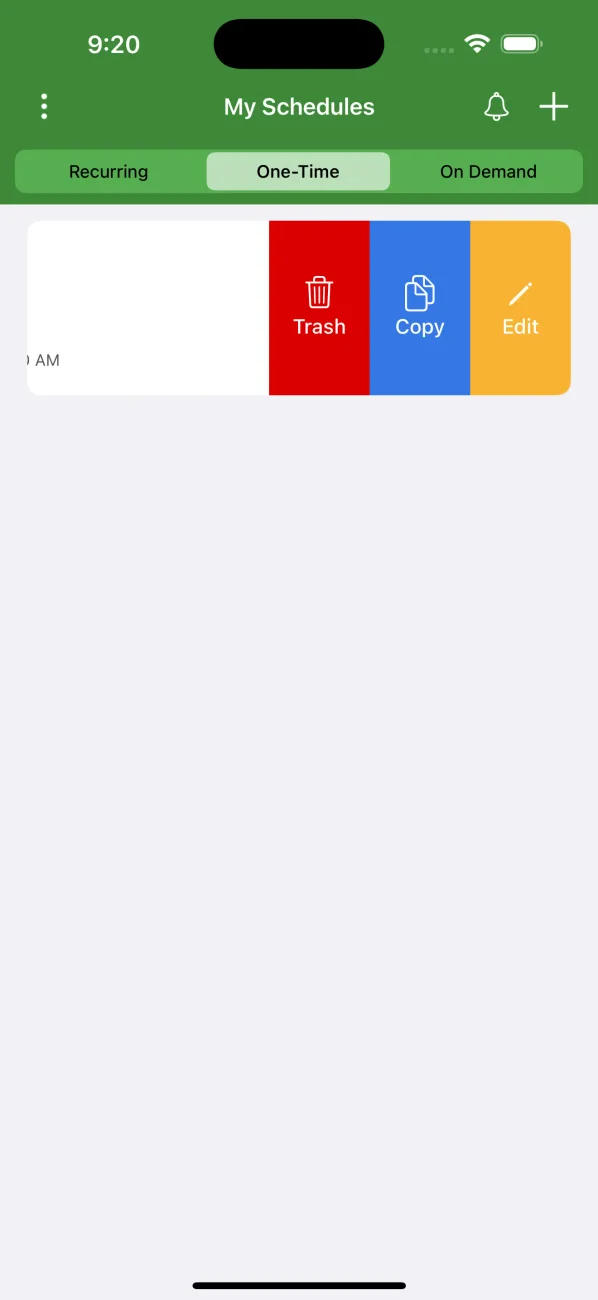
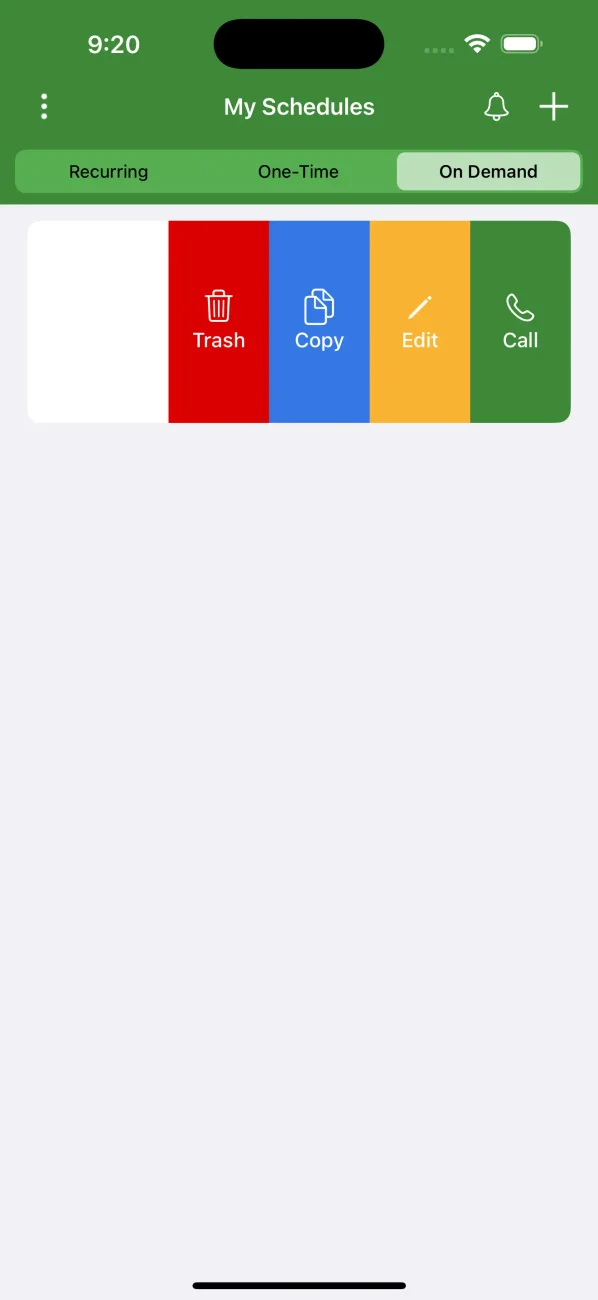
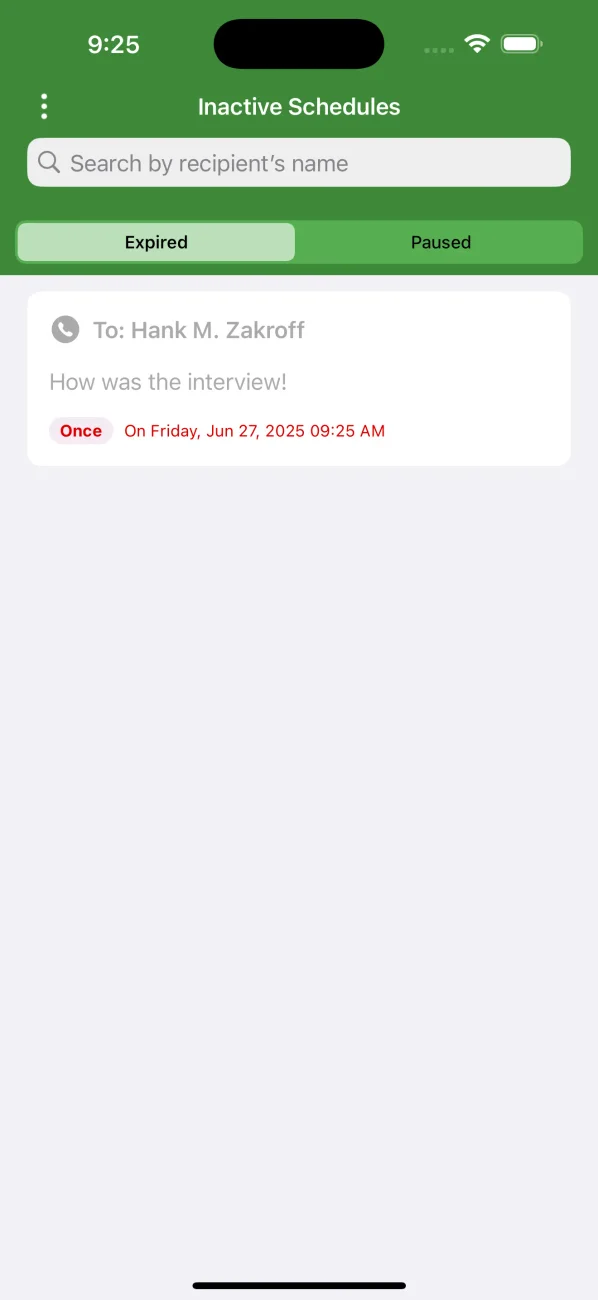

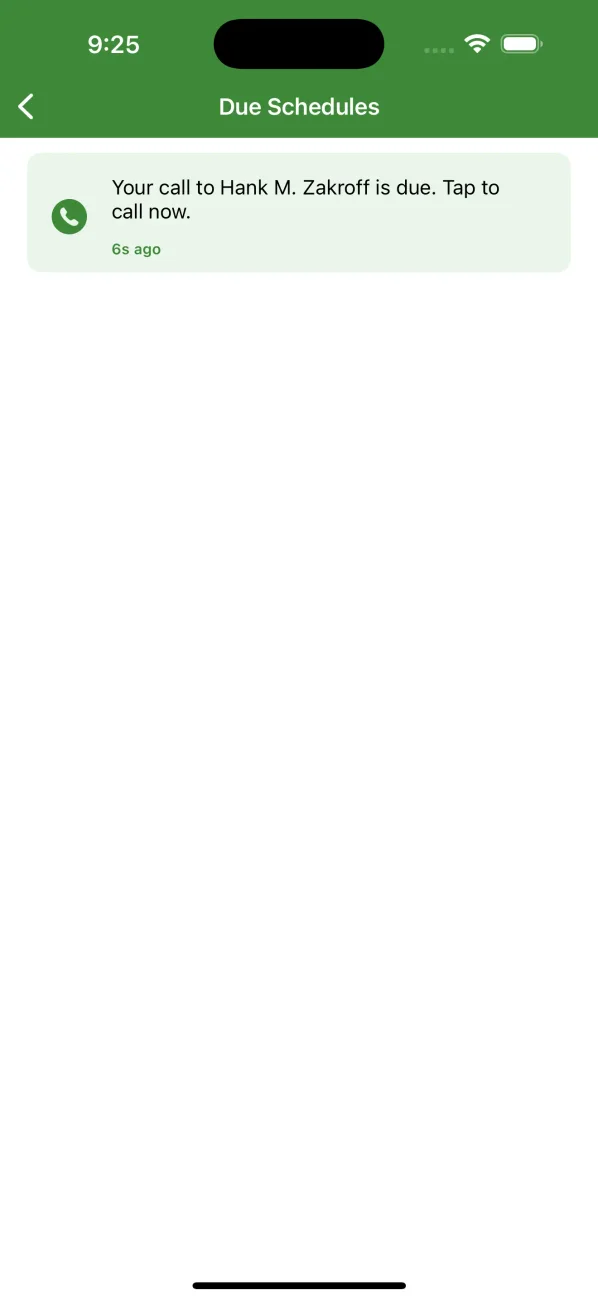
À propos
Le développeur n’a pas fourni ce texte dans votre langue.
Call Reminder – Never Miss an Important Call
Call Reminder takes the responsibility of remembering important calls off your shoulders—so you can stay connected with the people who matter, exactly when it matters.
Whether it’s a birthday wish, a follow‑up with a client, or checking in on a loved one, Call Reminder ensures you never forget to make that call. Simply schedule a call with any contact and you’ll be notified right on time with a Lock Screen alert. With interactive actions and powerful widgets, you can call, snooze, or catch up on overdue calls in just a tap.
Call Reminder is more than just a reminder—it’s your personal assistant for managing your calling routine with ease, precision, and reliability.
Key Highlights:
• One‑Tap Call Reminders
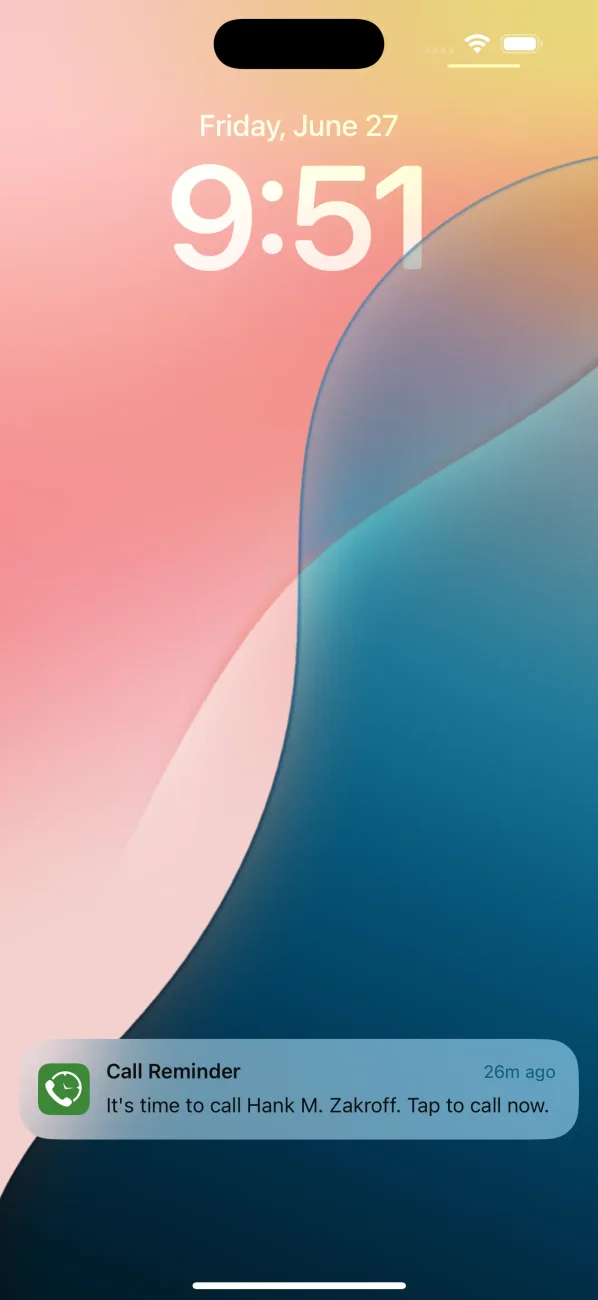
Get notified exactly when a scheduled call is due—just tap the notification to start the call instantly.
• Interactive Notifications on Lock Screen
Act on reminders without opening the app: Call Now, Snooze 10 Minutes, Snooze 1 Hour, or Mark as Done right from the notification.
• Smart Follow‑Up Suggestions
After each call, quickly schedule a follow‑up for tomorrow, in 3 days, or in 1 week with a single tap—perfect for client follow‑ups and ongoing check‑ins.
• “Due Calls” & Overdue Management
View all upcoming and due call reminders in one organized list so you always know what needs your attention. Overdue calls remain visible until you’ve taken action.
• Home Screen Widgets for At‑a‑Glance Insights
Stay on top of your calling routine without opening the app:
• Small widget: shows your Overdue count as a clear, high‑signal metric.
• Medium widget: adds context with Overdue count plus last overdue call details.
• Large widget: shows the full picture—Overdue count, last overdue call details, and your Next call.
Smart tap behavior means:
• If you have due calls, tapping the widget opens your Due Schedules.
• If you’re all caught up, tapping opens your main schedules list.
• Flexible Recurrence Options
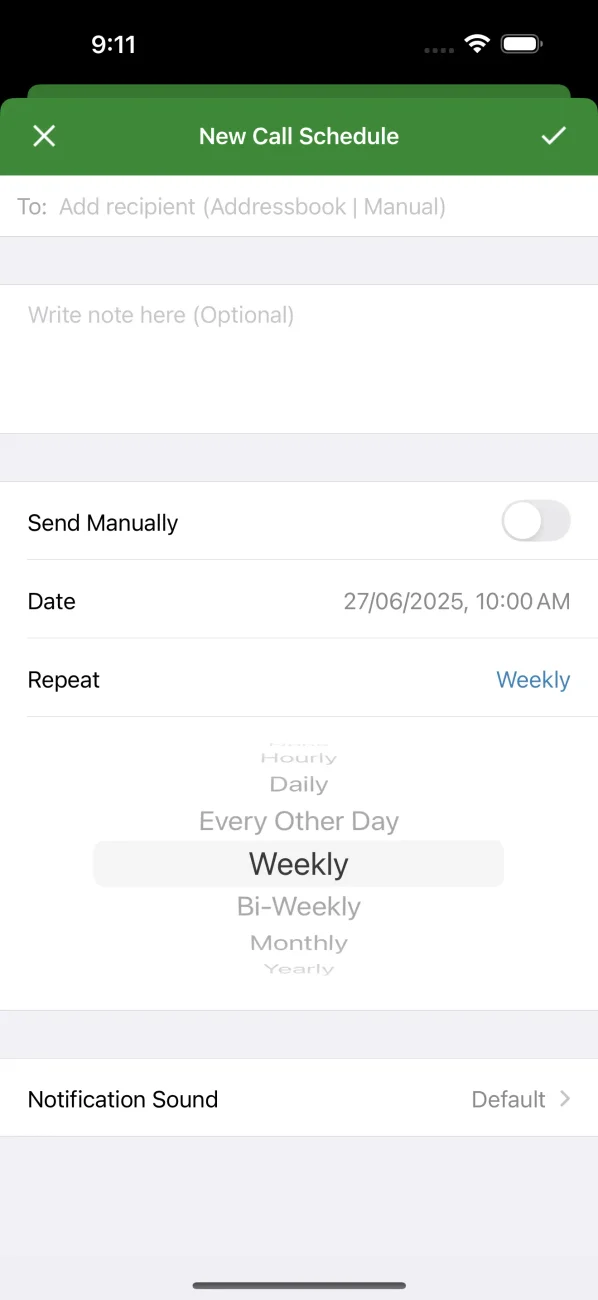
Schedule repeating calls with powerful options:
• Hourly
• Daily
• Every Other Day
• Weekly
• Bi‑Weekly
• Monthly
• Yearly
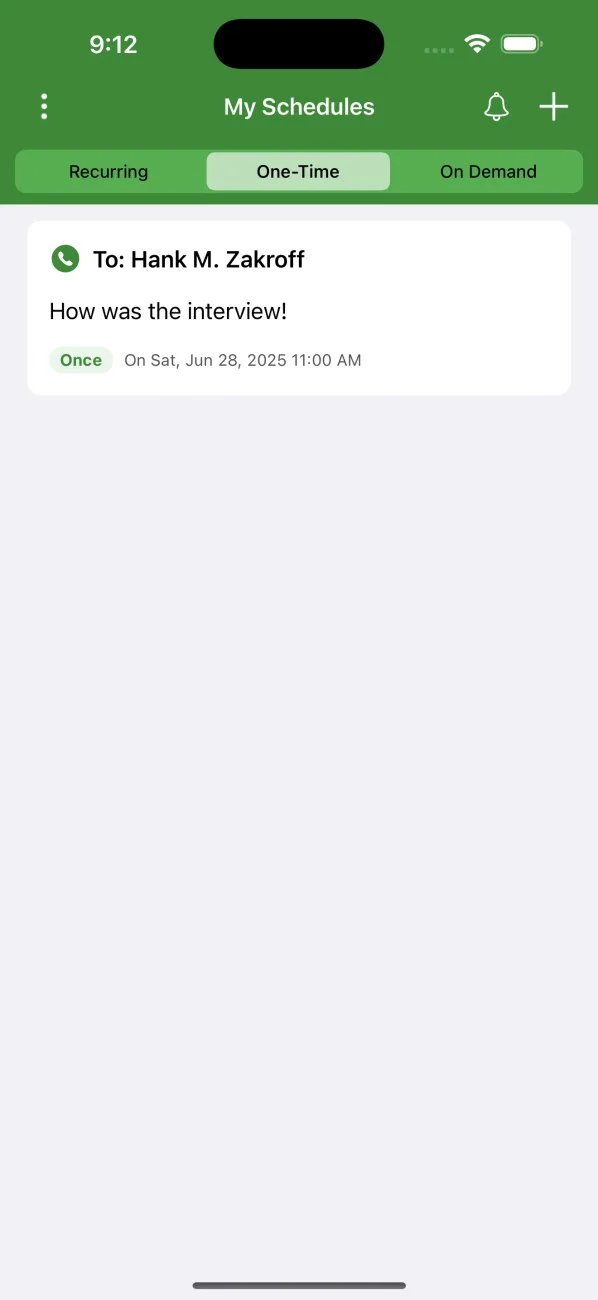
• One‑Time Only
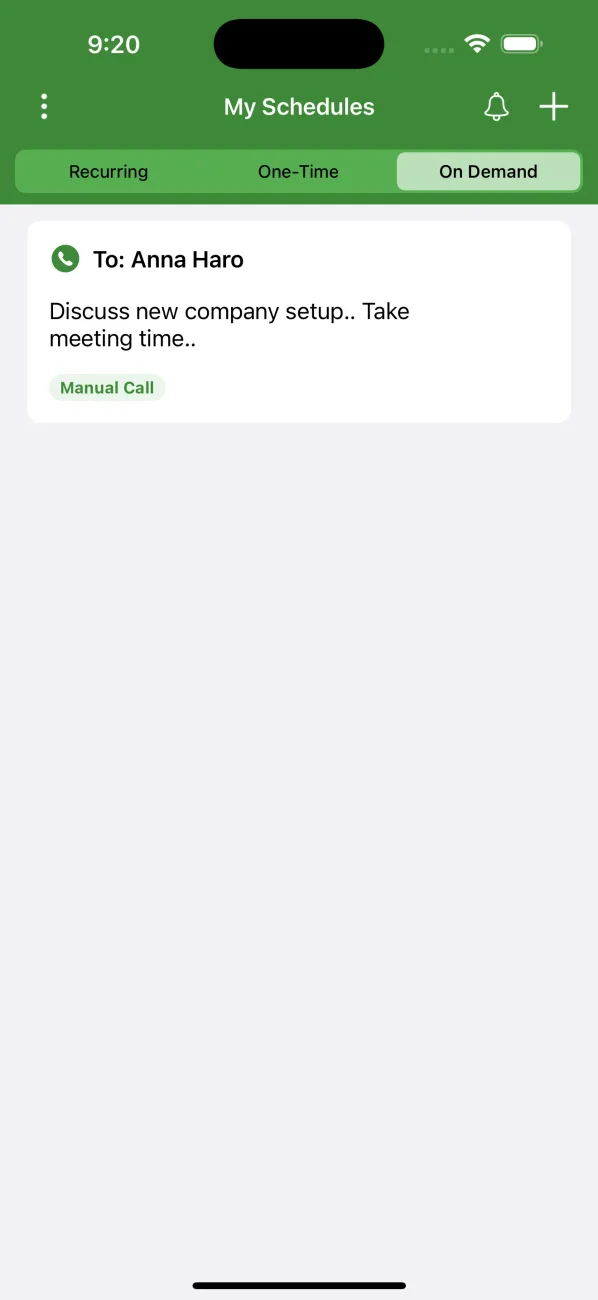
• Manual Schedules
Create schedules without a specific time—keep important calls on your list so you can call when it’s convenient.
• Pause & Resume Schedules
Temporarily pause recurring calls and resume them later without losing your setup or history.
• Better Search & Notes
Quickly find the right schedule by searching across contact name, phone number, and notes.
• Custom Notification Sounds
Choose from a variety of tones so your call reminders stand out from your other notifications.
• iCloud Sync & Backup
Automatically back up your call schedules and restore them seamlessly across your devices.
• Designed for a Clean, Modern Experience
A focused, minimal UI with polished empty states and updated icons—built to feel at home on the latest versions of iOS.
• Affordable Subscription Plans
Unlock premium features with flexible, budget‑friendly subscription options or a one‑time lifetime purchase.
• Minimal Setup, Maximum Benefit
Get started in minutes. Add a few important calls, set when and how often you want to be reminded, and let Call Reminder handle the rest.
Why You’ll Love It:
Call Reminder keeps your relationships active and your commitments fulfilled. Whether you’re calling your parents, clients, team members, or friends—this app ensures you never forget a call again. It’s perfect for personal, social, and professional use.
Many users find themselves relying on Call Reminder daily—it quickly becomes a natural part of your routine.
Feedback & Support:
We’re always working to improve the app and add new features. Have a suggestion or need help? Reach out to us anytime—we’d love to hear from you.
Nouveautés
Version 4.1 · 23/11/2025
What’s New
This update makes Call Reminder smarter, more reliable, and more glanceable from your Home Screen.
Smarter reminders & notifications
• Added interactive notification actions: Call Now, Snooze 10 Minutes, Snooze 1 Hour, and Mark as Done right from the lock screen.
• Follow‑up suggestions after each call: quickly schedule a follow‑up for tomorrow, in 3 days, or in 1 week with one tap.
• Improved badge handling so the app icon count always reflects your currently due call schedules.
New Home Screen widgets
• “Next Call” widget shows:
• Due Now: number of call schedules currently due.
• Next Call: who you’re calling next and at what time.
• New widget sizes so you can see exactly what you need at a glance:
• Small: focuses on a single high‑signal metric — your Overdue count.
• Medium: adds context with Overdue count plus last overdue call details, while staying uncluttered.
• Large: shows the full picture — Overdue count, last overdue call details, and your Next call.
• Smart tap behavior:
• If you have due calls, tapping the widget opens Due Schedules.
• If you’re all caught up, tapping opens your main schedules list.
• Fresh, app‑themed gradient backgrounds that look great in the iOS 17/18 widget gallery and on the Home Screen.
Better search & call management
• Search now looks into recipient name, phone number, and notes, making it much easier to find the right schedule.
• Copying call notes and managing schedules (edit / pause / delete) continue to work with improved UI feedback.
iCloud sync & reliability improvements
• Settings now clearly show if iCloud Sync is ON or OFF, plus the last sync date and time.
• iCloud sync and backup flows have been refined to reduce silent failures and keep schedules more reliably in sync.
UI polish & iOS 26 compatibility
• Replaced the old bell image with an SF Symbols bell and redesigned the badge indicator so it displays correctly with the new iOS 26 “liquid” navigation bar.
• Improved wording across alerts, errors, and subscription prompts to be clearer and more user‑friendly.
• Small visual refinements to empty states and due‑schedules messages (“You’re all caught up!”) for a more modern feel.
If you’re enjoying Call Reminder, a quick rating or review in the App Store really helps.
Confidentialité de l’application
Ce que Muhammad Ibrahim déclare sur l’App Store au sujet du traitement des données par cette application.
-
Données non collectées
Le développeur ne collecte aucune donnée à partir de cette application.
Les pratiques en matière de confidentialité peuvent varier, notamment en fonction des fonctionnalités que vous utilisez ou de votre âge.
Informations
- Vendeur
- Muhammad Ibrahim
- Catégorie
- Productivité
- Version
- 4.1
- Mis à jour
- 23/11/2025
- Publié
- 12/08/2018
- Taille
- 20,5 Mo
- Nécessite
- iOS 18.0 ou version ultérieure
- Classification d’âge
- 4+
- Prix
- Gratuit
- Achats intégrés
- Oui
- Langues
- Anglais
- Copyright
- © 2015 kRect Solutions
Vous aimerez peut-être aussi
-
 Hello - A phone call plannerProductivité
-
 Call Reminder - Call SchedulerProductivité
-
 Call Later - planning appelsplanificateur des appels
-
 Callbot - Automated CallingProductivité
-
 ADHD Reminders: Wake Up CallProductivité
-
 GoDial: Auto Dialer CRM VenteDevis Factures & Scanner
-
 iReDialProductivité
-
 Auto Redial - Rappel AutoLigne Occupée & Appel Repris
-
 Reminder & CountdownProductivité
-
 Rappel, Alarme et CalendrierRappels Anniversaire - Réveil