
- Classification d’âge4+
- CatégorieOutils de développement
- Développeur法葳 李
- LanguesAnglais+ 1 de plus
- Taille7,5 Mo
CC Peek n’est peut-être pas disponible sur App Store pour le moment
La fiche de la boutique était inaccessible lors de notre dernière vérification. Le lien mène toujours à la page App Store officielle.
Captures d’écran


À propos
Le développeur n’a pas fourni ce texte dans votre langue.
CC Peek: The Desktop Second Screen for Power Claude Code Users
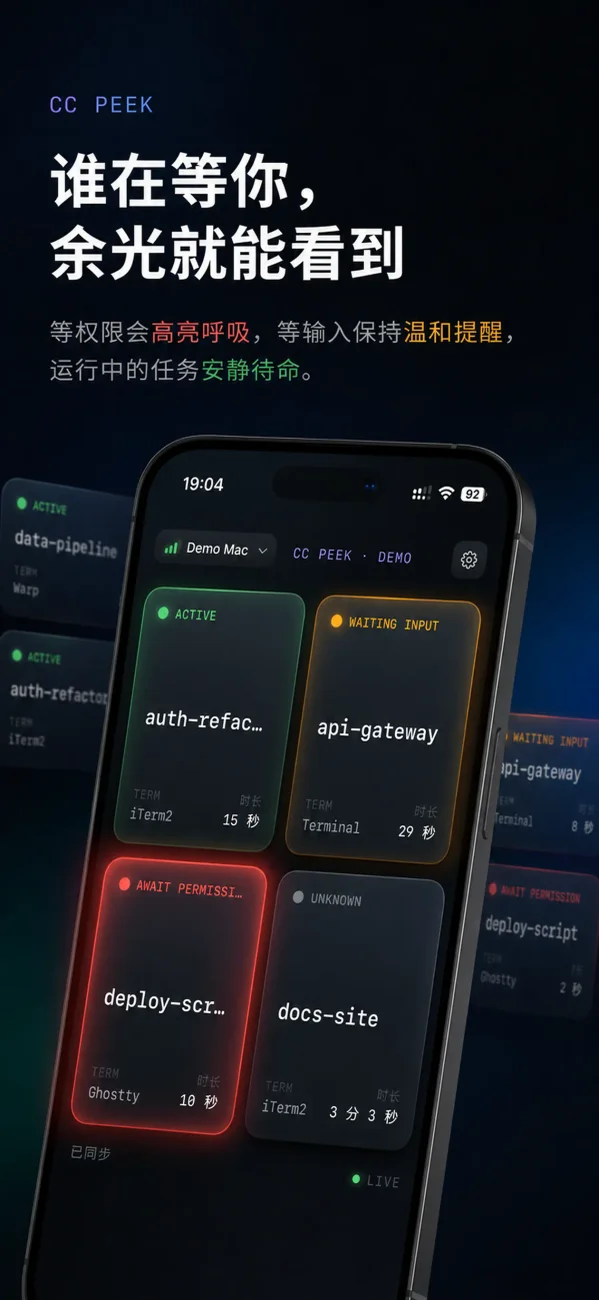
Tired of losing track of multiple active Claude Code sessions? When you have several terminals open, it’s easy to forget which one is still processing, which is waiting for user input, and which is stuck on a tool permission prompt. CC Peek solves this by syncing your session states to your iPhone, turning it into a dedicated, real-time status dashboard right next to your Mac.
Key Features:
- Multi-Process Monitoring: View the status of all active Claude Code processes on your Mac directly from your iPhone.
- Smart Status Indicators: Instantly distinguish between Running, Waiting for Input, Pending Permissions, and Completed states.
- Focus at a Tap: Tap any process card on your iPhone to automatically bring the corresponding terminal window or tab to the front on your Mac.
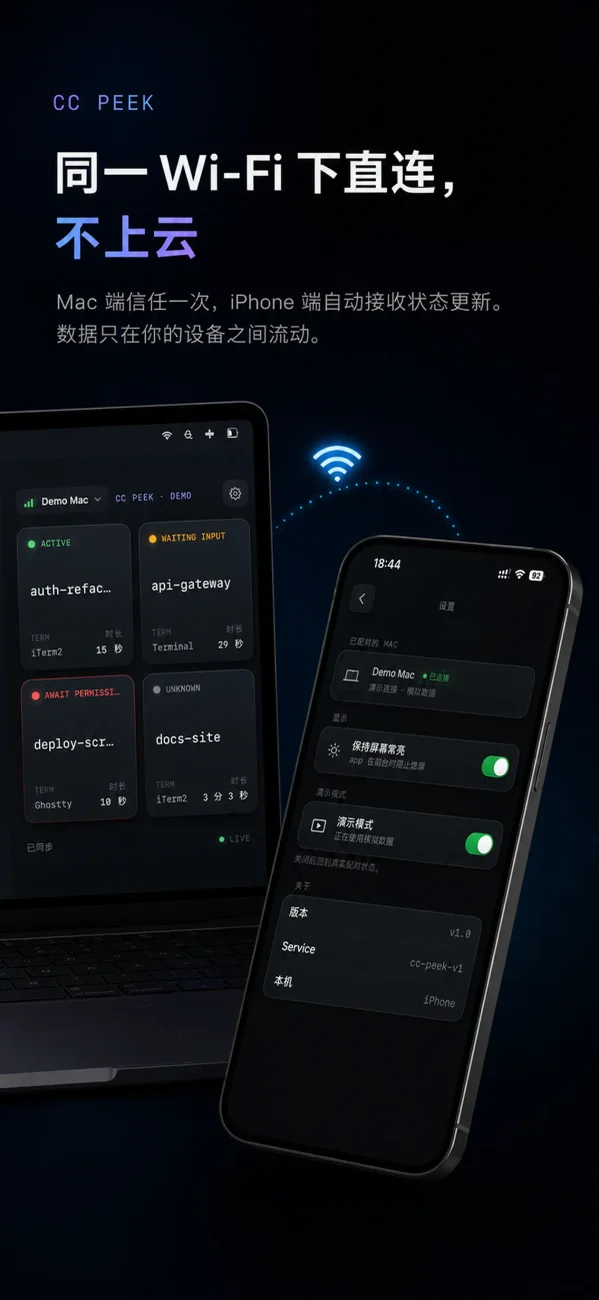
- Local Pairing: Seamlessly connect your Mac and iPhone over your local network.
- Built-in Demo Mode: Experience the interface and status transitions immediately, even without a Mac nearby.
Privacy & Connectivity:
CC Peek utilizes local network discovery to connect your devices. No accounts required, no cloud services, and no data is ever uploaded to a server. Your Claude Code content remains private and stays on your local machines. It is designed to be the perfect companion for multi-tasking developers and long-running agentic tasks.
Setup Requirements:
To use CC Peek, you must install the desktop companion app on your Mac and follow the setup guide to configure the Claude Code Hook.
Download the Mac app at: ccpeek.com
Disclaimer:
CC Peek is an independently developed tool and is not affiliated with, sponsored by, or endorsed by Anthropic. Claude and Claude Code are trademarks of their respective holders.
Nouveautés
Version 1.1 · 08/05/2026
Added Simplified Chinese and English interface text, plus a Display Language setting for choosing System, Simplified Chinese, or English.
Confidentialité de l’application
Ce que 法葳 李 déclare sur l’App Store au sujet du traitement des données par cette application.
-
Données non collectées
Le développeur ne collecte aucune donnée à partir de cette application.
Les pratiques en matière de confidentialité peuvent varier, notamment en fonction des fonctionnalités que vous utilisez ou de votre âge.
Informations
- Vendeur
- 法葳 李
- Catégorie
- Outils de développement
- Version
- 1.1
- Mis à jour
- 08/05/2026
- Publié
- 06/05/2026
- Taille
- 7,5 Mo
- Nécessite
- iOS 17.0 ou version ultérieure
- Classification d’âge
- 4+
- Langues
- Anglais, Chinois simplifié
- Copyright
- © 2026 CC Peek
Vous aimerez peut-être aussi
-
 Aix: AI + XOutils de développement
-
 CodecastOutils de développement
-
 Nepsis Code - AI TerminalOutils de développement
-
 MuxCLIOutils de développement
-
 MobiCode-Vibe CodingAI Code In You Phone
-
 MobileClaw - Local LLM ChatOutils de développement
-
 Clawdex: Code from PhoneOutils de développement
-
 Redock - SSH / Mosh Terminaltmux et agents de codage IA
-
 ServerCC - Claude Code & CodexRemote Coding · SSH · tmux
-
 CodyncOutils de développement