
Chapterize - podcast chapters
Transcripts, video, show notes
Conçue pour iPhone, iPad, Mac
Gratuit · Achats intégrés
- Classification d’âge4+
- CatégorieUtilitaires
- DéveloppeurMatt Birchler
- LanguesAnglais
- Taille19,6 Mo
Renvoie vers la page App Store officielle
Download.org n’héberge aucun fichier de Chapterize - podcast chapters. Le bouton ouvre la page de l’application sur App Store, où Matt Birchler la publie. Fiche vérifiée pour la dernière fois le 27/11/2026.
Captures d’écran

À propos
Le développeur n’a pas fourni ce texte dans votre langue.
Chapterize is a complete post-production toolkit for podcasters. Add chapters, generate transcripts, export video clips, and keep an eye on your shows, all in one app that runs natively on iPhone, iPad, and Mac.
CHAPTERS
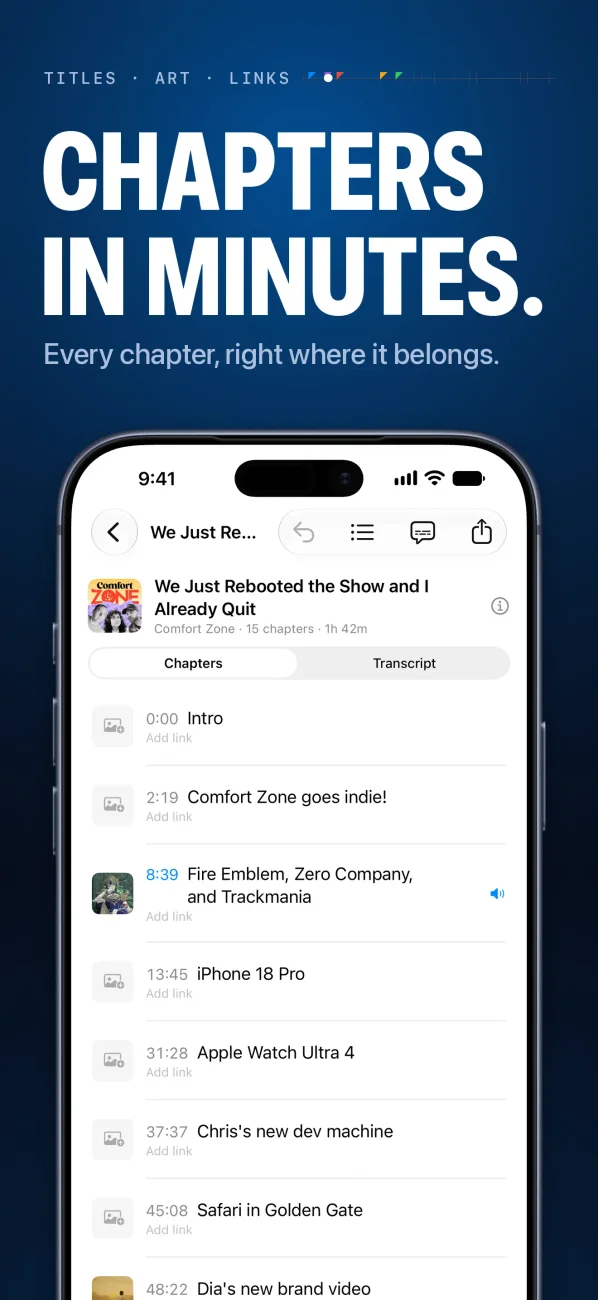
- Mark chapters as you listen: a player stays at the bottom of the episode, with one tap to drop a chapter where you are
- Full chapter support: titles, artwork, and links, all visible at a glance in the chapter list
- Drag a chapter's marker along the timeline to move it
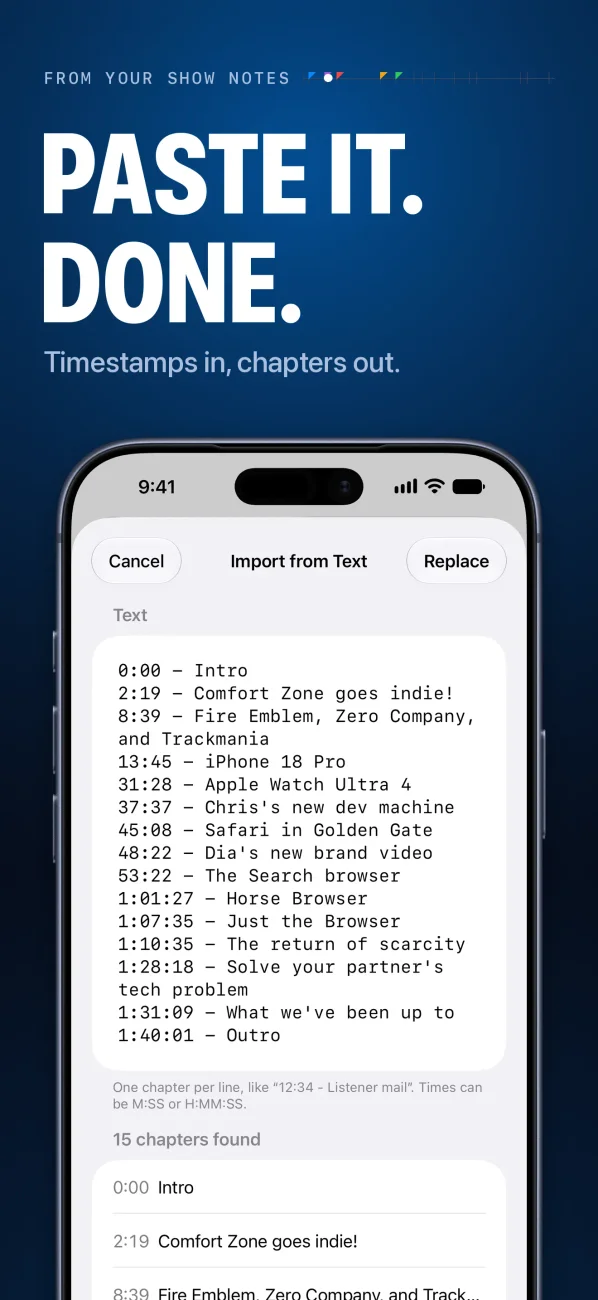
- Import chapters from YouTube-style text, or from markers you set in Logic Pro and other DAWs
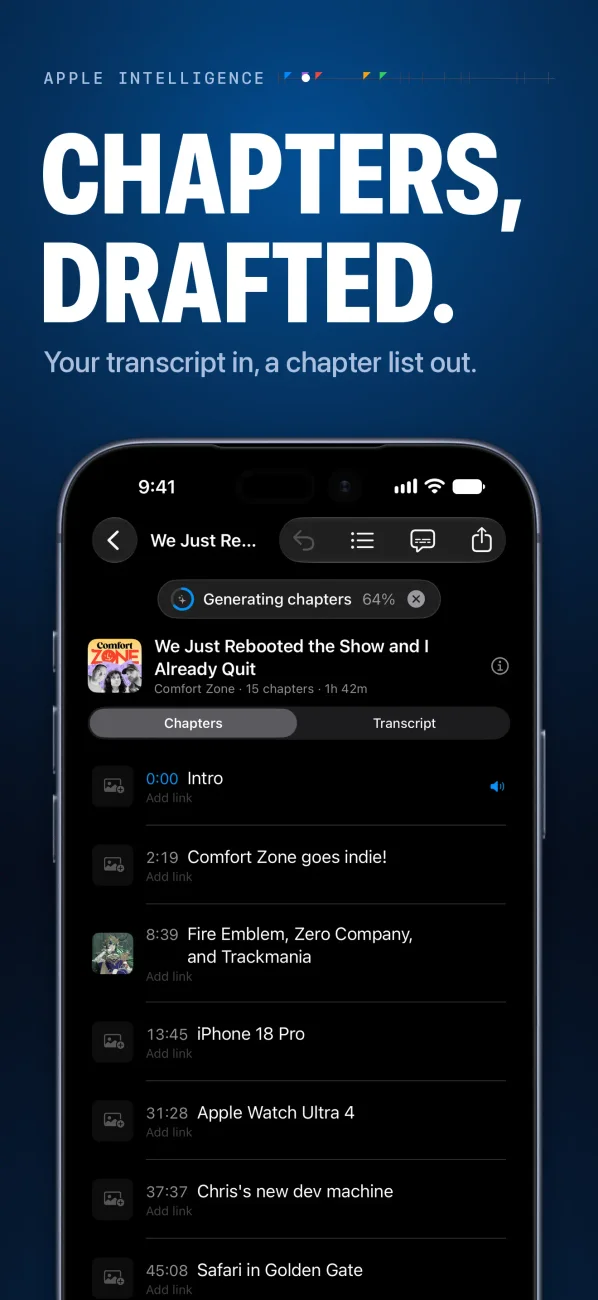
- Have a first draft of chapters written from your transcript, on supported devices
- Copy your chapter list as text for YouTube or your show notes
- Undo for every edit
- Review everything going into the file before you export
TRANSCRIPTS
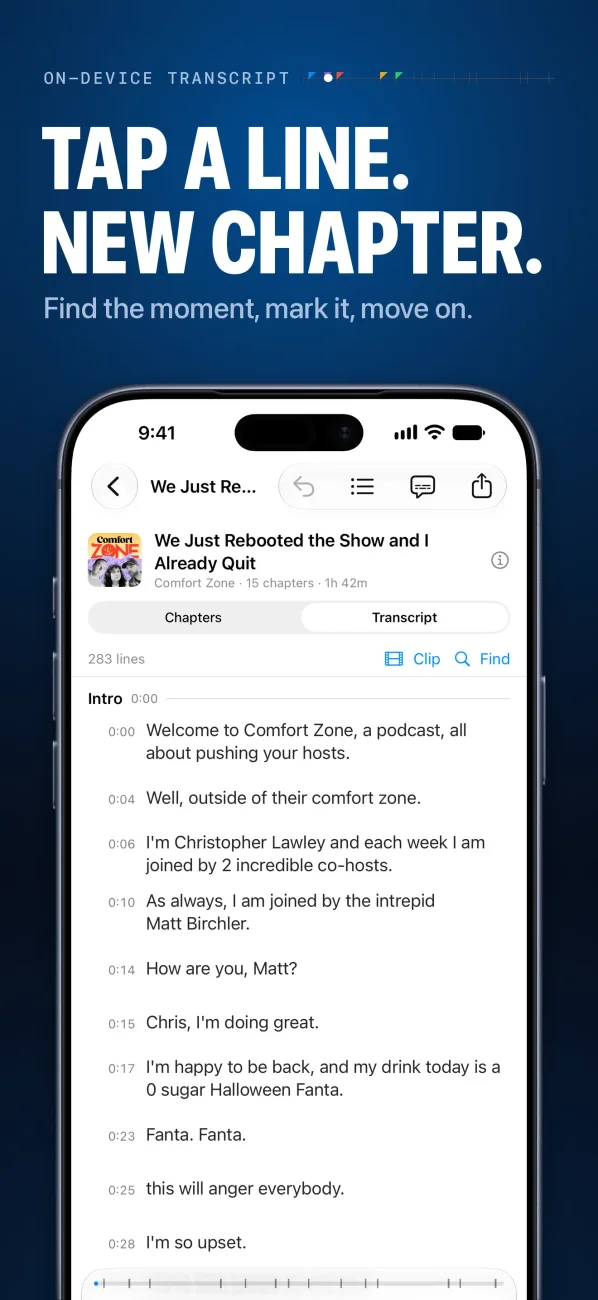
- Generate transcripts on device with Apple's Speech APIs. Your audio is never uploaded anywhere.
- Have transcription start automatically as soon as a file finishes importing
- Import and export SRT and VTT subtitle files
- Tap any line to jump to it, search the whole transcript, and start a chapter at any line
SHOWS
- Add your podcast by searching Apple Podcasts, or by pasting an RSS feed
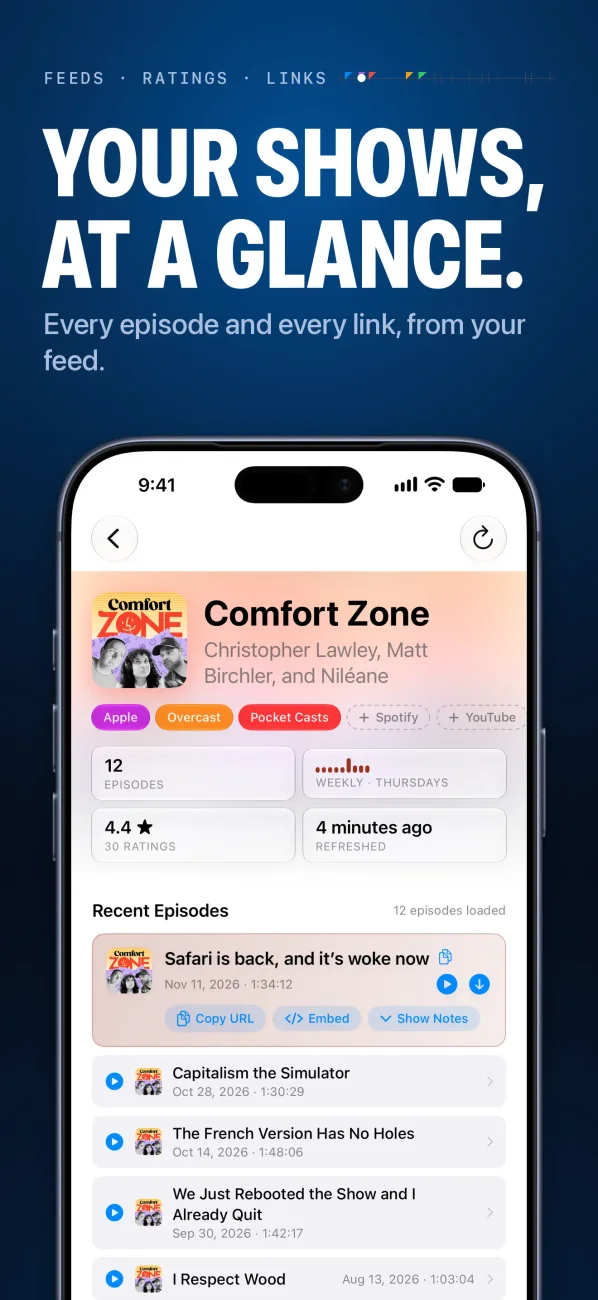
- See recent episodes, show notes, artwork, and your Apple Podcasts rating broken down by country
- Play any episode straight from its feed
- Copy episode links and embed codes, or download episode audio
- Start a new episode for a show with the title and artwork already filled in
VIDEO CLIPS
- Export short transcript clips with karaoke-style captions, ready for social media
EVERYWHERE
- Your episodes, chapters, transcripts, and shows sync through iCloud to your other devices
- Open audio in Chapterize straight from the Files app or a share sheet
- iPad: chapters and transcript side by side, an inspector for the selected chapter, and keyboard shortcuts
FILES
- Opens MP3, M4A, MP4, M4B, WAV, and AIFF
- Always exports MP3 with chapters embedded, so your episode works in every podcast app
PRICING
- Free, with every feature and no limits
- No subscription and no in-app purchase
System Requirements
- iOS or iPadOS 26 or later
Privacy policy https://birchtree.productions/apps/chapterpod/privacy.html
Nouveautés
Version 3.0 · 25/11/2026
Chapterize 3.0 is a new app on iPhone and iPad, rebuilt around how editing an episode actually goes.
Chapterize is now free: every feature, no limits, no purchase. Thank you to everyone who bought the unlock and kept the app going.
- One list for everything: your episodes at the top, your Shows below.
- Chapter rows show the time, title, link, and image at a glance. Tap a row to edit it.
- A mini player stays at the bottom of the episode. Tap Chapter to add one where you are, or tap the player to open the full player and drag a chapter's marker along the timeline.
- Undo for every edit, including AI chapters and text imports.
- Export now shows a review of everything going into the file before you save.
- Open audio in Chapterize straight from the Files app or a share sheet.
- iPad: chapters and transcript side by side, an inspector for the selected chapter, and keyboard shortcuts.
- Playback uses about a tenth of the processor it used to, so it is much easier on the battery.
- Playback now pauses properly for calls and when headphones are unplugged, and opening Chapterize no longer stops audio playing in another app.
Your library, iCloud sync, and exported files work exactly as before.
Confidentialité de l’application
Ce que Matt Birchler déclare sur l’App Store au sujet du traitement des données par cette application.
-
Données n’établissant aucun lien avec vous
Peuvent être collectées, mais ne sont pas liées à votre identité.
- Données d’utilisation
Les pratiques en matière de confidentialité peuvent varier, notamment en fonction des fonctionnalités que vous utilisez ou de votre âge.
Informations
- Vendeur
- Matt Birchler
- Catégorie
- Utilitaires
- Version
- 3.0
- Mis à jour
- 25/11/2026
- Publié
- 21/01/2026
- Taille
- 19,6 Mo
- Nécessite
- iOS 26.0 ou version ultérieure
- Classification d’âge
- 4+
- Prix
- Gratuit
- Achats intégrés
- Oui
- Langues
- Anglais
- Copyright
- © 2026 Birchtree Productions, LLC
Vous aimerez peut-être aussi
-
 BroadboardUtilitaires
-
 PodWise: Podcast ChaptersUtilitaires
-
 ZählwerkÉlectricité, gaz et eau
-
 PodCut: Podcast & Audio EditorUtilitaires
-
 Pulse - System ToolkitUtilitaires
-
 Vusic - Lossless PlayerUtilitaires
-
 Silence SplitterUtilitaires
-
 Inset: PiP for Every AppUtilitaires
-
 SharePal - Le partage éclair !Presse papier, clavier, liens
-
 Readable VoiceTranscribe audio and video