
ChromaMagic
See Color, Paint Color
Conçue pour iPhone, iPad, Mac, iPod touch
22,99 €
- Classification d’âge4+
- CatégorieGraphisme et design
- DéveloppeurMichele Clamp
- LanguesAnglais
- Taille125,1 Mo
Renvoie vers la page App Store officielle
Download.org n’héberge aucun fichier de ChromaMagic. Le bouton ouvre la page de l’application sur App Store, où Michele Clamp la publie. Fiche vérifiée pour la dernière fois le 20/11/2026.
Captures d’écran


À propos
Le développeur n’a pas fourni ce texte dans votre langue.
ChromaMagic - the magical color tool for artists - now with LIVE camera views.
Have you ever been painting and said 'but what *is* that color?' Me too!
ChromaMagic exists for one reason only. My paintings looked wrong. I just couldn't get the colors in my paintings to look convincing. Try as I might there was always something off. Too bright, too light, too gray, not gray enough. Too blue, too brown, too pink. Why oh why could I not make things work?
Well it turned out it wasn't in the paint. It wasn't in the mixing. Special brushes didn't do the trick. Making those daft color charts didn't help either. And it wasn't even in the way I put the paint on the paper.
The problem was in my brain.
The problem was that I had no chance of mixing the right color. I was missing an essential part of the painting process. Something that would take years if not decades to figure out.
And the reason was that I wasn't *seeing* the right color.
Now I don't mean there was something wrong with my eyesight. What I mean that I was 'seeing' color but I wasn't really seeing *COLOR*. I didn't have the words or the means to really understand what I was looking at.
And if we don't really know what we're looking at how on earth can we translate it into paint? Even if we don't want to represent what we see how do we know what to change to enhance the effect? Flip a coin? Trust chance and experimentation? Repeat for years and years until we stumble on something that works....?
No.
So what changed?
Everything changed. I learned to forget about primaries, secondaries and tertiaries. I learned to ditch the traditional artists wheel. I learned to stop talking about 'warm' and 'cool'.
I learned to see color the way it is and not the way I expect it to be. I had to forget everything I had been told.
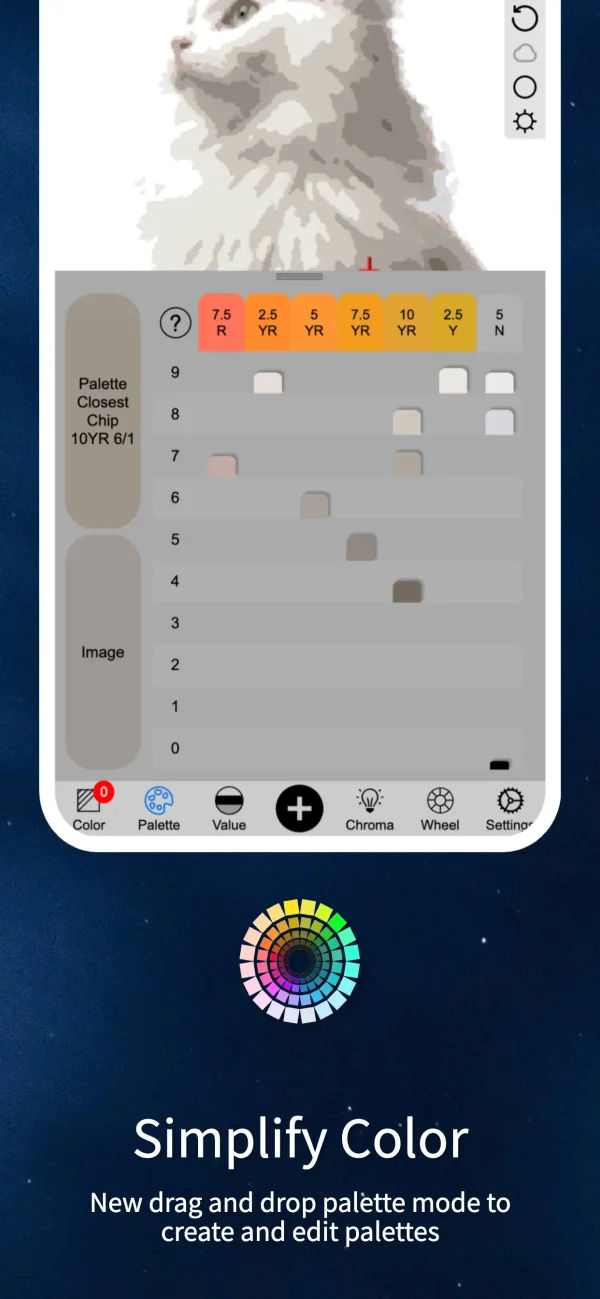
I learned about hue, value, and chroma. Munsell.
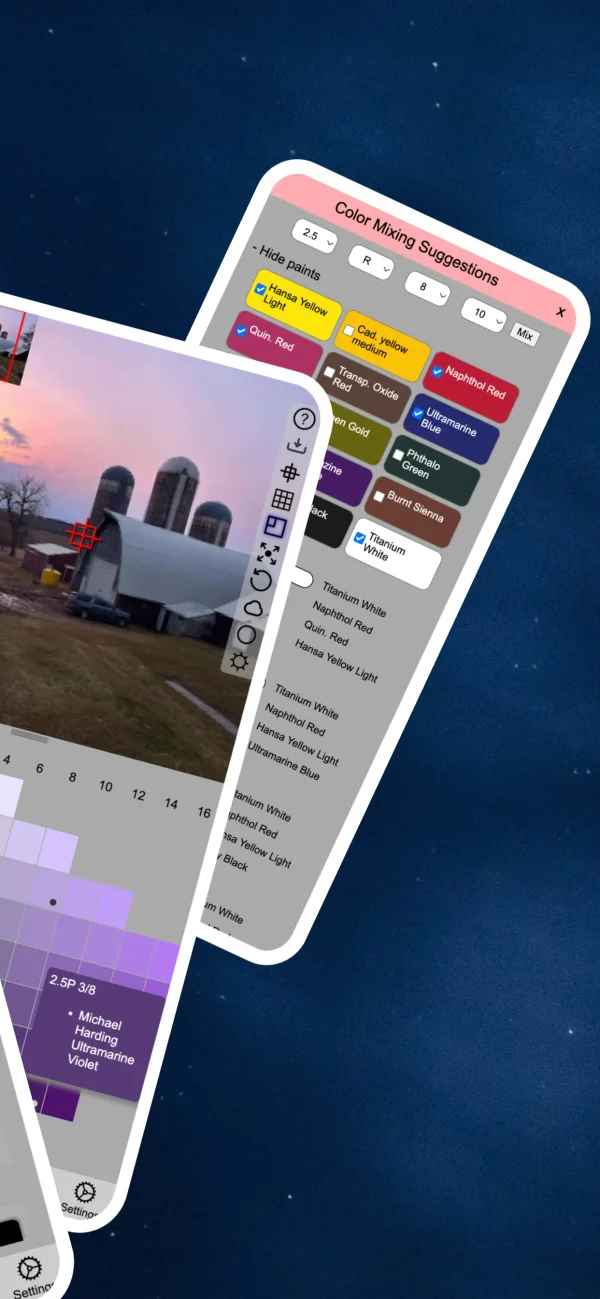
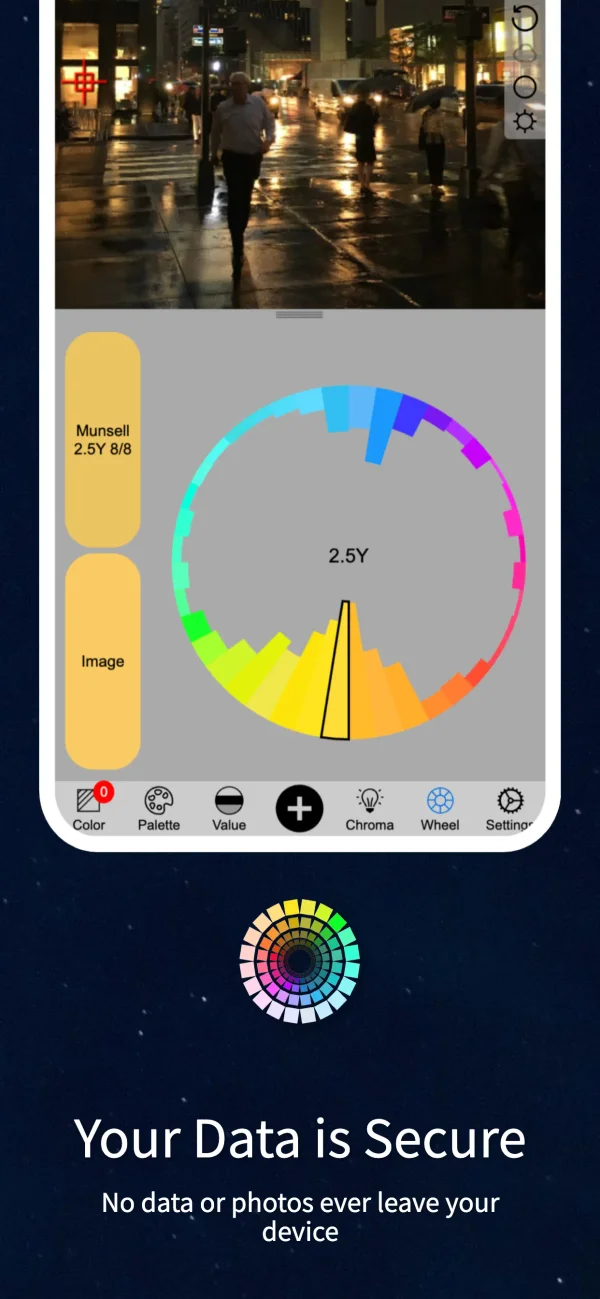
With ChromaMagic you can load up any photo or reference and see at a glance what any color is. And the colors are described in a way that is most natural for artists. What is the hue (red, yellow, green etc)? Yes! And what is the value (very important)? Yes! And what is the chroma (how gray or saturated it is)? Yes!!!
Color makes so much more sense now.
But there's more! As well as the Munsell color mode (which is fabulous by itself!) there are 4 extra modes to help you really see what is before us.
- Want to organize your reference into the major value shapes? Value mode will do that and you can change the number of value steps with a click of the mouse.
- Want to reduce your reference to just grayscale to really see those fine-grained values? Yes!
- Want to see how saturated or gray your colors are (this is always surprising!). Yes!
- Want to see how your colors are distributed around the color wheel? Yes
And yet there's still more:
- No more clicking around - ChromaMagic has a fantastic new interface with buttery smooth zoomable, pannable images.
- No more need to be tethered to wifi. Take ChromaMagic anywhere - even up a mountain!
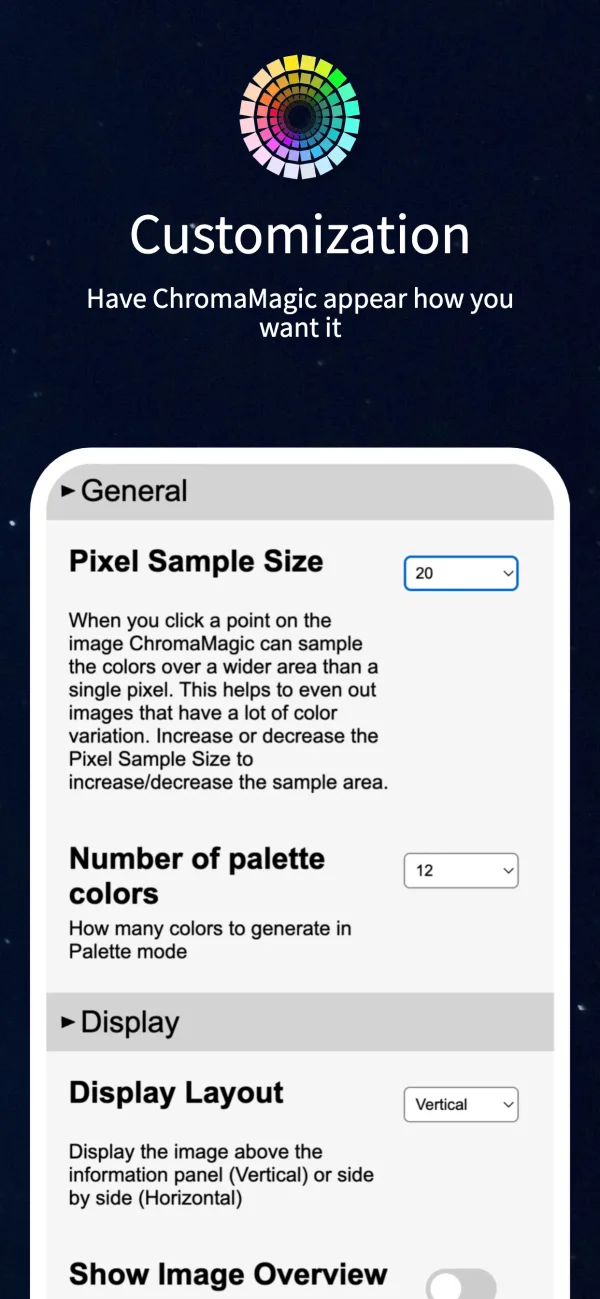
- Too many colors in your reference? Average your colors over multiple pixels - 2500 of them if you want to.
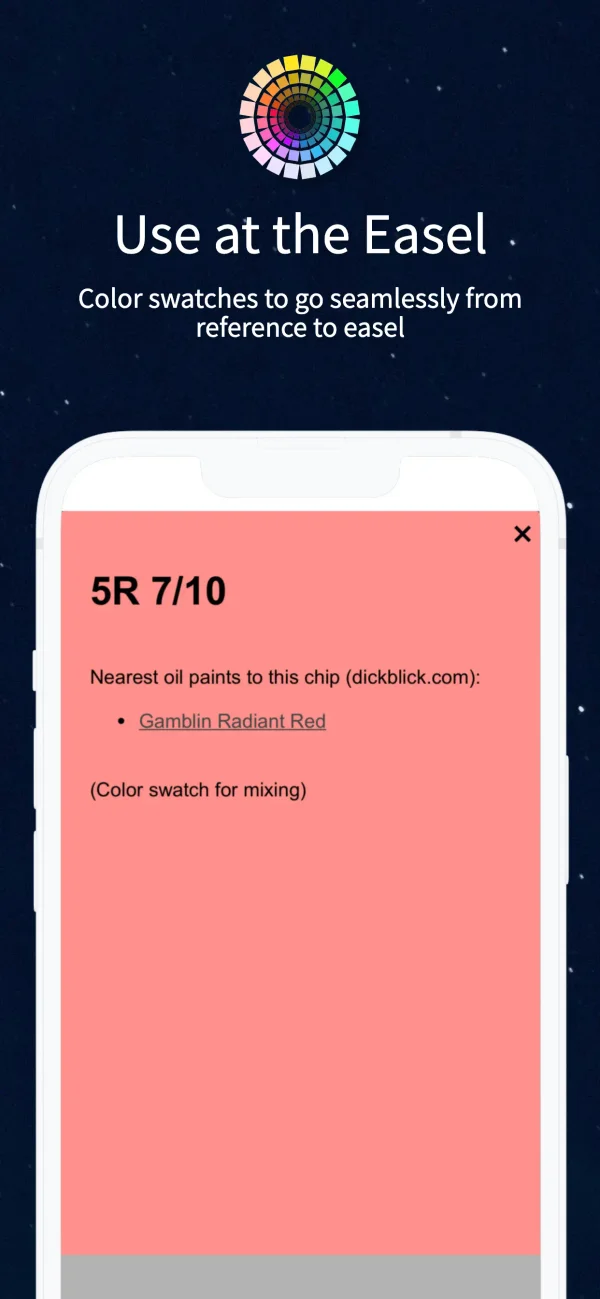
- Want to know which paints are available for a certain color? ChromaMagic now has links to hundreds of top quality oil paints.
- Want to use ChromaMagic at home? On the bus? On a tablet? Now you can run it on your iphone, ipad or mac. All for one price!
- No more silly loading buttons. Drag and drop your files in one swish on the desktop (Bliss!!)
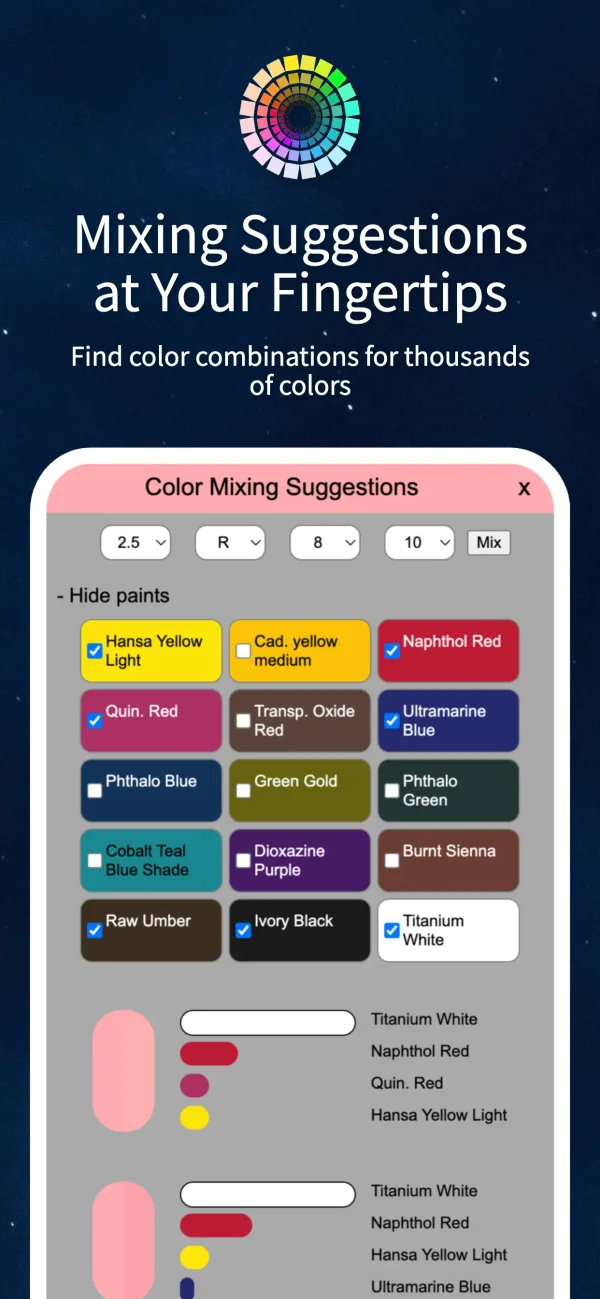
- Use ChromaMagic next to the easel for mixing. Now with mixing swatches and calibration values (no need for $1500 Munsell chips)
Nouveautés
Version 4.1.1 · 25/09/2026
Faster mixing for large palettes.
Paint database now includes Old Holland oil paints.
Support for ios 27
Confidentialité de l’application
Ce que Michele Clamp déclare sur l’App Store au sujet du traitement des données par cette application.
-
Données non collectées
Le développeur ne collecte aucune donnée à partir de cette application.
Les pratiques en matière de confidentialité peuvent varier, notamment en fonction des fonctionnalités que vous utilisez ou de votre âge.
Informations
- Vendeur
- Michele Clamp
- Catégorie
- Graphisme et design
- Version
- 4.1.1
- Mis à jour
- 25/09/2026
- Publié
- 15/03/2024
- Taille
- 125,1 Mo
- Nécessite
- iOS 15.0 ou version ultérieure
- Classification d’âge
- 4+
- Prix
- 22,99 €
- Langues
- Anglais
- Copyright
- © 2026 Michele Clamp
Vous aimerez peut-être aussi
-
 Values at PlayGraphisme et design
-
 Color Study : Simplifiez l'artCouleur, valeur et forme
-
 Real Paint mixing tools PROGraphisme et design
-
 Value StudyAnalysez ombre et lumière
-
 Smarty PaintsGraphisme et design
-
 Camera Lucida™: AR DrawingGraphisme et design
-
 Real Paint mixing toolsGraphisme et design
-
 BrushLens: Oil Paint MixingGraphisme et design
-
 Painter Values CheckVérifiez sombres et clairs
-
 Color WheelCercle Chromatique & Palettes