ClickClack - Typing Trainer
Speed Test & Practice Lessons
Conçue pour iPhone, iPad, Mac
Gratuit · Achats intégrés
- Classification d’âge12+
- CatégorieMots
- DéveloppeurAlfian Losari
- LanguesAnglais+ 19 de plus
- Taille27,3 Mo
Renvoie vers la page App Store officielle
Download.org n’héberge aucun fichier de ClickClack - Typing Trainer. Le bouton ouvre la page de l’application sur App Store, où Alfian Losari la publie. Fiche vérifiée pour la dernière fois le 29/11/2026.
Captures d’écran




À propos
Le développeur n’a pas fourni ce texte dans votre langue.
Improve your typing speed, accuracy, and technique with a powerful typing test and trainer built around a clean, distraction-free experience. Upgrade to Pro for extra challenges, stats, themes and unlimited custom text.
Key Features:
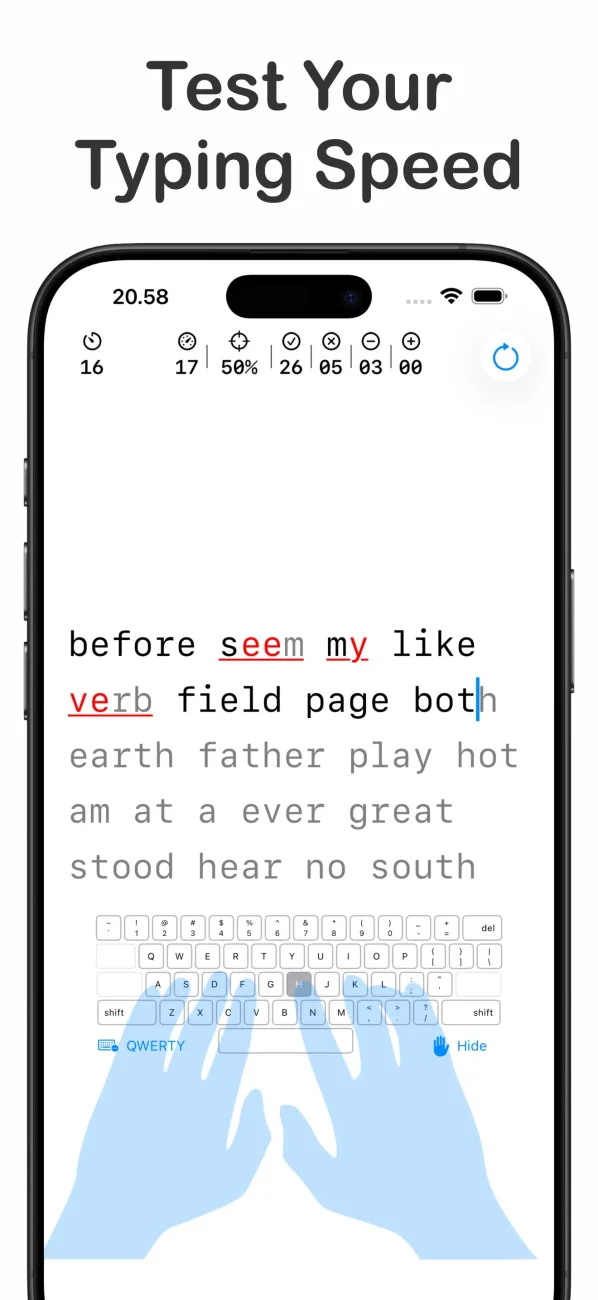
Typing Speed Test:
• Timer-Based Session.
• Word Count-Based Session.
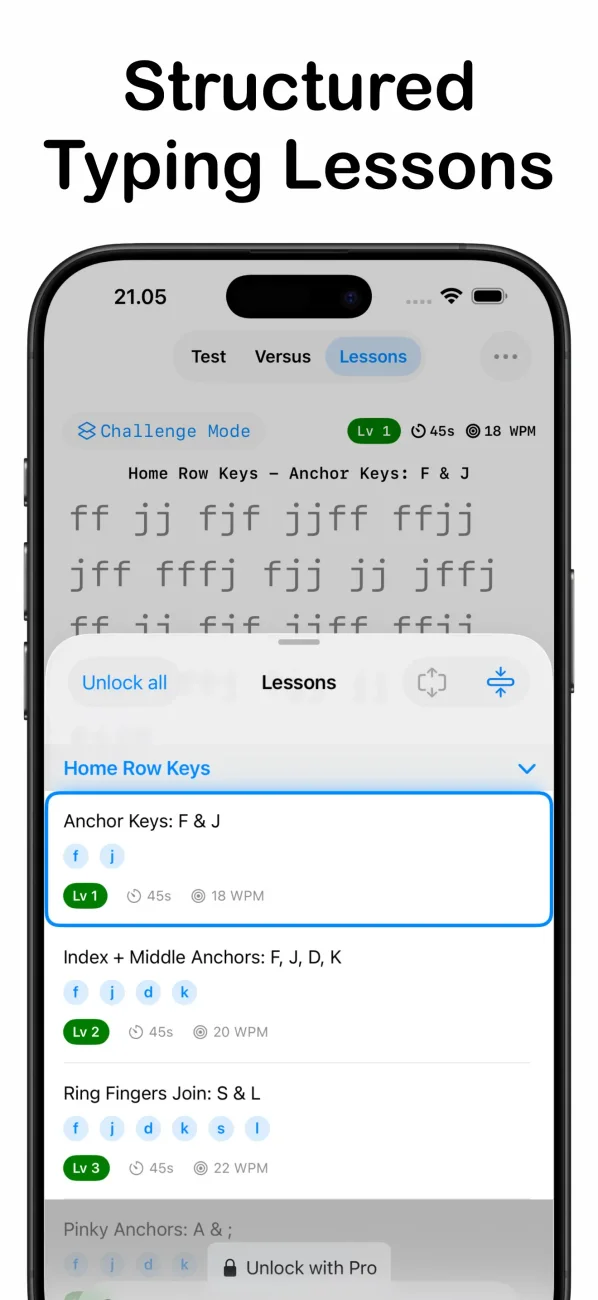
Lessons Practice Mode:
• Structured Learning: Improve your typing with guided lessons covering the home, top, bottom, symbol, and number keys.
• Progress Tracking: Monitor accuracy, WPM, and high scores for each lesson.
N-Gram Word Focus Lab:
• Precision Training: Build fluid muscle memory by focusing on "sticky" character sequences (N-Grams) that cause frequent mistakes.
• Intelligent Drill Logic: Use Targeted (PRO), Smart Mix (PRO), or Expansion strategies to eliminate accuracy gaps and master challenging patterns.
On-Device AI Text Generator & Typing Insights (Requires iOS 26 & Apple Intelligence Enabled)
• Infinite Content: Instantly generate unique practice passages from various topics and supported languages.
• Typing Insights: Receive on-device AI analysis of speed, with deeper accuracy and consistency insights in Pro.
• Privacy First: All AI generation and analysis run locally on-device with zero data collection.
Detailed Typing Analytics:
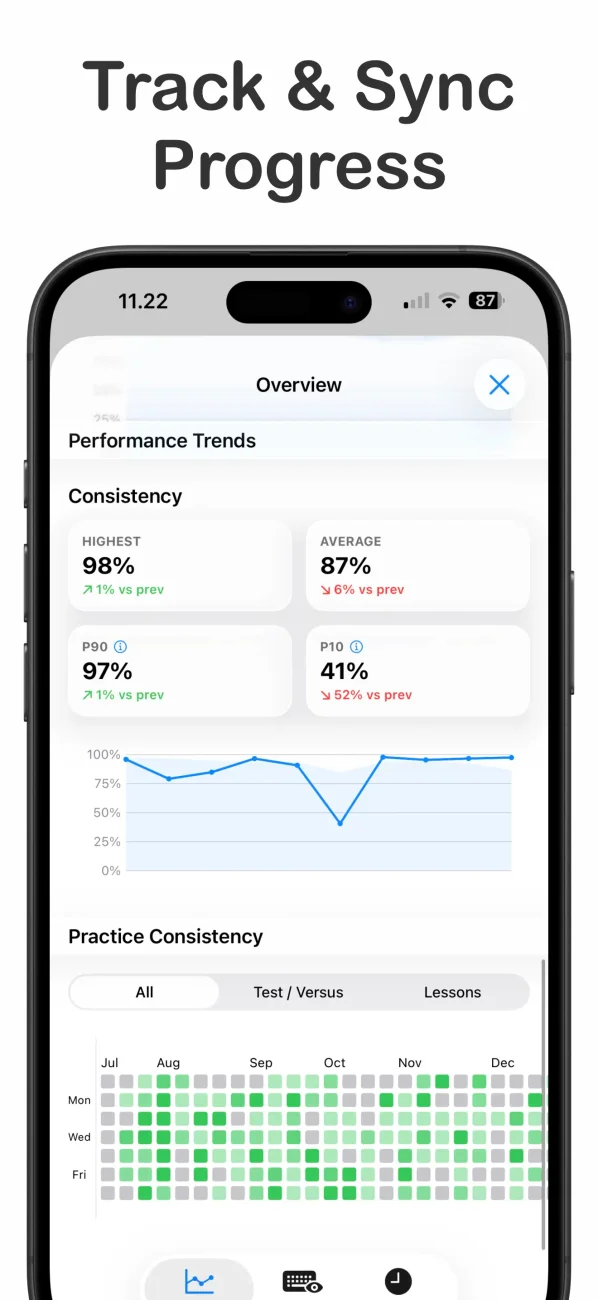
• Performance Metrics: Calculates WPM (Net & Gross), Accuracy, and Consistency.
• Error Tracking: Tracks correct, incorrect, and missed characters.
• Level Progression: Earn XP from each typing session and unlock new levels.
• WPM Graph: Track your progress across sessions.
• Mistyped Keys & N-Gram Analysis: View key-error heatmaps and missing bigram/trigram patterns to target weaknesses.
• Key Latency & Bottlenecks: Measure delays across keys, bigrams, and trigrams to pinpoint hesitation patterns.
Typing Replays & Ghost Practice:
• Live Playback: Replay typing sessions as they happened.
• Free Replay Library: Save favorite sessions.
• Replay Sharing: Export and share replay files—free for everyone.
• Ghost Practice: Type alongside past runs in timed or word mode.
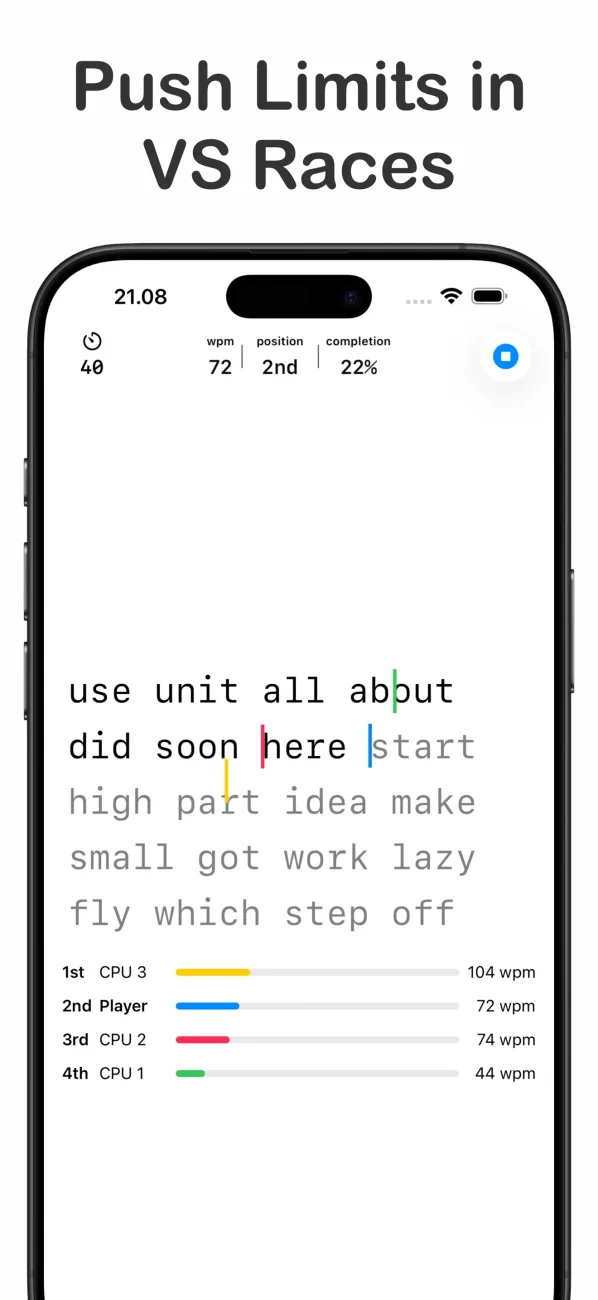
• Versus Races: Race CPUs or compatible recordings in Ghost Race.
• Track Improvement: Beat a replay, then save or replace your attempt.
• Ghost Customization: Change or hide your ghost cursor.
• Free Practice & Racing: Replays up to 45 seconds or 75 words. Pro removes both limits.
• Import Replays: Import recordings to watch, practice, or race when compatible.
Multiplayer Mode:
• Real-Time Matches: Compete in 60-second English typing challenges with 2–4 players.
• Play With Anyone: Invite friends or use automatch to find opponents worldwide.
• Game Center Integration: Earn achievements and climb multiplayer leaderboards.
VS CPU Mode:
• Race Simulated Opponents: Race multiple AI opponents with adjustable difficulty. Choose how many CPUs to face, set individual speeds, or use Smart Difficulty based on your recent performance.
Custom Typing Text:
• Personalized Practice: Create and manage your own typing texts using quotes, song lyrics, or any text. Import directly from a webpage URL.
Customizable Style:
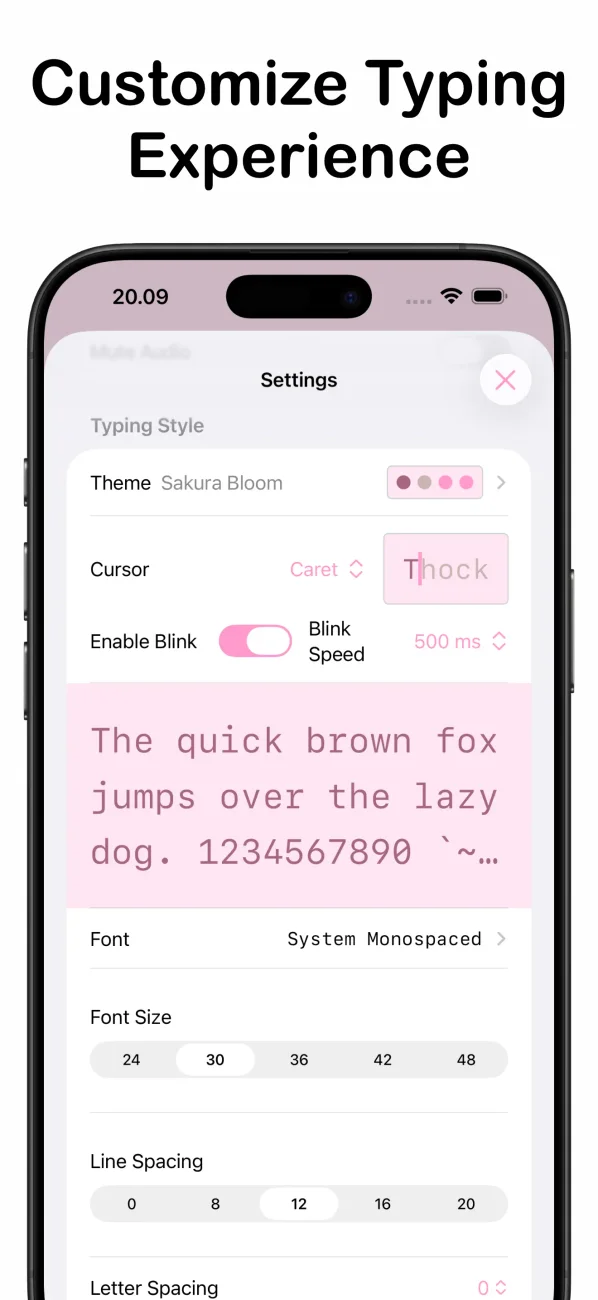
• Typography: Choose your font, size, line spacing, letter spacing, line break mode, and text alignment.
• Themes: Choose from gorgeous color profiles, including animated liquid gradients (iOS 26), to match your mood and focus.
Keyboard & Hand Guide Overlay:
• Activate the Keymap Overlay to visualize keystrokes and next key targets in real time.
• Enable the Hand Guide to see correct finger placement — perfect for mastering 10-finger typing.
Typing Sound Effects:
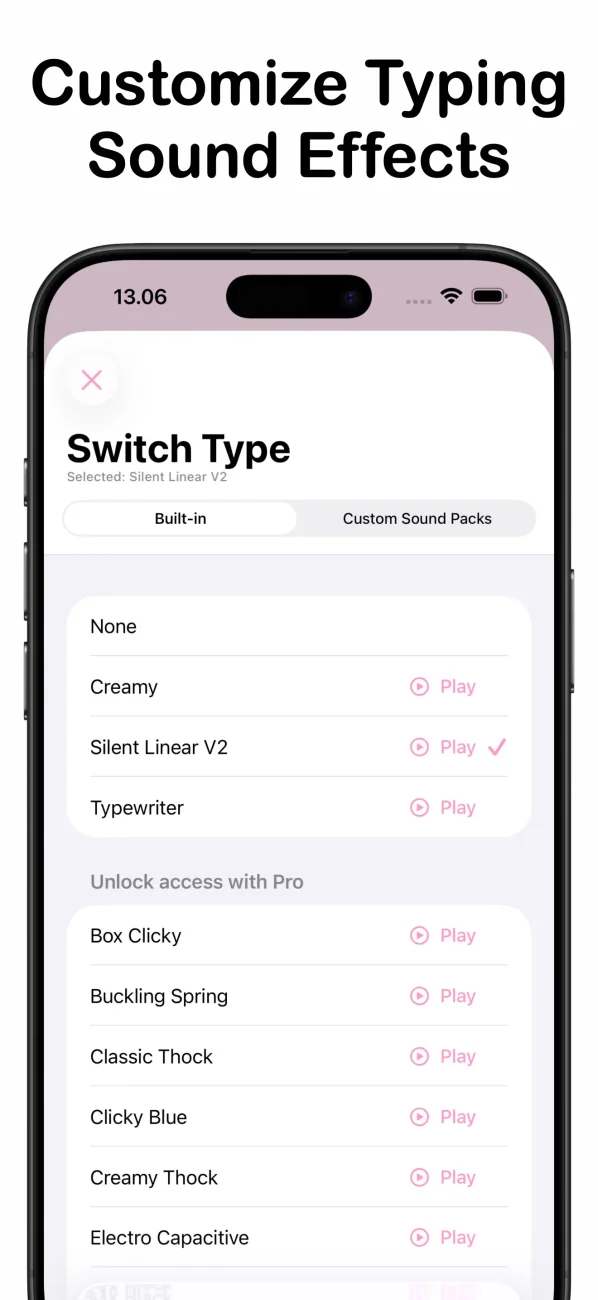
• Enjoy satisfying keyboard sounds including mechanical switches, typewriters, or your own sound packs.
iCloud Sync:
• Sync your typing stats across iPhone, iPad, and macOS.
Rated for ages 13+ by the Indonesia Game Rating System (IGRS)
Nouveautés
Version 5.4.0 · 31/10/2026
• New Finger Guide for Pro users: color-coded keys show which finger to use, with a matching highlight on the hand overlay.
• Hand overlay now includes an outline. Adjust fill and outline opacity in Keyboard settings.
• Replay sharing is now available to free users.
• General Bug Fixes and UI Improvements.
Recent Highlights:
Practice and Race with Typing Replays!
• Use saved replays in Typing Test and type alongside your recorded ghost in timed or word-based mode.
• Race CPUs using replay text, or challenge compatible recordings in Ghost Race.
• See when you improve on a replay, then save your new attempt or replace the original.
• Save your favorite replays and build your replay library.
• Watch live replays, import recordings from friends, and customize your ghost cursor.
• Share replay files with friends—now free for everyone.
• Practice and race with replays up to 45 seconds or 75 words for free. Pro unlocks longer replays.
Confidentialité de l’application
Ce que Alfian Losari déclare sur l’App Store au sujet du traitement des données par cette application.
-
Données non collectées
Le développeur ne collecte aucune donnée à partir de cette application.
Les pratiques en matière de confidentialité peuvent varier, notamment en fonction des fonctionnalités que vous utilisez ou de votre âge.
Informations
- Vendeur
- Alfian Losari
- Catégorie
- Mots
- Version
- 5.4.0
- Mis à jour
- 31/10/2026
- Publié
- 06/02/2025
- Taille
- 27,3 Mo
- Nécessite
- iOS 17.5 ou version ultérieure
- Classification d’âge
- 12+
- Prix
- Gratuit
- Achats intégrés
- Oui
- Langues
- Anglais, Arabe, Néerlandais, Français, Allemand, Hébreu, Hindi, Indonésien, Italien, Japonais, Coréen, Malais + 8 de plus
- Copyright
- © 2026 Alfian Losari
Vous aimerez peut-être aussi
-
 Speed Typer: WPM Typing TestsMots
-
 Typing Practice gameMots
-
 Space Typer: WPM Typing GameMots
-
 My Type!Parties rapides
-
 Textris: Fast Word Typing GameMots
-
 Type Speed: Typing Games TestMots
-
 Typing King (Typing practice)Mots
-
 Fast Typing GameTestez votre frappe en 60 s
-
 Spin The Wheel - GK RandomRandom Picker, Games, Raffle
-
 Take Your LineJeux