- Classification d’âge17+
- CatégorieÉconomie et entreprise
- DéveloppeurWorkTimemanager
- LanguesAnglais
- Taille29,4 Mo
ClickTime v2 n’est peut-être pas disponible sur App Store pour le moment
La fiche de la boutique était inaccessible lors de notre dernière vérification. Le lien mène toujours à la page App Store officielle.
Captures d’écran

À propos
Le développeur n’a pas fourni ce texte dans votre langue.
Employee Time Clock with GPS
ClickTime App tracks employee work times and locations – from any phone and any location. ClickTime Mobile is very easy to use and automates your entire timekeeping process. The time clock application provides employee GPS location verification in addition to photo capture and saves your company many administrative hours per month. The ClickTime Mobile solution includes mobile Clock in/out, photo capture, GPS and mapping features, and real-time syncing and reporting to your secure Employer Web Portal.
ClickTime Mobile attendance is the preferred employee timekeeping and location tracking solution for Builders, Contractors, Security, Health care, Transportation, Event Planners, and all Trades with remote & mobile Employees.
Mobile Time Attendance
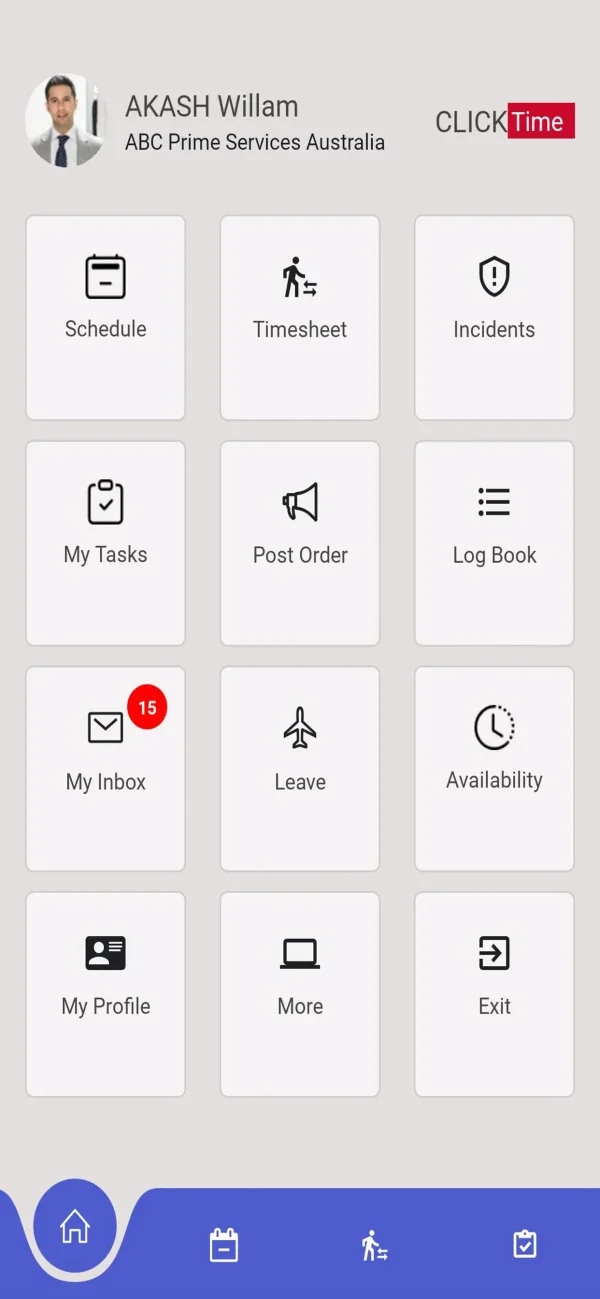
Clock in and out against scheduled shifts or clock freely against any site.
Captures employee GPS coordinates when they Clock in and out.
Employee Time Tracking with GPS Geofencing.
Capture employee photo when clocking in and out to eliminate time theft.
Notifications and alerts to remind employees to clock in and out.
Geofence alerts managers if employee is clocks-in/out outside job site or leave the job site.
Log time against tasks & activities.
Add shift notes at the time of clocking in or out.
View daily and weekly attendance report.
ROSTER
Employees view your up-to-date schedule at any time
Daily, weekly and monthly roster view
Site address details on Google map
Publish shift information to your team via SMS, email, and push notification
Timesheets and Reports via Web Based Account:
Compare employee attendance records with the actual assigned scheduled hours.
Custom timesheet reports - At the end of the day or pay cycle check the timesheets, run reports and export to Excel.
Add & edit time attendance records manually from the web portal
PROFILE
View profile and licenses/certifications details
Change password
Change mobile number & email address
Disclaimer: "Continued use of GPS running in the background can dramatically decrease battery life."
Nouveautés
Version 1.0.26 · 26/05/2026
Optimized speed and responsiveness.
Confidentialité de l’application
Ce que WorkTimemanager déclare sur l’App Store au sujet du traitement des données par cette application.
-
Données non collectées
Le développeur ne collecte aucune donnée à partir de cette application.
Les pratiques en matière de confidentialité peuvent varier, notamment en fonction des fonctionnalités que vous utilisez ou de votre âge.
Informations
- Vendeur
- BLUE WAVES SYDNEY PTY LTD
- Catégorie
- Économie et entreprise
- Version
- 1.0.26
- Mis à jour
- 26/05/2026
- Publié
- 26/10/2021
- Taille
- 29,4 Mo
- Nécessite
- iOS 14.0 ou version ultérieure
- Classification d’âge
- 17+
- Langues
- Anglais
- Copyright
- © Clicktime Pty Ltd